


Quick Summary:
- Many fast chargers accept contactless cards, but some locations are app-only.
- Set up key charging apps before pickup to avoid verification delays.
- Carry a physical bank card, as some readers reject phone wallets.
- Test a nearby charge after pickup to confirm access and billing.
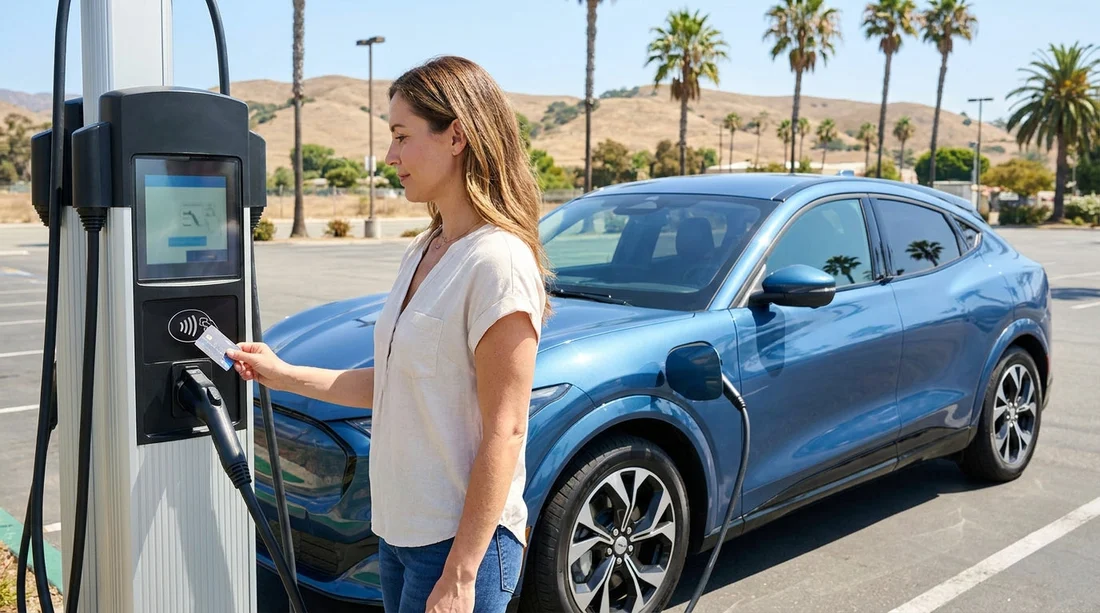
Yes, you can often pay for public EV charging with a bank card in California, but it depends on the charging network, the charger type, and the specific site. For an electric car hire trip, the practical takeaway is simple, expect a mix of contactless card readers and app-first stations, and prepare for both so you are not stuck with a low battery after pick-up.
California has excellent EV coverage, especially around major airports and metro areas, but payment methods are not perfectly standardised. Some chargers let you tap a bank card and start. Others require an app, an account, location permissions, and sometimes a pre-authorisation hold. A bit of set-up before you land usually prevents the most common problems.
What to expect at California chargers, contactless versus app-only
DC fast chargers (rapid charging) are the most likely to support bank card payment, because they serve road trips and quick stops. Even then, it is not universal. Many sites have contactless readers, but some stalls may have a broken reader or a screen that is hard to use in direct sun. Plan for the possibility that the first stall you try does not cooperate, and be ready to move one bay over.
Level 2 chargers (slower chargers at hotels, car parks, shopping centres) are more variable. Some are free. Some are pay-to-use with an app. Some require scanning a QR code to open a web payment page. Others are controlled by the property, and you may need reception to enable access. If your itinerary includes overnight charging, do not assume a bank card tap will be available.
Roaming and interoperability helps in some cases, where one app can start a session on another network, but it is not guaranteed. For a rental, relying on roaming alone is risky, especially if you have weak mobile signal in a garage or multi-storey car park.
Which apps to set up before travel
To avoid being unable to start a charge, set up the main charging apps you are likely to encounter in California before you pick up the car. Create accounts, add your payment method, and confirm you can log in. If you wait until you are standing at a charger, you may run into weak signal, app updates, or identity verification steps.
Common networks and tools you will see across California include:
ChargePoint: widespread for Level 2 and some DC fast charging. Many sites are app-driven, and tapping a card is not always available at Level 2 units. Having the app ready is valuable for urban charging.
EVgo: a major DC fast charging network in California. Many locations support contactless payment, but the app remains useful for viewing stall status, pricing, and starting a session when the reader misbehaves.
Electrify America: common on intercity routes. Many chargers offer card readers, but the app can reduce friction, help troubleshoot, and provide receipts.
Tesla charging: if your electric car hire is a Tesla, Supercharging is typically handled through the vehicle and the linked account rather than ad hoc card taps. If your rental is not a Tesla, you may still see some Tesla-branded sites, but access can vary by location and hardware. Check what your specific vehicle supports.
How to avoid being unable to start a charge after pick-up
The number one failure point for visitors is assuming every station works like a petrol pump. Use this checklist on day one, ideally while you still have plenty of range.
1) Confirm the connector type and charging capability. Know whether your rental uses CCS, NACS, or another connector, and whether an adaptor is included. Payment does not matter if the plug cannot connect. If you are collecting near an airport, doing a quick compatibility check helps avoid wasted detours later.
2) Do a “test charge” within the first few hours. Start one short session at a nearby reliable station to confirm you can initiate charging, the billing works, and you understand the on-screen steps. This is especially useful after car hire pick-up, when you are learning the vehicle’s charging port and release mechanism.
3) Bring both a physical bank card and a phone wallet. Contactless terminals sometimes reject mobile wallets, and sometimes only one of the two works. A chip-and-tap card is still the safest backup.
4) Expect pre-authorisation holds. Some networks place a temporary hold on your card. Make sure your travel card has headroom, especially if you are using a debit card with a tight balance.
5) Keep mobile data and roaming sorted. App-based charging often fails in underground car parks where signal is weak. If you know you will charge in garages, download apps and sign in beforehand, and take screenshots of support steps and your account details.
6) Watch for station-specific access rules. Some chargers are behind barriers, require paid parking, or are reserved for customers. Read the site notes in your planning app before you arrive.
What it looks like in practice at the charger
A typical DC fast charging stop in California goes like this: you park, choose a stall, plug in, then either tap your bank card, use an app, or scan a QR code. Some stations require payment first, others require plugging in first. If the screen instructs you to “authorise” before plugging, follow that order, because reversing it can lead to a session error.
If contactless fails, try these quick fixes: use the physical card instead of a phone wallet, wipe the reader surface, try a different stall, or start the session in the app while the cable is connected. If the charger still will not start, do not keep repeating the same attempt. Move to another unit, because a single stall can be offline while others work.
Car hire planning tips for California routes
Charging needs depend on where you are driving. In dense areas, Level 2 top-ups may be plentiful but app-heavy. On longer drives, DC fast charging is easier to find and more likely to accept contactless, but queues can happen at peak times.
If you are flying into Southern California and collecting nearby, it helps to know where you can reliably test your set-up. When arranging car hire around San Diego, aim to identify a fast charger within a short drive of the airport area so you can validate payment early. For travellers starting in Orange County, the same applies around Santa Ana and surrounding motorways. If your trip begins in the Bay Area, urban chargers can be app-first, so ensure your accounts are ready before you rely on them for overnight charging.
For airport area planning and pick-up locations, you can browse Hola Car Rentals pages such as car hire at San Diego Airport, Enterprise car rental in Santa Ana, car rental in San Jose, and Sacramento airport rentals to map your first charging stop near your pick-up point.
Costs, receipts, and common surprises
Pricing can be per kWh, per minute, or a mix, and it can change by time of day. App-based sessions often show clearer pricing before you start. Card readers sometimes show less detail until the session ends. If you need receipts for expenses, apps make it easier to retrieve invoices later, whereas card-only sessions can require digging through card statements.
Also be aware of idle fees at busy fast charging sites. These charges can apply if the car stays plugged in after charging completes. Set a phone alarm or use the vehicle’s charging notifications so you can move the car promptly.
FAQ
Can I rely on tapping my bank card at California EV chargers? You can rely on it sometimes, especially at many DC fast chargers, but not everywhere. For a smoother trip, have at least one major charging app set up as a backup.
Do I need a US bank card, or will a UK card work? Many stations accept international cards, but occasional declines happen due to issuer security checks or pre-authorisation holds. A travel-friendly card and an app payment method reduce the risk.
What should I do immediately after picking up an electric rental? Check the connector type, confirm any adaptor included, then complete a short test charge while you still have plenty of battery. That proves your payment method and the station workflow.
Why does a charger say “payment accepted” but not start charging? It can be a stall fault, an incorrect plug-in order, a connector not fully seated, or the car not unlocked for charging. Try reseating the plug, follow the on-screen order, or move to another stall.
Is app-only charging common for slower destination chargers? Yes. Many Level 2 units at car parks and venues use app activation or property access rules, so it is wise to set up ChargePoint and keep mobile data working.





























































































