


Quick Summary
- Navigation, fuel, parking, weather and music apps can turn a simple rental car into a smart road trip companion.
- Choosing and testing your favourite apps before you pick up the vehicle saves data, time and arguments on the day.
- Hola Car Rentals helps you build flexible itineraries, and these apps help you enjoy every mile once you are on the road.
From a weekend loop out of San Diego to a coast to coast adventure, the right apps can make your US road trip smoother, cheaper and more relaxed. Once you have picked up your car hire and pulled out of the airport, your phone is often your main co pilot.
Navigation apps that actually work for long drives
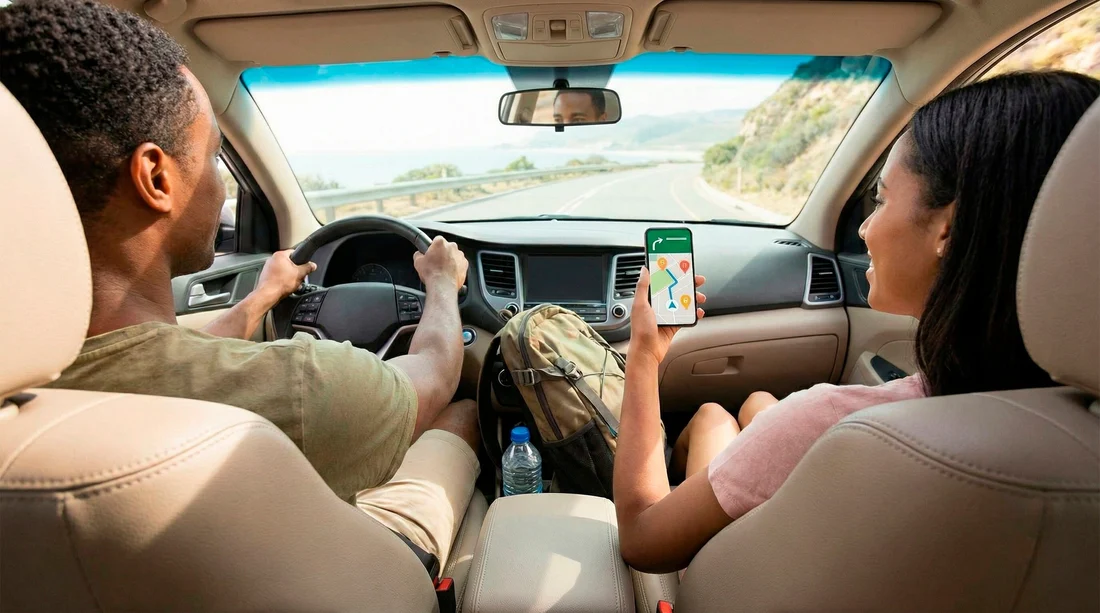
A reliable maps app is essential when you are driving in unfamiliar cities and wide open countryside. Mainstream choices like Google Maps or Apple Maps are perfect for turn by turn directions, live traffic and lane guidance. They can re route you around accidents and show services such as petrol stations and supermarkets on the way.
For scenic routes, apps that focus on road trip planning rather than pure navigation can be useful. They help you spot viewpoints, quirky roadside diners and short hikes that are easy to add to a day plan. Just remember to download offline maps for key areas so you are not stuck if mobile coverage disappears between small towns.
If you want a deeper look at offline options, this offline maps tutorial from Hola Car Rentals walks through how to save routes in advance using the most popular apps.
Fuel, charging and parking helpers
Driving long distances makes fuel one of your biggest costs. Price comparison apps help you see petrol station prices along your route so you can plan cheaper refuelling stops rather than waiting until the warning light flashes. Many of these tools also show amenities like toilets, coffee and food so you can combine breaks.
Electric vehicle drivers can use charging apps that highlight fast chargers, show real time availability and suggest sensible charging stops between cities. If you are using a rental EV from a busy hub such as Atlanta, it is worth saving your Atlanta road trip base as a favourite location so you can plan a full battery before you return the car.
In busy cities, parking apps make the difference between circling blocks for half an hour and gliding straight into a reserved space. They let you compare car parks by price and height limits, read recent reviews and sometimes even extend your stay from the cafe table instead of walking back to the ticket machine.
Weather, safety and roadside support
Weather apps with live radar and alerts are invaluable on US roads, where storms can arrive quickly and mountain passes can close due to snow. Checking the forecast each morning helps you decide whether to start early, adjust your route or leave a high pass for another day.
Some navigation and safety apps can warn you about accidents ahead, heavy traffic or hazards on the road. Others let you share your location with a trusted contact while you travel so someone always knows roughly where you are during solo trips.
Many major rental brands, including partners that work with Hola Car Rentals, offer their own roadside assistance apps or numbers. Save these in your favourites so that if a warning light appears on the dash, you can get help quickly without digging through paperwork.
Entertainment and trip planning tools
A good playlist can keep spirits up and boredom down on long straight sections of interstate. Music streaming apps and podcast platforms let you create road trip playlists or download episodes for areas without data. Just remember to connect your phone to the car via Bluetooth or cable before you start driving so you are not distracted on the move.
Note taking and itinerary apps are excellent for tracking where you have been and what you want to do next. You can bookmark restaurants in Miami, list short hikes near your Miami Airport starting point or store confirmation numbers for motels along your route.
Photo organisation apps also help you tag locations and share albums with friends and family while you travel. When you get home, you will know exactly which viewpoint that sunset shot came from.
Setting apps up before you collect the car
The best time to install and test your apps is at home or in the hotel on wifi, not at the rental desk. Download maps for key states, log in to your accounts and switch on any offline features you plan to use. Check that your roaming plan or travel SIM includes enough data for navigation and streaming.
Before leaving the car park, mount your phone safely where you can see it without blocking air bags or your view of the road. Set your first destination, start your playlist and make sure voice guidance works at a comfortable volume. This is much easier to do while the car is still parked.
FAQ
Which navigation app is best for a US road trip? For most travellers, a mainstream app such as Google Maps or Apple Maps is more than enough. The key is to download offline maps, keep the app updated and pair it with a separate planning tool if you want to find hidden stops.
Do I need mobile data for navigation? Constant data helps with live traffic and search results, but most apps allow you to download maps in advance. If your data plan is limited, use wifi at hotels and cafes to pre load maps and playlists before each day s drive.
Are parking apps worth using in smaller towns? In small places you can often find spaces without help, but parking apps are still useful when you pass through big cities on the same trip. They are especially handy near stadiums, downtown areas and popular beaches.
Can I run all these apps at once without draining my battery? Using navigation, music and messaging together can drain your phone quickly, so always travel with a car charger or power bank. Many modern rental cars include USB ports, but it is wise to bring your own cable just in case.
Once you have your app toolkit ready, reserve your vehicle with Hola Car Rentals. You can combine smart digital tools with great value rates, enjoy benefits such as free cancellation on many bookings and build a flexible US road trip that runs as smoothly as your favourite playlist.





























































































