


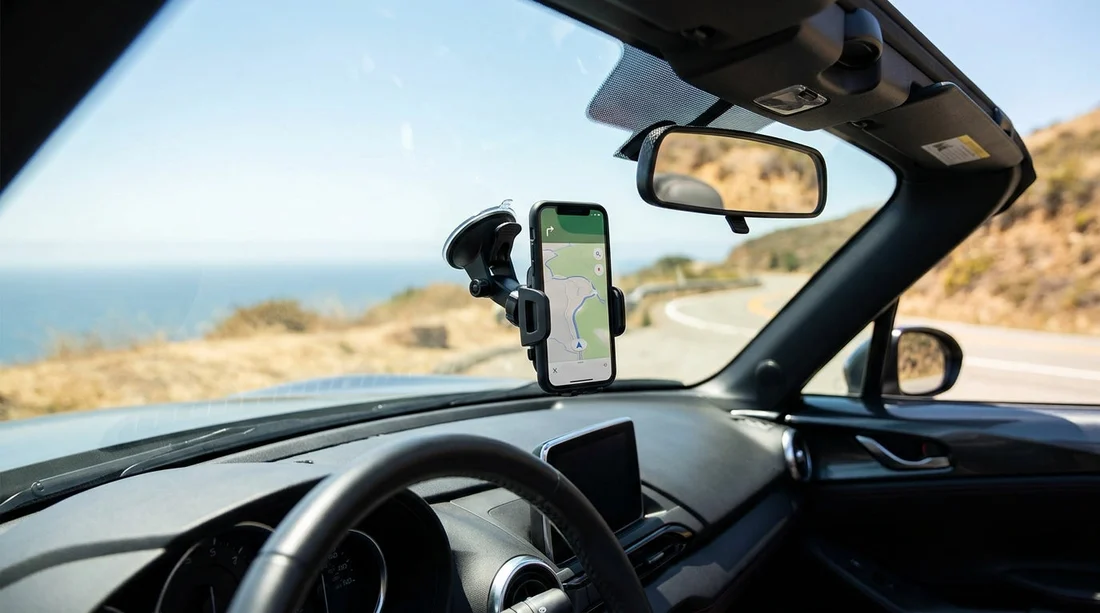
Quick Summary:
- California allows windscreen mounts only in limited lower corner zones.
- Place mounts low to avoid blocking airbags, mirrors, and sightlines.
- Use vent or dash mounts if windscreen placement feels uncertain.
- Bring a cable and adapter to keep navigation powered reliably.
Using your phone for navigation is normal in California, especially in unfamiliar cities and on long freeway drives. In a car hire vehicle, though, you also need to think about what is legal, what is safe, and what will not leave marks or damage. A windscreen phone mount can be convenient, but placement matters because California has specific rules about what may be attached to the windscreen and where.
This guide covers the basics of California’s rules, how to position a mount without blocking your view, and simple pick-up tips for mounting and charging in a hire car.
Are windscreen phone mounts legal in California?
California generally restricts objects attached to the windscreen, but it makes a clear exception for certain items, including a portable GPS device or a smartphone used as a GPS. The key detail is placement. A phone mount is typically legal only when it is installed in a specific lower corner area of the windscreen that does not interfere with the driver’s view of the road.
In practical terms, this means a windscreen mount should be positioned in one of the lower corners, not in the centre of the windscreen, and not up high near your eyeline. If the mount or the phone blocks your view, even partly, it can attract attention and become a safety issue. If you are unsure, treat the windscreen as a last resort and choose a dash or vent mount instead.
If you are collecting at Los Angeles International Airport, different cars can have very different windscreen angles and dash layouts. For a quick comparison of vehicle types and pick-up locations, see car hire at Los Angeles LAX or car hire at LAX airport.
What counts as blocking your view, and why it matters
Legality and practicality meet at the same point, visibility. Even if you place a mount in a corner zone, you still want a clear view of pedestrians, cyclists, and traffic lights. In California cities, junctions can be wide, and you may need to look up and across at signals. A phone positioned too high can hide a signal head, a crosswalk countdown, or a turning pedestrian.
Also consider reflections and glare. A phone screen is bright, and on sunny days it can cause distracting reflections on the glass. If you notice glare, tilt the mount slightly downwards and reduce screen brightness. Many navigation apps also have day and night modes that help.
Pick-up checklist: mounting without damaging the rental
A rental car is not the place to experiment with adhesives or metal plates that can mark trim. Aim for a mount that is quick to fit and remove cleanly, and check these points at pick-up:
1) Choose a non-marking mount type. Suction mounts can work well on glass, but only when clean and used correctly. Sticky gel pads and permanent adhesive mounts are best avoided in a hire car because residue can be hard to remove. A vent mount avoids windscreen rules entirely, but it can be less stable on bumpy roads or in heavier phones.
2) Wipe the surface first. Even a good suction cup fails on dusty glass. Use a dry microfibre cloth to clean the mounting spot. If the car is dusty, ask for a quick wipe at the counter or use a small cloth you carry.
3) Keep clear of airbags. Many cars have curtain airbags along the A-pillar and front airbags in the steering wheel and dash. Do not mount a phone where it could become a projectile in a deployment zone. If you use a vent mount, avoid blocking a vent used for windscreen demisting.
4) Test the range of steering and controls. Turn the wheel lock-to-lock while stationary and make sure the mount does not interfere. Check that you can still reach the hazard button and that the phone does not block the instrument cluster.
Best practical placement in a hire car
For most drivers, the most usable position is low and slightly to the side, where you can glance at directions without taking your eyes far from the road. In California, that often aligns with the lower corner placement that is typically allowed for windscreen-mounted GPS devices. If a windscreen mount ends up too high, switch to a dash mount or vent mount.
Dash mounts vary with the dashboard texture. Some dashboards are soft-touch or heavily curved, which can make suction bases less reliable. If you are driving a larger vehicle, such as an SUV, the windscreen may be farther away, and a longer arm mount can wobble. If your trip includes San Diego and you expect longer freeway runs, vehicle comfort and cabin layout can matter as much as the mount itself. Compare options on SUV hire in San Diego.
Charging tips: keep navigation powered without a mess
Navigation plus bright screen plus mobile data can drain a battery fast. In a car hire vehicle, charging is not always straightforward because ports and power outputs differ by model year. Use these tips to avoid a dead phone or dangling cables:
Bring the right cable length. A short cable looks tidy but may not reach if the power port is low in the centre console. A 1.5 to 2 metre cable is often more flexible.
Pack a 12V adapter with dual USB ports. Many cars still have a 12V socket, and a quality adapter provides steadier charging than an older USB port. If your phone needs USB-C fast charging, ensure your adapter supports it.
Route the cable safely. Run the cable along the edge of the dash where possible, not across the steering column or gear selector. Avoid routing across airbags or where it could snag your handbrake or shift lever.
Confirm CarPlay or Android Auto availability. If the car supports it, you may prefer using the built-in screen for navigation. That reduces the need for a windscreen mount, and it keeps the phone lower. Ask at pick-up whether connectivity is wired or wireless, then set up while parked.
Windscreen versus vent versus dash: which is best for California driving?
Windscreen mounts are easy to see and simple to install, but they must be placed carefully to match California’s corner-zone approach and to avoid blocking sightlines.
Vent mounts are usually the easiest legal choice because they do not attach to the windscreen. They can, however, wobble with heavier phones, and some vents are delicate. Do not force a clamp into a tight vent.
Dash mounts can be a good compromise if they use suction on a smooth, flat area or a non-residue base. They keep the phone lower, but not all dashboards are suitable, and some textured surfaces reduce suction reliability.
If you are doing city driving around Orange County, you may spend more time in stop-start traffic where a stable, low mount is preferable. If you are picking up nearby, see car rental in Santa Ana SNA.
Rental counter tips: what to check before you leave
Before pulling out of the lot, take one minute to confirm three things: you can mount the phone without blocking your view, you can charge it reliably, and you can hear instructions clearly. Turn the volume up enough to follow guidance without staring at the screen. If the car has Bluetooth, pair your phone while parked.
It is also worth checking that the windscreen is clean inside. Smears can make night driving harder, and they can reduce suction mount grip. If you spot issues, request a quick clean. For Northern California arrivals, pick-up logistics can differ, and you may have more night driving in winter. See Enterprise car rental at Sacramento SMF for location context and options.
FAQ
Are windscreen phone mounts legal in California for navigation? Generally yes, but only when positioned in a permitted lower corner area and not blocking your view. If in doubt, use a vent or dash mount.
Where should I place a windscreen mount in a rental car? Keep it low, near a lower corner of the windscreen, and outside your main line of sight. Make sure it does not interfere with airbags or demisting.
Will a suction mount damage a hire car? A clean suction cup on glass is usually low-risk, but avoid adhesive pads and anything that leaves residue. Remove the mount carefully and wipe the area at drop-off.
What if the rental car has Apple CarPlay or Android Auto? You may not need a windscreen mount at all. Using the built-in screen can keep your view clearer, and your phone can stay charging in the console.
What is the easiest charging set-up for long California drives? Bring a reliable 12V USB adapter and a longer cable so you can route it safely. Confirm the power port location before fixing your mount position.





























































































