


Quick Summary:
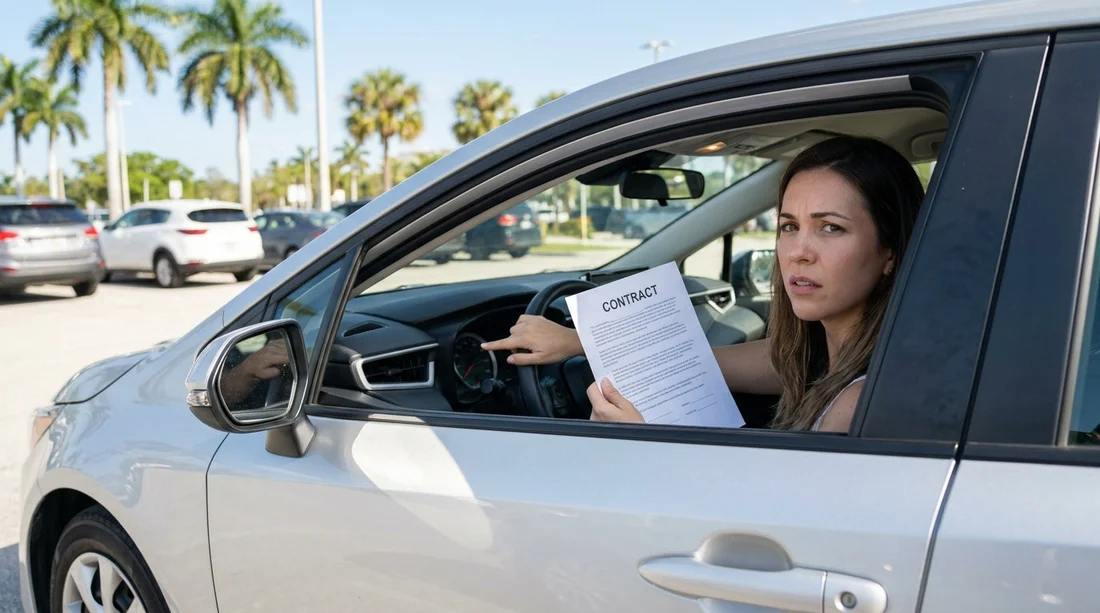
- Compare the fuel gauge to the contract before accepting the keys.
- Ask the agent to amend the recorded fuel level in writing.
- Photograph the fuel gauge and mileage with a visible phone timestamp.
- Get exit-lane staff to note any discrepancy before you drive away.
A fuel level mismatch is one of the most common, and avoidable, disputes in car hire. It usually happens when the contract says “full to full” but the gauge shows three quarters, or when the paperwork lists a specific bar level that does not match what you see in the vehicle. In Miami, where airport and downtown pickups can be fast-paced, the key is to slow the process down for two minutes, confirm the facts, and leave with written proof that matches the car in front of you.
This guide explains how to spot a mismatch at the counter, what to ask for in writing, and how to document it properly before you leave the car park.
Understand what the contract is actually promising
Before you even look at the gauge, read the fuel section on the rental agreement or e-voucher. Most policies fall into a few patterns: “full to full”, “same to same”, or a prepaid fuel option. A mismatch dispute usually occurs when you assume it is full to full but the contract is set to “same to same” at a lower starting level, or when the paperwork shows full but the car is not.
If you are collecting near the airport or central neighbourhoods, check whether the pickup station is handling multiple brands and queues. If you booked via a Miami-focused car hire landing page like Miami Airport and Brickell car hire, the fuel policy should still be on your contract, but it is worth confirming before you walk out with the keys.
How to spot a fuel-level mismatch at the counter
The best time to catch an issue is before you leave the desk. Do three quick checks while the agent is still able to edit the agreement.
1) Ask what fuel level is recorded. Do not rely on a quick verbal “it’s full”. Ask, “What fuel level is printed on the contract right now?” If it is listed in eighths or bars, repeat it back to avoid confusion.
2) Confirm the fuel return rule. If the agent says “bring it back as you got it”, ask them to show you exactly where that is stated. You want the starting level and the return expectation to match.
3) Request a quick look at the vehicle before finalising. Many locations will let you walk to the bay, check the gauge, then come back if anything is off. If you are picking up around the city, including areas served by Brickell car rental, staff are used to quick clarifications, you just need to ask before the agreement is locked in.
What to request in writing if the gauge and contract don’t match
If you see a mismatch, the goal is simple: make the written documents match reality. Verbal promises are hard to prove later.
Ask for one of these written fixes:
A corrected contract or addendum. The cleanest outcome is an updated agreement that states the actual starting fuel level and the return level required. This may be printed or emailed. If it is emailed, check the time stamp and keep it accessible offline.
A fuel discrepancy note. Some desks cannot reprint easily, but they can add a note in the system and give you a printout that states, for example, “Vehicle dispatched at 6/8 tank, customer to return at 6/8.”
A manager approval line. If the agent hesitates, ask politely for a supervisor to authorise the adjustment. Make sure the note includes the date, time, your agreement number, and the agent name or initials.
If you are renting a larger vehicle that has higher fuel costs, getting it right matters even more. For example, with an SUV via SUV rental in Brickell, a quarter-tank difference can become an expensive misunderstanding at return.
How to document the mismatch before you leave
Documentation should be quick, clear, and hard to dispute. Do it before you exit the garage or lot, while you are still on-site.
Take these photos, in this order:
1) Fuel gauge close-up. Make sure the needle or bars are clearly visible and in focus.
2) Odometer and dashboard. Capture mileage plus fuel in the same frame if possible, along with any warning lights. This helps prove you are photographing the correct vehicle at that moment.
3) Vehicle plate or bay ticket. Photograph the registration plate or the windscreen sticker that shows the unit number, then match that to your contract.
4) The contract fuel line. Photograph the section of the agreement that states starting fuel and return policy. If you have an e-contract on your phone, screenshot it.
Send yourself the evidence immediately. Email it to yourself or upload it to cloud storage while still connected, so you have a time-stamped record. If you are offline, ensure your phone time and date are correct.
How fuel mismatches turn into charges, and how to avoid them
Fuel-related charges usually appear in two ways: a refuelling charge if they believe you returned it below the agreed level, or a dispute about prepaid fuel where you feel you paid for fuel you did not receive.
To minimise risk at return:
Return the vehicle with the gauge matching the agreed starting level, not what you expected it to be. If your corrected paperwork says 7/8, aim for 7/8, not full, unless you want the extra cost. If the agreement was never corrected, your photos become the basis for disputing any refuelling fee.
Keep your receipts. If you refuel near the return location, keep the receipt showing time, date, gallons or litres, and address. In Miami traffic, a short drive after refuelling can move the gauge slightly, so the receipt helps explain why the gauge is just under the line.
Ask for a return inspection. If an attendant is available, request that they confirm fuel and mileage on the spot. If you are dropping off near areas such as Doral, where many car rental operations are concentrated, having a clear handover is especially helpful. If your rental is associated with Alamo car rental in Doral, staff are typically familiar with noting condition and fuel at the lane when asked.
FAQ
Q: Should I refuse to take the car if the fuel level doesn’t match?
A: You do not have to refuse, but you should not leave until the discrepancy is corrected in writing or the car is swapped. If you accept the car, document the gauge and get a written note.
Q: What wording should I ask the agent to add?
A: Ask for a note that includes the exact starting level and return requirement, for example, “Vehicle dispatched at 3/4 tank, customer to return at 3/4.” Also request the date, time, and agreement number.
Q: Are photos enough to win a fuel dispute?
A: Photos help a lot, especially if they show fuel, mileage, and vehicle identification. The strongest evidence is photos plus a contract correction or a system note made by the branch.
Q: If I top up immediately, can I still dispute the mismatch?
A: You can, but it is harder because you changed the main evidence. If you must refuel, keep the receipt and photograph the pump and gauge before and after, then report it to the branch straight away.
Q: What if the gauge is inaccurate or fluctuates?
A: Some gauges move after a few minutes of driving or on slopes. That is why you should photograph it on level ground at pickup, then aim to return it at the agreed level with a nearby fuel receipt.































































































