


Quick Summary:
- Match the registration VIN and plate number to your rental agreement.
- Check the licence plate shows valid current month and year tags.
- Confirm the owner and vehicle description match the car collected.
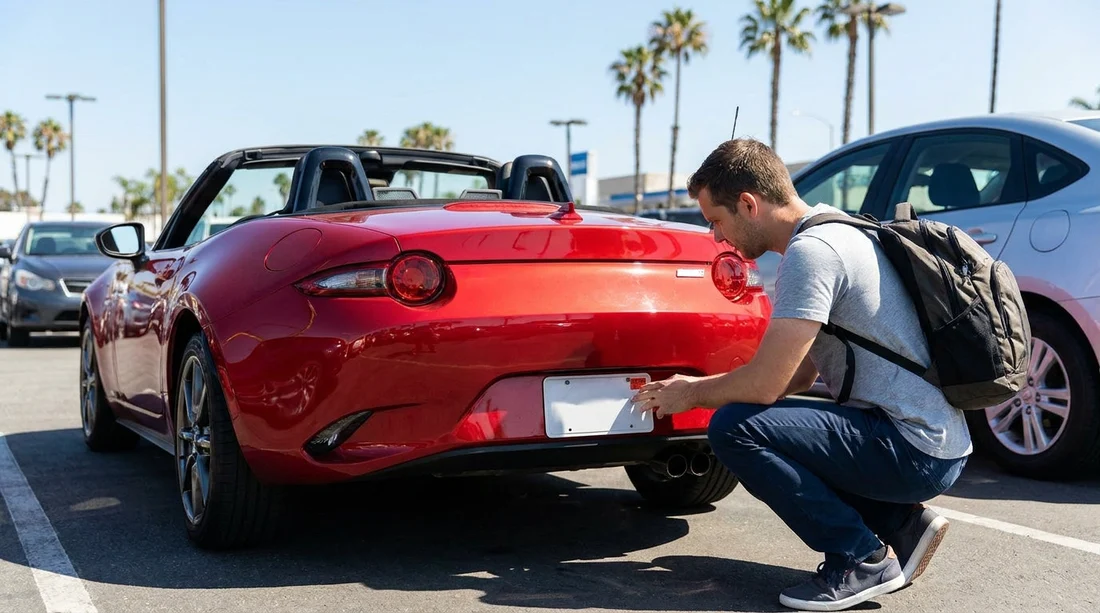
- Photograph plates, VIN and registration card before leaving the car park.
Before you pull out of the car park, take two minutes to check the vehicle’s registration details and plates. In California, expired tags, mismatched plate numbers, or the wrong vehicle class can lead to avoidable stops, delays, or awkward conversations if you later need roadside help or deal with tolls. This counter-to-car-park checklist keeps your car hire straightforward by ensuring what you are driving matches what you agreed to.
If you are collecting at a busy hub such as Los Angeles Airport (LAX) or San Diego Airport (SAN), do these checks while still near the rental counter or exit gate. It is much easier to resolve a mismatch before you leave the lot than after you have joined freeway traffic.
1) Make sure the paperwork you received is complete
In most rental cars you should find a registration document (often a card) either in the glovebox or with the rental packet. Some fleets use a copy rather than the original, and some place it in a plastic sleeve. What matters is that you can present current registration information if requested.
Check that you have a rental agreement showing the correct vehicle and plate, plus the dates.
Also check you have a registration card or acceptable proof showing the vehicle is properly registered.
If you cannot find any registration document, return to the booth before leaving. Do not assume “it is in the system”, you are the one roadside officers will ask to show it. If you are upgrading or switching vehicles at the last second, ask for an updated agreement printout too.
2) Match the licence plate number to the agreement and the car
Start with the simplest cross-check. Compare the plate number on the rear plate to the licence plate number printed on your rental agreement. Then compare that same number to any inventory sticker on the windscreen or key tag if present.
In California, most vehicles have both front and rear plates, but it is not unheard of to see a missing front plate due to damage or theft. A missing plate can attract attention during a traffic stop and may be an issue if automated toll or parking enforcement relies on front imaging. If a plate is missing, ask for another vehicle.
Also check that the plate is firmly mounted and readable. A cracked plate frame that obscures “California” can cause unnecessary scrutiny, and it can complicate toll matching later.
3) Confirm the VIN in at least two places
The Vehicle Identification Number (VIN) is the unique fingerprint of the car and it is the best defence against being handed the wrong vehicle. Your rental agreement may show the full VIN or a partial VIN. If it does, verify it against the vehicle itself.
Common VIN locations include the dashboard plate visible through the windscreen on the driver’s side, and the driver’s door jamb label on the door or the door frame.
The VIN should be identical character-for-character. If the VIN on the agreement does not match the car, go straight back and get the contract corrected or swap cars. This matters for insurance coverage, toll charging, and reporting if the vehicle is stolen or mis-identified.
4) Check the registration details match the vehicle you collected
On the registration card, compare the vehicle description to what you are standing next to. Check the year, make, model, body type, and the plate number and VIN.
Minor wording differences can happen, but big differences, such as a different model line or body type, should be fixed before you leave. If you are hiring a larger vehicle, for instance a people carrier from van hire at San Diego (SAN), matching the body type on the document is especially important because weight class and commercial categories can affect restrictions and enforcement.
5) Inspect the month and year registration tags on the plate
California plates display two stickers, a month and a year, that show registration validity. They are usually on the rear plate.
Look for current validity, correct placement, and no obvious tampering such as scratched, re-glued, or mismatched tags.
If the registration is expired or tags look questionable, do not take chances. Ask for a different vehicle, or request written confirmation that the registration is current and how the company handles stops for expired tags. In practice, a different car is the cleanest solution.
6) Look for plate condition issues that can cause problems later
A plate can be valid but still problematic. Check for severe bending or peeling, dirty or obscured characters, and non-matching plates if the car has both.
These issues can affect toll roads, bridges, and parking garages that use automatic plate recognition. If the system cannot read your plate consistently, charges may be delayed, misapplied, or sent for manual review. It is better to raise it immediately than argue later about fees you cannot easily verify.
7) Confirm the registered owner and address are consistent with a fleet vehicle
Many rental fleets are registered to a corporate entity and may list an out-of-area address. That is normal. What you are checking for is anything that suggests the vehicle is not a legitimate fleet car, such as a private individual listed as owner or an obviously altered card.
If anything looks off, speak to staff at the kiosk or exit gate. At locations such as Santa Ana (SNA), a quick reprint or swap is usually easy before you leave the premises.
8) Make sure the car class and usage on the agreement fit your trip
This is not printed on the plate, but it is closely connected to registration and how the car is treated on roads. Check that your agreement reflects the correct vehicle category and any stated usage limits.
A mismatch can complicate insurance claims, roadside assistance, or replacement vehicle eligibility. If you are collecting in Northern California through a partner desk like Payless car hire in San Jose (SJC), double-check the printed agreement reflects any last-minute changes.
9) Take timestamped photos before you drive off
Photos are your simplest evidence if there is later confusion about what vehicle you had or what condition it was in. Take clear images of the rear plate including tags, the front plate if fitted, the VIN through the windscreen, and the registration card with the plate and VIN visible.
Do this in the car park while you still have good lighting and before you merge into traffic. If there is a discrepancy, walk back to the desk while your evidence is fresh and the staff can verify the car in their system.
10) What to do if something does not match
If you find a mismatch or missing document, do not leave the lot until the agreement or vehicle is corrected. Ask for a reprint showing the correct plate and VIN if you swapped vehicles, and request another vehicle if plates or tags look expired, missing, or tampered with.
These steps protect you from being blamed for paperwork gaps and reduce the odds of toll or parking issues that can appear weeks after your car hire ends.
FAQ
Do I need to carry the registration document in a rental car in California? You should be able to produce valid registration information if asked. Most rentals include a registration card or proof in the glovebox or rental packet, so check it is present before leaving.
What if my rental car has expired registration tags on the plate? Ask to swap vehicles before you drive off. Expired tags can trigger a traffic stop and may complicate toll processing, even if the rental company later says renewal is in progress.
Where can I find the VIN to compare with my agreement? Look through the windscreen at the driver-side dashboard and check the driver’s door jamb label. The VIN should match what is printed on your rental agreement if it is shown there.
Is it a problem if the car only has one licence plate? In California, two plates are generally required. A missing front plate can attract attention and may cause toll or parking recognition issues, so request another vehicle if a plate is missing.
Should I photograph the plates and registration before leaving the car park? Yes, quick photos of the plates, VIN, and registration card provide proof of what you were given. This helps resolve disputes about tolls, tickets, or vehicle identification later.































































































