


Quick Summary:
- Use hands-free, touching your phone is only allowed to start features.
- Fit a dashboard or windscreen mount before driving, not at kerbside traffic.
- Set up Bluetooth, CarPlay or Android Auto, and test voice commands.
- Drivers under 18 cannot use phones at all, even hands-free.
Driving a rental car in California means following some of the strictest mobile phone rules in the US. The big idea is simple, keep your hands on the wheel and your attention on the road. In practice, travellers often get caught out by small details, like when you are allowed to touch the phone, where a mount can go, and what counts as “hands-free”.
This guide breaks down California’s key requirements so you can set up mounts, Bluetooth and voice control before you leave the car park. It is written for visitors using car hire, but the same core rules apply whether the vehicle is yours or a rental.
California’s baseline rule, hands-free means hands-free
California generally prohibits driving while holding and operating a handheld wireless telephone or electronic device. The practical takeaway is that you should not be holding your phone while the car is in motion or while you are stopped in traffic.
Instead, use built-in infotainment, Bluetooth calling, Apple CarPlay, Android Auto, or a truly hands-free method such as voice control. If your rental has Bluetooth, pair it before you start driving, then make and take calls through the car’s system.
If you are picking up at a busy terminal, doing this setup while still parked is much easier. For example, travellers collecting from Los Angeles Airport (LAX) often find the surrounding roads fast and unfamiliar, so completing phone setup at the rental facility reduces stress.
When you may touch the phone, one tap with the phone mounted
California allows limited interaction with a phone if it is mounted and you only use a single tap or swipe. That exception is intended for starting, stopping, or initiating a hands-free feature, such as beginning a call via speaker or starting navigation. It is not permission to type, scroll, read messages, or look down for long periods.
For travellers, this is the rule most worth designing your setup around. Mount the phone, then rely on voice commands for anything more involved than a single touch.
Tip: treat “one tap” as a safety ceiling, not a target. If it takes more than one quick interaction, pull over somewhere legal and safe, park, then do what you need.
Mounts, placement, and visibility in a rental car
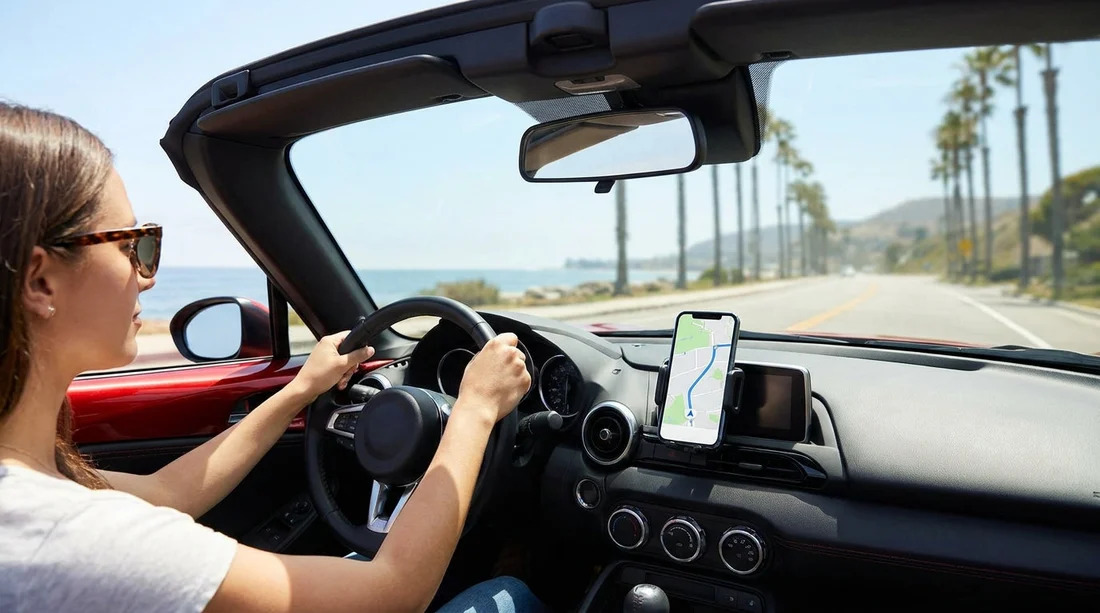
A proper mount is your best friend in California because it supports the “mounted plus one touch” exception and keeps your eyes up. Choose a mount that is stable on bumpy roads and does not block your view.
In general, avoid placing a phone where it obstructs the windscreen or any area you need to see, such as corners near pillars where cyclists and pedestrians can appear. Also keep it clear of airbags, many cars have airbags that deploy from the steering wheel, dashboard, side pillars, and even seat areas. A mount in an airbag path can become a hazard.
If your car hire includes a larger vehicle, cabin layout matters. In a people carrier, for instance, the dash can be broader and the windscreen angle different. If you are arranging a family trip from Sacramento (SMF), bring a mount that can adapt to different surfaces, and test it before leaving the lot.
Bluetooth, CarPlay and Android Auto, set up before you move
Most avoidable tickets and near-misses come from drivers trying to pair a phone, enter a destination, or change playlists in moving traffic. California’s rules are stricter on behaviour that looks like active phone use, especially if the device is in your hand.
Before you drive:
1) Pair Bluetooth while parked. Confirm the phone connects automatically when you restart the car.
2) Confirm audio routing. Make sure calls use the car speakers and microphone, not the phone handset.
3) Enable CarPlay or Android Auto if available. Use the vehicle’s screen and steering wheel controls where possible.
4) Test voice control. Try “Call hotel”, “Navigate to”, and “Read my messages” so you know what works.
If you are starting your journey in Southern California, you may have multi-lane freeways within minutes of leaving the terminal. Taking ten minutes at the beginning can make the rest of the day far simpler, whether you collect from San Diego Airport (SAN) or elsewhere.
Navigation and messaging, what to do instead of texting
Texting while driving is a major focus for enforcement because it involves looking away from the road. Even if a device is mounted, reading or composing messages is risky and can still be treated as unlawful phone operation.
Safer alternatives include:
Use voice-to-text sparingly. Dictation still creates distraction, so keep messages short and only when necessary.
Use auto-replies. Many phones can send “I am driving” responses.
Queue your route. Set the destination and add key stops before you leave, including petrol, food, and hotel.
Use Do Not Disturb while driving. This reduces incoming prompts that tempt you to tap the screen.
If you need to change a route mid-journey, the best approach is to exit, find a safe place to park, and then update navigation. A quick stop is often faster than wrestling with a device in traffic.
Drivers under 18, essentially no phone use while driving
California is stricter for younger drivers. If you are under 18, you generally cannot use a phone at all while driving, including hands-free operation. That includes calls and texting. There are narrow emergency exceptions, but they should not be treated as routine options.
If your travel group includes a younger driver, plan for it. Have an adult passenger handle navigation and calls, or pre-set the route before departure. This is particularly important on unfamiliar roads where the temptation to check directions is high.
What about emergencies, maps, and being stopped?
Many travellers assume that being stopped at a red light makes phone use acceptable. In California, holding and operating a phone while stopped in traffic can still be a violation. The safer rule is to treat any time you are in a live lane, including at lights, as “driving” for phone purposes.
For emergencies, you may be able to use a phone to contact emergency services. Still, if you can pull over safely, do so first.
If you are using a phone for navigation, remember that entering addresses and searching while moving is a recipe for distraction. Set the route while parked. If plans change, pull over and park again.
Penalties, enforcement, and why it matters for travellers
Penalties can include fines and additional court-related costs. A citation can also affect your trip timetable, especially if you are dealing with it far from where you started. Beyond the money, distracted driving increases crash risk, and a collision in a rental car can mean a lot of paperwork and lost holiday time.
Enforcement patterns vary, but rental-heavy corridors near airports and major cities can see more traffic enforcement simply because there are more drivers navigating unfamiliar roads. If you are driving out of Santa Ana (SNA), for example, expect dense local traffic where officers can easily spot handheld phone use.
A practical pre-departure checklist for car hire in California
Use this quick checklist before you pull away:
Mount fitted securely, does not block view, not in an airbag zone.
Bluetooth paired, calls play through speakers, microphone works.
Voice commands tested, you know how to call, navigate, and cancel.
Navigation set, destination entered, key stops added.
Notifications reduced, Do Not Disturb while driving enabled if available.
Charging sorted, cable connected or wireless charging working, so you are not fumbling later.
FAQ
Can I hold my phone at a red light in California? Generally no. If you are in traffic, even when stopped, holding and operating a phone can still be a violation. Keep it mounted and limit interaction to a single tap to start a hands-free feature.
Is it legal to use my phone on speaker while driving a rental car? Only if you are not holding the phone. The safer compliant setup is a mounted phone plus speaker through the car, or Bluetooth calling through the vehicle system.
Can I tap my mounted phone to start navigation? California allows limited use of a mounted phone with a single tap or swipe to initiate a hands-free function. Set the full route while parked, and avoid typing or scrolling while moving.
Do the same hands-free rules apply in a car hire as in my own car? Yes. The law applies to the driver’s behaviour, not who owns the vehicle. Treat your rental the same, mount the phone and use Bluetooth or voice control.
What if my rental car has Apple CarPlay or Android Auto? Use it. CarPlay and Android Auto can reduce the need to touch your phone, especially when paired with voice control and steering wheel buttons.































































































