


Quick Summary:
- Fit a secure dashboard or vent mount before leaving the pickup area.
- Use voice control for maps, calls and messages instead of handling.
- If you are under 18, avoid phone use entirely while driving.
- Ask passengers to change routes or type, while you focus.
Hands-free rules in California are designed to keep your eyes on the road and your hands on the wheel. If you are picking up a car hire at an airport or city location, it helps to treat phone setup like adjusting mirrors, something you do before you roll out of the lot. The aim is simple, reduce distraction, avoid fines and keep your rental period stress-free.
California law generally prohibits holding and using a handheld phone while driving. That includes talking, texting, scrolling and dialling. There are limited exceptions, but they are narrow and not worth relying on when you are unfamiliar with a vehicle, traffic flow, or local roads.
If you are collecting from Los Angeles International Airport, build a minute for setup into your pickup routine, especially if you are comparing providers or vehicle types at car rental California LAX. The same applies if your trip starts in San Diego or Sacramento, where busy interchanges can make even a short glance at your screen risky.
What California “hands-free” really means for drivers
In practical terms, hands-free means you cannot hold your phone while driving, even at traffic lights. If you need your phone for navigation, music or calls, it should be mounted and controlled without holding it. Many drivers assume that stopping at a red light makes handheld use acceptable, but the safer approach is to treat the rule as applying whenever you are in the driving lane.
For most adult drivers, California permits a phone in hands-free mode. That usually means a mounted phone with one-tap or swipe operation, plus voice commands. One tap to accept a call or start navigation is not the same as typing a destination or composing a message, which adds time and cognitive load.
For drivers under 18, the standard is stricter. If you are a younger driver on the rental agreement, do not use a phone at all while driving, even hands-free. Plan ahead by setting your route and audio before you move.
Your pre-pick-up hands-free checklist for car hire in California
Use this as a quick checklist before you exit the pickup area. It is particularly useful if you are tired from a flight, switching from UK driving habits, or learning a new infotainment system.
1) Mount the phone properly, then leave it alone
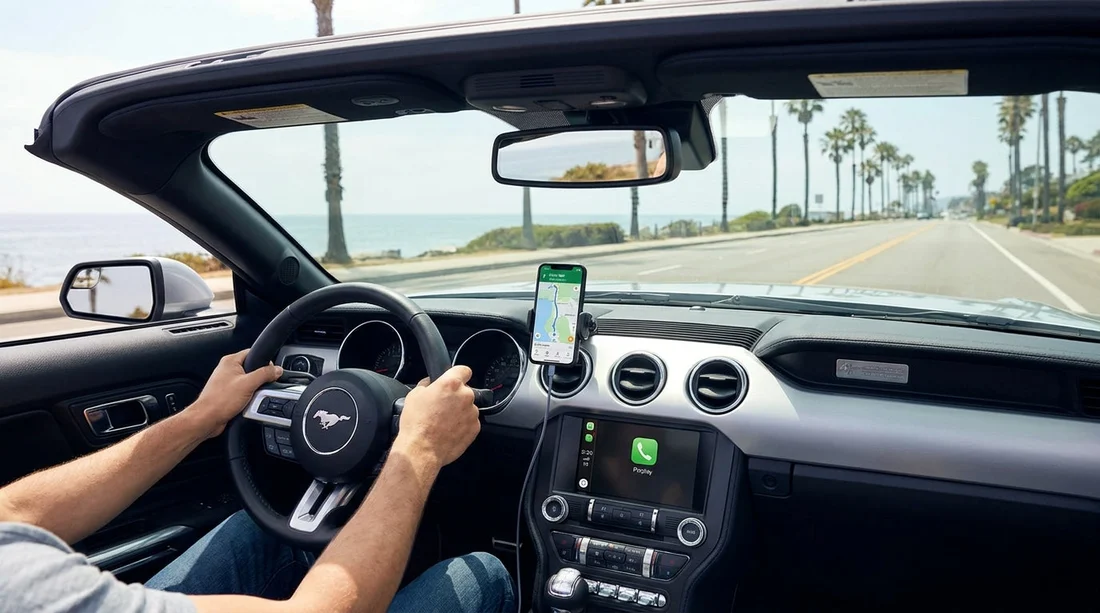
Bring a mount if you can. A stable dashboard or vent mount is ideal because it keeps the phone at eye level without blocking your view. Avoid balancing the phone in your lap, cup holder, or the centre console. If the phone slides, you will be tempted to reach for it.
Before you drive off, confirm these points:
Screen position: Keep it low enough not to block the road, high enough to glance quickly.
Cable routing: If charging, run the cable so it does not interfere with steering or gear selection.
Auto-lock: Shorten screen timeout, you do not need the display awake constantly.
If you are starting a trip from Los Angeles and want a clearer idea of typical pickup setups, the local context on car hire Los Angeles LAX can help you anticipate a busy forecourt where you want everything ready first time.
2) Pair Bluetooth or CarPlay and test voice control
Hands-free is only helpful if it actually works. In a rental, you might face a different system than your own car. Pair your phone in the car park, not on the road. If the vehicle has Apple CarPlay or Android Auto, connect it and confirm that calls, audio and maps are coming through correctly.
Then set Do Not Disturb or a driving focus mode. This reduces incoming prompts that encourage you to interact with the screen.
3) Know what “one tap” does not cover
Even where a single tap is permitted for hands-free operation, it does not make extended interaction safe or sensible. Avoid typing, searching playlists, reading notifications or checking social media. If you need to change something that requires attention, pull over somewhere safe and legal, put the car in park, and complete the task.
Remember that distraction is not only about your hands. Even hands-free calls can reduce situational awareness in heavy traffic. Keep calls short, and if the conversation becomes complex, end it and call back later.
4) Passengers can help, but set boundaries
Passengers can lawfully use their own devices, and they can also help you by handling the driver’s phone tasks. That includes entering destinations, changing routes, finding fuel stops, or replying to messages. Agree a simple rule: if you need something on the phone, you ask, the passenger does it, and the phone stays mounted.
However, passengers can unintentionally distract you by showing you content or holding a phone in your line of sight. Ask them to keep screens low and to avoid sudden “look at this” moments while you are merging or navigating intersections.
5) Parking lots, kerbside stops and “I’m just leaving” moments
Many violations happen right after pickup. You are adjusting mirrors, learning the indicator stalk, and trying to join unfamiliar traffic. Treat the first five minutes as a no-phone period. Start your navigation, start your playlist, then commit to driving.
If you must make a change, do it before you shift out of park. This is especially important around airport exits where lanes split quickly and missing a turn can lead to stressful last-second decisions.
Extra considerations for common California driving scenarios
Freeways: California freeways move fast and lane changes can be frequent. Keep voice prompts on, and zoom your map out so you are not tempted to pinch and scroll.
City driving: In dense areas, pedestrians, cyclists and frequent signals mean you need full attention. Avoid phone interaction at intersections, even if you are stopped.
Night driving: Lower screen brightness. Glare can reduce your ability to see hazards outside the car.
Rental upgrades: If you choose a larger vehicle, practise basic controls first. If you are considering something bigger for luggage or group travel, be aware that a larger cabin can increase the temptation for passengers to pass devices around. The overview at van rental California LAX is a useful reference point for planning space and seating before you arrive.
Rental agreement and responsibility
Regardless of who owns the phone or who paid for the car hire, the driver is responsible for complying with the law. That includes ensuring the phone is not in your hand and that you are not distracted. If multiple people will drive, each person should pair their phone and set their own driving focus mode before they take a turn, rather than attempting to switch profiles while moving.
Also remember that unfamiliar cars often have different control layouts. If you cannot confidently adjust volume, accept calls, or activate voice assistance using the steering wheel controls, take two minutes at pickup to learn them. That small investment can prevent a reflex reach for the phone later.
If your trip starts or ends at San Diego International, the pickup notes at car hire airport San Diego SAN can help you plan where to stop and set up before joining traffic.
FAQ
Can I hold my phone at a red light in California? No, treat the rule as applying whenever you are in the driving lane. Set navigation and audio before you move, or pull over and park.
Is using a mounted phone for maps allowed during car hire? Yes, if it is mounted and you use minimal touch, ideally one tap, plus voice control. Avoid typing or extended screen interaction while driving.
Can my passenger text or change the route for me? Yes, passengers can use their phones, and they can manage navigation or messages for you. Keep your own phone mounted and avoid looking at their screen.
What if the rental car does not have Bluetooth or CarPlay? Use a mount and run navigation with spoken directions. If hands-free calling is not possible, do not take calls while driving, stop somewhere safe first.
Do stricter phone rules apply to drivers under 18? Yes, drivers under 18 should not use a phone at all while driving, even hands-free. Plan your route and settings before leaving.































































































