


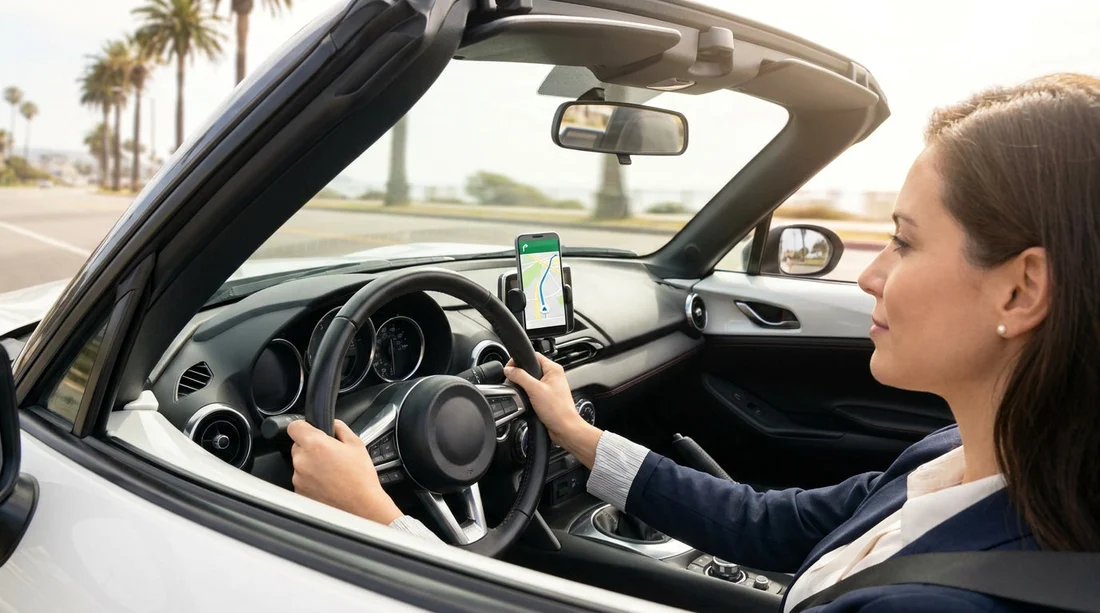
Quick Summary:
- Mount your phone on the windscreen or dash before moving.
- Use one tap or swipe to start navigation, then go hands-free.
- Do not hold your phone, even when stopped in traffic.
- Set destinations, playlists and notifications while safely parked, not driving.
California’s hands-free phone laws are designed to reduce distraction, but they can feel confusing when you are relying on your phone for sat nav in a rental. The good news is that using navigation is usually allowed, as long as you do it in a compliant way. The main risks come from holding a phone, making multiple taps, or trying to type an address while the vehicle is moving. If you are picking up car hire at a busy airport and driving straight into unfamiliar roads, it is worth getting the basics clear before you leave the car park.
This article explains what is allowed and what is not for phones, mounts and in-car systems in California, so you can set up sat nav correctly and keep your attention on the road.
What California law means in plain English
For most drivers, the key rule is simple, you cannot hold and use a mobile phone while driving. California requires hands-free use, which generally means your phone should be mounted and you should interact with it as little as possible once the car is moving.
California also limits what you can do with a mounted phone. Navigation is a common reason people touch their screen, so the law focuses on reducing prolonged screen interaction. A practical way to think about it is, you can start your route with minimal touches, then rely on voice guidance, voice control and audio prompts, rather than looking down and fiddling with the screen.
If you are arriving at a major hub like car hire Los Angeles LAX, expect complex junctions and fast lane changes. That is exactly the kind of environment where setting up your sat nav before you join traffic matters most.
Using sat nav on your phone: what is usually allowed
In California, using a phone for navigation is typically fine if the phone is mounted and you keep interactions brief. In practical terms, that means you can do things like:
Start guidance with minimal input, for example opening your maps app and beginning a pre-saved destination, then leaving it alone.
Use voice commands to search for a destination, reroute, or call a contact, assuming your phone and vehicle audio support it.
Accept turn-by-turn audio through your car’s speakers rather than looking at the screen.
The biggest compliance issue for visitors is trying to type an address or search for a place name while creeping through traffic. Even if you are moving slowly, that can be treated as distracted driving. If you need to enter a destination, do it before you set off, or pull into a safe place to park.
What is not allowed: common mistakes in a rental car
The most important “no” is holding your phone. Even a quick glance with the phone in your hand can be a problem. Drivers sometimes assume it is acceptable at red lights or in standstill traffic, but you are still “driving” for enforcement purposes.
Other common mistakes include:
Multiple taps and scrolling, such as browsing search results, reading reviews, or comparing routes while moving.
Typing or long interactions, including entering postcodes, adding stops, or messaging someone to say you are running late.
Using the phone low in your lap, which is both unsafe and often easier for officers to view as deliberate use.
If you are unfamiliar with the car’s infotainment, avoid experimenting while moving. Take a moment while parked, learn how to switch audio sources, enable Bluetooth, and start navigation. This is particularly useful when collecting a vehicle at car hire airport San Diego SAN, where it can be tempting to start driving immediately to clear the pick-up area.
Phone mounts: where to place them and why it matters
A mount is the difference between lawful hands-free navigation and illegal handheld use. In California, the phone needs to be used in a hands-free manner, and mounting it is the clearest way to show that. Use a windscreen or dashboard mount that keeps the screen within easy glance distance without blocking your view.
Practical mounting tips for car hire:
Fit the mount before you leave the rental lot. If it does not stick well, switch location while you are still parked.
Avoid blocking the windscreen. Keep it low enough not to obscure the road, signs or pedestrians.
Keep it within comfortable reach. If you must make a single tap, you should not be stretching across the cabin.
Mind the airbag zones. Do not mount over passenger airbag covers or in a place where a deploying airbag could throw the phone.
When you are driving in an unfamiliar city such as San Francisco, correct placement helps you keep your eyes up and your attention on the lane markings and cyclists. If your trip begins with national car hire San Francisco SFO, consider setting your route before exiting the airport roads, as junction decisions come quickly.
Built-in screens, CarPlay and Android Auto
Many rental vehicles include Apple CarPlay or Android Auto, which can make hands-free navigation simpler. Even so, the safety principle remains the same, minimise touch, maximise voice.
Good habits include:
Use voice to set destinations when possible, instead of typing on the screen.
Choose audio prompts rather than relying on a moving map display.
Do not browse through lists, playlists, or message threads while driving.
If the car’s system is confusing, do not troubleshoot on the move. Pull over somewhere safe, put the vehicle in park, then adjust settings. This also helps if you have picked up a vehicle type you are not used to, such as a larger SUV, where your attention is already split between size, mirrors and lane position.
Before you drive off: a simple compliance checklist
Use this quick routine at the pick-up location or first safe parking space:
1) Mount and connect. Place the mount, connect power, pair Bluetooth, and set volume.
2) Set your route. Enter the destination while parked, and check the first two turns.
3) Reduce temptation. Turn on Do Not Disturb or driving focus mode, and disable non-essential notifications.
4) Plan for changes. If you expect toll roads or bridges, decide your preference before leaving.
These steps are especially helpful when collecting a car in a location that quickly feeds into motorways, such as around San Jose. If you are starting from car hire San Jose SJC, you will often join fast-moving traffic where last-second route changes are stressful.
What about passengers and shared navigation?
If you have a passenger, ask them to handle destination entry and changes while you focus on driving. That is usually the simplest way to stay compliant and calm. The driver should still avoid looking over for long periods, even if the passenger is operating the phone.
For solo drivers, treat any non-urgent route changes as a reason to pull over. It can be as simple as taking the next safe exit and stopping in a car park to reset your route.
Penalties and why it affects your trip
Hands-free violations can lead to fines and may be treated more seriously if they are tied to unsafe driving. Beyond cost, getting stopped can disrupt your plans and add stress in an unfamiliar place. The safest approach is to assume that if it requires more than a quick, simple interaction, it can wait until you are parked.
Also remember that rental agreements typically require you to follow local laws and drive responsibly. Staying compliant is not just about avoiding a ticket, it is about keeping your trip smooth and safe.
FAQ
Can I touch my phone to start sat nav in California? Yes, if the phone is mounted and you only make a brief, limited interaction, such as a single tap or swipe. Set the full route while parked whenever possible.
Is it legal to hold my phone at a red light to change the route? No. Holding a phone while stopped in traffic is still treated as handheld use. Pull over and park if you need to type, search, or make multiple changes.
Can I use Apple CarPlay or Android Auto for navigation in a rental car? Generally yes. Use voice control where you can, and keep touches minimal. If you need to pair the phone or adjust settings, do it before driving or while safely parked.
Where should I place a phone mount in a rental car? Place it where it does not block your view of the road and is within easy reach, typically low on the windscreen or on the dashboard. Avoid airbag deployment areas.
What should I do if my route changes suddenly while driving? Stay focused on driving and continue safely until you can pull over. Then park and update the destination, rather than trying to manage the map while moving.































































































