


Quick Summary:
- Expect a J1772 AC cable sometimes, but it is not guaranteed.
- Do not assume a Tesla adaptor is included, confirm at pick-up.
- Download key charging apps before arrival, then add a payment method.
- Plan your first charge near the airport, in case the kit differs.
EV car hire in California is straightforward once you know what is, and is not, typically supplied with the vehicle. Many drivers expect an “EV kit” to be waiting in the boot, but policies vary by rental company, vehicle model, and even by specific depot. The safest approach is to treat any cable or adaptor as a bonus, and prepare to charge using public networks from the moment you leave the counter.
This guide sets expectations on the two main items people ask about, the charging cable (for slower AC charging) and any adaptor (especially Tesla-related). It also covers what you should download, set up, or bring yourself so you are not delayed when you need your first top-up.
What charging cable is usually included with EV car hire?
In California, most battery-electric rental cars charge using a Type 1 (J1772) inlet for AC charging, plus a DC fast-charging inlet depending on the model. For non-Tesla EVs, the most common “slow” option is plugging a portable cable into a public Level 2 AC station with a J1772 connector. For Teslas, AC charging may be via Tesla’s connector (on older vehicles) or NACS on newer ones, and the practical details depend on the car you are given.
What you can often expect at pick-up is one of these situations:
1) No portable charging cable supplied. Many rental fleets do not guarantee a cable. This keeps inventory simple and avoids missing items. If there is no cable, you can still charge at most public chargers because the cable is attached to the station on DC fast chargers, and on many Level 2 sites the connector is also fixed. The catch is that some Level 2 posts require you to bring your own cable, which can be inconvenient if you planned to rely on slower charging at a hotel or car park.
2) A portable Level 1 or Level 2 cable is supplied, but varies. If you do get a cable, it is commonly a portable unit intended for domestic sockets (Level 1) or for certain dedicated outlets (Level 2), packed in a bag. The exact plug type matters. A US household plug (5-15) is slow, and can take many hours for meaningful range. A higher-power plug (for example, 14-50) is faster but not something you can use everywhere without the right outlet.
3) A J1772 adapter or connector situation depends on the vehicle. Non-Tesla EVs generally do not need an adapter for standard J1772 public AC chargers. Tesla vehicles may or may not include a J1772 adapter, and availability can differ across fleets. If your plan includes relying on Level 2 AC charging, confirm what is in the car before leaving the lot.
What adaptors should you expect, especially for Tesla charging?
Adaptors are where most confusion happens, because “Tesla charging” can mean several different things in California. There are Tesla Superchargers (DC fast), Tesla Destination Chargers (AC), and then general public networks with J1772 (AC) or CCS (DC fast). Whether your rental EV can use each option depends on both the car and any included adaptor.
If you are given a Tesla: Some rentals include a J1772 adaptor, which helps you use common Level 2 AC stations. Access to Superchargers depends on how the rental company manages billing, and whether the vehicle is enabled for it. Some fleets allow it and bill you later, others restrict it or require specific steps. Do not assume you can simply plug into any Supercharger without checking the rental agreement and the car’s on-screen prompts.
If you are given a non-Tesla EV: Many non-Tesla cars cannot use Tesla Superchargers unless they have NACS capability and the network supports it for that model, or unless you have access to a supported adapter solution. For car hire, it is safest to plan around widely available CCS fast charging (where compatible) and J1772 Level 2 charging, and treat Tesla-only sites as uncertain.
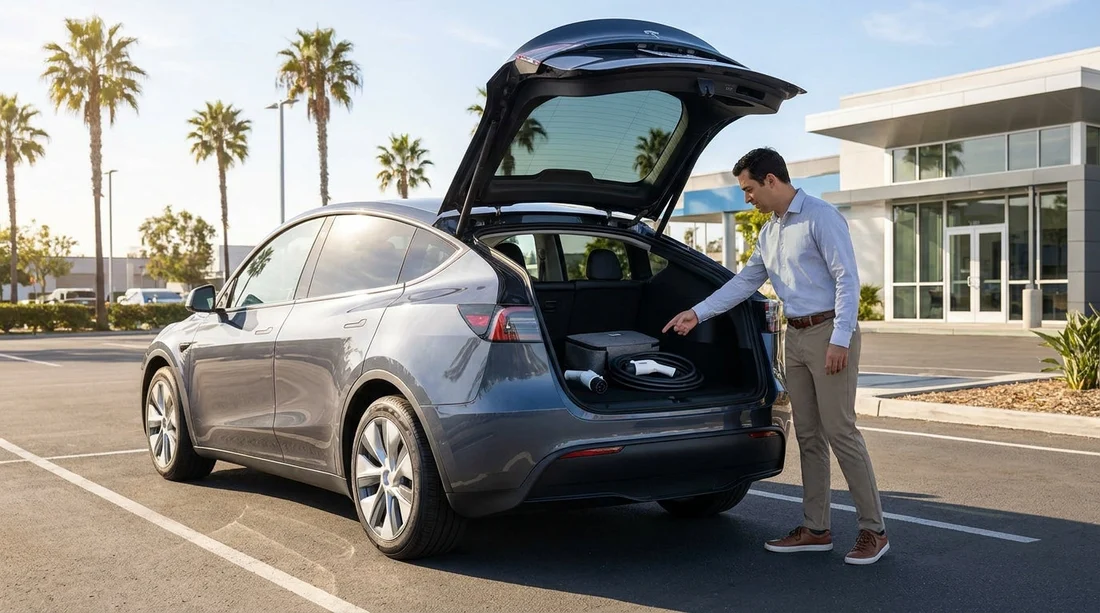
Practical expectation: You should not count on receiving a Tesla-to-J1772 adapter, a CCS-to-NACS adapter, or any other specialist adaptor at pick-up. If charging flexibility is critical for your route, ask the desk agent to confirm exactly what is included with that specific vehicle, and check the boot yourself before leaving.
What you should check at the counter, before you drive away
Two minutes of checking can save an hour of hunting for a compatible charger later. Before leaving the depot, verify:
Charging ports and compatibility: Open the charge flap and identify what the car accepts for AC and DC charging. If you are not sure, ask staff to show you on the vehicle.
What is physically in the car: Look in the boot and under-floor storage for a cable bag or adaptor. If something is present, confirm it is the right item for that car, and not missing key pieces.
Starting battery level: Know your percentage and estimated range, and compare it to your first leg. If your plans depend on immediate charging, build a cushion, because chargers can be busy or out of service.
Billing method for charging: Some rentals handle charging costs through the rental account, others require you to pay at the charger. If Supercharging or other integrated payment is mentioned, ask how charges appear and whether any admin fees apply.
If you are collecting at a major airport, factor in that traffic and distances add up quickly. Hola’s California airport and city pages can help you orient yourself to the pick-up context, such as car rental at Los Angeles LAX or car hire at San Jose Airport SJC, where many travellers want a clear plan for that first charge.
Apps and accounts to set up before leaving the counter
Even if a cable is included, most public charging in California works best when you have the right apps ready. Mobile signal can be patchy in multi-storey car parks, and creating accounts while sitting at a charger is stressful. Set these up in advance where possible:
At least two major charging network apps: California has a mix of networks. Having more than one reduces the chance you arrive at a charger you cannot activate.
Payment method and billing address: Add a card in-app and complete any identity checks. Some apps place a pre-authorisation hold, which can fail if your bank flags it.
Roaming access: Some apps can activate chargers on partner networks. Make sure it is enabled and tested.
Maps and route planning: Use the vehicle’s built-in navigation if it includes charger availability, but also keep a separate plan on your phone in case the car’s data is slow to update.
If your trip includes the Bay Area or Silicon Valley, you may be browsing options around car hire in San Jose SJC or supplier-specific pages like Budget car hire at San Jose SJC, where the same “apps first, cables second” rule applies regardless of brand.
FAQ
Q: Will my EV car hire in California come with a charging cable?
A: Sometimes, but it is not guaranteed. Many rentals rely on public chargers with attached connectors, so plan as if no cable is included.
Q: Is a Tesla adaptor included if I rent a Tesla?
A: It may be, but you should not assume it. Confirm at pick-up whether a J1772 adaptor is provided, and check the boot before leaving.
Q: Can I use Tesla Superchargers with a rented EV?
A: Only if your vehicle and rental agreement support it. Some fleets enable Supercharging with post-trip billing, others require you to use alternative networks.
Q: Which apps should I download before I leave the rental counter?
A: Download at least two major charging network apps, add a payment method, and enable any roaming access. Also set up a route-planning option to locate working chargers quickly.
Q: What is the quickest way to avoid charging surprises on day one?
A: Check the charge port type, confirm any included cable or adaptor, and start with enough battery to reach a reliable fast charger near your route.































































































