


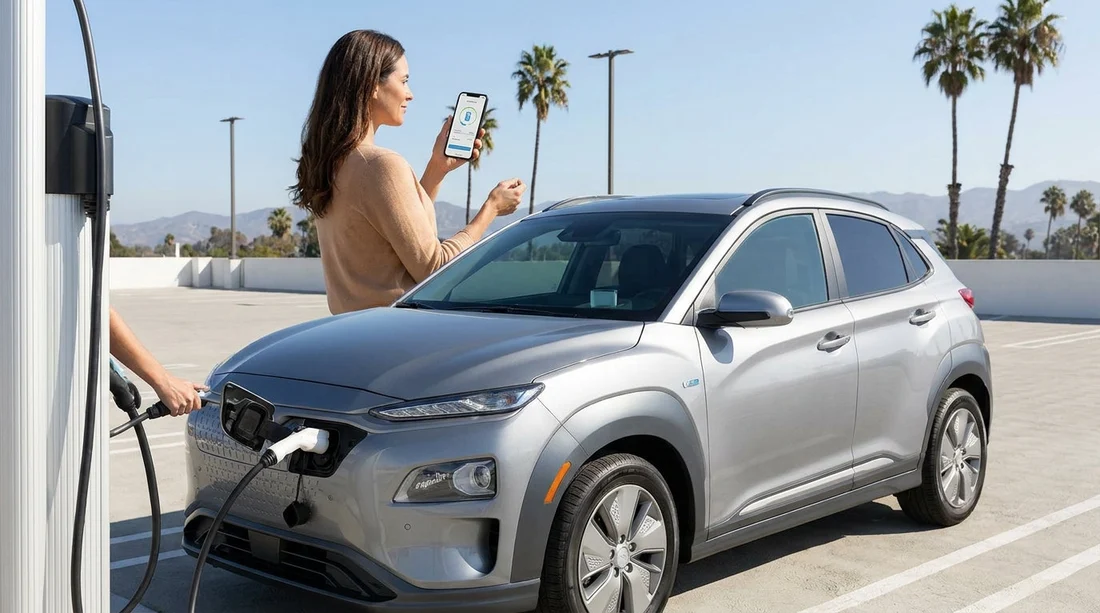
Quick Summary:
- Install Tesla, Electrify America, ChargePoint, and EVgo apps before pick-up.
- Add a payment card in each app, and enable biometric login.
- Expect app starts at many chargers, with tap-to-pay improving quickly.
- Carry a physical card backup for reader failures and app issues.
Public EV charging in California is easy once you know a simple truth, payment is not fully standardised yet. Some chargers behave like a petrol station, you tap a card and go. Others require an app to start the session, and some networks prefer you to fund a wallet balance first. When you are arranging EV car hire, a small amount of preparation before pick-up can save time, reduce stress at busy chargers, and help you avoid surprise authorisation holds.
This guide covers the common US charging networks you will encounter across California, how to set up accounts in advance, and what to expect for tap-to-pay versus in-app payment.
Which public charging networks you will actually use in California
California has dense charger coverage, but it is spread across multiple networks. Your EV, and where you drive, will influence which ones matter most.
Tesla Supercharger is the most reliable fast-charging option across the state. If your EV car hire is a Tesla, Supercharging is usually the simplest experience, plug in and the car bills the payment method on the Tesla account used for access. If your hire car is not a Tesla, access depends on the vehicle and site. Some Supercharger sites support non-Tesla vehicles via the Tesla app, often with “Magic Dock” adapters built in, but not every location offers this.
Electrify America is one of the main DC fast networks along interstates and near major cities. It is common near airports and shopping centres, and is a frequent choice for CCS-equipped vehicles.
ChargePoint is widespread for slower AC charging at car parks, hotels, offices, and some fast chargers. ChargePoint also supports roaming, meaning a ChargePoint account can sometimes start a charger that is technically a different brand.
EVgo has a strong presence in metro areas and along travel corridors, with a mix of fast and some slower options. It also offers roaming partnerships in some cases.
Other networks exist, but if you prepare for the four above, you will cover most real-world charging when travelling across California in a hired EV. If you are collecting your vehicle in Southern California, you might review practical pick-up context via car rental in San Diego or options around Orange County using car hire at Santa Ana Airport (SNA).
Account set-up before pick-up, do this at home on Wi-Fi
The most useful step is to create accounts before you land, while you still have stable connectivity and time. Do not wait until you are parked at a charger on a hot afternoon with low battery and a weak mobile signal.
1) Download the right apps
Install Tesla, Electrify America, ChargePoint, and EVgo. Even if you plan to use one network, you may need a backup when a site is busy, under maintenance, or the cable reach does not suit your car.
2) Add a payment method in each app
Use a credit or debit card that supports online transactions. Some apps allow PayPal, and Apple Pay or Google Pay may be supported in-app, but a card is the most universally accepted. Ensure billing details match your bank records to reduce verification failures.
3) Turn on biometric login and notifications
Face ID or fingerprint login makes it much quicker to start a session. Notifications matter because apps can tell you the session has started, stopped, or faulted, and can push receipts instantly.
4) Set up your car within the Tesla app when relevant
If you are hiring a Tesla, access may be handled by the rental provider’s own account or process. If you are asked to use the Tesla app for charging access, do the set-up early. Some hire situations support linking a vehicle to your Tesla app for the duration, others do not. If you cannot link, you can still use other networks and destination charging, and you should ask what the charging policy is at the counter.
5) Check your phone plan
Charging often requires data. If you are visiting from the UK, confirm roaming or an eSIM so you can authenticate in apps at the kerbside. Without data, tap-to-pay may still work where card readers are enabled, but you should not rely on it.
Tap-to-pay versus in-app payment, what to expect at the charger
US charging payments are improving, but you will see a mix across California. The difference matters because it changes what you need ready on arrival.
In-app start is still common
Many DC fast chargers require you to start the session in the network app. You typically select the site, pick the charger number, then swipe to start. Some apps also let you scan a QR code on the unit. In-app payment can be fast if your account is already set up, but it can be frustrating if you are creating an account from scratch in a car park.
Contactless card readers are increasingly available
Some stations support tap-to-pay with a contactless card or mobile wallet. When it works, it is the simplest option for visitors. However, not every charger has a working reader, and sometimes the screen prompts you to use the app anyway. Treat tap-to-pay as a welcome convenience, not a guarantee.
Authorisation holds and pricing types
Expect a temporary pre-authorisation on your card, especially when paying ad hoc or first time on a network. Pricing might be per kWh, per minute, or a mix with idle fees if you stay plugged in after charging ends. Always check the on-screen or in-app price before starting.
If you are planning routes around major airports, it may help to understand the area you are collecting from, such as Dollar car rental at Los Angeles (LAX) or Budget car rental at San Francisco (SFO), since your first charge stop often follows your airport exit.
Charging standards and connectors, match the app plan to the car
Before you assume a network will work, confirm what connector your hired EV uses. In California you will mainly see:
NACS (Tesla-style) is common on Teslas and is increasingly used by other brands. Tesla Superchargers use NACS.
CCS is still widespread on many non-Tesla EVs for DC fast charging, particularly at Electrify America and EVgo.
J1772 is common for slower AC charging at hotels and public car parks, and many EVs can use it with no special planning.
Your rental desk should confirm the connector type and whether an adapter is included. If the EV is a Tesla and you plan to use non-Tesla AC chargers, you may need the appropriate adapter. For non-Tesla cars that can use some Superchargers, the Tesla app will tell you which locations are compatible.
Practical tips to make charging smoother on an EV car hire
Build a two-network backup plan
Pick one primary and one backup fast-charging network based on your route. For example, Tesla plus Electrify America, or Electrify America plus EVgo. This prevents wasted time if a location is busy or a unit is out of service.
Use the car’s navigation, but verify in an app
Many EVs route you to chargers and show availability, but it is not always real time across every network. Cross-check the same site in the network app to confirm status and pricing.
Keep a physical payment card available
Even if you prefer Apple Pay or Google Pay, some stations only accept a physical card, and some readers fail with mobile wallets. A chip-and-contactless card is the best backup.
Finally, remember that charging time is part of your travel rhythm. Planning a meal stop around a fast charge usually feels much easier than squeezing in charging as an afterthought, especially on popular corridors.
FAQ
Do I need multiple apps for EV charging in California?
You can sometimes get by with one, but having at least two network apps plus a backup card is wise. Coverage, pricing, and reliability vary by location and time of day.
Will tap-to-pay work at most public chargers?
It is increasingly common, especially on newer fast chargers, but not universal. Many stations still start sessions most reliably via the network’s app, so set up accounts before you drive.
Can I charge a hired Tesla without creating a Tesla account?
Often yes, depending on how the rental provider manages Supercharging access and billing. Ask at pick-up how charging is authorised and how costs are settled for your agreement.
What payment method is best for charging on a trip?
A credit card stored in each charging app is the most dependable. Carry the same physical card as backup, and treat Apple Pay or Google Pay as a convenience where supported.
Do chargers in California bill per kWh or per minute?
Both exist. Many sites bill per kWh, but some bill per minute, and idle fees may apply. Always confirm the pricing shown in the app or on the charger screen before starting.































































































