


Quick Summary:
- Pick in-car Wi‑Fi for groups needing several devices online at once.
- Use phone data if your plan includes reliable US coverage.
- Choose an eSIM to control costs and avoid roaming surprises.
- Download offline maps and save key addresses before pickup.
Sorting connectivity for car hire in Florida is less about gadgets and more about avoiding hassle at the kerb. The best choice depends on who is travelling, how many devices need internet, where you are driving, and whether your mobile plan behaves well in the US. Florida’s major cities generally have solid mobile coverage, but long highway stretches, wetlands, and some coastal pockets can still be inconsistent. That is why it helps to decide before you pick up the keys.
This guide compares prebooked in-car Wi‑Fi with using your phone’s data, including coverage expectations, device limits, roaming and eSIM options, and a simple pre-collection checklist. It is written for travellers arriving for car hire in Florida, whether you are landing in Miami, Fort Lauderdale, or Orlando.
What “in-car Wi‑Fi” usually means with a rental
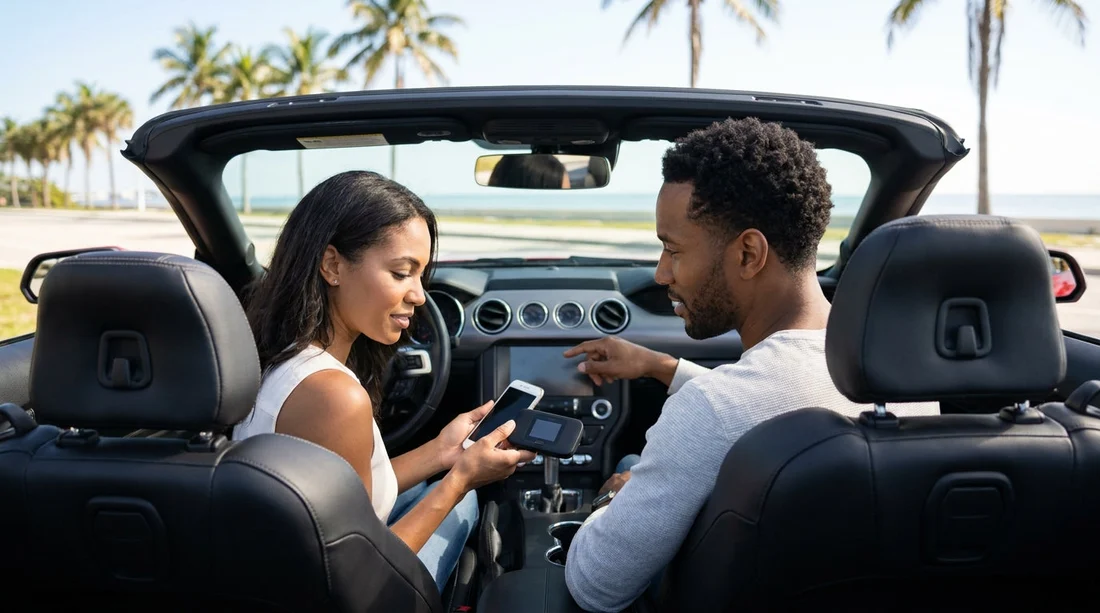
In-car Wi‑Fi is typically a portable hotspot device (sometimes integrated, sometimes a separate unit) that connects to a US mobile network and creates a Wi‑Fi network inside the vehicle. Your phone, tablet, laptop, and some car infotainment systems can join that network. The upsides are convenience for groups and keeping everyone online without draining one person’s phone battery. The downsides can be extra daily charges, data caps, or throttling after a limit.
If you are collecting near Miami, services and add-ons can differ by location and supplier. For arrivals and collections, you can compare options around car hire in Miami and see what is typical for your dates and vehicle group. If you are heading to Fort Lauderdale, car hire at Fort Lauderdale Airport (FLL) is another useful reference point for planning what you will actually need on day one.
When relying on your phone data works best
Using your phone data is often the simplest answer if you already have a plan that includes the US at a sensible price. For solo travellers or couples, a single phone plan with hotspot enabled can be enough for navigation, streaming music, messaging, and quick searches. It also reduces the number of devices to return at the end of the trip.
Phone data is strongest when you have:
US-inclusive roaming that does not throttle heavily after a small allowance, reliable hotspot sharing (some plans restrict tethering), and good battery management because navigation and hotspot use can drain power quickly. Bring a quality car charger and a cable that suits your handset.
Coverage expectations in Florida for road trips
Along the main corridors, coverage is generally strong: Miami, Fort Lauderdale, West Palm Beach, Orlando, Tampa, and Jacksonville have dense networks. The most noticeable drops tend to happen on rural backroads, in parts of the Everglades, and occasionally on long causeways or quieter coastal stretches. If your itinerary includes national parks, airboat tours, or remote beaches, plan for short dead zones no matter which option you choose.
The practical takeaway is to treat connectivity as “usually available” rather than “guaranteed everywhere”. For car hire, that means downloading offline maps for key areas and ensuring your navigation app has the region saved before you leave the airport car park.
Device limits and who needs to be online
This is where in-car Wi‑Fi can win decisively. Ask yourself how many devices need internet at the same time:
Families and groups, children on tablets, multiple phones, and perhaps a laptop, can quickly overwhelm a single phone hotspot. Even if the phone can share, performance may degrade as more devices connect, and one person becomes the “internet carrier” who must stay in the car and keep the hotspot active.
Couples often manage with one phone plan and occasional tethering. Solo travellers rarely need separate in-car Wi‑Fi unless they expect heavy laptop use or have patchy roaming.
Also consider where your passengers sit. In larger vehicles, signal distribution from a phone in the front can be weaker to the third row. If you are renting a larger vehicle for space and comfort, such as options around SUV hire for Disney in Orlando (MCO) or group travel, a dedicated hotspot can be more convenient for everyone.
Cost and risk control: roaming, eSIMs, and US prepaid data
For UK travellers, the biggest risk when using phone data is surprise roaming cost or hitting a small allowance quickly. There are three common approaches:
1) UK plan with US roaming included. Easy, keep your usual SIM, no setup, but check fair usage limits and tethering rules.
2) Travel eSIM. Often the sweet spot. You can buy a US data package before flying, activate it after landing, and keep your UK number for calls and texts if your phone supports dual SIM (physical SIM plus eSIM). Confirm your handset is unlocked and eSIM-capable. Some eSIMs are data-only, so keep WhatsApp or iMessage for calls.
3) US prepaid SIM. Can be good value for longer stays, but requires swapping SIMs and may need a US address for some registrations. You may also lose easy access to your UK number while the SIM is out.
In-car Wi‑Fi is usually a predictable daily fee, but read the fine print for data caps, throttling, and whether the unit must be returned charged and undamaged. If you are planning lots of streaming for passengers, a clear “unlimited” policy matters, and “unlimited” sometimes means “unlimited at reduced speeds after a threshold”.
Setup steps to do before collecting your rental car
Do these tasks before you reach the desk or kiosk, so you are not configuring data plans in a noisy car park:
Check your phone plan for US roaming charges, hotspot permissions, and any daily pass requirements.
Confirm eSIM readiness by checking your phone supports eSIM, is unlocked, and has the latest OS version.
Download offline maps for your first two destinations, plus the airport area, in Google Maps or Apple Maps where supported.
Save key addresses in your notes app: accommodation, theme parks, cruise terminals, and return location.
Pack power essentials: a USB-C or Lightning cable, a 12V charger, and a backup battery for stops.
Planning your pickup location helps too. If you are collecting near central Miami, it is useful to know the area you will drive first, including any tunnel or downtown congestion around car hire in Brickell, where you may want maps already loaded and an audio route briefing ready to go.
Which option should you choose for car hire in Florida?
Choose in-car Wi‑Fi if you are travelling with three or more people, expect multiple devices online, need dependable access for work, or want to avoid managing hotspot settings every time you start the engine. It can also help when passengers need stable internet while the driver focuses on navigation without juggling phone settings.
Rely on phone data if you have a generous US roaming plan, you are travelling solo or as a pair, and you mainly need maps, messaging, and music. Pair it with an eSIM if your current plan is expensive in the US, or if you want a fixed data budget.
FAQ
Will my sat nav work without data in Florida? Basic GPS location works without data, but live traffic, re-routing, and place searches usually need internet. Download offline maps for your key areas before you set off.
Is an eSIM better than roaming for a Florida road trip? Often yes for cost control and simplicity, especially for UK travellers. An eSIM lets you buy a fixed US data package, while keeping your usual number if your phone supports dual SIM.
How many devices can typically use in-car Wi‑Fi? It varies by provider and device, but many hotspots support several connections at once. Performance depends on signal strength, speed limits, and how many people stream simultaneously.
Does using my phone as a hotspot drain the battery quickly? Yes. Hotspot plus navigation can drain power fast and generate heat. Use a reliable car charger and consider mounting your phone for airflow.
What should I do before returning the rental car? Forget the car’s Bluetooth connection, delete any synced contacts, and remove your phone from the infotainment system. If you used a hotspot device, ensure it is packed with its cable.































































































