Quick Summary:
- Set up two charging apps and add a working payment card.
- Confirm connector type, fast-charging support, and included adapters at pick-up.
- Use app start, contactless tap-to-pay, RFID cards, or plug-and-charge if enabled.
- Check starting charge, return rules, and any extra charging-related fees.
Paying for public EV charging in California with an electric rental car is usually straightforward, but the smoothness depends on preparation before car hire begins. Unlike petrol stations, many public chargers belong to separate networks, each with its own app, membership options, and pricing. The good news is that California has excellent coverage, and most newer stations accept more than one payment method.
This guide explains the main US charging networks you will see in California, how payment works at the charger, and what to check at pick-up so you are not stuck with a low battery and no way to start a session. If your trip starts at a major airport location, it can help to skim the EV notes in advance on pages like car rental California LAX or car hire airport San Jose SJC, then confirm details in person when you collect the keys.
Which charging networks you will commonly see in California
California’s public charging is dominated by a few big networks, plus a long tail of regional providers. The ones most travellers encounter include ChargePoint, Electrify America, EVgo, Shell Recharge, and Blink. Some are especially strong around motorways, while others are very common in city car parks, shopping centres, and hotels.
It is also important to understand the difference between Level 2 and DC fast charging. Level 2 is slower, typically used for top-ups while you shop or eat. DC fast chargers are for rapid charging on longer drives and may require a specific connector type. When you rely on fast charging, payment needs to be frictionless, so set up at least two networks in advance.
How you can pay at public chargers
In practice, there are four main ways you will pay for charging during a California car hire trip. Not every station supports all methods, so flexibility matters.
1) Network app with a stored card
Most networks strongly encourage app use. You create an account, add a debit or credit card, and start charging by scanning a QR code, selecting the station ID, or using the app map to initiate a session.
2) Contactless card reader at the charger
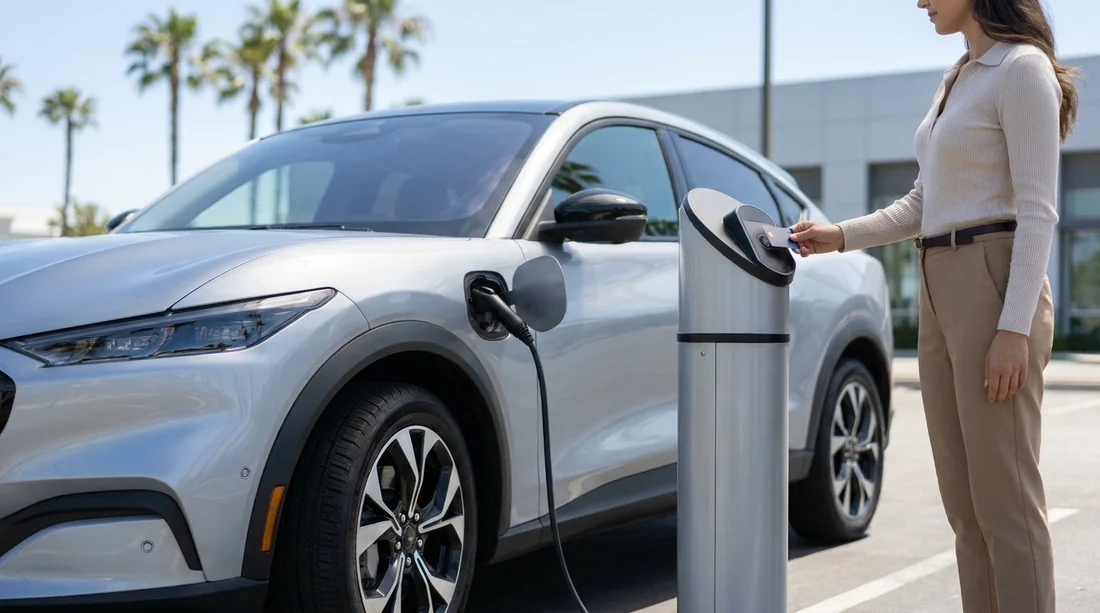
Many newer DC fast chargers, and a growing number of Level 2 stations, accept tap-to-pay. This is the simplest option when it works, but do not assume every unit has a functioning reader.
3) RFID membership card or key fob
Some networks issue an RFID card that you tap on the charger to begin. This can be handy if mobile signal is poor in underground car parks. Tourists do not always have time for shipping, but app start is usually faster to set up.
4) Plug-and-charge (where supported)
Some vehicles and networks support automatic authentication when you plug in, with payment billed to a linked account. With rental cars, plug-and-charge availability varies widely, so treat it as a bonus rather than your only plan.
Before car hire: prepare your phone and payment options
Do this before you arrive at the counter, ideally on Wi-Fi. Download at least two charging apps, create accounts, and add a payment card that works in the US. If your bank uses extra verification, make sure you can receive authentication codes while travelling.
Also check that your phone can reliably use data in California. If you are using roaming, consider whether coverage and costs are acceptable. If you will depend on apps to start charging, a local eSIM can reduce hassle.
Finally, add your preferred charger locations to your maps. If you are landing in Southern California, you might review practical travel notes around car rental San Diego SAN routes or airport exits so you can reach a charger without detours.
What to check at pick-up for smooth charging
When you collect your electric rental car, the most useful step is a quick walkthrough focused on charging. Ask the agent, or check in the vehicle menus, for the following items.
Connector type and fast-charging compatibility
In the US you will typically see CCS for most non-Tesla EVs, and NACS for many Tesla vehicles. Some cars may include an adapter, which can expand which chargers you can use. Confirm what the car supports for DC fast charging and whether an adapter is in the boot.
Charging cable and storage location
Many EVs do not require you to carry a cable for public DC fast charging, but Level 2 charging may require the station to provide a connector, which is common in the US. If a cable is provided, confirm where it is stored and return expectations.
Starting battery level and target charge guidance
Clarify the starting state of charge and any return requirement. Some operators ask you to return at a certain percentage, others charge a fee if returned low.
Any charging fees charged by the rental company
Some rentals pass through charging costs, others may add admin fees if they bill charging through a fleet account. Ask how public charging is paid for, and whether you should always pay directly at the charger. If you are hiring a larger vehicle for a group trip, pages like minivan rental California LAX can be useful context, although EV availability varies by category and location.
At the charger: a simple step-by-step that avoids payment problems
When you arrive, begin by checking the connector label on the charger and comparing it to your car’s port. Next, read the pricing screen carefully. Some stations charge per kilowatt-hour, some by time, and some add idle fees if you stay plugged in after charging ends.
If there is a contactless reader, try tap-to-pay first, as it is quick. If the reader is missing or the screen directs you to the app, open the relevant network app and start the session using the station ID. If the app fails due to signal, move the car slightly and try again, or use an RFID card if you have one.
Planning for the first charge right after landing
A common stress point is needing a charge soon after airport pick-up. If you expect that, check the battery level before leaving the car park and decide whether to charge immediately or later. Airport-area fast chargers can be busy and sometimes pricier. If your accommodation has charging, it may be easier to do a slower overnight top-up.
If you are beginning in Northern California, you might compare distances and charger density around your route from Dollar car rental Sacramento SMF areas or nearby motorways to avoid a last-minute scramble.
FAQ
Do I need a US phone number to use charging apps in California?
Usually no, but some apps may request SMS verification. If you cannot receive texts, try email verification, or use contactless payment where available.
Can I pay cash for public EV charging in California?
Cash payment is uncommon at chargers. Plan to use a card through an app, a contactless reader, or an RFID membership card.
Will my electric rental car come with charging accounts already set up?
Sometimes, but it varies by operator and vehicle. Assume you will pay directly at chargers, and confirm at pick-up whether any fleet billing applies.
What happens if the charger only supports a connector my car cannot use?
You will need a different stall or site with the correct connector type. Check your vehicle port, and ask at pick-up whether adapters are included.
Are idle fees common, and how do I avoid them?
Yes, especially at DC fast chargers. Monitor the app or car display, and move the vehicle soon after charging completes.