


Quick Summary:
- Follow Ground Transportation signs from Terminal A baggage claim to Level 1.
- Use the central lift bank for the most direct route.
- Allow 6 to 10 minutes walking, plus any baggage claim time.
- Keep licence and card handy, agents may confirm flight details.
Orlando International Airport (MCO) is built around a main terminal with two sides, Terminal A and Terminal B, and separate airside gates reached by tram. The good news is that the car hire desks are in the main terminal, so once you are back from your gate and have collected bags, you stay indoors and simply follow the airport’s wayfinding.
This guide assumes you are arriving into Terminal A and heading from arrivals to the rental counters for a typical pick-up. It focuses on the quickest practical route, including lift choices, signage to trust, and time estimates that reflect real passenger flow.
Understand where you are in Terminal A
At MCO, most flights arrive at an Airside (gates) building, then you take an automated people mover (tram) back to the main terminal. Terminal A refers to one side of the main terminal complex. When you exit the tram into Terminal A, you enter the secure-side concourse area, then you flow down towards baggage claim and ground transport.
The car hire desks for on-airport rental companies are located in the main terminal on Level 1 (Ground Transportation). You do not need to go outside for the major on-airport desks, although some off-airport operators use shuttles and pick-up zones.
If you want a quick overview of Orlando MCO rental options and typical counter locations, see car rental at Orlando MCO.
Fastest route step-by-step from Terminal A arrivals
Step 1, return to the main terminal if you are still at the gates. After landing, follow signs for “Tram to Main Terminal” and board the automated people mover. Trams run frequently, and the ride is usually around 60 to 90 seconds, plus a short wait during busy banked arrivals.
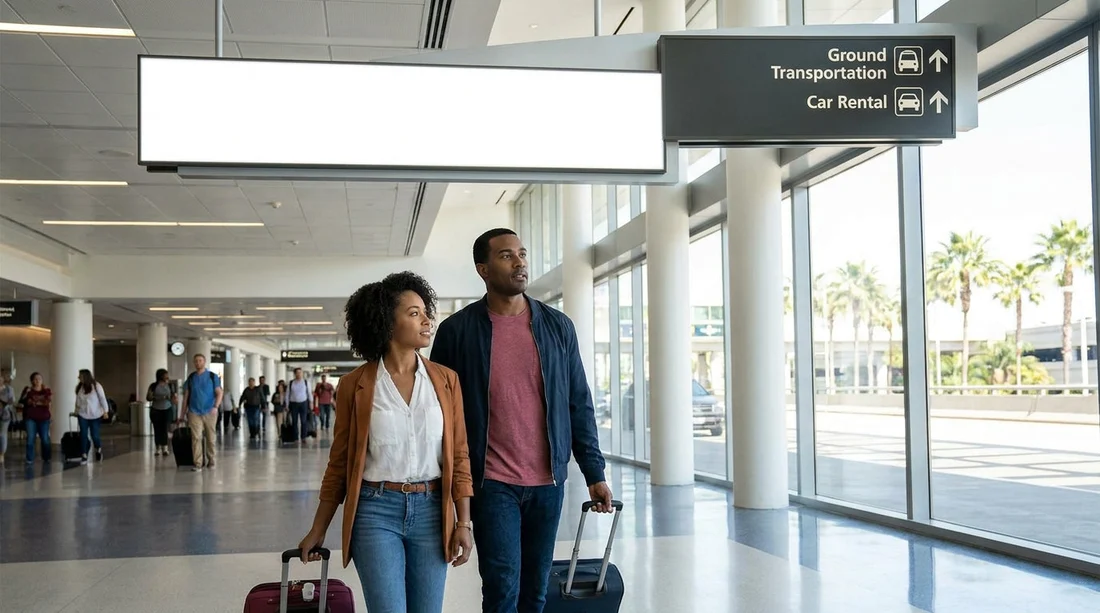
Step 2, follow signs for “Baggage Claim” and “Ground Transportation”. Once you enter Terminal A from the tram, do not look for rental counters yet. The quickest flow is to follow the large overhead wayfinding for Baggage Claim, then keep an eye out for “Ground Transportation” to reach the Level 1 rental area.
Step 3, go down to Level 2 for baggage claim. If you have checked bags, you must collect them first. Terminal A baggage claim is on Level 2. Use escalators or lifts, both are well signed.
Step 4, from baggage claim on Level 2, head to the central lift bank. When you are finished at the carousel, stand facing outward towards the public arrivals hall. Look for overhead signage pointing to “Ground Transportation” and “Rental Cars”. Walk towards the central core of the terminal where the main lift bank serves multiple levels.
Step 5, take the lift to Level 1, Ground Transportation. Select Level 1. As the doors open, you should see clear overhead signs for rental counters. Keep moving straight into the rental counter area, where desks are grouped together with queuing lanes.
For more detail on the on-airport counters and what you will see when you arrive, Hola Car Rentals’ car hire at Orlando MCO page is a useful reference.
Realistic walking times, what to expect
Walking time at MCO depends less on distance and more on lift and passenger flow. Here are realistic ranges from Terminal A arrivals to the car hire desks.
If you have no checked bags: From the tram exit in Terminal A to the rental counters, allow around 6 to 9 minutes. This assumes average crowding and one lift or escalator set down to Level 1 without long waits.
If you have checked bags: Add baggage claim time. The walk from carousel area to the counters is still usually 5 to 8 minutes, but bag delivery can take 10 to 30 minutes depending on flight timing and staffing.
Typical total from aircraft door to desk: 25 to 55 minutes is common. On a smooth day it can be faster, but if bags are slow or the tram platform is busy, it stretches out quickly.
What you will see at the car hire desk area
The rental counter zone is a busy, practical space with multiple companies side-by-side and queuing stanchions. Have your driving licence, payment card, and reservation details accessible, even if you have pre-booked. Desk staff often confirm your flight information, especially if your arrival time shifted.
If you have a specific supplier in mind, knowing the brand location helps you pick the shortest queue. Travellers comparing major brands at the terminal often look at Alamo car rental at Disney Orlando MCO and Dollar car rental in Orlando MCO to understand what to expect from the desk process and pick-up flow.
Common mistakes that slow you down
Going outside too early: Some travellers step out to the kerb looking for a rental shuttle, then realise their car hire company is on-airport. If your reservation is with a major on-airport provider, stay inside and follow “Ground Transportation” to the counters first.
Stopping at the wrong level: Level numbers matter at MCO. Baggage claim is Level 2, rental counters are Level 1. If you find yourself in parking or departures-related areas, check the nearest directory and return to the central core lifts.
Not checking documents before you queue: A surprising time sink is reaching the counter and then hunting through bags for licences, cards, or confirmation details. Sort these while you are walking from baggage claim, keeping valuables secure.
FAQ
How long does it take to walk from Terminal A arrivals to the car hire desks at Orlando Airport? If you are already at the main terminal and not waiting for bags, it is usually about 6 to 9 minutes. With checked bags, the walk is similar but baggage delivery adds extra time.
Which signs should I follow from Terminal A to reach the car hire desks fastest? Follow “Baggage Claim” first if needed, then “Ground Transportation” to Level 1. Those signs are the most consistent and keep you inside the main terminal.
Do I need to take a shuttle from Terminal A to the rental counters at MCO? Not for the main on-airport rental desks, which are in the terminal on Level 1. Some off-airport companies use shuttles, but you would follow their specific instructions.
Are lifts available all the way to the rental desk level? Yes. You can use lifts from the main terminal areas down to Level 1, which is helpful for wheelchairs, pushchairs, and luggage trolleys.
What should I have ready when I reach the car hire counter? Have your driving licence, payment card, and booking details ready. It can also help to know your flight number and arrival time if the agent asks.































































































