


Quick Summary:
- Check your confirmation for supplier name, pickup location, and terminal notes.
- Follow official Rental Car signs to AirTrain and the consolidated desk area.
- Match overhead brand placards with queue barriers and agent monitor logos.
- Ask the greeter which queue fits your booking type and membership.
Shared rental desks can feel confusing at San Francisco International Airport (SFO), especially when several brands operate side by side or from the same counter line. The good news is that you can reliably identify the correct counter in a few minutes if you use the same checks the staff use: your confirmation details, the on-site signage hierarchy, and the queue rules for your booking type.
This guide breaks down a step-by-step method to find the right desk for your car hire at SFO, even when multiple brands appear to share the same service area.
Step 1: Confirm your “who and where” before you leave arrivals
Before you follow any signs, open your booking confirmation and look for three items: the rental brand name, the pickup location description, and any references to a consolidated facility. At SFO, most major companies operate from a centralised rental car centre rather than having separate desks in each terminal.
If your confirmation lists a brand desk at SFO, keep that brand name visible on your phone. If you booked through an aggregator or a package, the confirmation may show a partner brand that actually provides the car. The simplest way to avoid joining the wrong queue is to rely on the brand shown under “Supplier”, “Provided by”, or “Rental company”, not just the broker name.
If you need a quick refresher on the SFO pickup flow, the Hola Car Rentals landing page for San Francisco Airport car rental outlines the airport context and helps you recognise the correct pickup setting.
Step 2: Follow the signage hierarchy, not the crowd
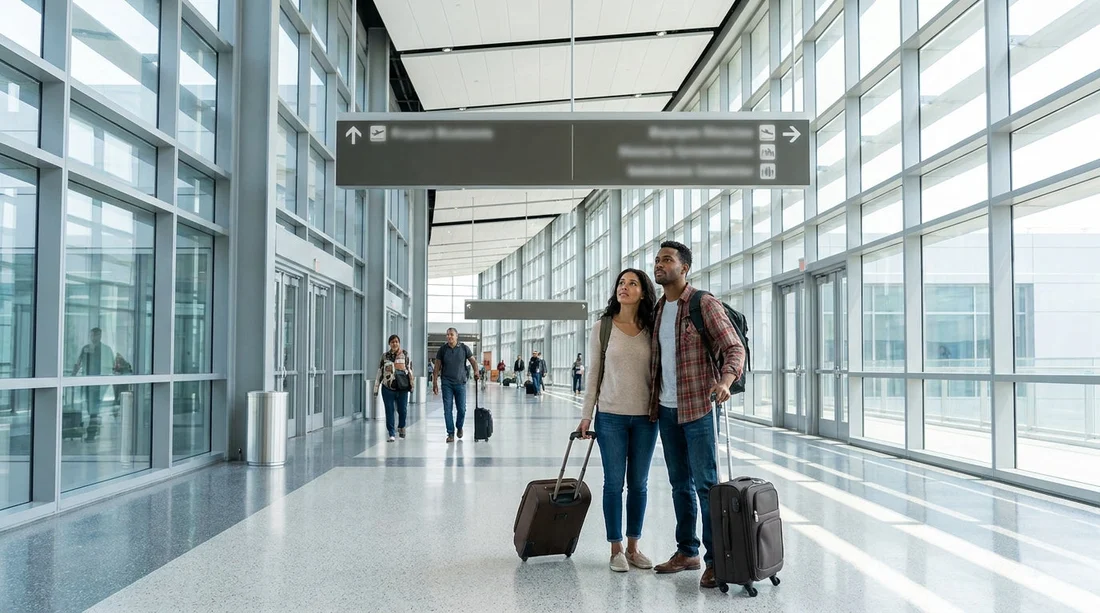
Airports use layered signage. At SFO, you will usually see: terminal wayfinding signs, then “Rental Cars” direction signs, then AirTrain references, and finally brand-level signs once you reach the rental facility.
Use this order to stay oriented.
First, follow official “Rental Cars” signs rather than people with luggage. Crowds often split between ride-hail, taxis, hotels, and shuttles.
Second, look for AirTrain directions if they are shown for rentals. SFO’s AirTrain Blue Line serves the consolidated rental car facility, so “AirTrain to Rental Cars” is often the cleanest route.
Third, once you arrive at the rental car centre, switch from wayfinding signs to brand signage. At this point, your goal is not “rental cars” generally, it is your exact brand queue.
Step 3: Identify whether desks are truly shared or just co-located
Two situations can look the same from a distance.
Co-located desks: Several brands have separate service positions in the same hall. You must queue for your specific brand.
Shared desks: Two or more brands use the same counters, often with a single queue that branches near the front. This can happen with sister brands or when staffing flexes during busy periods.
The fastest visual clue is the branding on the overhead placards and the monitors above the agent positions. If you see multiple logos rotating on the same screen, or a combined sign listing more than one company, you are likely in a shared-desk setup. If each row of desks has a single brand sign, it is more likely co-located.
If you are comparing brands, the dedicated pages for Avis at SFO and Payless at SFO can help you recognise which supplier name should appear on your paperwork, which is the name you must match to signage.
Step 4: Use three matching checks at the desk area
Once you are facing the counters, use these checks in order, stopping as soon as you get a firm match.
Check A, overhead signage: Look above the queue entrances for your brand name. Airports typically mark the queue entrance more clearly than the individual desks.
Check B, queue barriers and printed placards: Many facilities attach brand cards to the stanchions at eye level. If overhead signs are busy, the stanchions are often easier to confirm.
Check C, agent monitor branding: If overhead signage lists multiple brands, verify which brands the agents in that row are actually serving by checking the monitors. Shared desks often show alternating brand screens, which confirms that you are in the right place even if the queue is long.
Step 5: Confirm you are in the correct queue type
Even if you find the right brand, you can still waste time in the wrong queue. At SFO, queue lines can separate by service type.
Prepaid or pay-later: Some brands direct prepaid customers to a specific desk or fast lane.
Loyalty programme: Members may have a separate counter or may skip the counter entirely, depending on eligibility and whether your profile is complete.
Accessible service needs: Customers requiring specific assistance may be directed to a particular agent position.
Before you commit to a line, read any small signs at the queue entrance that mention “Members”, “Express”, “Ready line”, or “Reservation assistance”. If your confirmation includes a membership number, ensure it is attached to the reservation. If it is not, it is usually faster to join the standard reservations queue rather than a loyalty lane that will redirect you.
Step 6: Ask the greeter one precise question
If the setup still feels unclear, do not ask a broad question like “Where is car hire?” Instead, ask a single, specific question that staff can answer instantly.
“My reservation is with [brand], pay-later, standard pick-up. Which queue should I join?”
This works because it includes the three sorting keys: brand, payment type, and service channel. A greeter can point you to the correct line without needing to check your documents, and you avoid being bounced between queues.
If you booked a larger vehicle class and are concerned about where you will be directed, it can help to know whether you are picking up a van or SUV category. The page for van rental at SFO is useful for understanding that some vehicle types may have separate pickup instructions even when the counter is shared.
Step 7: Verify the supplier name before you leave the counter
When desks are shared, paperwork errors are more likely, usually because of similar brand names or sister-company systems. Before you walk away, check these items on your rental agreement.
Supplier name: It should match the brand you queued for.
Location code: Ensure it states SFO or the relevant facility, not a downtown office.
Vehicle class: Confirm the class you expect, especially if you selected a specific size for luggage or child seats.
Fuel and toll policies: Ask for clarification at the desk, not at the exit gate, where it is harder to change terms.
This is also the point to confirm where to go next, whether that is an elevator to the garage, a shuttle bay, or a particular level for your row. A correct counter choice should result in clear walking directions to the cars.
Common pitfalls at shared desks, and how to avoid them
Mistaking the broker name for the supplier: Your email subject line may show the broker, but the supplier at SFO is the brand you must match on signs and desks.
Joining the shortest queue: Short lines are tempting, but they can be for returns, roadside help, membership-only, or a different brand entirely.
Assuming every brand is in the same place: Most are centralised at SFO, but signage still matters because entrances and queue types are separated within the facility.
Not checking desk splits: Shared desks may serve two brands, but only some agent positions may be active for your brand at that moment.
If you are also planning a Bay Area itinerary where SFO is not your only airport, it can help to know that counters and facilities differ at nearby airports. Comparing the flow at San Jose Airport (SJC) car rental can make SFO’s consolidated approach feel more intuitive, because each airport handles signage and desk layouts differently.
FAQ
How do I know which brand I actually booked when desks are shared? Check the “Supplier” or “Rental company” field on your confirmation and match that name to the on-site signage, not the broker name on the email header.
What if I cannot find my brand name anywhere in the rental car centre? Ask a greeter using the exact supplier name on your confirmation. Some brands operate under partner signage or are directed to a combined service point.
Are shared desks the same as shared queues? Not always. Some brands share the same physical counters but maintain separate queues, while others run a single queue that splits near the agents.
Should I queue in an express or loyalty lane if I am a member? Only if your reservation shows your membership number and the lane signage matches your booking type. If unsure, ask staff before joining the line to avoid being redirected.































































































