


Quick Summary:
- Emergency calls to 911 usually work without a US eSIM.
- Mobile data helps with live traffic, reroutes, and finding fuel.
- Download offline maps, key addresses, and booking details before flying.
- Use an eSIM, airport WiFi, or a low-cost SIM.
If you are arranging car hire in Florida, it is natural to wonder whether you must have a US eSIM for navigation and for emergencies. The short version is that mobile data is useful, but not always essential. With a little preparation, you can collect your vehicle and drive confidently even if you are keeping costs low or relying on WiFi.
Florida is set up for driving, but it is also a state where conditions change quickly. Heavy traffic around major cities, sudden rain, and long stretches of highway can all make live navigation and quick information checks feel reassuring. The good news is that you can plan for the important parts before pick-up and choose connectivity that matches your itinerary.
Will your phone work for emergency calls without a US eSIM?
In the US, emergency calls to 911 are designed to go through even if you do not have an active mobile plan, as long as your phone can connect to a compatible network. That means a US eSIM is usually not required purely for emergencies. However, there are practical limits. If you are in a remote area with weak signal, any phone can struggle to connect, and if your handset does not support US network bands well, coverage may be reduced.
Also note that while a 911 voice call may go through, you might still want data for non-emergency help, such as contacting your accommodation, checking road closures, or using live location sharing. If you are travelling with children, driving late, or planning long day trips, a small amount of data can add peace of mind.
Is mobile data essential for maps while driving?
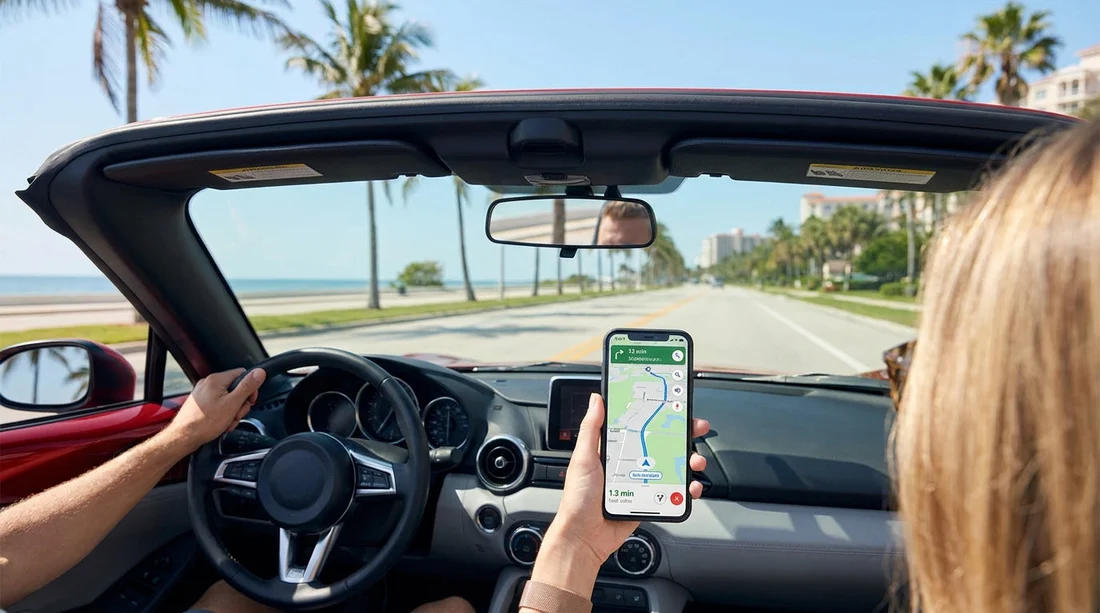
For most visitors, mobile data is not essential for basic point-to-point navigation, because offline maps can handle the core job. Where data becomes valuable is in everything that changes while you drive: live traffic, accidents, lane closures, and faster alternatives. In and around Miami, Orlando, Tampa, and Fort Lauderdale, traffic conditions can shift rapidly, and a navigation app with live updates can save time and reduce stress.
Mobile data is also useful for the small tasks that keep a trip running smoothly, such as searching for a petrol station, checking opening hours, finding a pharmacy, or confirming a hotel address. If your car hire plans include theme parks or airports, last minute changes to pick-up instructions or terminal details are easier to handle when you are connected.
If you are collecting from South Florida, these pages can help you review local pick-up areas and plan routes ahead of time: car rental at Miami Airport and car hire at Fort Lauderdale Airport.
What to download in advance before you pick up the car
If you want to keep spending down, or you simply prefer to be prepared, downloading a few items before you fly can cover most needs for the first day or two. Aim to do this on home WiFi, so you are not relying on airport connections.
Offline maps for your main regions. Download the areas you will drive through, not just your first destination. If you are landing in Miami and driving to the Keys, download South Florida and the full route corridor. If you are doing Orlando and the Space Coast, download Central Florida.
Key addresses saved offline. Save your accommodation, the car hire pick-up location, and any first-stop supermarket or petrol station. Screenshot confirmation emails that contain addresses, opening times, or instructions, as some apps do not load smoothly without data.
Emergency and support contacts. Store important numbers locally in your contacts. It is also wise to note your insurer or roadside assistance details if you have them, as well as your accommodation phone number.
Low-cost connectivity options in Florida
You have several ways to get connected without committing to an expensive roaming bill. The best option depends on whether your phone supports eSIM, how long you are staying, and how much you need data on the move.
1) Use your existing plan with roaming. This can be the simplest approach for short trips. Check the daily fee and the fair-use data limit. Some plans throttle speeds after a set amount, which can affect navigation if you are constantly rerouting.
2) Buy a US eSIM before you travel. If your phone supports eSIM, this is often the easiest low-cost upgrade. You can activate it before landing and have data ready for the drive away. Look for packages that include enough data for navigation and messaging, rather than paying for a huge allowance you will not use.
3) Buy a physical US SIM. This can be good value, but it requires a shop visit and a handset that accepts a SIM. If you rely on your home SIM for banking texts or two-factor logins, swapping SIMs can be inconvenient unless your phone supports dual SIM or eSIM plus physical SIM.
4) Rely on WiFi, plus offline maps. Airport WiFi and hotel WiFi can be enough if you plan routes before each drive. This works best if you are staying in one area, doing short trips, and you have already downloaded offline maps.
When an eSIM is strongly recommended
Even though you can manage without mobile data, an eSIM becomes a smart choice in a few common situations. If you are doing multi-stop touring across Florida, driving at night, or travelling during busy holiday periods, live traffic and quick reroutes can make a real difference.
It is also recommended if you are planning to navigate dense areas where missed turns are common, such as Miami and Miami Beach. If that is part of your trip, it helps to plan your pick-up and first route in advance, and keep connectivity for the first few hours: minivan hire in Miami Beach.
Families often appreciate data for quick searches and communication, especially when coordinating stops. If you need extra luggage space or seating, mapping to larger parking areas and family-friendly stops can be easier with live info. For larger vehicles in the Miami area, you can also review options like minivan rental in Doral.
Tips for using maps safely and cheaply while driving
Set up navigation before moving. Enter your destination and start guidance while parked. If you need to change the plan, pull over somewhere safe.
Download the route on WiFi. Even with data, preloading the map tiles while on WiFi can reduce usage and improve performance.
Turn off unnecessary background data. App updates and cloud photo sync can burn through a small data package quickly. Restrict background data during your trip.
Keep your phone charged. Navigation drains battery fast. Bring a car charger compatible with your phone, and consider a short cable that does not get in the way.
So, do you need a US eSIM for Florida car hire?
You do not strictly need a US eSIM for maps and emergency calls when arranging car hire in Florida. Emergency calling is generally available without an active plan, and offline maps can handle standard navigation. That said, a small amount of mobile data makes Florida driving easier, particularly around big cities and during peak times, because it supports live traffic, quick changes, and simple searches for essentials.
If you want the best balance of cost and convenience, download offline maps and key information before departure, then choose a low-cost option for light data use, whether that is an eSIM, a local SIM, or limited roaming. That way, you can focus on the trip rather than signal worries.
FAQ
Can I call 911 in Florida without a US SIM or eSIM? In most cases, yes. Phones can often place emergency calls using any compatible network signal, even without an active plan, but coverage varies by location and device.
Will Google Maps work without data after I pick up my car? Yes, if you download the relevant offline map areas in advance. You will still miss live traffic updates and some real-time rerouting without data.
Is airport WiFi enough to start my first drive? It can be. Use it to load directions, save the route, and confirm addresses before leaving. Offline maps are still recommended in case the connection drops.
What is the cheapest way to stay connected for basic navigation? For many travellers, a small data eSIM package is the simplest low-cost option. Otherwise, use offline maps and rely on WiFi at airports and accommodation.
Do I need data to contact roadside help or my accommodation? Not always. A normal voice call can work without data if you have service, but messaging apps and location sharing usually require mobile data or WiFi.































































































