


Quick Summary:
- Car hire bookings usually guarantee a class, not Apple CarPlay availability.
- Add a note to your booking and choose newer vehicle categories.
- At pick-up, confirm USB ports, Bluetooth, and projection is enabled.
- Test your connection before leaving, and swap vehicles if needed.
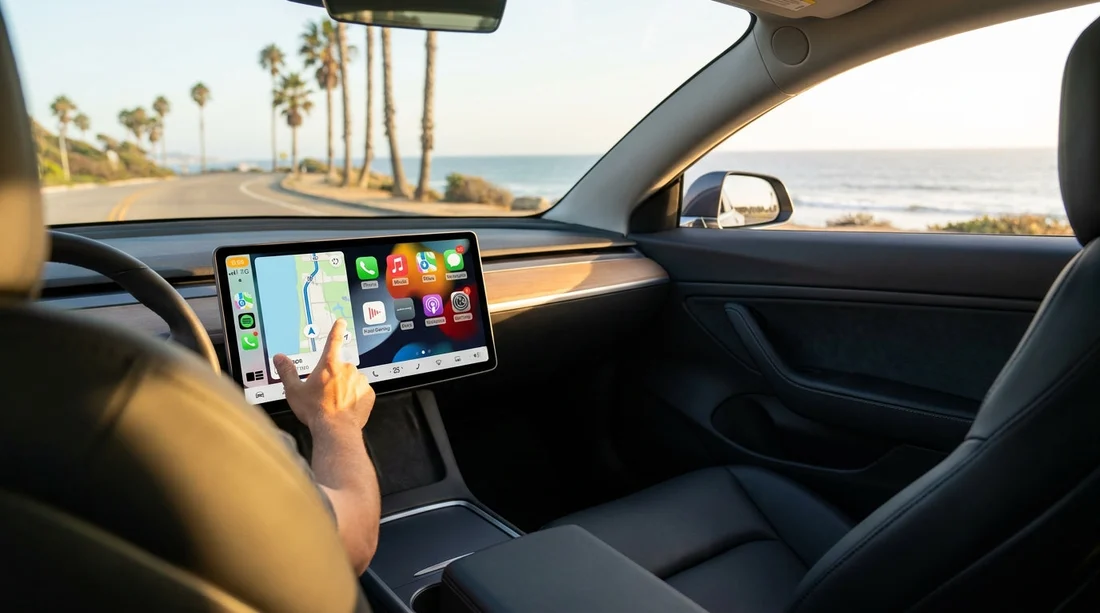
Apple CarPlay and Android Auto can make driving in California simpler, especially if you rely on Google Maps, Waze, Spotify, or hands-free messaging. The key detail with most car hire reservations is that you are typically reserving a vehicle class, not a specific make, model, or in-car feature set. That means you can often request CarPlay or Android Auto, but it is rarely guaranteed in the same way as passenger capacity or transmission type.
This article explains what is usually guaranteed versus what is only a preference, practical ways to improve your chances, and a short checklist to run through at the counter and in the pick-up bay before you leave.
What your California car hire booking usually guarantees
Most rental confirmations focus on category, for example “Intermediate”, “Full-size”, “Standard SUV”, or “Premium”. The supplier’s obligation is generally to provide a vehicle that matches the category’s core criteria such as number of doors, seating, luggage allowance, and whether it is automatic or manual. Infotainment features, including Apple CarPlay, Android Auto, built-in navigation, and satellite radio, are commonly treated as “features may vary”.
Even within the same class, fleets change day to day. One Intermediate car might be a newer trim with a large touchscreen and both systems enabled, while another may have only Bluetooth audio. Some cars may support CarPlay only via a cable, others may offer wireless CarPlay but not wireless Android Auto, and some may have both but require an extra setting to be enabled.
If you are collecting from a busy airport location, availability changes quickly. For example, travellers comparing options around San Francisco Airport often see a wide mix of model years, which affects how likely you are to get phone projection without asking.
Can you request Apple CarPlay or Android Auto at booking?
Yes, you can usually request it, but it should be treated as a preference rather than a promise. Depending on the supplier and the booking channel, you may be able to add a note such as “Prefer Apple CarPlay” or “Need Android Auto”. Some counters also add remarks to the reservation if you call ahead. The catch is that preference notes are commonly “subject to availability”.
To avoid frustration, plan as if you might not get it, then use the steps below to improve your odds. If CarPlay or Android Auto is essential for your trip, the most reliable approach is to choose a category that is more likely to include newer vehicles and to verify the actual car before you accept it.
How to improve your chances of getting CarPlay or Android Auto
1) Choose newer, higher categories when possible
Phone projection is far more common in recent model years. While there is no universal rule, Premium, Luxury, and newer SUVs tend to have it more often than older compact categories. If you will be doing long drives between cities, paying attention to category can be worthwhile, not just for comfort but for infotainment capability.
For instance, travellers looking at options near Los Angeles LAX may find that stepping up a class increases the likelihood of a modern head unit, especially during peak seasons when older vehicles are pulled into service.
2) Add a clear note, and keep it short
If the booking form allows special requests, use a simple phrase. “Apple CarPlay required if available” or “Android Auto preferred” is clearer than a long explanation. The goal is to make it easy for the counter agent or lot staff to match you to a suitable vehicle when there is a choice.
3) Pick up during normal hours if you can
Late-night arrivals can mean fewer cars to choose from and less flexibility for swaps. Picking up when the counter and the lot are fully staffed can make it easier to locate an alternative vehicle if the first one does not meet your needs.
4) Be realistic about wireless vs wired
Many vehicles support CarPlay and Android Auto only via USB cable. If you require wireless specifically, your request is harder to fulfil. Bring a good-quality cable that matches your phone, plus an adapter if needed. For iPhone, that usually means a Lightning to USB-A or USB-C cable depending on the car. For Android, it is often USB-C.
5) Consider where you are collecting
Fleet mix can differ by location. Airport sites with high turnover often have more late-model vehicles, but they also have heavier demand. City locations may have different stock. If your plans include Silicon Valley, comparing options around San Jose SJC can be useful, as tech-heavy markets sometimes see newer trims, though nothing is guaranteed.
What to check at the counter before you accept the car
Counter time is when you can prevent a problem, rather than discovering it after you have loaded luggage and left the facility. A quick, polite set of questions can save time.
Ask the agent to confirm phone projection on the assigned car
Rather than asking “Do your cars have CarPlay?”, ask about the specific vehicle you are being given. If the agent cannot confirm, ask if there is another vehicle in the same class known to have it. Some agents can see make and model on their screen, which is often enough to make an informed guess.
Check whether the car supports your phone type
Some cars have CarPlay but no Android Auto, especially in certain model years. Also confirm whether it is wired only. If you have two drivers with different phones, you may want both systems.
Clarify any “upgrade” implications
If the only available car with CarPlay is in a different category, ask whether it is a free swap or a paid upgrade. It is better to understand this before you sign, particularly when inventory is tight.
In the pick-up bay: a 3-minute CarPlay and Android Auto test
Before you drive out, do a quick functional test. This is the most reliable way to ensure you actually have what you need.
1) Locate the correct USB port
Some vehicles have multiple ports and only one supports data. Others have USB-C only. Plug in, unlock your phone, and watch for the CarPlay or Android Auto prompt.
2) Accept permissions on your phone
iPhones often ask whether to allow CarPlay when locked. Android may ask to allow data access or to start Android Auto. If you deny the prompt, it can look like the car “doesn’t have it”.
3) Check audio, maps, and microphone
Play a track, start navigation, and make a short hands-free call. Microphone quality varies, and you want to spot problems before leaving. Also confirm that steering wheel buttons work as expected.
4) If it fails, try basic fixes before swapping
Use a different cable, restart the phone, and try another USB port. If it still fails, return to the booth and ask for a different vehicle. This is common enough that staff are used to it.
Common reasons CarPlay or Android Auto is unavailable even in a new car
Sometimes the hardware is present but the feature is disabled or flaky. Common causes include the wrong USB port, a charge-only cable, a phone that needs an operating system update, or the car’s infotainment system needing a reboot. In some trims, projection is an optional package, so a “new” car may still lack it.
If you are travelling with family and prioritising space, an SUV category may help. When comparing options like SUV rentals in San Diego, remember that SUVs vary widely, some have excellent infotainment, others are basic fleet trims. Testing at pick-up is still essential.
FAQ
Is Apple CarPlay or Android Auto guaranteed with car hire in California? Usually not. Most reservations guarantee a car class, while infotainment features can vary by vehicle, trim, and model year.
Can I add a request for CarPlay or Android Auto to my booking? In many cases, yes. You can often add a preference note, but it is typically subject to availability at the time you collect the car.
What should I check before leaving the rental facility? Test the correct USB port with your cable, accept phone permissions, and verify maps, audio, and microphone quality before you exit.
Does wireless CarPlay or wireless Android Auto come as standard? Not reliably. Many cars support projection only via cable, and wireless support varies widely even among newer vehicles.
What if the assigned car does not have it? Ask for another vehicle in the same class first. If none are available, use a phone mount and Bluetooth, and plan a safe route before you set off.































































































