


Quick Summary:
- CarPlay or Android Auto is rarely guaranteed, even within one car class.
- Check listings for Apple CarPlay, Android Auto, or Bluetooth before paying.
- Or similar means same class, not the same infotainment system.
- Confirm at pick-up by checking the head unit menu and USB ports.
If you are arranging car hire in Texas and Apple CarPlay or Android Auto is important, the short answer is that you usually cannot guarantee it in advance. Rental fleets change often, trims vary, and even identical-looking models can have different infotainment hardware. What you can do is improve your odds, understand how listings are written, and know what to check before you drive away.
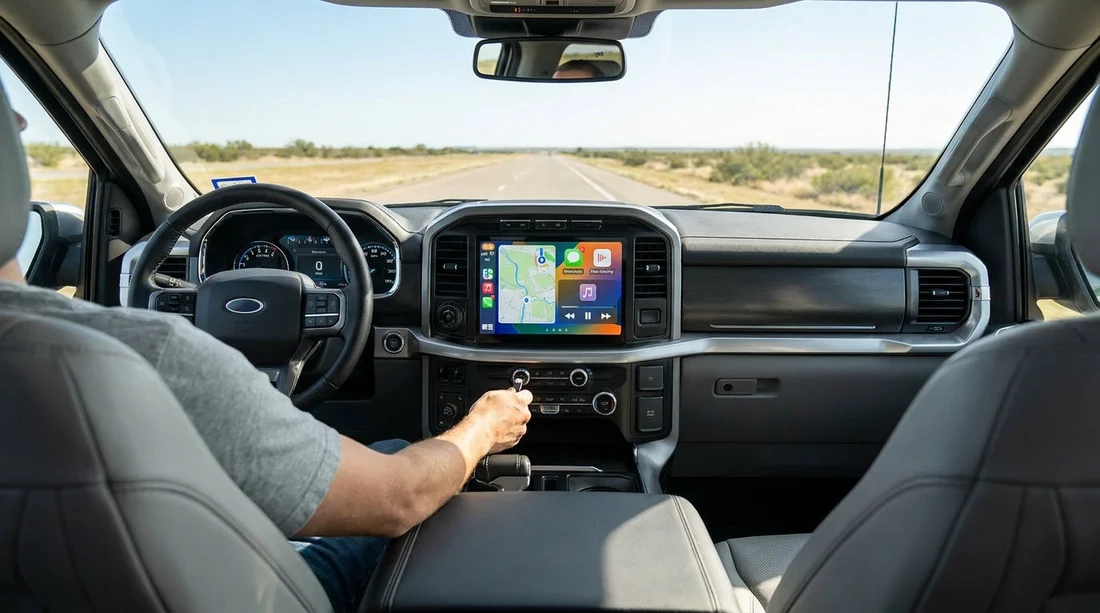
This matters in Texas because many trips involve long motorway stretches, unfamiliar interchanges, and urban traffic in Dallas, Houston, and Austin. Using your phone’s navigation through the dashboard can feel safer and more convenient, but only if the car supports your device and the right connection method.
Why CarPlay and Android Auto are rarely guaranteed
Most rental companies sell you a vehicle category, not a specific car. Categories describe broad attributes such as size, luggage capacity, number of seats, drivetrain, or fuel type. Infotainment features are more variable, and they depend on make, model year, trim level, and sometimes regional supply.
Even when a fleet includes models that commonly offer CarPlay or Android Auto, a portion may not have it enabled, may require a wired connection, or may have a head unit that only supports screen mirroring or basic Bluetooth. Vehicles also rotate between locations, so a feature available last month at one airport might not be present today.
If you are collecting near Dallas Fort Worth, see the location information on car hire at Dallas DFW. Airport branches often have a wide mix of vehicles, which is good for choice, but it also increases variation in tech.
How infotainment features are listed, and what may be missing
When you browse a car hire quote, you will typically see a small set of icons or bullet features. These may include air conditioning, automatic transmission, number of seats, and sometimes Bluetooth. CarPlay and Android Auto may appear, but many listings do not show them consistently, even if the car might have them.
Common wording you might see includes:
Bluetooth, this usually means hands-free calling and audio streaming. It does not automatically mean CarPlay or Android Auto.
USB, this can mean a charging port only. Some cars have charge-only USB sockets plus one data-capable port.
Apple CarPlay or Android Auto, if listed explicitly, it is a positive sign. However, it can still be subject to “or similar” language or last-minute substitutions.
Sat Nav, built-in navigation is separate from phone projection. Some cars have sat nav but no CarPlay or Android Auto, and some have CarPlay but no built-in maps.
Because listing standards vary by supplier and channel, it helps to treat “CarPlay shown” as “likely”, rather than “contractually guaranteed”, unless the rental terms explicitly say the feature is assured.
For Houston collections, the branch pages for car hire at Houston IAH and car hire at Austin AUS are useful reference points for location context, especially if you are comparing pick-up options and want time to check the vehicle properly.
What “or similar” really means for tech
“Or similar” generally means you will receive a car in the same category, with comparable core attributes. It is designed to protect renters from being downgraded on size or capacity, while allowing the supplier flexibility to manage fleet availability. It does not promise the same trim level, the same stereo, or the same software features.
Two intermediate saloons might be similar on paper, but one could have wired CarPlay and the other could have only Bluetooth. Two SUVs in the same group might differ by model year, and older model years are less likely to have full phone integration.
That is why “or similar” is particularly important when the feature you care about is inside the dashboard rather than related to the vehicle’s size. If you need CarPlay or Android Auto for work calls, accessibility, or navigation, you should plan around the possibility it is not present and prepare a fallback.
How to confirm compatibility before you arrive
You can reduce uncertainty by doing a few checks before pick-up, even though you may not be able to lock the exact vehicle.
1) Read the feature line carefully. If CarPlay or Android Auto is not stated, assume it may be absent. Bluetooth alone is not enough.
2) Consider the vehicle type. Newer mainstream models are more likely to have CarPlay and Android Auto. Larger categories often include newer stock, but it is not guaranteed. For example, browsing an SUV category such as SUV hire in Texas IAH can improve your odds because many late-model SUVs include modern head units, but the final vehicle still varies.
3) Ask what the branch can check. If you contact the supplier or counter, they may tell you whether the cars currently on site tend to include CarPlay or Android Auto. They may also explain whether it is typically wired or wireless. Do not rely on verbal confirmation as a guarantee, but it helps set expectations.
What to check at the counter and on the car before leaving
Once you are assigned a car, you can usually confirm infotainment in a couple of minutes. Ideally, do this before you load luggage or leave the car park, so it is easier to request an alternative if one is available.
Check the head unit menu. Look for Apple CarPlay, Android Auto, Projection, or Phone settings. Some systems show CarPlay only after connecting a cable, so also try plugging in.
Inspect the USB ports. Many cars have multiple USB sockets. Try the port closest to the infotainment screen, not just the rear or centre-console charging ports. If the car only has USB-C and you have USB-A cables, you may need an adapter.
Confirm whether it is wired or wireless. Wireless CarPlay and wireless Android Auto are less common than wired, especially on older vehicles. If you expect wireless, you might be disappointed, so plan for wired use.
Fallback options if the car does not have CarPlay or Android Auto
If your car hire in Texas does not include the integration you wanted, you can still drive comfortably and safely with a simple backup plan.
Use Bluetooth with a phone mount. Bluetooth handles calls and music well. Pair it once, then use a dashboard or windscreen mount for maps on the phone itself.
Download offline maps before you fly. Mobile coverage is generally good in cities, but there are gaps in rural areas. Offline downloads reduce stress if signal drops.
Bring the right cables. Pack both USB-A and USB-C options if you can, plus a 12V charger. Some rentals have limited high-power charging, which can matter if you run navigation for hours.
Does choosing a specific supplier help?
Supplier choice can affect your odds, but it is not a guarantee. Some brands refresh fleets more frequently, and some locations have more late-model vehicles than others. If you are comparing providers at Dallas Fort Worth, pages like Dollar car hire Fort Worth DFW can help you understand which supplier is associated with the pick-up point, then you can research typical model years seen at that branch.
Ultimately, the most reliable approach is to treat CarPlay or Android Auto as a preference, then verify the specific car at hand. If it is essential, allow extra time at pick-up in case you need to swap to another vehicle from the same category.
FAQ
Can a rental company guarantee Apple CarPlay or Android Auto in Texas? Usually not. Most rentals are sold by category, and infotainment varies by model year and trim. If it is not explicitly guaranteed in the rental terms, assume it is not assured.
If CarPlay is listed, does that mean it will definitely work? Not always. The car might require a wired connection, a specific USB port, or certain phone settings. Test it in the car park before leaving.
What does “or similar” mean when I choose a car for car hire? It means you will get a comparable vehicle class, not the exact model or the same tech package. Similar size does not equal identical infotainment.
How can I check quickly at pick-up whether the car supports my phone? Turn on the screen, look for projection settings, then plug your phone into the main USB port. If CarPlay or Android Auto launches, it is compatible.
What should I bring to improve my chances of connecting successfully? Bring a high-quality cable, a USB-C or USB-A adapter if needed, and a 12V charger. Also ensure your phone software is up to date.































































































