


Quick Summary:
- Walk around slowly, match every mark to the damage diagram.
- Confirm odometer mileage matches the report, and note any mismatch immediately.
- Check fuel level is recorded correctly, and understand return expectations.
- Count keys and fobs, ensure the report lists all items.
A rental car condition report is your written snapshot of the vehicle at pick-up. In Texas, where many travellers collect a car hire vehicle at busy airport locations, it is easy to feel rushed. Taking five extra minutes before you sign and drive off can save hours of disputes later, because the condition report is usually what the rental company will rely on if a new scratch, dent, low fuel, or missing key is discovered at return.
The most important principle is simple: the report must match the car, not the other way around. If something on the vehicle is not captured on the report, ask for it to be added, or document it clearly yourself with time-stamped photos and a written note. If the report shows damage you cannot find, ask what it refers to, because you do not want to accept responsibility for a mark that is actually elsewhere.
If you are collecting after a flight into Dallas Fort Worth, you might be comparing paperwork while juggling bags and passengers. The same applies if you are arranging car hire around different providers and desks. A calm, methodical check helps regardless of which counter you use, including pick-ups referenced on Hola pages such as car hire Dallas DFW and Alamo car hire Dallas DFW.
Start with the damage diagram, then verify panel by panel
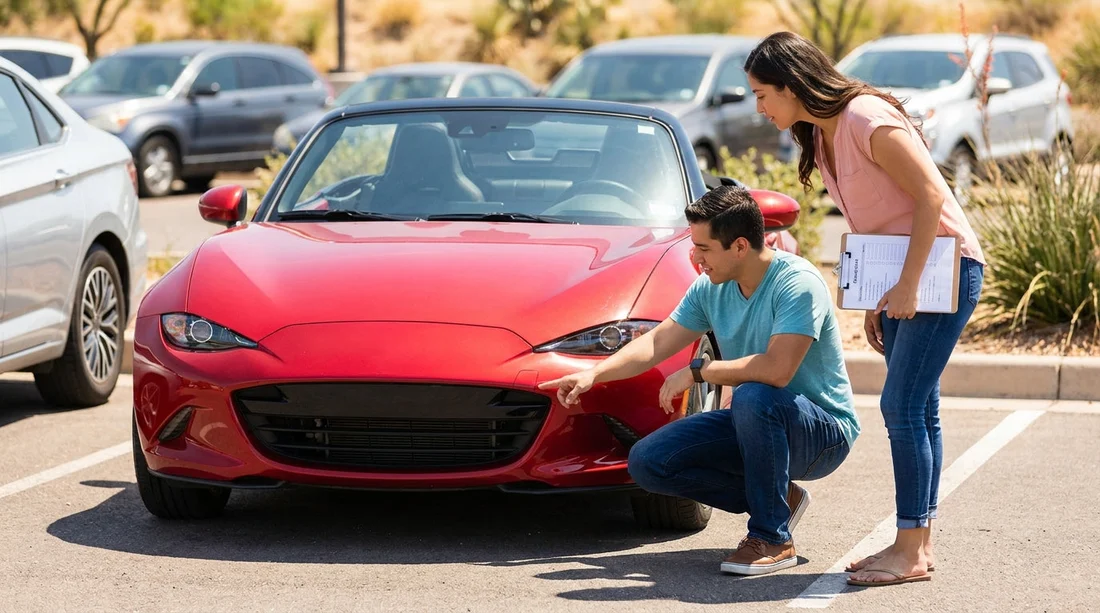
The damage diagram is often a small outline drawing of the car with codes or circles showing where damage exists. Do not treat it as a formality. Use it as a checklist while you walk around the vehicle clockwise.
Check each area deliberately: front bumper, bonnet, windscreen, roofline, mirrors, doors, sills, wheel arches, rear bumper, boot, and tailgate. In Texas, bright sunlight can hide shallow dents and certain paint scuffs. Move your viewpoint and look along the panels at a low angle, because ripples show up better from the side.
Be specific about what counts as damage. Condition reports sometimes only capture large dents, but you should still flag anything that could be argued as more than normal wear, including cracked light lenses, missing trim, deep scratches through paint, curb rash on alloys, and windscreen chips. Also inspect tyres for sidewall cuts and note if tread looks unusually low, because tyre issues can become a safety concern as well as a dispute.
If you are picking up at a major airport facility, lighting in the garage can be uneven. If you cannot see clearly, ask to pull the car into a brighter area before signing. This is especially relevant at large hubs, and Hola’s location information for car rental Texas IAH and car rental airport San Antonio SAT can help you anticipate busy collection environments.
When you find a mark, compare it to the diagram and any written notes. Confirm the mark is on the correct side and at the correct position. A circle on the diagram without a description can be ambiguous, so ask the agent to write a brief note such as “scratch, 3 cm, rear left door” rather than leaving it as a generic indicator.
Take your own photos and short video. Capture wide shots of each side, plus close-ups of any existing issues. Include the number plate in at least one wide shot, so your photos are clearly tied to the specific vehicle. If your phone allows it, keep location services on, as metadata can support timing and place if any question arises.
Confirm the mileage and understand what it affects
Next, look for the odometer reading on the report and compare it to the dashboard. This is a straightforward check, but it matters for several reasons. Some agreements include mileage limits, and even where mileage is unlimited, the odometer reading helps prove you were given the correct car and that the report belongs to it.
Do the check before you leave the bay. If there is a mismatch, tell the desk immediately and ask for the paperwork to be corrected, or for a note to be added and initialled. Even a small discrepancy can become complicated if later the return mileage appears inconsistent with what the contract says.
Also note the dashboard warning lights at start-up. The condition report may not mention them, but if a tyre pressure or engine light is already present, photograph it and inform staff right away. That is separate from mileage, but it is the same idea: document the state of the car at the moment you took possession.
Check the fuel level, and match it to the policy
Fuel is one of the most common sources of confusion. The condition report usually records the fuel level as full, three quarters, half, or similar. Sit in the driver’s seat, turn the ignition on, and verify the gauge matches what is written.
Be practical here. If the report says “full” and the gauge is slightly below full, ask for it to be corrected to the nearest accurate level, or ask what tolerance is applied at return. Some operators allow a small margin, but you should not rely on unwritten flexibility. A “full” tick box can lead to a charge if you return it at the same slightly-below-full position and the system still expects a perfect full tank.
If your agreement is a full-to-full arrangement, consider taking a photo of the fuel gauge at pick-up and again after you refuel close to return. If it is a pre-purchase fuel option, confirm what the report should show at return, because you may not need to refill. The key is aligning the gauge reading, the written report, and the fuel policy, so you are not assessed against a different standard than the one you accepted.
Verify key count, fobs, and any provided accessories
The title question highlights key count for good reason. Modern vehicles often use a key plus a separate remote fob, or a smart key. The condition report may state “2 keys” or “1 key”. Check what you actually received before leaving the lot.
Ask for the missing key if the report says two and you have one. If only one is available, make sure the report is amended to reflect that. Replacing smart keys can be expensive, and disputes can be difficult if the paperwork does not match the handover.
Also check any accessories that could be noted on the report or on an addendum, such as a toll tag, parking pass device, child seat, sat nav unit, or charging cable for a hybrid model. If something is included, verify it is present and works. If something is not included, do not sign a form suggesting it is in the car.
Make sure the report is properly completed before you sign
Before you sign, read the report fields, not just the totals. Look for blanks, unclear abbreviations, or generic statements that could be interpreted against you later. If there is a comments box, it is the best place for specific notes about existing marks, interior condition, or missing items.
Check that the vehicle details match the car you are taking: registration, make and model, colour, and VIN if shown. Mistakes can happen in busy Texas airport locations where cars move quickly between bays.
Inspect the interior briefly too, even if the report focuses on exterior damage. Look for heavy staining, tears, strong odours, or warning indicators on the dashboard. Take a quick photo of the seats and the boot area. Interior damage is less visible in diagrams, so your own documentation is particularly useful.
Finally, ensure you receive a copy of the signed condition report, either printed or emailed, and keep it with your rental agreement. If you are using Hola to compare providers at San Antonio, information pages like Enterprise car rental San Antonio SAT and Budget car hire San Antonio SAT can be a helpful reminder that processes vary, but your pre-departure checks should stay consistent.
FAQ
Do I need to check the car hire condition report if I have insurance? Yes. Insurance may involve excess, exclusions, and claims processes. A correct condition report reduces the chance of being linked to pre-existing damage.
What if the damage diagram is wrong or missing details? Ask staff to update it and add written notes. If they cannot, take clear photos, request a note on the report, and keep your copy.
How precise should the mileage match be? It should match the odometer at pick-up. If it is even slightly different, have the record corrected or note the discrepancy before leaving.
What fuel level should be written if the gauge is not exactly on a mark? Use the closest accurate level and document with a photo. Avoid accepting “full” if the needle is visibly below full.
Why does key count matter so much? Lost smart keys are costly and can trigger fees. Confirm how many keys and fobs you received, and ensure the report reflects reality.






























































































