Quick Summary:
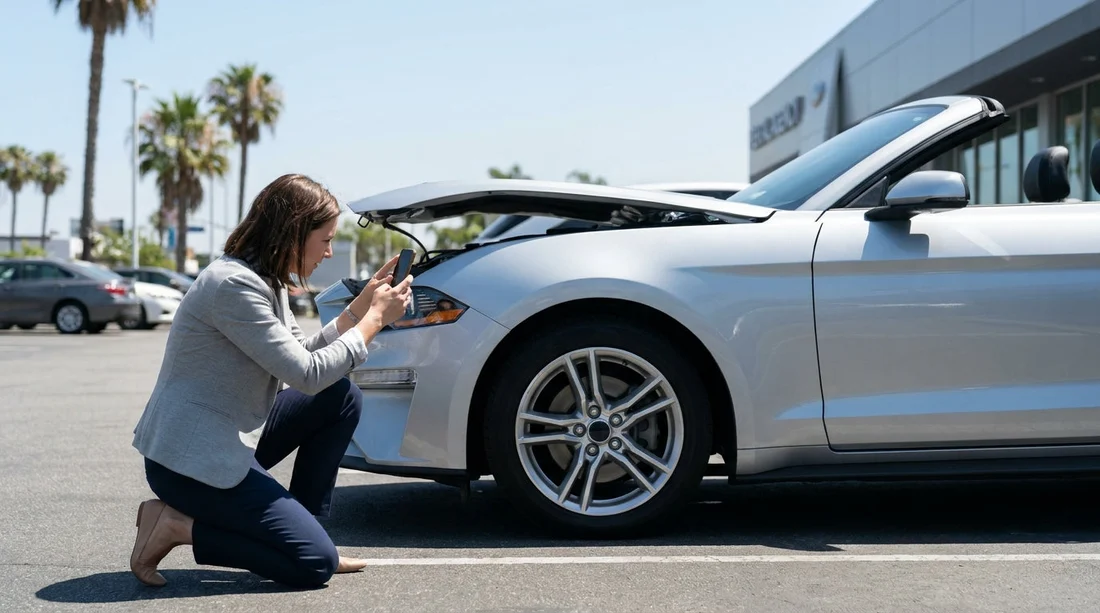
- Walk around slowly, photograph every panel, wheel, and the windscreen.
- Confirm fuel level and odometer match the rental agreement exactly.
- Test key fob, locks, lights, wipers, horn, and reverse camera.
- Check paperwork for charges, location details, and return time rules.
Picking up car hire in Los Angeles often means bright sunshine, busy forecourts, and the urge to get straight onto the freeway. Take ten minutes before you leave the lot, those minutes can prevent disputes about damage, fuel, mileage, or missing equipment later. Your goal is simple: create a clear record of the car’s condition, and make sure what you are signing matches what you are driving.
If you are collecting from an airport facility, give yourself a buffer for queues and inspections. Hola Car Rentals has options for car hire at Los Angeles LAX, where forecourts can be fast moving and staff may assume everything is fine unless you flag issues immediately.
Before you even reach the car
Start at the counter or kiosk. Ask to see the agreement on screen or paper and check the basics: your name, vehicle class, pick up location, return location, return date and time, and any optional extras. If something is wrong, it is much easier to correct before you drive out.
Specifically, look for the fuel policy, mileage allowance, deposit details, and any pre-authorisation amount. If you are comparing options, Hola Car Rentals also lists budget car rental choices in California at LAX, which is useful when you want to understand what is included versus what is charged at pickup.
How to photograph the exterior, step by step
Use your phone camera with the flash off in daylight, and consider recording a continuous walkaround video, then take still photos of any issues. Photos should be clear enough to show location and scale.
Start with wide shots. Stand back and take photos of the front, rear, and both sides, ensuring the licence plate is readable in at least one image. Then move closer and capture each panel, because small scrapes on doors and bumpers are common dispute points.
Focus on these areas:
Bumpers and corners: Photograph the lower edges and corners. Parking scuffs often hide low down and can be missed in a quick glance.
Wheels and tyres: Take a photo of each wheel, including alloy faces and sidewalls. Kerb rash can be misattributed, and tyres should have safe tread and no bulges.
Windscreen and windows: Photograph chips or cracks, plus the sunroof if fitted. In Los Angeles sun, small chips can be hard to spot unless you change angle.
Mirrors and lights: Capture mirror housings, headlamps, tail lamps, and indicators. Cracked lenses matter, and missing caps or broken clips are easy to overlook.
Roof and bonnet: If you can, take elevated angle shots. Roof dents happen from low garages or luggage mishaps, and can be missed.
When you find damage, take two photos: one close-up showing detail, and one wider shot showing where on the car it is. Then get it added to the damage report before leaving. If you are hiring a larger vehicle, such as via SUV hire in California at LAX, be extra careful with the lower sills and rear bumper, these take knocks during loading and tight parking.
Check fuel level, mileage, and dashboard warnings
Before you move the car, sit in the driver’s seat and turn the ignition on. Photograph the instrument cluster clearly, capturing the fuel gauge, odometer, and any warning lights that remain on after start-up.
Fuel level: Compare the gauge to what is written on the agreement. If it says “full” but the needle is at three quarters, photograph it and return to the desk. Even when policies differ, you want the paperwork to match the reality when you leave.
Mileage or odometer: Ensure the odometer reading is either recorded correctly or the contract states unlimited mileage if that is what you purchased. If there is a mileage cap, confirm the unit and terms.
Warning messages: Tyre pressure alerts are common. Photograph any warnings and ask whether the car can be swapped or the issue addressed immediately.
Test the key fob, locks, and essential controls
Key issues can ruin a trip quickly, especially if you drive off and later discover the fob battery is weak or a spare key is missing. Before leaving the facility, test what you have.
Key fob and spare: Confirm you received the correct key, and if a spare is provided, verify it is present. Lock and unlock the car using the fob from a short distance. If it only works very close up, request a battery replacement.
Central locking and boot: Open and close all doors, and test the boot or tailgate release. Photograph the key set and any labels or barcodes if visible.
Lights and signals: Turn on headlights, brake lights, hazards, and indicators. It is worth a quick walk around to confirm they illuminate.
Wipers and washers: Check both work. In Los Angeles, washer fluid still matters for dust, bugs, and coastal spray.
Air conditioning: Set AC cold and confirm it blows strongly. Weak AC can be miserable in traffic.
Infotainment and charging: Confirm Bluetooth, Apple CarPlay or Android Auto if needed, and check there is at least one working USB port. Take a photo if the screen shows persistent error messages.
Interior condition, cleanliness, and equipment
Interior marks are often harder to prove later because photos must show context. Take wide shots of the cabin, then detail shots where needed.
Photograph the seats, headrests, dashboard, steering wheel, centre console, door cards, and floor mats. Look for tears, stains, burns, or broken trim. Open the glovebox and centre armrest to check for damage and confirm they latch properly.
Then check the boot. Photograph the cargo area, parcel shelf if present, and any provided equipment. If a spare wheel or inflator kit is included, verify it is there. If the vehicle has a tyre inflator, confirm the nozzle and cable look intact.
If you have added child seats or other extras, confirm they match the booking and are safe and complete. It is better to resolve missing items while you are still on site.
Paperwork and photos to keep, what matters in a dispute
Save everything in one folder on your phone. Your set should include: the rental agreement, the checkout condition report, fuel and odometer photos, and your full exterior and interior walkaround.
Make sure the agreement reflects any pre-existing damage you found. If the agent updates the report, ask for the updated version by email or print, and photograph it as well. If the agent says “it is fine” but will not record it, insist politely, because your photos are strongest when they align with the official check-out notes.
Also confirm return instructions. Some Los Angeles locations have specific return lanes or after-hours key drop rules. If your journey includes different Southern California pickups, Hola Car Rentals also covers nearby options like car rental in Santa Ana SNA, and return rules can vary by facility.
Final checks before you drive off the lot
Before you exit, set up the car for safe driving. Adjust mirrors and seat, pair your phone only when stationary, and set your navigation. If you will be using toll roads, confirm how tolls are handled, whether by plate billing, a toll pass, or manual payment, and ensure you understand any admin fees that can apply.
Do one more quick look underneath for hanging panels or visible fluid leaks. Then photograph the car at the exit gate if possible, it provides a timestamped “leaving condition” image.
Finally, drive a slow loop in the car park to check the brakes feel normal, the steering is centred, and there are no loud knocks. If something feels wrong, return immediately and request inspection or a swap. For some travellers, selecting a recognised supplier can add consistency, and Hola Car Rentals offers options such as Hertz car hire in California at LAX where procedures may be familiar.
FAQ
How many photos should I take before leaving with car hire in Los Angeles?
Take enough to show every side and key detail, typically 20 to 40 photos plus a short walkaround video. Include fuel and odometer close-ups.
What if I spot damage but the desk is busy and I feel rushed?
Do not leave the lot until it is recorded on the check-out report or confirmed in writing. Your photos help, but matching paperwork is stronger.
Should I photograph the fuel gauge even if the policy is return-as-received?
Yes. A clear fuel photo at pickup and return protects you if the written level is incorrect or the gauge is misread.
What should I do if the key fob only works intermittently?
Ask for a new battery or replacement fob before you depart. Photograph the key set and note the issue on the rental file.
Do I need to report minor interior marks like small stains or scuffs?
If it is noticeable, photograph it and have it noted. Interior condition disputes happen, especially on seats, door trims, and boot liners.