


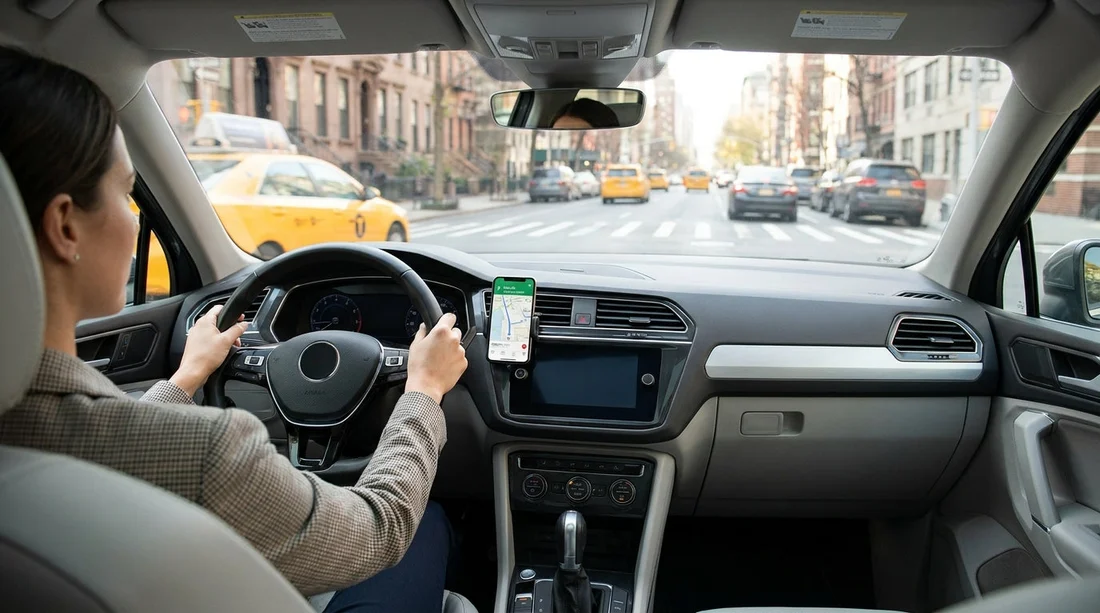
Quick Summary:
- Set your destination and secure the phone in a mount.
- Never hold a phone while driving, even when stopped.
- Use voice control and limit taps on a mounted screen.
- Prefer built-in navigation or CarPlay and Android Auto systems.
Using sat nav on your phone in New York is common, especially when you are collecting a car hire vehicle and heading straight into busy streets. New York State’s hands-free rules focus on one core principle: do not hold or use a handheld device while driving. That applies whether you are texting, calling, scrolling, or trying to re-route your navigation.
If you are arriving through Newark and driving into New York, it helps to know the rules before you leave the car park. Planning pages can also help with pickup logistics, such as car rental at Newark EWR and car rental at New Jersey EWR airport. Once you are behind the wheel, the priority is compliance and safety.
What New York’s hands-free law means for sat nav
New York’s handheld electronic device restrictions generally prohibit holding a mobile phone or portable electronic device while driving. In practice, that means you should not pick up your phone to enter an address, zoom a map, read turn-by-turn text, or tap around in your navigation app once the car is in motion. The prohibition is not limited to phone calls or texting.
Hands-free use is allowed. For navigation, that normally means the phone is secured in a mount and you interact in a limited way, ideally by voice. A quick tap on a mounted device may be tolerated for basic functions, but repeated tapping, scrolling, or typing is where drivers get into trouble.
What you can legally set up before driving off
The best time to do everything is while parked in a safe, legal spot with the transmission in Park. Before leaving the rental car area, take two minutes to complete a proper navigation setup.
1) Enter the destination and preview the route. Add your destination, choose your preferred route, and check for toll roads. If you are crossing bridges or tunnels, tolling can be automatic, so understanding the route matters for both timing and costs.
2) Enable audio guidance. Turn on voice directions at a volume you can hear without needing to look at the screen. If you prefer, set alerts only to reduce distraction, but keep key prompts enabled.
3) Pair Bluetooth or connect CarPlay or Android Auto. Pairing while parked avoids fiddling with menus on the move. If your vehicle supports it, connecting your phone to the in-car system often provides a larger display and simpler controls.
4) Choose a safe mount position. Place the phone where it does not block your view of the road or mirrors, and where airbags will not launch it towards you. Avoid mounting directly in front of an airbag panel.
Mounts: what works best for staying hands-free
A mount is not automatically legal, but it makes compliance much easier because it keeps the phone out of your hands. In New York traffic, the biggest risk is reacting to last-second route changes and grabbing the phone. A stable mount reduces that impulse.
Air vent mounts are popular and usually rental-friendly. Make sure the clamp is firm and the phone does not wobble over bumps. Be aware that hot or cold air may affect the phone’s temperature and battery performance.
Dashboard mounts can be stable, but some rental agreements discourage anything that leaves residue. If you are in a car hire vehicle, avoid permanent adhesives unless the mount is designed to remove cleanly without marks.
Using the car’s built-in navigation and phone integration
If your rental car includes built-in navigation, it can be a good option because the screen is typically integrated into the dashboard and designed for driving visibility. That said, you still should not program it while driving. Enter destinations while parked, just as you would on a phone.
CarPlay and Android Auto often offer a good compromise: a larger on-screen map, clearer lane guidance, and easier voice commands. If you are choosing between vehicle categories for your New York trip, some SUVs and newer models are more likely to include modern integration. You can check availability on pages such as SUV hire at New York JFK and provider options like Enterprise car hire at New York JFK.
What to do if you need to change the route mid-drive
Even with careful setup, you may need to adjust for road closures, missed turns, or a change of plans. The safest approach is to let the app reroute automatically and avoid touching the phone. If you must change the destination or settings, use voice first, or pull over and park legally before you touch the device.
Rental car practicalities: power, data, and toll surprises
Navigation drains battery, so use a car charger and keep charging tidy so cables do not interfere with pedals. Also consider data use if you are roaming. Download offline maps for the New York area before you travel, so the map remains usable in tunnels and in patchy coverage.
Finally, watch for toll roads and congestion-heavy routes. Sat nav may reroute you onto tolled crossings by default. Confirm your toll preferences before leaving, and understand how your car hire provider handles toll billing. If your pickup is in New Jersey, you may be comparing different providers, for example Thrifty car rental at Newark EWR or Budget car rental at Newark EWR.
FAQ
Can I touch my phone to start sat nav in New York? If the phone is mounted and you only need a single tap to start a pre-set route, that is far safer than holding it, but you should ideally do it while parked. Avoid typing, scrolling, or repeated tapping once moving.
Is it legal to hold my phone at a red light to change directions? No. Holding and using a handheld device while driving, even when stopped in traffic, can still lead to enforcement. Pull over and park legally if you need to change settings.
Does using Apple CarPlay or Android Auto make it automatically legal? It helps because controls are integrated and voice-first, but it does not change the rule that you should not be manually programming navigation while driving. Set your route while parked, then use voice for changes.
Where should I mount my phone in a rental car? Put it where it does not block your view and will not interfere with airbags. A central dash or vent position is usually better than high on the windscreen.
What should I do if I miss a turn in busy New York traffic? Keep driving safely and let the navigation reroute. If you must input something new, use voice commands or pull over to a safe, legal parking spot before touching the device.






























































































