


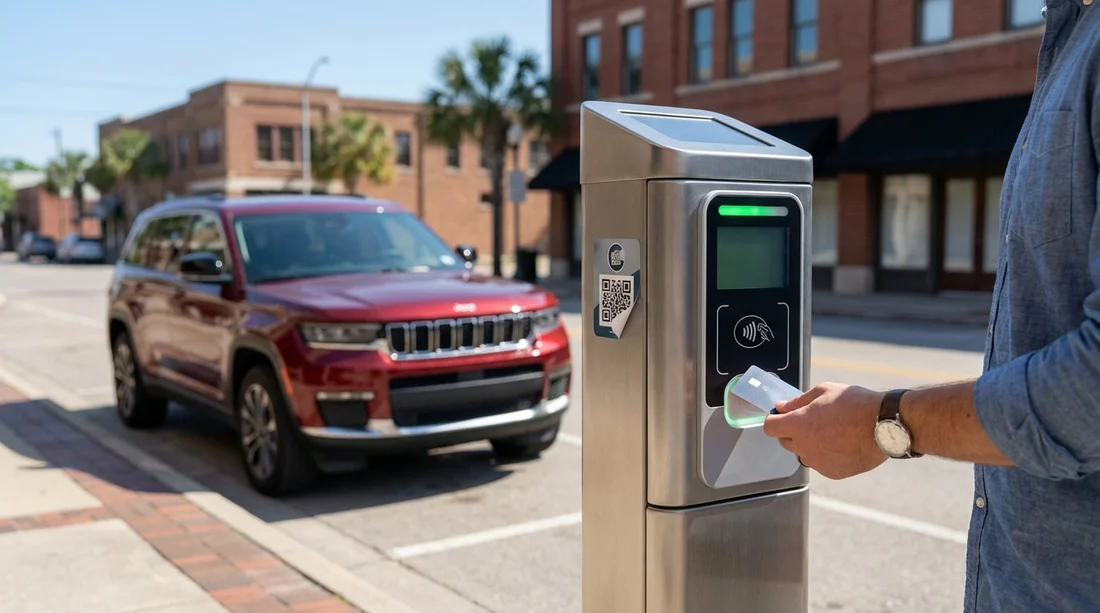
Quick Summary:
- Inspect meters for tampered QR stickers, mismatched logos, or peeling edges.
- Confirm the official payment app using posted street signs and meter ID.
- Type the official website manually, avoid scanning codes on-street.
- Save screenshots, receipts, and bank details if you paid a fake site.
QR-code parking payments are common in Texas cities, especially in busy downtown areas where on-street parking turns over quickly. Unfortunately, scammers exploit this convenience by placing fake QR stickers on meters and pay stations. As a visitor using car hire, you may be juggling unfamiliar streets, one-way systems, and local rules, which makes it easier to scan first and think later. Paying safely comes down to three habits, slow down, verify the official payment method, and keep solid evidence in case something goes wrong.
This guide focuses on practical checks you can do in under a minute at the kerb, plus what to do if you have already paid the wrong site. It is written for visitors, including anyone arriving via major airports and picking up a vehicle for work trips, road trips, or city breaks.
How the QR sticker scam works in Texas
The scam is simple. A criminal prints a QR code that leads to a lookalike payment page, then sticks it over the genuine code on a meter or on a nearby sign. You scan it, enter your number plate and payment card details, and the site either takes a fake “parking fee” or harvests your card details for later misuse. In some cases, it takes a small amount first to seem legitimate, then runs larger transactions later.
Visitors are an ideal target because they often do not know which app or payment provider a specific city uses. Even within Texas, different municipalities and private operators use different systems, and signage can vary block by block.
Recognising fake QR stickers before you scan
Start with a physical check of the meter or pay station. You are not being paranoid, you are doing the same kind of quick inspection you would do when checking a fuel pump card reader for a skimmer.
Look for signs of tampering. Fake QR codes are often printed on cheap sticker stock and placed on top of the original. Check for:
Peeling edges or bubbles. Run a finger near the edge. If it lifts, it may be an overlay.
Double layers. If you can see a sticker on top of another sticker, be cautious.
Misaligned placement. Official labels tend to be straight, centred, and consistent across nearby meters.
Different print quality. Blurry text, pixelated logos, odd colours, or inconsistent fonts are red flags.
Generic language. Wording like “Scan to pay parking” without city branding, operator name, or a support phone number can indicate a fake.
Suspicious web preview. Without opening anything, most phones show a URL preview. If it is a strange domain, misspelt brand name, or a shortened link, do not proceed.
One more practical trick, compare with the meter next to it. Scammers do not always tag every unit. If one meter has a QR sticker that looks different from the rest, treat it as suspect.
How to verify the official payment method on-street
Even if the sticker looks clean, your safest method is to verify the official payment channel using trusted information already on the street.
1) Read the posted parking sign first. The sign usually governs the rules, not the sticker. Look for the name of the official operator or app, plus zone details and enforcement hours. If the sign lists an app name but the QR takes you somewhere unrelated, stop.
2) Use the meter number, zone, or location code. Official systems usually require a meter ID, zone number, or space number. If the site does not ask for any local identifier, or only asks for your number plate and card details, be wary.
3) Type the official web address manually. Rather than scanning a code, open your browser and type the official operator domain as printed on the sign or meter. This removes the biggest risk, the QR code itself.
4) Prefer official apps from your phone’s app store. If a city uses an app, install it from the Apple App Store or Google Play using the publisher name shown on signs. Avoid downloading from links embedded in a web page you reached via a QR scan.
5) Check whether a pay station offers card tap or a keypad. Many areas still allow card payments directly at the machine. If you can pay by card at the meter without scanning anything, that can be a safer choice in unfamiliar areas.
6) Match the vehicle details requested. Legitimate parking apps commonly ask for your number plate and sometimes your state or country. A scam page may ask for unnecessary personal information or full billing address details that feel out of proportion to a parking transaction.
If you are collecting car hire near a major airport and driving into the city, do not assume the airport area and downtown use the same payment provider. Payment operators can change across districts, and private garages often use different systems again.
If you are planning a Texas arrival via Houston, you can browse local travel and pickup context using car hire Houston IAH or see provider-specific pages like Hertz car hire Texas IAH, then treat parking payments as a separate verification step once you are on-street.
Safe payment routine for visitors using car hire
When you have a hire vehicle, you also want to reduce the risk of parking tickets and disputes later. Use this simple routine every time you park on-street in Texas.
Step 1, photograph the sign and your space. Take a clear photo of the parking sign that shows restrictions and hours. Then photograph the meter number or zone identifier. This helps if an enforcement officer issues a citation incorrectly, and it is also useful if you later need to demonstrate that you followed the official instructions rather than a scam sticker.
Step 2, verify the payment channel. Use the sign’s operator name or the printed website on the meter. If you cannot find a trustworthy match, do not scan. Move to a different space or choose a garage with staffed payment options.
Step 3, pay and confirm. Whether you pay via app, web, or machine, confirm you received a proper receipt. Legitimate systems usually display the zone, time purchased, and your number plate. Save it immediately.
Step 4, set an expiry reminder. If parking is time-limited, set an alarm on your phone. This is separate from scam prevention but helps avoid fines, which can become a headache with car hire agreements.
Visitors driving into cities such as San Antonio or Fort Worth often park for meals, attractions, or meetings. If you are basing your trip around those areas, these pages can help with arrival planning, car rental San Antonio SAT and Alamo car hire Fort Worth DFW. Regardless of where you land, use the same routine at every curbside meter.
What to do if you already paid the wrong site
If you think you scanned a fake QR code and paid a scam site, act quickly. Your priorities are to limit card risk, document what happened, and then sort out the actual parking payment so you do not get a ticket as well.
1) Stop using the page and take screenshots. Capture the URL, the payment confirmation screen, any “receipt” number, and any contact details shown. If you received an email or text confirmation, screenshot that too. Do not click further links inside messages.
2) Contact your bank or card issuer. Use the official number on the back of your card or in your banking app. Tell them you entered your card details on a suspected fraudulent merchant page. Ask about cancelling the card, placing a fraud watch, and disputing the transaction. The faster you report, the better your protection usually is.
3) Record the parking location details. Note the street name, closest cross street, meter ID or zone, time you parked, and photos of the meter and signage. This evidence matters if you later need to explain why you did not have a valid parking session under the city’s system.
4) Pay properly using the official method. Once you have secured your card situation, pay again using the correct operator or move the car to a safer payment location. It is frustrating, but it is often better than risking a citation on top of a scam payment.
5) Report the tampered meter to the local authority. Many cities have a parking services number or 311-style reporting line. Provide the exact location and meter ID and mention a suspected fraudulent QR sticker. This helps protect other visitors.
6) Check your card activity for several weeks. Even if the initial transaction is small, fraudsters may test and then escalate. Turn on transaction alerts if your bank offers them.
What evidence to keep for disputes and car hire documentation
With car hire, documentation is your friend. A parking dispute can show up as a ticket on the windscreen, a mailed notice later, or an administrative fee passed on through the rental agreement if the operator receives a notice linked to the vehicle registration. Keeping neat evidence makes it easier to resolve issues.
Keep these items in a single album on your phone:
Photos of signs and meter IDs. Make sure the time and date are stored with the image metadata.
Official payment receipts. Screenshot in-app confirmations that show the zone, time purchased, and number plate.
Bank transaction records. Save the merchant name, amount, and timestamp. If it is a scam, this supports a chargeback.
Any ticket or notice. Photograph both sides, including the citation number and instructions.
Your timeline notes. A simple note with times, who you contacted, and reference numbers can speed up resolutions.
If you later need to explain the situation to a rental company, being able to show that you paid via the official channel, or that you promptly reported fraud and paid correctly afterwards, can help reduce confusion.
Extra safety tips for Texas parking while travelling
Avoid scanning QR codes on street furniture generally. If a QR code is not protected behind a clear panel or printed as part of a sign, treat it as editable and therefore risky.
Use a virtual card or mobile wallet where possible. Paying with a wallet token can reduce the impact if a merchant is fraudulent, depending on your bank’s protections.
Be cautious with “convenience fee” prompts. Some legitimate providers charge a fee, but scam sites often use confusing fee structures. If fees seem excessive for a short stay, pause and verify.
Do not share one person’s phone for multiple payments without checking details. Mixing up number plates or zones can create a ticket risk. Confirm the plate matches your hire car before you pay.
If anything feels off, move. The simplest risk control is choosing another space, a staffed garage, or an area with pay-by-card equipment.
FAQ
Are QR-code parking payments common in Texas cities? Yes. Many areas use QR codes to launch an official app or web payment page, but the operator can vary by city and district, so always verify using the posted sign and meter information.
How can I tell if the QR code is fake before I pay? Check for peeling overlay stickers, mismatched branding, blurry printing, and odd URLs in the preview. Compare with nearby meters, and if anything differs, avoid scanning and use the official site typed manually.
What is the safest way to pay for on-street parking as a visitor? Use the payment method named on the parking sign, ideally via an official app from your phone’s app store or a website you type in yourself. If available, pay directly at the machine with card.
I paid a suspicious site, what should I do first? Take screenshots of the page and confirmation, then contact your bank or card issuer using official contact details to block fraud and dispute charges. After that, pay correctly via the official operator to avoid a ticket.
Could a parking scam lead to problems with my car hire agreement? Potentially, yes. If a valid parking session was not created, you could receive a citation tied to the vehicle. Keep photos of signs, meter IDs, and receipts so you can evidence what happened and resolve any notices.






























































































