


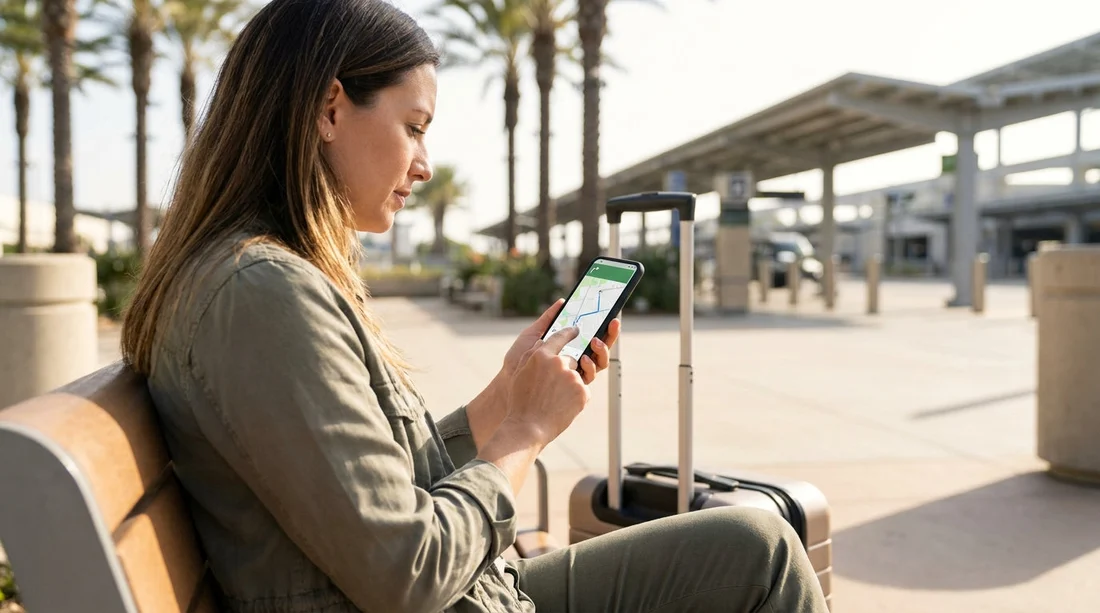
Quick Summary:
- Open Waze Settings, choose Navigation, then enable Avoid toll roads.
- Enable Avoid express lanes, then recheck route options before driving.
- At pickup, confirm the rental toll programme, fees, and billing method.
- Save key destinations and preview routes to spot tolled bridges.
Setting Waze to avoid toll roads takes less than a minute, but doing it before you collect your car hire in California can save you money and hassle. Many California metro areas mix toll bridges, express lanes, and managed lanes into otherwise normal-looking motorways. If you wait until you are rolling out of the car park, you can miss a setting, take a wrong ramp, and trigger a toll that later appears with admin fees added by the rental provider.
This guide focuses on a simple pre-pickup setup. You will adjust Waze, plan common routes from your pickup airport, and run a few checks at the counter so the tolls you do pay are the ones you actually intended.
Step 1, Update Waze and set your default routing
Before you even reach the desk, open Waze on your phone and make sure it is up to date. Updates sometimes shift where the toll and lane settings live, and an older version can hide options or apply them inconsistently.
Now set your routing preference. In Waze, tap the magnifying glass, then the gear icon for Settings. Go to Navigation. Look for the route preferences and switch on Avoid toll roads. In California, the two that matter most for costs are toll roads and express lanes.
If your version includes it, also enable Avoid express lanes. Express lanes in Southern California and the Bay Area can be tolled dynamically, and the signage can be easy to miss if you are new to the region. Avoiding them reduces the risk of slipping into a tolled lane on a multi-lane motorway.
Step 2, Confirm Waze is applying the toll setting
Toggling “Avoid toll roads” is the start, not the finish. You should confirm the setting is actually changing routes.
Do a quick test by searching for a destination that often has both tolled and non-tolled options, then compare route choices. When Waze offers multiple routes, it may still show a toll route as an option, but it should prioritise non-toll routes and label any tolled segments clearly.
If you are collecting from Los Angeles, set your Waze preferences before you reach the shuttle or car park associated with car rental California LAX, then preview a trip to your accommodation. It is easier to make changes while you still have WiFi and time.
Step 4, Add your first destinations before leaving the counter
Before you drive away, add a few key destinations: your hotel, the first major attraction, and the nearest fuel station or EV charger for your vehicle type. Saving these in Waze means you can start a route quickly without typing while in traffic.
It also lets you preview routes calmly while parked. Look for common toll points in California such as toll bridges in the Bay Area, and routes that quietly shift onto a tolled expressway. If Waze shows a route that seems too fast for the distance, open the turn-by-turn list and scan for words like “toll” or lane indicators.
For Bay Area arrivals, do this setup before you leave the pickup area linked with budget car hire San Francisco SFO, because the first few motorway decisions can happen quickly once you exit airport roads.
Step 6, Ask one toll question at the desk, then choose your approach
Before you sign for your car hire, ask the agent how tolls are handled for that vehicle and contract. The key points to confirm are whether the car is enrolled in a toll programme, whether there are daily fees on top of tolls, and how tolls are billed if you accidentally use one.
If you are picking up in San Jose, handle this before you pull out from the location associated with car rental airport San Jose SJC. Silicon Valley motorways can get busy quickly, and last-minute changes are harder once you are on the move.
Step 7, Run a pre-drive checklist in the car park
Once you have the keys and you are seated safely, take 60 seconds for a final check.
Re-open Settings, Navigation, and make sure Avoid toll roads is still enabled. Then start a route to your first destination and tap the route overview. Scan the summary for toll indicators and check the alternative routes list, then choose a toll-free option before you drive.
Lastly, keep the volume at a level where you can hear lane guidance. In California, missing one “keep left” instruction can put you into an express lane entrance you did not intend to take.
Route planning examples by pickup area
Different parts of California create different toll risks. Here are practical ways to use Waze route preview before you leave the pickup zone.
San Diego area: You may still encounter express lanes depending on where you are headed. Preview your first route while parked near van rental San Diego SAN, because larger vehicles can be more stressful to manoeuvre if you need an abrupt lane change to avoid a tolled entrance.
Sacramento area: Tolls are generally less central than in the Bay Area or parts of Southern California, but planning still helps if your trip includes crossings or travel toward toll facilities elsewhere. If your pickup is tied to car hire Sacramento SMF, set Waze preferences early, then save your accommodation and any day-trip destinations so you can spot if a later leg introduces tolls.
Common mistakes that cause unwanted tolls
Assuming “avoid tolls” blocks every tolled lane. It reduces exposure, but detours, roadworks, and recalculations can still present tolled choices. Always review the route overview before you start moving.
Joining an express lane by accident. Express lane entrances can be subtle. Keep Waze audio prompts on, and do not follow traffic blindly into a separated lane.
Not realising bridges can be tolled. In the Bay Area, bridge tolls may be part of a normal commute route. If you see a bridge crossing in your route, assume it might be tolled and verify.
Changing destinations while driving. Pull over safely to adjust settings or routes. Quick taps at a junction lead to missed turns and more chance of a toll road ramp.
FAQ
How do I turn on “Avoid toll roads” in Waze? Open Waze, go to Settings, then Navigation, then switch on Avoid toll roads. Start a test route and check the overview for any toll indicators.
If Waze avoids tolls, can I still be charged in my rental car? Yes. One accidental toll segment, bridge, or express lane can trigger a charge, depending on the rental toll programme and how billing is handled.
Does “Avoid express lanes” matter in California? It can. Express lanes may be tolled dynamically, and a rental car may not have the right transponder settings. Avoiding them reduces accidental use.
Why is Waze still showing a toll route as an option? Waze may still list alternatives, especially if a toll route is significantly faster. Your setting should prioritise non-toll routes, so choose a toll-free option from the list before departing.
What should I check at the counter before I drive away? Ask how tolls are processed, whether there are extra daily or admin fees, and how charges appear after your trip. Then confirm your Waze toll avoidance settings while parked.






























































































