


Quick Summary:
- Follow signs from Brightline to Terminal C arrivals, about 3 to 6 minutes.
- For most companies, use Terminal C car rental level, typically 5 to 10 minutes.
- To reach Terminal A/B desks, take the Terminal Link train, 10 to 20 minutes.
- Allow 15 to 30 minutes total, longer with bags or queues.
Brightline’s Orlando Airport station is integrated into Orlando International Airport (MCO), inside the newer Terminal C complex. That makes getting from the train to car hire straightforward, but there are two possible end points depending on which rental company you are collecting from: either the Terminal C car rental counters, or the older Terminal A/B rental car desks (often called the Ground Transportation level in Terminals A and B).
This guide walks you from the Brightline platform area to the correct rental car desks, with realistic timings and a couple of options if you need to change terminals. If you want to compare car hire options at the airport before you arrive, these Hola Car Rentals pages may help: car hire airport Orlando MCO and car rental Orlando MCO.
Where you arrive on Brightline at MCO
When you step off Brightline at Orlando International Airport, you are already in the airport complex. The station connects directly into Terminal C via indoor walkways and clear wayfinding. Expect a short walk from the platform up and through the station concourse toward Terminal C, with lifts and escalators available for luggage.
Typical time: 3 to 6 minutes from train doors to Terminal C public concourse, 6 to 10 minutes if you are waiting for a lift or moving slowly with multiple cases.
Option 1: Terminal C car hire desks (simplest route)
If your rental company is based in Terminal C, you can stay entirely within the Terminal C building. This is usually the quickest path from Brightline.
Step-by-step directions:
1) From the Brightline arrival area, follow signs for Terminal C. You should be heading into the main terminal concourse rather than towards car parks.
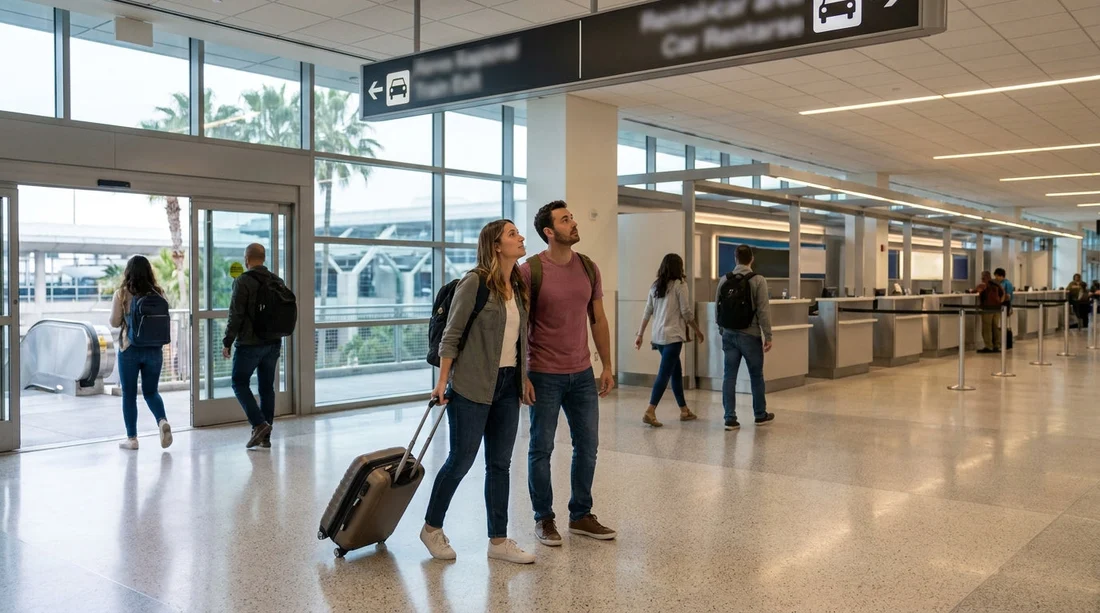
2) Once in Terminal C, look for signs for “Ground Transportation” or “Rental Cars”. Airports update signage wording, but the icons are consistent, usually a car symbol.
3) Take the lift or escalator down to the car rental level indicated by the signs. In Terminal C, the counters are positioned for easy access from arrivals and the main hall.
4) Join the queue for your company desk, then proceed to the pick-up instructions provided on your rental agreement, which may direct you to a specific garage area for vehicle collection.
Typical time: 5 to 10 minutes from the station concourse to the Terminal C rental area, plus queue time. With no queue, many travellers reach the desk within 10 to 15 minutes of stepping off the train.
Good to know: If you are unsure where your company is based, check your confirmation documents before the trip. It is much easier to decide your route at the station than after you have started following signs for a different terminal.
If you are considering a larger vehicle for luggage or a family group, it can be useful to scan availability in advance, for example via van rental Orlando MCO.
Option 2: Terminal A/B car hire desks (Terminal Link train)
Some car hire desks and processes are still centred in the Terminal A and Terminal B area, which is separate from Terminal C. If your rental instructions mention Terminal A, Terminal B, or the A/B Ground Transportation level, you will need to transfer from Terminal C to A/B.
The simplest way is the Terminal Link automated people mover (airport train) connecting Terminal C to Terminals A and B. It is designed for passengers and runs frequently.
Step-by-step directions:
1) From Brightline, walk into Terminal C and follow signs for “Terminal Link” and “Terminal A/B”. Do not follow the first “Rental Cars” sign if your paperwork specifies A or B.
2) Take escalators or lifts to the Terminal Link station within Terminal C. You will pass through corridors with clear overhead signs.
3) Board the Terminal Link train toward Terminals A and B. Trains run often, so wait times are usually short.
4) Exit at the Terminal A/B side and follow signs for “Ground Transportation” or “Rental Cars”. This leads you to the rental car desk area serving those terminals.
Typical time: 10 to 20 minutes from the Brightline station area to the A/B rental car desks. Add extra time if you are waiting for a lift, if you have a buggy, or if you need to pause for directions.
Practical tip: If anyone in your group has mobility needs, the Terminal Link route tends to be easier than trying to walk longer distances or navigate multiple levels by stairs. Plan on lifts being a little slower during peak arrivals.
For travellers who already know their preferred rental brand, Hola Car Rentals also has dedicated pages such as Budget car rental Orlando MCO and Dollar car rental Orlando MCO.
How long should you allow from Brightline arrival to keys in hand?
The walking portion is only part of the journey. Your overall time depends on whether you stay in Terminal C, whether you transfer to A/B, and how busy the rental counters are.
Reasonable planning estimates:
Terminal C desk: 10 to 20 minutes to reach the counter, then 10 to 30 minutes for queue and paperwork.
Terminal A/B desk: 15 to 30 minutes to reach the counter, then 10 to 30 minutes for queue and paperwork.
In quieter periods, you can be in your car within 25 to 40 minutes of train arrival. At peak times, especially late afternoon and early evening, it can be closer to 45 to 75 minutes if counters are busy.
What to do before you start walking
A couple of checks right after you arrive can prevent wrong turns and reduce stress.
Confirm the desk location: Look at your rental confirmation and identify whether it says Terminal C or Terminal A/B. If it is unclear, check any pick-up address or the instructions section, which often names the terminal.
Keep key documents handy: Have your driving licence, payment card, and reservation details accessible before you join the line. If you are arriving from outside the US, keep your passport close too, as some desks may request it for identification.
Think about luggage: If you have large suitcases, it may be worth moving at a steady pace and using lifts rather than escalators. A few minutes saved by rushing is rarely worth the hassle of juggling bags.
Finding the correct garage or vehicle pick-up area
After the car hire desk, you will normally be directed to a specific garage or bay area. At MCO, this can vary by company and terminal, and the desk agent or the printed instructions will point you to the right level and lane.
Allow extra time if you need to choose a vehicle from a designated area, load child seats, or inspect the car. A sensible approach is to walk around the vehicle, photograph existing marks, and check fuel and mileage details before leaving the garage.
Timing tips for common travel scenarios
If you are arriving with children: Add 5 to 10 minutes to any estimate. Lifts, toilets, and snack stops can slow the walk, and queues can feel longer when everyone is tired.
If you land late evening by train: Build in a buffer for reduced staffing at the desks. The route stays the same, but you may wait longer for service.
If you have a tight hotel check-in window: Choose the simplest terminal route available for your provider and aim to be at the desk within 20 minutes of train arrival. If you are unsure whether you are in Terminal C or A/B, ask an airport staff member near the wayfinding signs before committing.
FAQ
Is the Brightline station inside Orlando Airport or do I need a shuttle? The station is integrated with Orlando International Airport, connected directly to Terminal C. You can walk indoors without using a shuttle.
How long does it take to walk from Brightline to the car hire desks? For Terminal C desks, many travellers reach the counter in 10 to 20 minutes. For Terminal A/B desks, plan 15 to 30 minutes because of the Terminal Link transfer.
Do I have to go to Terminal A or B for car hire if I arrive at Terminal C? Not always. Some rental counters are in Terminal C. Others are accessed from Terminal A/B, so check your confirmation for the terminal listed.
What is the Terminal Link and how long does it take? Terminal Link is the airport’s automated train between Terminal C and Terminals A/B. Including walking to and from the stations, it usually adds about 10 to 20 minutes.
What should I do if I cannot find the rental car desks? Follow “Ground Transportation” or “Rental Cars” signs and confirm the correct terminal first. If still unsure, ask an airport staff member and mention whether your provider is based in Terminal C or A/B.






























































































