


Quick Summary:
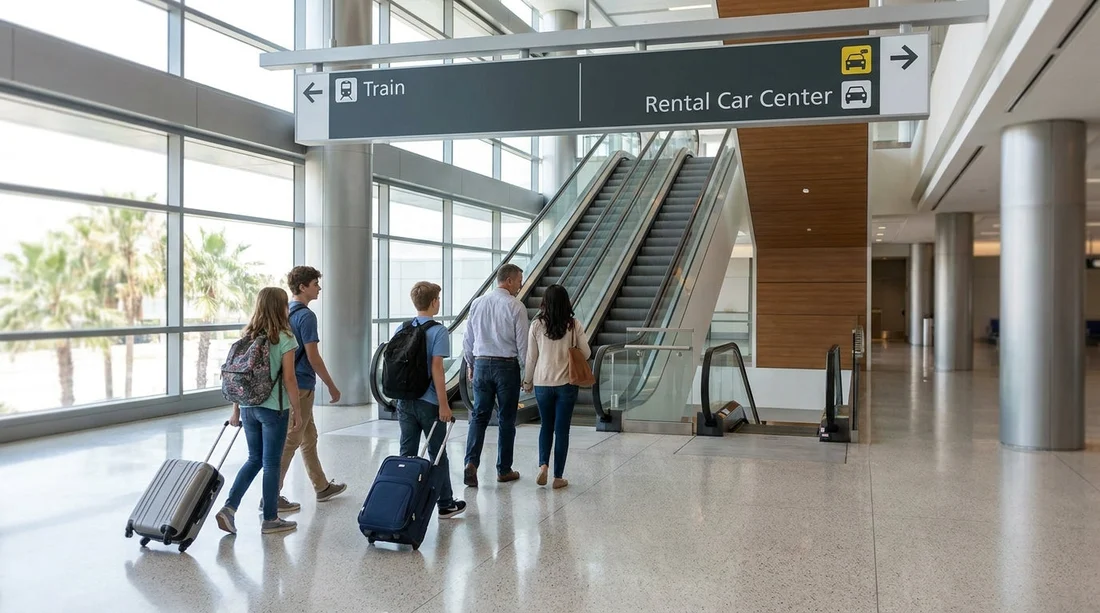
- Follow signs to Terminal C, then Rental Cars, after Brightline arrival.
- Use the indoor walkways and lifts, and keep bags close.
- Go to the rental car counters first, then garage level for pick-up.
- For Terminal A or B rentals, use the airport people mover.
Brightline’s Orlando station is integrated into Orlando International Airport (MCO), specifically the newer Terminal C complex. That makes the transfer to car hire straightforward, because you are already on airport property. Follow airport wayfinding to Rental Cars or Ground Transportation, then proceed to the correct level for counters and pick-up.
This guide maps the simplest step-by-step route, including the most useful signs to look for, what to do if your rental desk is elsewhere in the airport, and small timing tips that help you avoid extra walking.
Step-by-step: Brightline to the car hire centre at MCO
Step 1: Exit the Brightline platform and follow “Terminal C” signs. After you step off the train, follow the station exit flow towards the terminal. You will see clear airport-style wayfinding for Terminal C, ground transportation, and rental cars. Keep your bags close, because the station area can be busy when a train unloads.
Step 2: Aim for the main terminal levels, then look for “Rental Cars”. The quickest route is to stay inside the Terminal C complex and follow “Rental Cars” signage. At MCO, rental car counters are inside the terminal, and the vehicles are collected in the adjacent garage area. The exact level may vary by operator, but the pattern is consistent: counters first, then garage pick-up.
Step 3: Take lifts or escalators as directed, then head to the rental car counters. If you have not completed online check-in, go to the desk to present your driving licence, payment card, and reservation details. If you have completed express check-in, follow signs for your company’s pick-up area, kiosk, or dedicated aisle. For an overview of options at MCO, see car hire at Orlando Airport.
Step 4: Continue to the garage level for vehicle pick-up. Once you have paperwork or a digital agreement, follow “Rental Car Pick-up” and “Parking Garage” signs. In most cases you will go up to a garage level, then follow coloured zones or company-branded bays. Before you drive off, do a quick walkaround: check for existing marks, photograph the fuel gauge and mileage, and confirm you have the correct class of vehicle for your trip.
Do you need a shuttle from Brightline to car hire?
For Terminal C-based car hire pick-up, you typically do not need a shuttle. Brightline is designed as an in-airport rail connection, so the transfer is an indoor walk with lifts and escalators. You may use the airport’s people mover if your reservation directs you to Terminals A or B.
If your reservation points you to a different area, follow airport signage for the shuttle train or terminal transfer, then re-join the Rental Cars signs once you arrive. If you want to compare Orlando Airport car hire choices by terminal and operator, see Orlando MCO car rental.
Terminal A and B rentals: how to reach them from Terminal C
If you learn at the desk, or from your confirmation, that your pick-up is tied to Terminals A or B, use the airport’s wayfinding to reach the inter-terminal connection first. Your goal is to get to the correct terminal complex, then follow “Rental Cars” again.
This can add time compared with collecting a car directly from Terminal C, so if you have flexibility, check whether your chosen operator offers the most direct pick-up for your arrival. Operator-specific pages can help you understand the usual pick-up flow, for example Budget car hire at Orlando MCO and Enterprise car rental at Orlando MCO.
Timing tips: how long does the transfer take?
Most travellers can get from Brightline arrival to the rental counters in roughly 10 to 20 minutes, depending on how quickly you exit the train, how busy the terminal is, and whether you already have your documents ready. From counters to the car itself can add another 10 to 20 minutes, depending on queue length, vehicle availability, and whether you need to choose from an aisle.
If you are travelling at peak arrival times, build in extra buffer. To keep things smooth, have your driving licence and card accessible, and keep your booking confirmation handy on your phone in case the desk asks for a reference number.
Picking the right car for an Orlando itinerary
Your transfer from Brightline is the same regardless of vehicle type, but your pick-up experience can differ. Families heading to theme parks often appreciate larger boot space for luggage and prams. Those planning Disney or multi-stop itineraries sometimes prefer an SUV for space and ride height, and Hola Car Rentals outlines common options on SUV rental for Disney Orlando MCO.
Whatever you choose, take a minute in the garage to adjust mirrors, connect your phone, and set your first destination before you pull out.
FAQ
Q: Is Brightline at Orlando Airport connected to the terminals?
A: Yes. Brightline’s Orlando station is within the airport’s Terminal C complex, so you can walk indoors following terminal and Rental Cars signs.
Q: Where do I go first, the counter or the garage?
A: Usually the counter area comes first, then you go to the garage level for pick-up. If you have express pick-up, follow your operator’s specific instructions.
Q: Do I need to take a shuttle bus to reach car hire from Brightline?
A: Typically no for Terminal C rentals. You may use the airport’s people mover if your reservation directs you to Terminals A or B.
Q: How long should I allow from train arrival to driving away?
A: Allow about 30 to 60 minutes in total, depending on queues, paperwork, and how quickly you find the correct pick-up aisle.
Q: What is the quickest way to avoid getting lost?
A: Keep following Rental Cars signage, and if unsure, ask airport staff for rental car counters at Terminal C.






























































































