


Quick Summary:
- Follow “Ground Transportation” then “Rental Cars” signs to the APM train.
- At the car hire centre, match your company to the correct level.
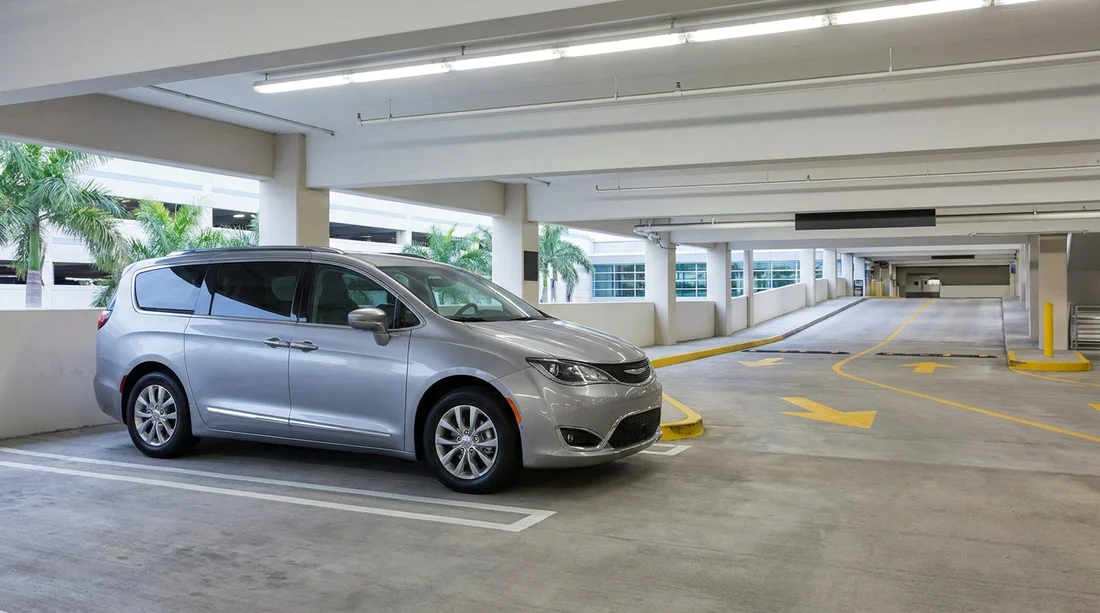
- Use zone and row markers to find your bay, then confirm the plate.
- Choose the correct exit lane based on paperwork, toll products, and checks.
Orlando International Airport (MCO) is designed to move arriving passengers to the car hire centre quickly, but the first-time flow can still feel busy. The good news is that the signs are consistent and the layout is predictable. If you focus on three things, the wayfinding becomes straightforward: the “Rental Cars” trail from baggage claim, the level and zone information on your paperwork, and the exit lane signage at the gate.
Before you set off, it helps to know what you are looking for. A typical MCO car hire pick-up involves: arriving at your terminal, collecting bags, taking the Automated People Mover (APM) to the Rental Car Center, walking to your company’s counter or kiosk, then heading to the garage level and zone where your vehicle is parked. After a quick vehicle check, you drive to the exit plaza where an attendant or automated gate confirms your agreement and opens the barrier.
If you are arranging car hire through Hola Car Rentals, these pages can help you understand the MCO set-up and what to expect when you arrive: car hire at Orlando Airport and Orlando MCO car hire options.
Step 1: From arrivals to the Rental Car Center
After landing, follow the standard airport flow to baggage reclaim. Once you have your luggage, start looking for overhead signs that read “Ground Transportation” and then “Rental Cars”. At MCO, rental cars are not picked up kerbside at the terminal in the way you might expect at smaller airports. Instead, most major providers operate from the dedicated Rental Car Center, reached by the APM.
Key tip: do not follow signs for hotel shuttles, rideshare, or taxis if you are collecting a car hire vehicle. Those services use different pick-up areas and can lead you away from the rental car route. If you are unsure, pause at a sign cluster and look for the white-on-black “Rental Cars” panel with directional arrows.
When you reach the APM platform, you will see screens and announcements confirming the next train. Stay with the “Rental Car Center” direction. The ride is short and you will arrive inside the rental facility, typically at a central concourse level connected to counters, lifts, escalators, and the garage above.
Step 2: Find your company counter, then your pick-up level
Inside the Rental Car Center, the most time-saving move is to identify your company’s branding and level. There are prominent signs listing car hire companies and pointing to counters, kiosks, and garage access. If you have already checked in online, you may be able to use a kiosk or proceed directly to the garage, depending on provider rules and your membership status.
Keep your rental agreement or confirmation handy because it often shows details such as the assigned level, zone, or the type of vehicle you should collect. If you are choosing a larger vehicle for family luggage or theme park gear, it can help to review SUV availability beforehand, for example on SUV rental at Orlando MCO. Knowing the class you are meant to collect makes it easier to spot the correct bays and avoid wandering between rows.
Once your agreement is finalised, look for signs to the garage levels. Lift lobbies and escalators typically display large level numbers. As you step onto the garage floor, you will see more granular wayfinding: coloured sections, zone letters, row numbers, and overhead hanging signs pointing to specific parking areas.
Step 3: Use zone numbers and row markers to locate your car hire bay
This is where travellers often lose time, not because the system is unclear, but because they skip the hierarchy. Use it in order:
1) Level first. Confirm you are on the right garage level for your provider. If you are on the wrong level, the rows can look similar and it is easy to walk in circles.
2) Zone next. Many MCO garages are split into zones or sections. You may see zone letters, colours, or both. Your paperwork may say something like “Zone B, Row 32” or provide a section name.
3) Row and bay last. Once you enter the correct zone, follow the overhead row numbers. Row markers are usually visible at the ends of aisles and on hanging signs. Walk down the row and look for bay numbers or placards that correspond to the section used by your provider.
Practical checks before you load luggage: confirm the registration plate matches your paperwork, check the fuel policy shown on the agreement, and do a quick walk-around for obvious damage. If you spot anything, report it at the booth or via the provider’s app before leaving the garage.
If you are comparing providers at MCO and want to understand where certain brands commonly sit within the rental facility, these pages can be useful background reading: Hertz car rental at Orlando MCO and National car rental at Orlando MCO.
Step 4: Finding the correct drive-out route
Once you are in the driver’s seat, follow the internal garage arrows for “Exit” or “Rental Car Return/Exit”, depending on the level layout. The drive lanes are typically one-way with clear directional arrows painted on the floor. Take it slowly because pedestrians and trolleys cross between rows.
As you approach the exit plaza, you will usually see multiple lanes with signs overhead. This is the point where you need to pick the correct lane based on what you have in hand and what your provider requires.
If you are unsure, choose the attended lane. It may be slightly slower, but it reduces the chance of being redirected at the barrier. If a lane is coned off or displays a red light, do not queue there even if it looks shorter.
Step 5: Common sticking points and how to avoid them
Mixing up “Return” and “Exit”. In the rental facility, return routes are clearly marked and sometimes separated by level. Make sure you are following “Exit” signs, not “Return”. If you accidentally follow return signage, you can end up looping around the building.
Following the wrong company’s bay area. Some garage sections host multiple brands near each other. Always match your agreement to the provider signage at the row entrance.
Gate confusion with toll products. Florida toll roads are common around Orlando. If your provider issued a toll tag or explained a toll programme, keep that information accessible. Some exit attendants ask quick questions about toll products to ensure the car is correctly assigned.
Step 6: A simple mental checklist before you leave the car hire centre
Before you pass the barrier, take ten seconds to confirm: you have your driving licence and agreement in reach, your phone is paired or safely stowed, mirrors are adjusted, and you understand the first junction out of the facility. The exit roads can feel busy because multiple lanes merge, so staying calm and keeping a steady speed helps.
Once you are out, you will quickly connect to the airport road network leading towards Orlando and the main routes. If you are heading to resorts or theme parks, consider setting your sat-nav after you clear the exit plaza so you are not distracted while choosing lanes inside the garage.
FAQ
How do I get from the terminal to the car hire centre at Orlando Airport? Follow “Ground Transportation” signs, then “Rental Cars”, and take the APM to the Rental Car Center.
What if I cannot find my car hire bay after reaching the correct level? Re-check your paperwork for zone and row details, then use overhead row numbers and zone markers to narrow the search.
Do I need to go to the counter, or can I go straight to the car? It depends on the provider and your check-in status. Some allow kiosk or online check-in, others require counter verification.
Which exit lane should I use when leaving the rental garage? Choose the lane that matches your agreement type. If unsure, use the staffed lane for guidance.
What should I check before driving out of the car hire centre? Confirm the registration plate, check for damage, verify fuel policy, and keep your agreement ready for scanning at the gate.






























































































