


Quick Summary:
- Roaming can work, but costs vary, check your plan before flying.
- An eSIM is usually cheaper, activate it before landing.
- Google Maps uses modest data, offline maps reduce usage sharply.
- Save pickup locations, airport Wi-Fi steps, and a printed address backup.
If you are planning car hire in Florida, staying online for Google Maps matters most in the first hour after landing. You may be juggling baggage claim, shuttle instructions, toll roads, and unfamiliar junctions, so a simple, reliable data plan can reduce stress. The good news is you do not need constant high speed data to navigate, but you do need a workable connection at the right moments: confirming the pickup address, loading the route, and handling any last minute changes.
In practice, you have three options: international roaming with your usual SIM, a travel eSIM (or US eSIM) for data, or relying on Wi-Fi plus offline maps. The best choice depends on your phone, how long you are in Florida, and whether you need calls and texts or just data.
Do you actually need data for Google Maps?
Google Maps can navigate with low to moderate data use, but it is not purely offline unless you prepare. Data helps with live traffic, reroutes, incident updates, business hours, and loading new map tiles as you move. If you land and open Maps for the first time with no connectivity, you might still see a basic map, but searching for your pickup point, confirming the right terminal, or getting an up to date route may fail.
For car hire pickup in Florida, the most common pain point is the transition from airport or hotel Wi-Fi to the road. Airport Wi-Fi often drops in car parks or on shuttle buses. Having mobile data already working avoids that awkward moment when you need directions and your phone says “offline”.
Roaming, the simplest option, but check the details
Roaming is convenient because it keeps your normal number active, and you do not need to configure anything complicated. If your UK or EU plan includes US roaming at a fixed daily rate or as part of an add-on, it can be a perfectly fine choice for a short trip.
However, Florida trips often involve longer drives, and a little background data can become expensive on pay as you go roaming. Before you rely on roaming, check four things with your mobile provider: the daily cost, the data allowance, how data is capped or throttled, and whether tethering is allowed. If you plan to connect a second device, tethering rules matter more than you might expect.
Roaming can also be less predictable in terms of which US network you are placed on, which affects coverage and speed. In big areas such as Miami, Fort Lauderdale, and Orlando, coverage is usually strong, but performance can still vary at busy times.
eSIM, often the best balance for navigation and cost
An eSIM is a digital SIM profile you install on your phone, typically by scanning a QR code or using an app. For most travellers, a data-only eSIM is the sweet spot, you keep your physical SIM for calls and texts, and use the eSIM for mobile data in the US. That means Google Maps, WhatsApp, email, and ride-hailing apps work as soon as you land, without hunting for a shop or waiting for a physical SIM to arrive.
Before you choose an eSIM, confirm your phone supports eSIM and is unlocked. Many iPhones and newer Android devices do, but older models may not. Then look for a plan that matches your trip length. For a week of car hire in Florida, a modest data bundle is normally enough if you use offline maps and avoid auto-playing video on mobile data.
Set up the eSIM at home, while you have stable Wi-Fi. You can usually install it in advance, then switch it on when you land. In your settings, select the eSIM as the data line, enable data roaming for the eSIM if required by the provider, and disable data roaming on your main SIM if you want to avoid surprise charges. Finally, run a quick test by turning off Wi-Fi and opening Google Maps, so you know it works before travel day.
How much data does Google Maps use on a Florida road trip?
For turn-by-turn navigation, Google Maps usually uses relatively small amounts of data, especially if the map area is already cached. You can expect something like a few megabytes per hour for basic navigation, more if you are constantly searching, changing destinations, viewing satellite imagery, or browsing lots of photos and reviews. Live traffic also adds a bit of overhead, but it is still modest compared with streaming.
Where data can rise is during discovery moments, for example: searching for a nearby petrol station, comparing several car parks in downtown, or checking restaurant reviews. If you like to keep exploring on the go, a larger eSIM allowance is sensible. If your priority is simply getting from the airport to your accommodation and then to planned attractions, an offline-first approach can keep costs low.
Offline map backups, the smartest safety net
Even with roaming or an eSIM, offline maps are worth setting up. Florida has excellent coverage overall, but dead zones can happen in multi-storey car parks, tunnels, and some remote stretches. Offline maps also protect you if your eSIM activation fails, your roaming add-on does not trigger, or you accidentally disable mobile data.
Before you fly, open Google Maps, go to Offline maps, and download the areas you expect to drive in, such as Miami and the Keys, Fort Lauderdale and Palm Beach, or Orlando and the theme park corridor. Make sure the downloads cover the routes between them. Offline maps expire periodically, so refresh them shortly before departure.
Also save key locations in your phone notes and in Google Maps Saved places: your pickup point, your first night address, and any must-reach appointments. Keeping a plain-text address helps if you need to type it into another app.
Planning your route to the pickup location before you arrive
If you are collecting at an airport, the pickup process can involve a shuttle, a specific car hire centre, or a desk in a particular terminal. It helps to check the exact location and opening hours while you are still on hotel or airport Wi-Fi. For example, if you are arranging pickup around Miami, you can review location details on car hire Miami MIA and also compare with car hire airport and downtown Miami options, depending on where you are staying.
For Fort Lauderdale arrivals, planning the first drive and the correct pickup area can be easier if you check the local page for car rental Fort Lauderdale FLL. Orlando travellers organising family luggage often prefer to plan vehicle size early, and you can review suitable options via minivan rental Orlando MCO.
Pickup-day connectivity checklist for Florida
On the morning you fly, do a quick connectivity run-through. Confirm you have downloaded offline maps, turn on Wi-Fi calling if you use it, and save your first route in Google Maps so it is cached. If you are using an eSIM, confirm the eSIM line is installed and ready, and that you know how to switch data lines if needed.
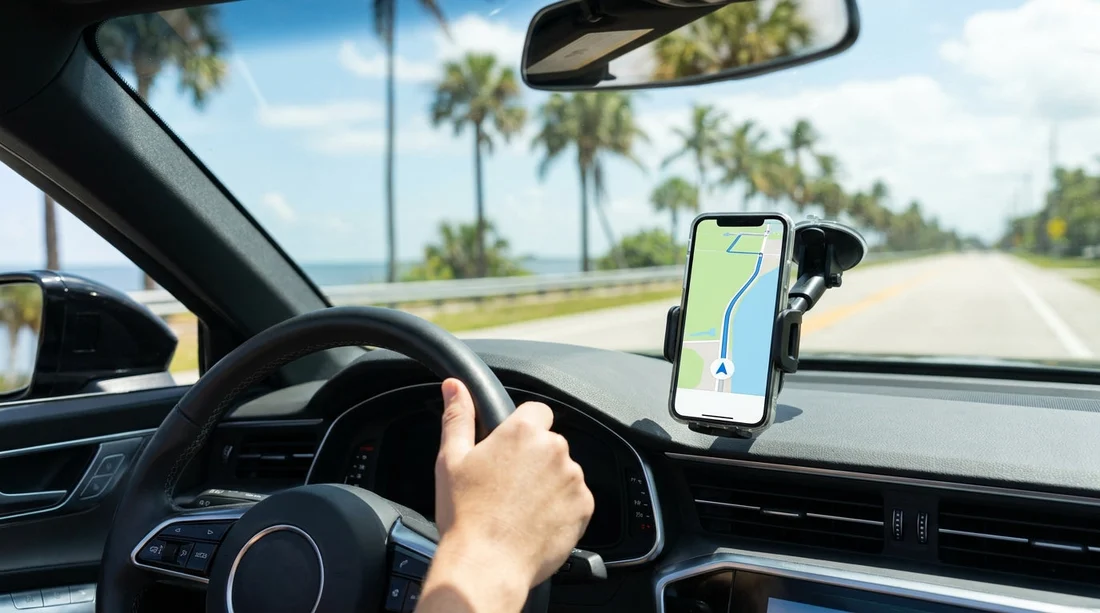
After landing, connect to airport Wi-Fi first if it is easy, then verify mobile data works before leaving the terminal. If you are heading to a car hire centre, load the route while you still have strong signal. Once you have the vehicle, set up your phone safely before moving off, and consider a windscreen mount if you will be driving longer distances.
Finally, be mindful of battery drain. Navigation plus mobile data can be heavy on power, particularly in Florida heat where screens run bright. Bring a car charger and a cable that fits your phone, and consider a backup battery for the airport stage.
FAQ
Do I need roaming for Google Maps during car hire in Florida? No, roaming is optional. A data eSIM or downloaded offline maps can cover navigation, and Wi-Fi can help before you leave the airport.
Is an eSIM enough, or do I need a US phone number? For Google Maps, a data-only eSIM is enough. You only need a US number if you expect voice calls with local businesses or prefer SMS verification.
Can Google Maps navigate offline in Florida? Yes, if you download offline maps in advance. You will still miss live traffic and some search features, but turn-by-turn navigation usually works.
How do I avoid surprise roaming charges? Disable data roaming on your main SIM, set the eSIM as your mobile data line, and turn off background mobile data for streaming and cloud backups.
What is the best backup if mobile data fails at pickup? Save the pickup address in notes, download offline maps, and use airport Wi-Fi to load the first route before you leave.






























































































