


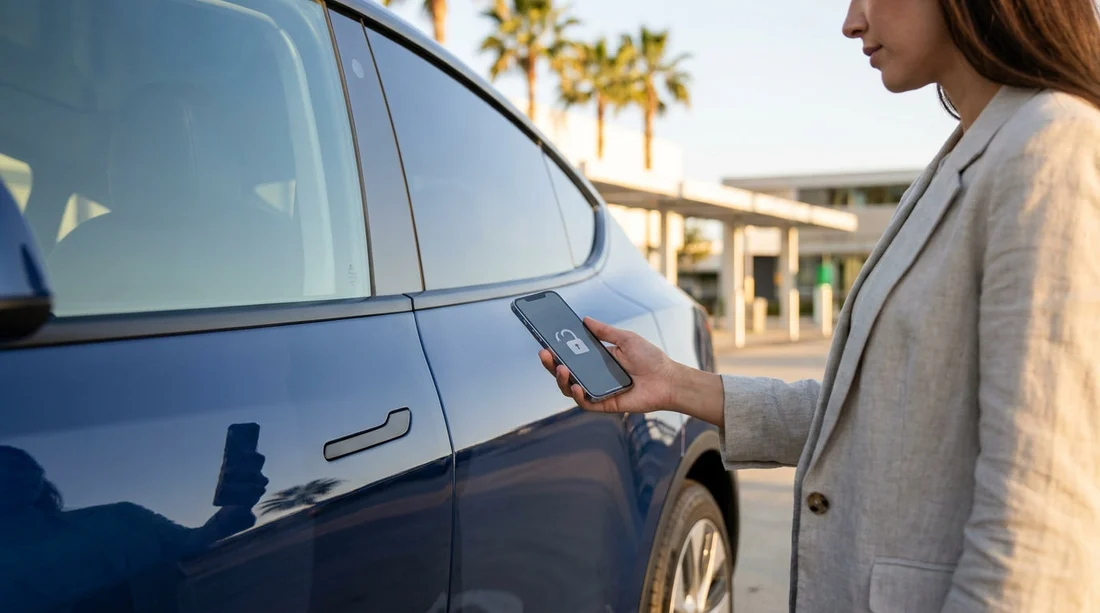
Quick Summary:
- Most California EV rentals start with a key fob, not apps.
- Ask whether phone-as-key is enabled, and whether you can opt out.
- Set up Bluetooth, mobile data, and a charger payment method beforehand.
- Confirm charging access, cable type, and return charge expectations at pick-up.
Electric car hire in California is increasingly common, but the way you unlock and start an EV rental still depends on the make, model, and rental company policies. The short version is that most EV rentals can be unlocked and driven with a physical key fob or key card, even if the vehicle also supports a smartphone app. Some newer EVs offer “phone as a key”, but rental fleets often keep that feature turned off to reduce account set-up time and protect customer privacy.
Because California is a hotspot for EVs, you may collect a Tesla, a Hyundai Ioniq 5, a Kia EV6, a Polestar 2, a Mustang Mach-E, or another model that normally pairs with an app. If you arrive expecting to use only your phone, you could be delayed at the counter. If you arrive expecting only a fob, you might miss out on useful features like remote preconditioning. The best approach is to understand what is required versus what is optional, and to prepare your phone so you can use app features if they are offered.
If you are collecting at a major airport, it helps to check local processes and the kind of fleets commonly assigned. For example, pick-up can differ slightly between Los Angeles LAX car rental and San Francisco SFO car rental, especially around where the cars are parked and where chargers are located.
Do EV rentals in California require a smartphone app?
In most cases, no. You can normally unlock and start the car with what the rental company hands you, usually a key fob, key card, or proximity key. That remains true even for brands that strongly promote app-based access for private owners.
1) Key fob or key card only (most common). You use the physical key to unlock, then press the brake and select Drive. Any connected features in the manufacturer app are not needed.
2) Key fob plus optional app features. The car drives fine without an app, but the app can add conveniences like remote locking, cabin preconditioning, finding the car in a large car park, or seeing charge percentage from your phone.
3) Phone-as-key enabled (less common for rentals). The rental company may invite you to link your phone, sometimes through their own app or the vehicle manufacturer app. This can speed up access, but it can also create friction if you have limited data, older phone hardware, or trouble receiving verification codes.
If you are arranging EV car hire in California and want minimal hassle, plan on using a physical key. Then treat app pairing as a bonus, not a requirement.
Why rental companies often avoid app-only access
Even when a vehicle supports phone-as-key, rental agencies have practical reasons to default to a fob.
Privacy and account ownership. Pairing can link a personal account to the car, and agencies need a clean handover between renters.
Support burden. App logins, password resets, and two-factor authentication can slow the queue at busy airports.
Connectivity gaps. Underground car parks, airport structures, or weak mobile reception can make app set-up unreliable.
Device variability. Not every traveller has Bluetooth enabled, enough battery, or the newest operating system.
That said, some locations and brands are getting better at digital check-in. If you are picking up near Silicon Valley, ask what is standard at that station, such as for Hertz car rental San Jose SJC, where EV adoption can be higher and processes may be more streamlined.
What to set up before you pick up an electric rental
Even if you do not need an app to unlock or start the car, a bit of preparation helps avoid common EV headaches.
1) Phone readiness. Enable Bluetooth and location services, update your operating system, and ensure you can receive SMS or authentication prompts. Carry a car charger cable, since EVs can encourage more phone use for navigation and charging.
2) Data plan and coverage expectations. If you are visiting from abroad, check roaming or local eSIM options. Many EVs display charging station info on the in-car screen, but payment and backups often rely on your phone.
3) Charging payment method. Have a payment card that works in the US and is ready for app-based payments if needed. Some public chargers allow tap-to-pay, but many still work best with a network account.
4) Learn the basics of the supplied charging cable. Some rentals include a portable cable for household sockets, others do not. Understand that household charging is slow, and you may prefer fast charging on the road.
If your trip includes Northern California drives, you might be comparing fleets and suppliers. It can help to review options like National at San Francisco SFO, as different suppliers sometimes standardise different EV models and key handover routines.
What to ask at the counter, so you are not stuck in the car park
At pick-up, you want clear answers on access, charging, and what happens if your phone dies. These questions are practical and usually quick for staff to answer.
Will I receive a physical key, key card, or both? Confirm you can unlock and drive without an app.
Is phone-as-key enabled for this vehicle? If yes, ask whether it is required or optional, and how to remove your access at return.
Which charging connector does this car use? Clarify whether it is NACS (common on Teslas and increasingly others) or CCS, and whether an adaptor is provided.
What is the expected return charge level? Some rentals ask for a minimum state of charge, others charge a fee if it is low. Get the rule in writing on your agreement.
Where should I charge near the return location? Airport returns can be busy, and charger availability varies by time of day.
These details matter at busy hubs such as Hertz car hire California LAX, where volume is high and you want a smooth handover.
Troubleshooting: if the EV seems to “need” the app
Occasionally, renters think the car will not start because they do not have the app. Most of the time, it is a normal EV learning curve rather than a true access requirement. Try these checks.
Check the key position. Many EVs need the key inside the cabin, sometimes in a specific area like the centre console.
Press the brake firmly. EVs often require a clear brake press before selecting Drive.
Look for “Ready”. EVs can be silent, so it may feel like they are off when they are actually ready to move.
Verify gear selection. Some have a stalk, others a dial, and some require a button press first.
Restart the system. Lock the car, wait a minute, then unlock and try again. If there is an infotainment glitch, this can help.
If you genuinely cannot access the car with the supplied key, return to the counter before leaving the facility. It is faster to swap vehicles or re-pair the key on-site than to troubleshoot remotely later.
FAQ
Do I need a smartphone app to unlock a Tesla rental in California? Usually no. Most Tesla rentals are handed over with a key card, and sometimes a fob, so you can unlock and drive without using the Tesla app.
If phone-as-key is offered, should I set it up? Only if you want the convenience and have good mobile data and battery. It is worth asking how your access will be removed at return.
What if my phone battery dies while I am out? You should still be able to unlock and start the car with the physical key provided. Keep the key with you, and carry a charging cable or power bank.
Will I need an app to pay for charging in California? Sometimes. Many fast chargers accept contactless payment, but some networks work best with their app. Having a payment card ready on your phone is helpful.
What should I confirm before leaving the rental lot? Check you can lock and unlock the car, verify the current charge percentage, confirm the connector type, and understand the return charge policy.






























































































