


Quick Summary:
- You can usually use your FasTrak tag if it reads reliably.
- Ask the counter to opt you out of the rental toll programme.
- Mount the tag correctly so the system avoids plate billing.
- Check statements after return to catch duplicate toll charges quickly.
California tolling is increasingly cashless, which makes toll payment one of the most confusing parts of car hire. Many drivers already have a FasTrak transponder linked to their personal vehicle, so a common question is whether you can bring that tag and use it in a rental car. The short practical answer is, often yes, but only if you line up the details before you leave the car hire counter. Otherwise you risk double billing, paying both your FasTrak account and the rental company’s toll programme fees for the same trip.
This guide explains how FasTrak interacts with rental vehicles in California, what to confirm at pick-up, and how to keep your toll charges clean and predictable. If you are arranging car hire near major California airports such as Los Angeles LAX or San Jose SJC, these checks are worth doing every time because toll roads and express lanes are common around these hubs.
How FasTrak works in California, in plain terms
FasTrak is the tolling system used across most of California’s toll bridges, toll roads, and many express lanes. Payment is triggered in one of two ways: by reading a transponder (your physical FasTrak tag) or by reading a vehicle’s number plate and matching it to an account.
In a personal vehicle, your tag and/or plate are already associated with your account. In a rental, the number plate belongs to the rental fleet, and rental companies often enrol their cars in a toll service that automatically pays tolls and then bills you later, sometimes with additional daily or per-transaction fees. That convenience can be useful, but it can also create overlap with your own FasTrak account.
Can you use your own FasTrak tag in a rental car?
In many cases, yes, you can use your own FasTrak tag in a rental car in California. The key is that the toll system needs to correctly associate the trip with your account, and the rental company’s toll service must not also process the same tolls.
There are two main ways people attempt this.
1) Using the transponder only: You mount your FasTrak tag in the rental and drive normally. If the tag is read reliably, the toll should go to your FasTrak account, regardless of the rental’s number plate.
2) Adding the rental’s number plate to your account temporarily: Some drivers add the rental vehicle plate to their FasTrak account for the rental period. That can help in areas where plate reading is used, or if your tag is not read. It can also introduce risks if you forget to remove the plate later, so it requires careful dates and follow-up.
Whether either approach is wise depends on the rental company’s toll programme setup for that specific car, and on where you plan to drive in California.
Why double billing happens, and how to prevent it
Double billing generally occurs when the toll is captured through your personal FasTrak account, while the rental company also receives a plate-based toll notice for the same crossing and processes it through its toll service. The toll agency usually has rules to avoid duplicates, but duplicates still happen in the real world due to timing, tag reads, plate reads, and data matching.
To prevent this, focus on two things: ensuring your FasTrak account is the payment method, and ensuring the rental company’s toll programme does not also try to charge you.
What to confirm at the counter before you drive away
This is the most important part of using your own tag. Before you leave, ask clear, specific questions and get the answers noted on your paperwork if possible.
Confirm whether the car is automatically enrolled in a toll programme. Many fleets are set up so that tolls are captured by plate by default. Ask if the vehicle is pre-enrolled in a toll service, and what the service fees are if you do nothing.
Ask how to opt out, and whether opt out is actually possible. Some programmes allow you to decline toll coverage, others do not. If you cannot opt out, using your own tag may still work, but it increases the chance of duplicate processing and post-rental adjustments.
Ask what happens if you bring your own transponder. Some rental staff will tell you to use your tag and the system will sort it out. Others will caution you to avoid it. The reality varies by operator and location, so you want the policy for your specific rental agreement.
If you are collecting a vehicle in Orange County through car hire at Santa Ana SNA, or picking up in the Bay Area for an SUV through SUV hire in San Francisco SFO, these counter checks are especially relevant because toll bridges, managed lanes, and all-electronic toll points can show up quickly on common routes.
Best practice for using your FasTrak tag in a rental
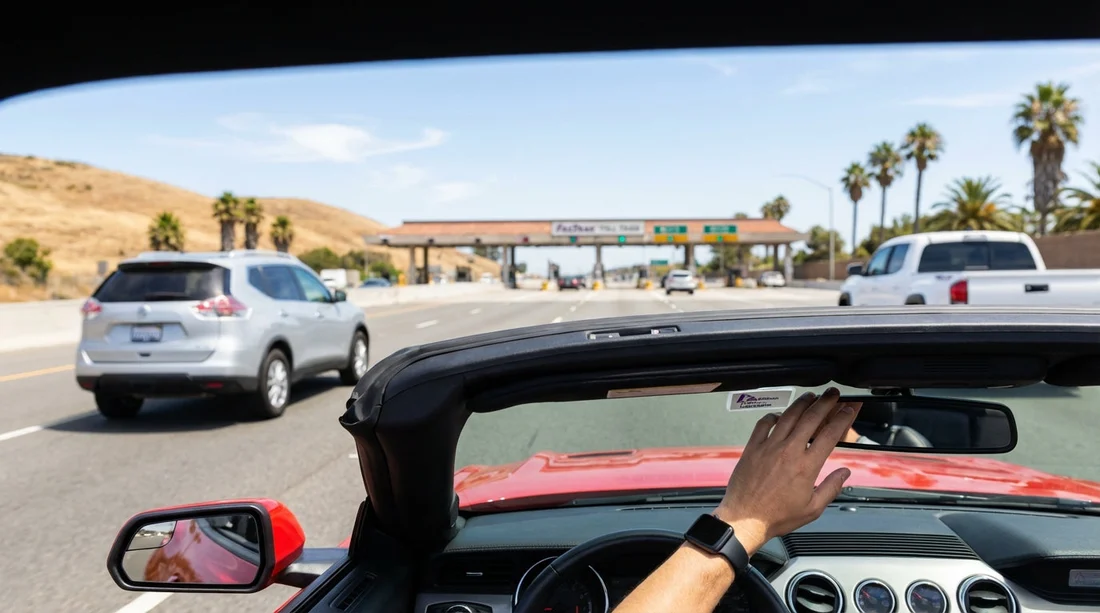
Mount the tag correctly. Transponders are designed to be read through the windscreen in a specific location. If you toss it on the dashboard or keep it in the glovebox, the reader may miss it and fall back to plate billing, which can trigger the rental programme.
Do not mix payment methods mid-trip. If you intend to use your tag, use it consistently. Switching between tag sometimes and plate other times increases confusion and makes reconciliation harder if something goes wrong.
Save your rental agreement and return receipt. If you need to dispute duplicate toll charges, you will want proof of the dates and the exact plate number you were assigned.
Watch for delayed billing. Rental toll charges can arrive days or weeks after return. FasTrak postings can also lag. Wait until both systems have had time to post before assuming you were not charged.
How to check for duplicate charges after your trip
Once you return your car hire vehicle, do a quick reconciliation. It does not need to be perfect, just enough to catch obvious duplicates.
Step 1: Review your FasTrak account activity for the rental period. Note the dates and times of tolls.
Step 2: Look for rental toll charges on your card statement or on the rental company’s post-rental invoice. Remember there may be service fees as well as toll amounts.
Step 3: If you see the same toll location and timestamp in both places, gather documentation: rental agreement, return receipt, toll line items, and your FasTrak transaction details.
Step 4: Contact the rental billing support with a clear request to remove the duplicate toll charge or service fee, providing the evidence.
FAQ
Can I just keep my FasTrak tag in the car and expect it to work? Usually it will work only if it is mounted correctly and read consistently. If the reader misses it, plate billing can trigger the rental toll programme.
Should I add the rental car’s number plate to my FasTrak account? It can help with plate-based tolling, but do it only for the exact rental dates and remove it immediately after return to avoid paying someone else’s tolls.
What should I say at the rental counter to avoid double billing? Ask whether the vehicle is enrolled in a toll programme, whether you can opt out, and how bringing your own transponder is handled on that contract.
Will I be charged a service fee even if I use my own FasTrak? It depends on the rental company policy and whether their toll programme is triggered by plate reads. Confirm the fee rules in writing before you leave.
How long after returning the car can toll charges appear? FasTrak and rental toll invoices can post with delays, sometimes days or weeks. Keep an eye on both accounts for at least a month.






























































































