


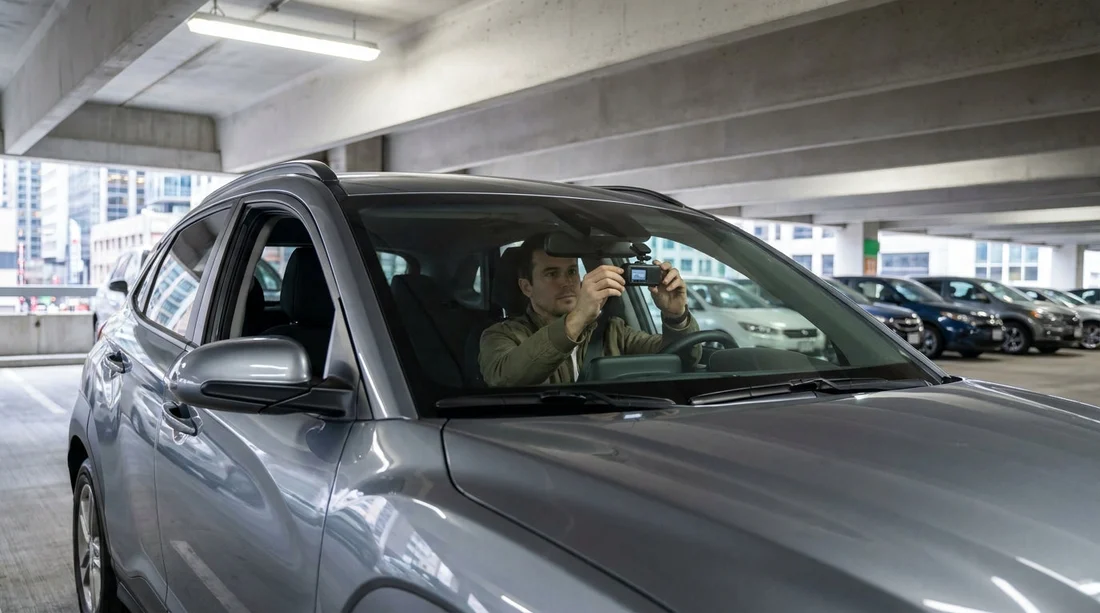
Quick Summary:
- Ask staff about attachment rules, then mount without altering any surfaces.
- Place the camera behind the rear-view mirror, keeping your view clear.
- Use USB or 12V power only, avoid hardwiring or fuse taps.
- Remove all adhesive and cables before return to prevent cleaning fees.
Yes, you can usually mount your own dash cam in a rental car before leaving the counter in New York, as long as you do it in a way that does not alter the vehicle, does not obstruct the driver’s view, and does not interfere with airbags or electronics. Rental policies vary by brand and location, but the practical rule is simple, keep it temporary, tidy, and reversible.
In New York car hire, pick-up areas can be busy, especially at major airport locations. That makes it sensible to set your dash cam up straight away, but also to do it carefully so you do not trigger a damage dispute later.
If you are collecting at JFK, procedures can differ slightly depending on the company and the terminal set-up. You can review general pick-up expectations for car rental airport New York JFK locations, where staff may remind you about visibility and keeping the cabin unmodified.
What rental policies typically allow at the counter
Most rental agreements are written to stop customers from modifying the vehicle or adding anything that could damage interior trim, glass, or wiring. A dash cam is usually fine when it is mounted temporarily and removed without leaving residue.
When you are at the counter or desk, it is reasonable to ask one short question, “Is a temporary dash cam mount and USB power allowed, as long as nothing is hardwired and nothing blocks the driver’s view?” If the agent notes any restrictions, follow them and keep it simple.
Mounting options, what is safest for the car
The safest approach for car hire is a suction mount on the windscreen. It is removable and usually leaves no trace when used on clean glass.
Adhesive pads are riskier. Some adhesives can leave residue on glass or damage tint films, and removal can take time. Avoid sticking anything to the dashboard, A-pillar trim, or headliner, because those parts scratch easily and may conceal airbags.
Visibility rules, where to position the camera in New York
Your priority is keeping the driver’s view clear. A good rule is to mount the camera high on the windscreen, tucked behind the rear-view mirror so it sits in the mirror’s “shadow.”
If your car hire starts at JFK, you might be using unfamiliar roads immediately, such as busy expressway merges. For a broader overview of New York airport collection logistics, see car rental New York JFK information that can help you plan a calmer set-up window.
Power use, what is normally acceptable
Using the car’s 12V socket or USB port is typically acceptable. Plug-in power is temporary, does not touch the car’s wiring, and is easy to remove.
If the vehicle has a USB port that turns off with the ignition, that is ideal for a straightforward dash cam. If the USB port stays live when parked, switch the camera off manually to avoid draining the battery.
For longer trips where you want a larger cabin vehicle, you may be comparing categories as well as policies. If you are picking up in New Jersey, minivan rental Newark EWR pages can help you anticipate interior layouts and front power socket placement.
Cable routing, avoid airbags and trim damage
Loose cables are the biggest practical risk because they can distract the driver or snag on controls. Do not push dash cam cables into the A-pillar gap or headliner seam, because that can interfere with airbag deployment or damage clips.
Instead, route the cable down the centre area near the mirror, then along the passenger side in a way that stays clear of airbag zones. Keep the cable away from the steering column, pedals, gear selector, and parking brake.
Return-day removal, how to avoid cleaning or damage charges
Before returning your car hire vehicle, remove the camera, mount, power plug, and any clips. The goal is to leave the car exactly as you received it.
If there is residue on the glass, wipe it gently with a dry microfibre cloth. Avoid chemicals unless you are certain they will not affect coatings.
When returning at an airport location, you may be rushing to catch a flight. If you are travelling through Newark, reviewing car rental Newark EWR information can help you plan extra minutes for removal and final checks before you hand over the keys.
Choosing the simplest set-up for New York driving
New York driving can involve tight lanes, sudden stops, and dense traffic. A dash cam can be useful, but only if it does not distract you.
If you are comparing providers for New York trips, Hola Car Rentals aggregates options across major brands. You can browse pick-up flows through pages such as Enterprise car hire New York JFK, then apply the same non-invasive dash cam approach regardless of which counter you use.
FAQ
Can I install a dash cam before I leave the rental lot in New York? Yes, in most cases you can, provided the mount is temporary, the camera does not block your view, and you do not modify wiring or trim.
Is suction mounting on the windscreen usually acceptable for car hire? Generally yes, suction mounts are the safest choice because they are removable and tend not to leave residue when used on clean glass.
Can I hardwire my dash cam using a fuse tap in a rental car? It is typically not allowed, because it alters the vehicle’s electrical set-up. Stick to USB or the 12V socket to avoid policy issues.
Where should I place the dash cam so it does not obstruct visibility? High on the windscreen, usually behind the rear-view mirror, so it sits outside your forward line of sight from the driver’s seat.
What should I do with the dash cam when returning the rental? Remove the camera, mount, plug, and any clips, then wipe the glass gently so the vehicle is returned in the same condition.






























































































