


Quick Summary:
- Download offline New York maps before landing, then use GPS without data.
- Use a local eSIM or prepaid SIM, and disable data roaming.
- Connect to trusted Wi-Fi for updates, then navigate using offline mode.
- Check rental car infotainment options, and avoid paid in-car data add-ons.
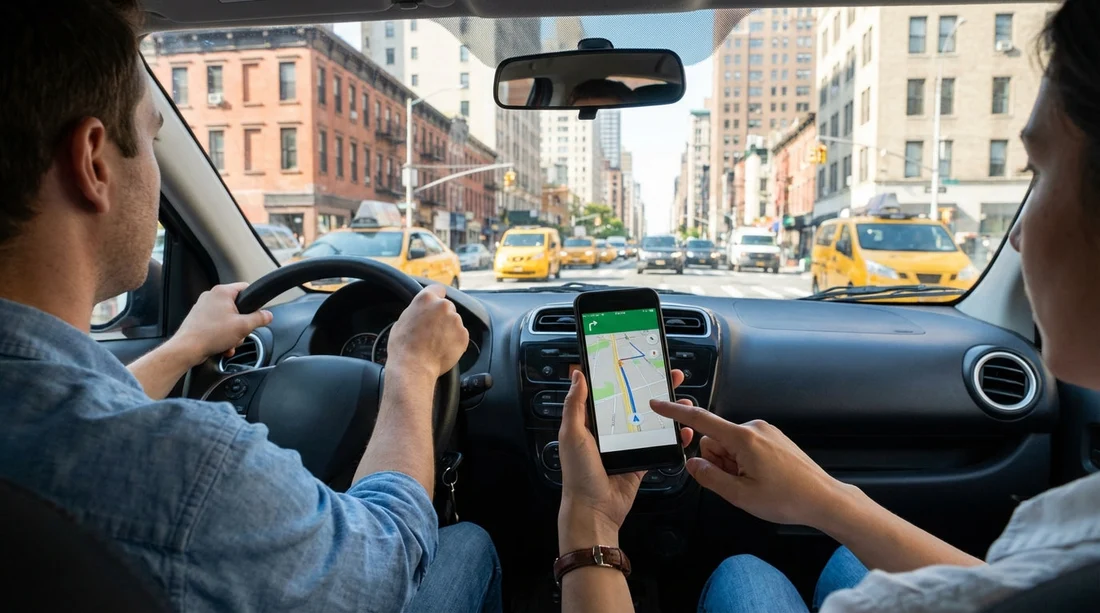
Using navigation in a rental car in New York is essential, but data roaming can turn a straightforward trip into an expensive surprise. The good news is that navigation itself does not require mobile data all the time. Your phone’s GPS chip can locate you without a signal, and many mapping apps can store routes and maps for offline use. The key is setting everything up before you start driving, then making a few smart choices about SIMs, Wi-Fi, and in-car systems.
If you arranged your car hire for a US trip and you are arriving from abroad, assume your mobile network will treat the US as roaming unless you have an international add-on. Even with an add-on, there are often fair-use limits, throttling, or out-of-bundle fees. Planning ahead is far cheaper than relying on “it should be fine” once you are on the motorway.
Know what does, and does not, cost money
Roaming charges come from mobile data, calls, and texts on a foreign network. GPS positioning is free in the sense that it does not require mobile data. What does use data is downloading map tiles, searching for places, loading live traffic layers, streaming music, and updating apps in the background.
A common trap is opening a map app and letting it load fresh tiles as you drive. Another is a phone silently downloading updates the moment it connects to a US network. Your goal is to keep navigation functional while preventing unwanted data usage.
Set up offline navigation before you travel
The most reliable way to avoid roaming charges is to download what you need while you still have your home Wi-Fi. In Google Maps, you can download an offline map for New York City and surrounding areas, including parts of New Jersey and Long Island if your plans involve airports or day trips. In Apple Maps, you can also download offline maps in recent iOS versions, including specific regions and routes.
Before your flight, do three things: download the offline map area, save key locations (hotel, pickup point, parking garage, attractions), and test navigation in airplane mode to confirm it works.
Offline maps are not perfect. You may miss live traffic and some road closures, and you will not see new businesses that opened yesterday. However, for most driving, especially getting out of the airport area and across bridges and expressways, offline mode is enough to keep costs at zero.
Use a local eSIM or prepaid SIM for low-cost data
If you need live traffic, up-to-date ETAs, or frequent place searches, a small amount of local data is worthwhile. For many travellers, an eSIM is the easiest solution because you can activate it without finding a shop. Check that your phone is unlocked and supports eSIM. Then purchase a US data plan with enough allowance for navigation, a few gigabytes often covers a week of normal use.
Whatever you choose, keep your home SIM installed or active only if you need to receive texts for banking. In that case, disable data roaming for the home line and set the US eSIM or SIM as the default for mobile data.
Lock down your phone settings to prevent accidental roaming
Even with offline maps, you should change a few settings so your phone cannot quietly use data. First, turn off data roaming on your home SIM. Second, disable background app refresh for the apps you do not need. Third, pause automatic app updates and cloud photo syncing until you are on trusted Wi-Fi.
On both iPhone and Android, you can also set data warnings or limits. This is especially helpful if you buy a limited US plan and want to avoid running out mid-trip. If your phone supports it, set the map app to “Wi-Fi only” downloads so it does not fetch large files over mobile data.
Understand your rental car’s built-in navigation and hotspot options
Many rental cars in the US have infotainment systems that support Apple CarPlay or Android Auto. These are convenient because you can see maps on the dashboard screen, but they usually still rely on your phone’s data connection for live features. If you are in offline mode, CarPlay and Android Auto can still show navigation if your maps are downloaded, but features like live traffic may be limited.
Some vehicles offer built-in navigation or an in-car Wi-Fi hotspot for a daily fee. Built-in navigation can be useful if you want to keep your phone in airplane mode, but check the terms. Daily charges can add up quickly, and hotspots may have speed caps or limited coverage. If your goal is to avoid roaming charges, paying for an in-car hotspot may still be cheaper than roaming, but often a local eSIM is the better value.
If your US trip includes multiple stops beyond New York, you may be arranging car hire for other airports too. Hola Car Rentals has location guides that can help you plan connectivity and pickup logistics around different terminals, such as car rental Philadelphia PHL or car hire Washington IAD.
Plan your New York routes to reduce last-minute data needs
New York driving includes tunnels, dense streets, and complex junctions where you do not want to be searching for an address on the move. Before you set off, pin your destination, confirm the correct entrance (for example, the specific car park ramp), and save it to your favourites. For bridges and tunnels, confirm whether there are restrictions or tolling routes you want to avoid, and store an alternative route offline.
It is also smart to screenshot key steps, such as the final turn into a hotel driveway or the entrance to a parking facility. Screenshots are simple, consume no data, and can help if your app temporarily loses orientation among tall buildings.
Avoid common roaming-cost mistakes
Most roaming bills come from a handful of habits. Streaming music or podcasts in the car is a big one, so download playlists over Wi-Fi before driving. Another is letting passengers use your phone as a hotspot. Even a few minutes can burn through a small plan.
If you are planning broader US travel after New York, compare what you need in each region. Coverage and distances vary widely. A trip that includes the West Coast might benefit from a bit more mobile data for safety and rerouting. Hola Car Rentals’ guides for places like Alamo car rental Los Angeles LAX and Dollar car hire California LAX can be useful when you are thinking through airports, terminals, and how you will navigate immediately after landing.
Checklist before you leave the rental car park
Before you roll out, make sure your phone is mounted securely, your charging cable works, and your first destination is loaded. Confirm that data roaming is off for your home SIM. If you are using an eSIM, verify it is the active data line. If you are using offline maps, switch to airplane mode briefly to confirm navigation still functions.
Finally, remember that New York has strict rules around handling devices while driving. Set your route before moving, rely on voice guidance, and use hands-free options through CarPlay or Android Auto where possible. Keeping your attention on the road is as important as keeping costs down.
FAQ
Will GPS work in New York without mobile data? Yes. GPS location works without data, but the map images and live traffic usually require data unless you download offline maps first.
Is it enough to turn off data roaming to avoid charges? It is a strong first step, but you should also disable background updates and cloud syncing, and use offline maps so the navigation app does not try to load new map tiles.
Should I use the rental car’s built-in sat nav instead of my phone? It can help you avoid using mobile data, but check daily fees and whether maps are current. Often, offline maps on your phone are cheaper and just as reliable.
Do CarPlay or Android Auto avoid roaming charges? Not automatically. They mirror your phone’s apps, so if your phone uses roaming data for maps or traffic, the dashboard display will too.
What is the simplest low-cost option for live traffic in New York? A small US eSIM data plan combined with strict app settings usually provides live traffic and searches without expensive roaming bills.




























































































