


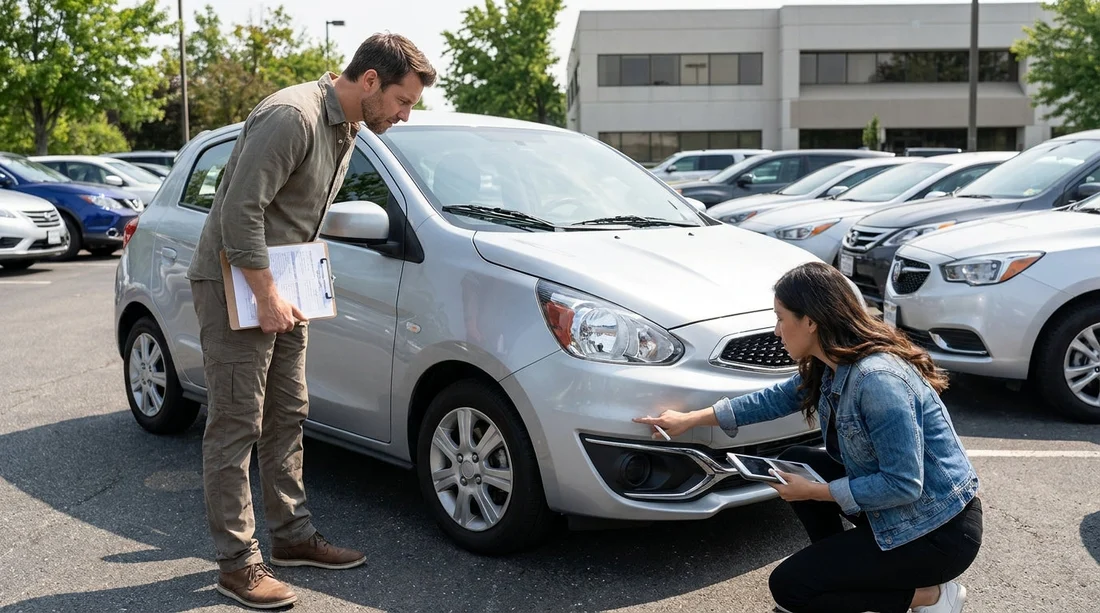
Quick Summary:
- Compare every marked scratch and dent with the car, panel by panel.
- Photograph all sides, wheels, glass, interior, and dashboard with timestamps.
- Add missing damage notes clearly, then get the agent’s initials beside changes.
- Confirm fuel level, mileage, and return time, then keep signed copies.
When you pick up a car hire in Pennsylvania, the condition report is your proof of what was already there before you drove away. It might be a printed diagram, a digital tablet walkaround, or a checklist inside an app. Either way, the goal is the same: make sure every existing mark is recorded, the paperwork matches the vehicle, and you leave with a copy that shows both parties agreed.
This guide gives a quick pre-drive checklist focused on photos, markings, and signatures. The process only takes a few minutes, but it can prevent disputes about scratches, wheels, or interior stains that you did not cause.
If you are collecting near Philadelphia International Airport, the environment can be busy and lighting can be uneven in multi-storey car parks. Plan to do your inspection before you merge into traffic. Hola Car Rentals shares pickup information for local options such as car rental airport Philadelphia PHL, which helps you anticipate where you will be checking the vehicle.
What the condition report usually includes
A standard rental car condition report lists identifying details and the current state of the vehicle. Check that the basics match the car in front of you, because the wrong registration or mileage can complicate later conversations.
Vehicle identity: registration plate, VIN or partial VIN, make, model, colour, and sometimes fleet number.
Odometer and fuel: mileage at pickup and fuel level, often shown as a bar or quarter-tank increments.
Damage map: a diagram or photos where dents, chips, cracks, scuffs, and wheel damage are marked with symbols.
Accessories: keys, spare key (if provided), mats, parcel shelf, charging cable, child seats, toll device, and emergency kit.
Sign-off: your acknowledgement plus an agent signature, initials, or digital confirmation.
If you are comparing supplier options around Philadelphia, browsing pages such as car rental Philadelphia PHL can help you understand how pick-up locations and processes differ, but your inspection steps should stay consistent.
Step-by-step pre-drive checklist: photos, markings, signatures
1) Choose the right spot and light
Before taking any photos, position yourself so you can see the paint and glass clearly. If you are inside a garage, walk the car towards a brighter bay if allowed, or use the safest area with less shadow. Avoid relying on a quick glance, because fine scratches disappear in dim light.
Start your inspection clock as soon as you are handed keys, especially if there is a time limit to exit the facility. It is better to ask for a moment to inspect than to rush and miss damage.
2) Photograph the car like an evidence set
Photos are most useful when they show context and detail. Take wide shots first, then close-ups. Use your phone’s timestamp and do not edit images, because edits can remove metadata.
Exterior wide shots: front, rear, left side, right side, plus four corner angles.
Close-ups of common dispute areas: bumpers, lower rocker panels, door edges, mirrors, and the bonnet leading edge.
Wheels and tyres: each rim face and the tyre sidewall, including curb rash and gouges.
Glass and lights: windscreen chips, headlamp cracks, rear lights, and fog lamp lenses.
Interior overview: front seats, rear seats, headliner, boot area, and parcel shelf.
Dashboard proof: odometer reading, fuel gauge, and warning lights at ignition-on.
When you later refer to your images, you want to be able to match a scratch to an exact panel. If you are renting a larger vehicle, the elevated ride height can hide damage on lower trims, so give yourself extra time. The options described on SUV rental Philadelphia PHL are a reminder that bigger bodywork means more surfaces to check.
3) Match the report markings to the real car
Now compare the condition report’s diagram or photo set against the vehicle, one section at a time. Use a simple loop so you do not skip panels, for example front bumper, bonnet, left front wing, left doors, left rear quarter, rear bumper, then the right side back to the front.
Damage marked on the wrong panel: the report may show a dent on the rear door, but it is actually on the quarter panel.
Damage noted without size: a “scratch” could be a hairline mark or a long gouge. If it is large, ask for a clearer note.
Wheel scuffs omitted: alloys are often missed, yet they are frequently charged later.
Windscreen chips not recorded: even tiny chips can spread with temperature changes.
Interior marks ignored: stains, burns, tears, and missing mats should be recorded too.
If the report is digital and you are shown photos, confirm the photos actually depict your vehicle, not a generic image. Check the plate or vehicle number shown in the app if available.
4) Add missing damage clearly, then get it acknowledged
If you find damage that is not listed, do not rely on a verbal assurance. Ask the agent to add it to the report or allow you to add it in the digital tool. Your note should be specific enough that another person can identify the exact issue.
Write notes using location, type, and size, such as “right rear wheel, outer rim scuffed, approx 4 cm” or “front bumper, lower left, paint scrape, approx 10 cm”. Avoid vague phrases like “small scratch”.
Then ensure the correction is acknowledged. For paper reports, that means the agent initials next to the addition and you receive a copy. For digital reports, it means the updated report is saved and you can access it in an email or app screen.
5) Verify fuel, mileage, and return details
Disputes are not only about bodywork. Confirm the fuel level and odometer match the report. Take a photo of the dashboard showing both. If the rental uses a full-to-full policy, a mismatch at pickup can become a problem at return.
Also check the return time and location. If you pick up at a busy hub and will return to the same area, make sure you know the exact address and after-hours process. When you are researching supplier arrangements, a page like car hire Philadelphia PHL can help you understand the typical pickup and return setup, but always confirm what your agreement states.
6) Do a quick functional check before leaving the lot
This is not a mechanical inspection, but a brief check can reveal issues that should be logged immediately. Confirm windows, mirrors, headlights, indicators, horn, and wipers function. Pair your phone if needed and verify the reverse camera works, because a non-functioning sensor can contribute to parking incidents.
If you notice warning lights, photograph the dashboard and tell the agent before you drive away.
7) Keep your evidence organised
Create a folder on your phone titled with the date and location, and keep all pickup photos and the signed report together. If the report arrives by email, save it offline too.
This habit matters no matter which supplier is involved. If you are comparing brands, the pages for options such as Hertz car hire Philadelphia PHL show that policies can vary, but documentation is universally helpful.
What to do if you discover damage after you leave
Sometimes you only notice an issue once you are in daylight or at your first stop. Act quickly. Take photos immediately, then report it through the supplier’s stated method, often by phone, app, or email. Provide the time you noticed it and attach the images. The sooner the report is made, the easier it is to show it was pre-existing.
Keep your language factual. You are not admitting fault, you are documenting what you found and asking for it to be added to the condition record.
FAQ
How long should checking the rental car condition report take? Plan 10 to 15 minutes for a careful walkaround, photos, and matching markings, longer for large vehicles or poor lighting.
What damage is most often missed on a condition report? Wheel scuffs, lower bumper scrapes, small windscreen chips, and interior stains are commonly overlooked, so photograph them deliberately.
Is a video better than photos for documenting pre-existing damage? A slow walkaround video is helpful for context, but you should still take sharp close-up photos of each defect for clear proof.
What if the agent says the damage is “already in the system” but not on my copy? Ask for the report to be updated and reissued, or for a written note with initials. If you cannot get that, take detailed photos and keep a record of who you spoke with.
Do I need to check the interior as closely as the exterior? Yes. Seat tears, stains, missing mats, and boot damage can lead to charges, so record interior condition with photos and notes.




























































































