


Quick Summary:
- Check your voucher for the supplier brand name and counter location.
- At shared counters, join your supplier queue, not the Hola brand.
- Prepare licence, passport, payment card, and booking voucher before the desk.
- Confirm fuel policy, toll options, and the deposit amount before signing.
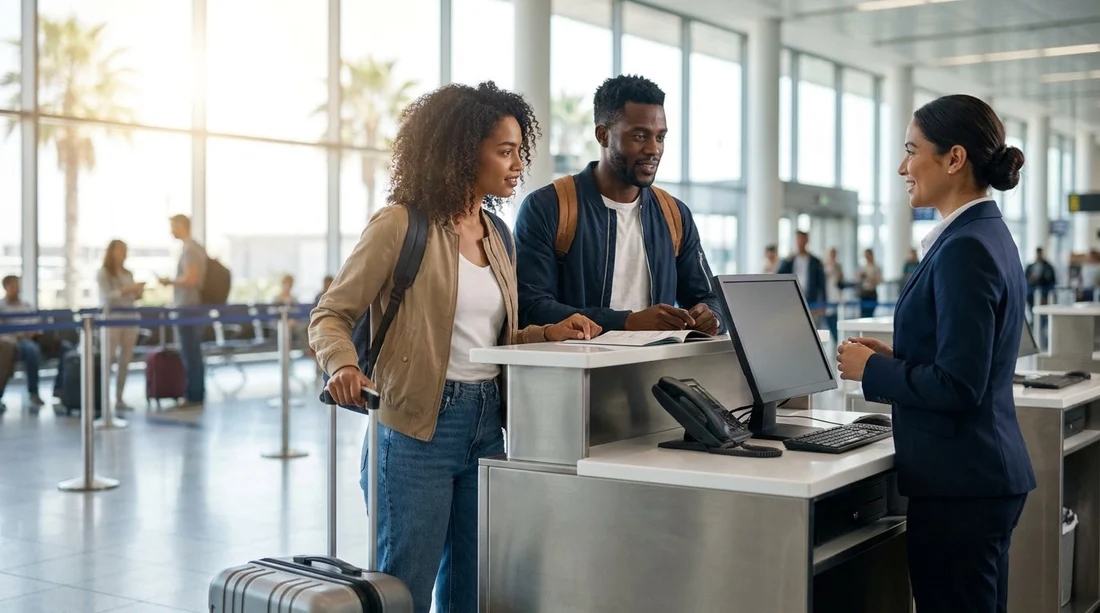
When you arrange car hire for Orlando Airport (MCO) through Hola Car Rentals, you are usually collecting the vehicle from a rental supplier that operates at the airport. At MCO, many suppliers share counter space in the same rental facility. This can feel confusing after a long flight, because you may see a single desk serving multiple brands, or several queues that look similar.
A shared counter simply means the airport has allocated one staffed desk position, or one check-in area, to more than one rental brand. The staff at that desk can process contracts for each of those brands, using the same computers and queue system. It does not mean your booking is shared with someone else, and it does not mean you will be given a random supplier. Your supplier is fixed on your booking, the desk is just shared.
If you want a useful overview of car hire at the airport, the MCO pages help you understand where collections happen and what to expect: car hire at Orlando MCO and Orlando MCO car rental.
What “shared counter” means in practice at MCO
In practice, a shared counter affects three things: where you stand, who prints your contract, and which signs you should follow. The actual car hire vehicle, the rate you agreed to, and the supplier rules come from the brand shown on your voucher.
At Orlando Airport, most major rental suppliers are located in the airport’s rental car facility, which is connected to the terminals by the Automated People Mover. Once you arrive at the facility, you will see a row of counters and overhead signage. Some brands have their own dedicated desk area, others are grouped together, especially during busy periods or late hours.
You might also notice that a counter sign lists more than one name, or the queue divider boards show multiple brands. That is the key clue that the counter is shared. The staff can direct you to the correct line if you show your voucher on your phone. This is common in airports because it reduces staffing duplication and helps manage peaks in arrivals.
How to identify the right queue and brand when you booked with Hola
The most important detail is that you do not queue for “Hola”. Hola Car Rentals is the booking platform, while the desk is operated by the supplier brand. To avoid joining the wrong line, use this quick method:
1) Find the supplier name on your voucher. Look for the “Supplier” or “Pick-up location” section. This is the name printed on the contract at the counter. If you booked a known brand, you will be looking for that brand’s signage.
2) Match the brand on the overhead signs at the rental facility. The shared counter normally lists several brands on the sign. If you see your brand listed, that is your place to join. If you only see similar-sounding names, check the logo, not just the first letter.
3) Check queue monitors and desk placards. Many counters use digital queue systems. The monitor may show which brands are being served at which position. Even if the physical sign looks generic, the screen often confirms the participating brands.
4) Ask one targeted question. If you are unsure, ask a staff member, “Is this the desk for [supplier name] bookings?” Showing your voucher is faster than explaining the reservation. The aim is simply to confirm the right line before you wait.
If you want to understand supplier-specific collection expectations, these pages are useful references: Enterprise at Orlando MCO and Dollar at Orlando MCO.
What to have ready to speed up pick-up
Shared counters can move quickly when everyone at the front has the correct documents. If you arrive unprepared, you may be asked to step aside, which slows you down and can add stress. Have these items ready before you reach the desk:
Driving licence. Bring the physical licence for the lead driver. Ensure it is valid for the whole rental period.
Passport. For international arrivals, the passport is commonly used to verify identity. Keep it accessible rather than buried in cabin luggage.
Payment card in the lead driver’s name. Many suppliers require a credit card for the security deposit, and the name must match the rental contract. If you plan to use a debit card, check your supplier’s rules in advance, because acceptance varies.
Your booking voucher. A digital copy is usually fine. It helps the agent locate your reservation quickly, especially if your name has multiple parts or special characters.
Flight details if requested. Some reservations include the flight number. If the agent asks, it helps confirm you are on time and at the right location, particularly for late arrivals.
Speed also depends on decisions you can make in advance. Know roughly what you want for fuel, tolls, and additional drivers. These are normal desk questions, and answering them quickly shortens your time at the counter.
What happens at the desk, step by step
At a shared counter, the process is usually consistent:
Identity and licence check. The agent verifies your documents and confirms the lead driver.
Reservation lookup. They find your booking using your name, voucher number, or confirmation reference.
Vehicle group confirmation. You are shown the class you reserved. If the supplier offers alternatives, you can ask what is included, such as luggage capacity or seating.
Deposit and payment. The agent explains the deposit amount and takes payment details. Delays often happen here if the card type or name does not match the contract requirements.
Optional extras. You may be offered additional cover, toll products, child seats, or an additional driver. Decide what you genuinely need, and ask for the total cost impact before agreeing.
Contract signature and directions. Once signed, you are directed to the correct aisle or garage zone to collect the car. At Orlando Airport, the collection area is organised by supplier and sometimes by vehicle class.
Common shared-counter pitfalls, and how to avoid them
Joining the wrong queue. This is the number one time-waster. Always match the supplier name on your voucher to the sign. If the desk sign lists multiple brands, confirm yours is included before committing to the line.
Name mismatch on documents. If your booking uses a shortened name but your passport has multiple surnames, allow extra time. The staff can usually correct it, but it can take longer when the counter is busy.
Not understanding deposits. A deposit is normal for car hire. Ask for the deposit amount, how it is held, and when it is released. Knowing this helps you avoid surprises on your available credit.
Insurance confusion. The desk may explain cover options quickly, especially when a queue is building. If you are unsure, ask what is included in your rate and what is optional.
Tips for a smoother walk from plane to car in Orlando
Plan your flow: terminals, people mover, counter, then garage. Keep your key documents in one pocket or travel wallet so you are not searching at the desk. If you are travelling as a group, nominate one person to handle documents and another to manage luggage.
Finally, remember what a shared counter does and does not mean. It means the same staff serve multiple brands, so signage and queue choice matter. It does not change which supplier you booked, and it does not remove your ability to check the contract details before you sign.
FAQ
What is a shared car hire counter at Orlando Airport? It is a single airport desk area that processes rentals for multiple supplier brands. Your booking remains with the supplier named on your voucher.
Do I queue for Hola at MCO? No. You queue for the rental supplier brand shown on your voucher, even if you arranged the car hire through Hola Car Rentals.
How do I know which shared counter line is mine? Match the supplier name on your voucher to the overhead counter signage or queue monitor. If unsure, show your voucher and ask staff to confirm.
What documents speed up pick-up the most? Have the lead driver’s driving licence, passport, and a payment card in the same name ready, plus your booking voucher on your phone.
Why does pick-up sometimes take longer at shared counters? Shared counters handle multiple brands and flight peaks. Delays usually come from the wrong queue, card or name mismatches, and extra decisions at the desk.




























































































