


Quick Summary:
- Ask the counter to disable the rental toll tag before driving away.
- Mount your personal E‑ZPass correctly, and store it safely when unused.
- Check whether the rental plate is linked on your E‑ZPass account.
- Keep receipts and screenshots, then dispute duplicates using matching timestamps.
New York area tolling is almost entirely cashless, and that is convenient until you combine a personal E‑ZPass with a rental company’s toll programme. Double billing usually happens when two systems think they should charge for the same trip: your own transponder is read, and the rental vehicle’s plate is also captured and billed through the rental toll plan. With car hire, the key is to decide which method you will use, then make sure the other method is truly switched off or cannot be detected.
Many travellers collect vehicles at major gateways like JFK or Newark. If you are comparing pick-up options, Hola Car Rentals publishes location guides such as car hire New York JFK and car hire at Newark Airport, which is helpful when planning routes that may include toll bridges and tunnels.
Why double billing happens with rental toll plans
There are two main ways tolls get billed on a rented vehicle in New York. First, a transponder is read at speed, typically an E‑ZPass tag mounted in the car. Second, cameras capture the number plate and charge by toll by plate. Rental companies often enrol their fleets in toll services that automatically match plate reads to your rental contract, then add admin fees or daily programme fees depending on your chosen option.
If you bring your own E‑ZPass, you might assume the tag will override everything. In practice, plate-based tolling still happens, and rental toll services may still process the charge if they detect toll activity during your rental period. That can create a duplicate: one charge from your E‑ZPass statement, and one charge (often itemised later) via the rental company. Preventing this is easiest before you leave the car park.
Before pick-up: choose one toll method and prepare
Step 1, decide your billing path. Either rely on your own E‑ZPass or rely on the rental toll option. Mixing them is where duplicates start. If you will use your own tag, plan to opt out of any automatic toll programme where possible, or ask how to ensure the in-car transponder is inactive.
Step 2, check your E‑ZPass account settings. For personal tags, make sure the account is funded and active, and that you understand your plan’s rules for rental cars. Many users add the rental vehicle’s plate to their account temporarily. This can be useful for toll-by-plate backups, but it can also increase the chance that both systems match the same plate. If you add the plate, set a calendar reminder to remove it after returning the car.
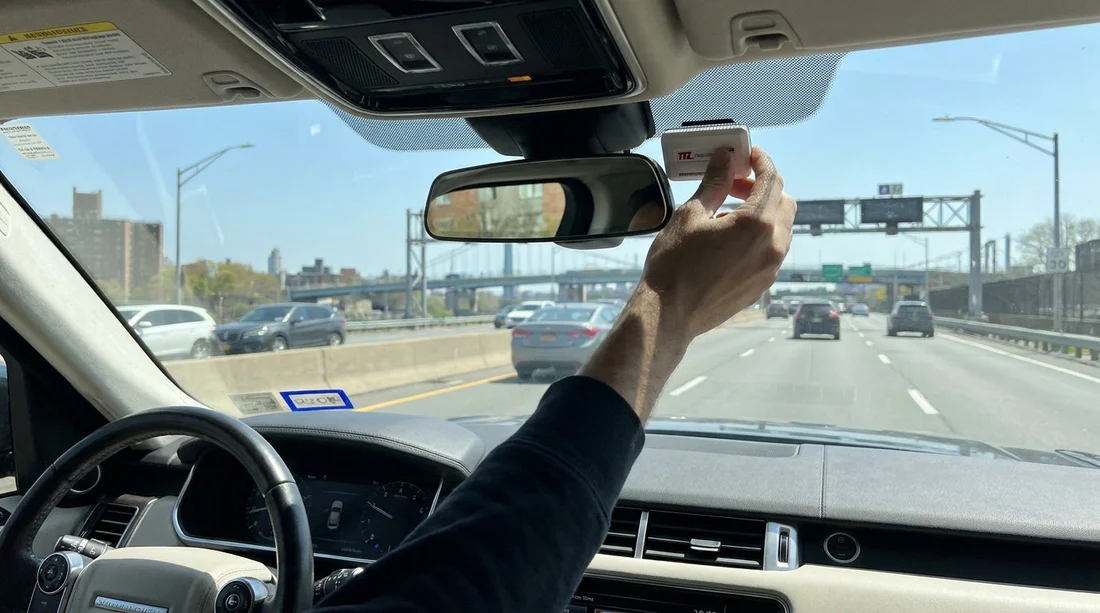
Step 3, bring mounting gear. If your tag is not designed to be handheld, bring the correct suction cups or strips so it sits where toll readers expect. A tag that slides around can be read intermittently, encouraging plate billing as a fallback.
Step 4, map your likely toll points. In the New York region, crossings can be frequent. If you are collecting from Newark, a larger vehicle might suit luggage and passenger needs, but it can also change your route choices. Hola Car Rentals information pages like SUV rental Newark EWR and minivan rental Newark EWR can help you compare options while you consider whether toll roads will be part of your itinerary.
At the counter: what to ask to stop duplicates
The most effective anti-double-billing move is to address the rental toll programme before the contract is finalised. Ask the agent which toll system applies to the vehicle, and whether it uses an in-car tag, plate billing, or both. Then be specific: tell them you are using a personal E‑ZPass and want to avoid duplicate toll charges.
Useful questions include: is the vehicle equipped with a transponder, can it be disabled, and will opting out still trigger plate-billed tolls routed through the rental company. If they say tolls will still be billed to the rental contract regardless, ask what evidence you would need to dispute duplicates later, and whether they can note your preference on the agreement.
Before you walk away, check the paperwork for references to toll products, daily fees, convenience fees, or automatic toll enrolment. If something looks wrong, it is much easier to correct at the desk than after the trip when charges post days or weeks later.
In the car: prevent the vehicle’s tag being read
Many rentals have a built-in toll tag or an integrated transponder unit near the windscreen. If it is active and you also present your own tag, both can be detected. If the rental company cannot disable it, ask if there is a physical shield bag or an off position, and follow their instructions exactly. Do not remove hardware or peel off fitted devices without permission.
Your personal E‑ZPass should be mounted correctly, not held in your hand. If you plan to stop using it for part of the trip, put it in a shield bag or a closed compartment away from the mounting area, so it is less likely to be read accidentally. The goal is one clear signal at the gantry, not two competing identifiers.
Number plate linking: when it helps, and when it hurts
Adding the rental vehicle’s plate to your E‑ZPass account can help if the tag fails to read, because toll-by-plate can then be matched to your account. However, plate matching can also be what the rental toll service uses to bill you. If both your account and the rental provider are set to match the same plate during the same dates, you have a higher risk of duplicates.
A practical approach is to use one primary method and treat the other as a last resort. If you will rely on the tag read, you may choose not to add the plate at all, depending on your comfort with missed reads. If you do add it, add it only for the rental dates, and remove it immediately after return. Keep screenshots showing the plate add and removal times.
Receipts and evidence: what to keep for disputes
Cashless toll charges often post later. Keep your rental agreement, the check-out sheet showing time and date, and the return receipt. Take a quick photo of the windscreen area showing any installed transponder unit and your own tag placement, especially if you asked for a rental tag to be disabled or shielded.
On your E‑ZPass account, save screenshots of toll transactions that might overlap with any later rental billing. If you receive a toll statement from the rental company, compare dates, times, facility names, and toll amounts. A true duplicate is usually the same crossing at a matching timestamp, not merely two separate tolls on the same day.
If you are already double billed: how to resolve it efficiently
Start by identifying which party charged which toll. Your E‑ZPass statement will show toll facility details and timestamps. The rental toll invoice may show the same, plus administrative add-ons. Contact the rental toll service first if their invoice includes duplicates you can match to your E‑ZPass transactions. Provide your rental agreement number, the disputed toll line items, and the matching E‑ZPass proof.
If the duplicate is actually two different billing events, such as one tag read and one plate capture on a different lane, ask for a detailed explanation rather than assuming an error. For clean duplicates, disputes are often resolved faster when your evidence shows exact matching location and time.
FAQ
Q: Can I use my own E‑ZPass in a New York car hire vehicle?
A: Yes, but ensure the rental’s toll device or toll plan will not also bill the same plate or crossing.
Q: Is opting out of the rental toll plan enough to stop all toll charges?
A: Not always. Some tolls may still be processed through plate capture and routed to the rental company.
Q: Should I add the rental car’s number plate to my E‑ZPass account?
A: Only if you understand the trade-off, as it can increase overlapping plate matching.
Q: What is the best way to prevent the rental transponder being read?
A: Ask the rental agent to disable it, or provide an approved shielding method, and keep your tag mounted correctly.
Q: How long do rental toll charges take to appear?
A: It varies, but it can be days or weeks after your trip, so keep documents until you can confirm no duplicates.




























































































