


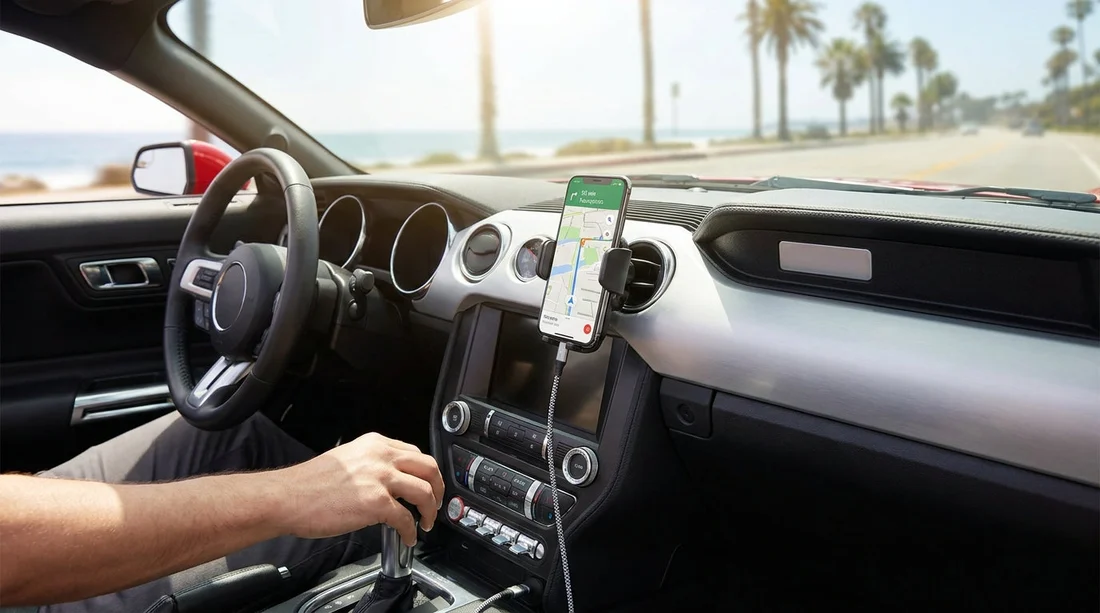
Quick Summary:
- Assume no phone holder is included, pack one that fits.
- Expect USB ports, but bring your own cable and car adapter.
- Download offline maps and save addresses before collecting your car.
- Check your vehicle’s USB-C versus USB-A ports at pick-up.
Navigation in California is usually straightforward, but only if your phone stays charged, visible, and connected. Many travellers arrive expecting every rental car to have a neat dashboard phone holder, fast charging, and a cable ready to go. In reality, what you get varies by vehicle type, model year, and even which trim level is on the lot that day.
This guide helps you decide what to pack versus what is commonly provided with car hire in California, so you can set navigation before you drive off, whether you are leaving an airport car park in Los Angeles, cruising the Pacific Coast Highway, or heading inland towards national parks.
Is a phone holder usually included with car hire in California?
Most California rental cars do not come with a dedicated phone holder as standard equipment. Some vehicles may have an integrated shelf, a wireless charging tray, or a vent shape that works well with a clip mount, but you should not rely on a holder being provided.
Rental companies avoid fixed mounts because they can break, go missing, or be incompatible with different phones and cases. Even when a mount is available as an optional extra, stock can be limited during busy periods and you may not be offered one at the counter.
Practical takeaway: if you prefer having your phone at eye level for turn-by-turn directions, pack a compact mount you already trust. A vent clip mount is simple, but can be unstable on some cars. A suction mount can work well, but California heat can soften suction cups, especially on a windscreen left in the sun.
Will the car have USB ports, and are they enough?
Many modern rental cars in California include at least one USB port, sometimes two in the front and more for rear passengers. However, USB availability is not the same as reliable charging. Some ports deliver low power, which may only slow battery drain when your phone is running navigation, streaming audio, and staying on maximum brightness.
You may also find that the available ports are not where you expect. Some are inside the centre console, others below the climate controls, and some newer models use USB-C rather than USB-A.
What to pack: bring at least one high-quality charging cable that matches your phone, plus a 12V car charger (cigarette-lighter style) with enough wattage for fast charging. A small dual-port charger is useful if a passenger also needs power.
Cables and connectors, the most common navigation problem
The most frequent issue at pick-up is not the lack of USB ports, it is a mismatch between ports and cables. If your car has USB-C and you only brought USB-A cables, you may end up unable to connect for Apple CarPlay or Android Auto, or charging may be far slower than expected.
A simple kit for California car hire navigation should include a USB-A to phone cable and a USB-C to phone cable, or a short adapter. Also consider cable length, because some vehicles place ports far from the windscreen, which can make a short cable awkward if you are using a phone mount.
Do you even need a holder if the car has CarPlay or Android Auto?
If your rental car supports Apple CarPlay or Android Auto, you may not need a phone holder at all. Your navigation can display on the in-car screen, and you can keep the phone in a tray or cup holder while it charges. That said, not every rental vehicle has these features enabled, and some only support them via a wired connection.
Before you leave the bay, check the infotainment screen for CarPlay or Android Auto, and test the connection with your cable. If it is wireless, great. If it is wired, ensure the cable does not disconnect when you move the phone.
If you want to compare airport collection points and typical vehicle mixes, Hola Car Rentals has pages for key California locations, such as car hire at Los Angeles LAX, car hire at San Francisco SFO, and car hire at Sacramento SMF.
Preparing navigation before you drive off
California has excellent mobile coverage in cities and along major highways, but you can still lose signal in mountain areas, deserts, and some coastal stretches. A little preparation avoids last-minute stress at the exit gate.
1) Download offline maps. In Google Maps or Apple Maps, download the regions you will drive through, especially if your trip includes Big Sur, Death Valley routes, or mountain passes. Offline maps also reduce battery drain and data usage.
2) Save key addresses. Save your first night’s accommodation, planned stops, and the return location for your rental. If you are collecting at one airport and returning at another, make sure the return site is saved correctly.
3) Set up voice guidance. Choose a voice volume that is audible at motorway speeds, and consider “avoid tolls” if you do not want to use toll lanes in certain metro areas.
4) Check phone settings. Turn on location services, allow your maps app to run in the background, and consider enabling low power mode only if it does not break navigation behaviour on your phone.
At the pick-up bay, do these checks in two minutes
Before you join the flow of traffic, sit in the car and do a quick setup.
Confirm the phone’s placement. If you brought a holder, mount it where it does not block your view and does not interfere with airbags. If you did not, pick a stable spot where the phone will not slide under braking.
Confirm charging. Plug in your cable and confirm the phone is charging. If the in-car USB port is weak, switch to your 12V fast charger.
Confirm screen connectivity. Pair Bluetooth, then test wired or wireless CarPlay/Android Auto if available. Start a route and ensure the audio prompts come through the correct speakers.
Confirm daytime visibility. California sunlight can make screens hard to read. Increase brightness and reduce reflections, or angle the mount slightly away from direct glare.
Special considerations for families and larger vehicles
If you are travelling as a group, navigation and charging become a shared resource. A minivan or people carrier may have extra rear USB ports, but you should still bring enough cables for everyone. If children are using tablets, a multi-port 12V charger can stop arguments before they begin.
For travellers choosing a larger vehicle for road trips, you might also look at options like minivan rental at Santa Ana SNA or van rental at San Jose SJC, where extra passenger charging can matter more.
Bottom line: what to pack for worry-free navigation
For most travellers, the safest assumption is that your California car hire will provide the car and the screen, but not the accessories that make smartphone navigation effortless. Packing a reliable phone holder, a fast 12V USB charger, and the right cables means you can leave the lot with maps working, battery climbing, and distractions reduced.
FAQ
Q: Can I rely on my rental car having built-in sat nav in California?
A: Not reliably. Many cars rely on smartphone integration instead. Plan to use your phone with CarPlay or Android Auto, or your phone screen.
Q: Are USB ports in rental cars powerful enough for charging while using maps?
A: Sometimes, but not always. If the phone battery still drops while navigating, use a 12V fast charger with a suitable wattage and cable.
Q: What cable should I bring for CarPlay or Android Auto?
A: Bring the correct phone cable plus a backup. Also bring a USB-A and USB-C option, or an adapter, because the car’s port type varies.
Q: Do I need offline maps in California?
A: They are strongly recommended for road trips. You can lose signal in remote areas, and offline maps reduce data use and help navigation stay stable.
Q: Is it legal to use a phone mount for navigation while driving in California?
A: A mount is generally acceptable, but you should not handle the phone while driving. Set routes before moving and use voice guidance or pull over safely.




























































































