


Quick Summary:
- Confirm the rental’s toll programme status before driving onto toll roads.
- Add the rental plate to your TxTag account for the exact dates.
- Ask how the company bills tolls, plate reads, and admin fees.
- Keep toll receipts and timestamps to dispute any duplicate charges quickly.
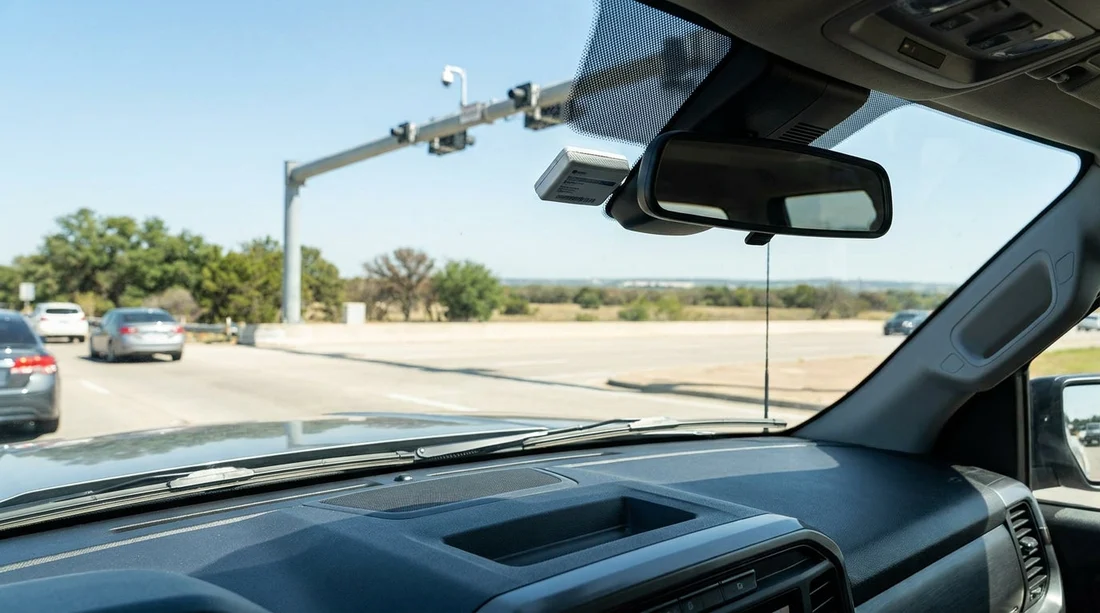
Yes, you can usually use your own TxTag with a rental car in Texas, but avoiding double billing depends on how the rental company’s toll system is set up and whether you correctly add the rental vehicle to your TxTag account. Texas toll roads often use cashless collection, which means either a toll tag is read or a camera captures the number plate and generates a bill. If both your TxTag account and the rental’s toll programme try to pay the same trip, you may see duplicate charges or a toll plus extra administrative fees.
The key is to treat tolls as part of your pre-departure checks, just like fuel level and damage photos. Whether you are picking up car hire at a major airport or downtown, you want clarity on who is paying tolls, how charges arrive, and what you must do to prevent the rental company from processing a plate-based bill.
If you are collecting in Houston, the branch details and typical airport workflows can differ, so it helps to plan ahead for toll questions alongside pickup paperwork. See car hire at Houston IAH or car rental at Houston IAH for location context while you review your rental agreement terms.
How TxTag and rental toll programmes interact
TxTag is one of several tags accepted on many Texas toll facilities, and it is designed to be linked to specific vehicles, usually by number plate and sometimes by tag serial. When you drive through a toll point, the system first attempts to read a tag. If no tag is detected, or if the tag does not match, it may fall back to a plate image and issue a bill to the registered owner of the vehicle, which in a rental is normally the rental company.
Rental companies often offer a toll option that automatically pays tolls and then bills you later. Even if you decline that option, many companies still have a process for handling plate-billed tolls that arrive after you return the car, which can include a per-toll administrative fee. The double-billing risk appears when your TxTag pays via the plate you added, while the rental company also processes a plate bill because its systems still receive an invoice.
Before leaving the lot: five checks that prevent double billing
1) Ask whether the car is enrolled in an automatic toll programme. Some vehicles have a transponder device fitted, or the plate is registered in a fleet toll account. Ask the counter agent to confirm in writing, on the agreement if possible, whether the vehicle is opted in or opted out. If they cannot opt out, you may be better using their programme and not adding the plate to your TxTag.
2) Locate any in-car transponder and understand its settings. Depending on the provider, there may be a switch or pouch that changes whether tolls are billed to the rental programme. If you see a device, do not assume it is inactive. Clarify the correct position for “no rental toll programme” and have staff confirm.
3) Add the rental vehicle number plate to your TxTag account for specific dates. This is the most important step if you want your TxTag to be charged. Add the plate as a temporary vehicle and set a start and end date that matches your rental. Removing the plate after return reduces the chance that later plate reads, or a subsequent renter’s tolls, affect your account.
4) Confirm timing and processing delays. Toll transactions and rental toll invoices can post days or weeks later. Ask what the company’s normal toll billing timeline is and whether they automatically charge a card on file when toll invoices arrive. Knowing the lag helps you monitor your TxTag statement and your card statement for overlaps.
5) Keep evidence that connects dates, routes, and the vehicle plate. Take a photo of the plate and the agreement at pickup, and keep return paperwork. If a dispute happens, you will need the plate number, rental dates, and sometimes the toll timestamps to show that your TxTag already paid.
What to do if you still get charged twice
Duplicate billing usually shows up in two patterns. First, your TxTag statement shows tolls paid, and later the rental company posts toll charges plus fees. Second, the rental company charges tolls first, and then TxTag posts tolls due to a plate match. Either way, you should act quickly while the evidence is fresh.
Start with the rental invoice breakdown. Identify whether the charge is a toll amount, an administrative fee, or both. If it is only an admin fee, your TxTag may still have paid the toll, and the rental company may be charging for processing a bill that came to them anyway. If it is toll plus fee, you will want the rental company to remove the toll portion if you can show TxTag already covered it.
Collect TxTag transaction details. Export or screenshot the relevant dates, lane locations if available, and amounts. Also note the vehicle plate and the tag account number. Many disputes are resolved when you can show a transaction list that matches the rental period precisely.
Contact the rental company toll department, not just the branch. Front-desk staff may not have access to toll invoices. Use the contact method shown on the toll charge notice. Ask for the plate-bill reference number and the dates of travel they are billing.
Texas-specific realities: why double billing is common
Texas has extensive toll networks around major cities, and the cashless approach relies heavily on plate billing. That makes rentals more complex than areas where you can still pay cash at a booth. In Dallas and Fort Worth, for example, you may pass multiple gantries in a short drive, and a single day of errands can generate many small tolls. If each toll is processed as a separate line item, rental administrative fees can add up quickly.
If your trip starts at a large airport, you may hit toll roads almost immediately depending on your destination. Planning your toll approach at pickup is particularly useful for airport collections and busy metro routes. If you are travelling through North Texas, compare pickup considerations for SUV hire at Dallas DFW and cost-focused options like budget car hire in Fort Worth DFW, then apply the same toll checklist before you exit the lot.
Best practice: choose one toll payment method and stick to it
The simplest way to avoid double billing is to ensure there is only one party responsible for tolls during your rental period. Use your TxTag by adding the rental plate for the exact dates, ensuring any rental toll device is not active, and keeping your account funded. Or use the rental company toll programme by not adding the rental plate to TxTag, following the in-car device instructions, and accepting any convenience or admin fees.
Mixing methods is when problems arise. If you add the plate to TxTag “just in case” while also leaving the rental programme active, you increase the likelihood of duplicates.
What to ask the agent, a quick script
If you want a straightforward conversation at the counter, keep it specific. Ask: “Is this vehicle enrolled in a toll programme that bills me later?” Then: “If I use my own TxTag and add this plate, will your system still bill tolls or admin fees?” Finally: “Can you note on the agreement that I am using my own toll tag and that the toll programme is declined or deactivated?”
FAQ
Q: Can I just stick my TxTag on the windscreen and drive?
A: You can, but it is not enough on its own. Add the rental plate to your TxTag for the rental dates and ensure the rental toll programme is not active.
Q: If I decline the rental toll option, will I avoid fees?
A: Not always. Some companies still charge administrative fees when plate-billed toll invoices arrive after return, even if you declined an upfront toll package.
Q: How long should I keep the rental plate on my TxTag account?
A: Only for the exact pickup-to-return window. Remove it promptly after return to reduce the risk of later charges being matched to your account.
Q: What evidence helps if I am double billed?
A: Keep your rental agreement, return receipt, the vehicle plate photo, and TxTag transaction screenshots showing dates and amounts that match the rental period.
Q: Is double billing more likely in big Texas cities?
A: Yes. Dense toll networks around Houston and the Dallas Fort Worth area increase the number of transactions, which increases the chance of overlapping plate and tag billing.




























































































