


Quick Summary:
- Use suction or static-cling mounts, avoid adhesives that mark glass.
- Power via 12V socket or USB, never hardwire a rental.
- Route cables safely, keeping airbags, pedals and controls fully clear.
- Check provider rules, windshield restrictions, and return the car unmarked.
Yes, you can usually use a dash cam in a rental car in Texas, as long as you fit it in a way that does not damage the vehicle, does not obstruct the driver’s view, and does not interfere with safety systems. The main risk is not the camera itself, but the mounting method, cable routing, and any power setup that modifies the car. With the right approach, a dash cam can be a straightforward accessory for car hire, especially if you are driving long distances, navigating busy interstates, or parking in unfamiliar areas.
Before you fit anything, treat the rental like someone else’s property, because it is. Avoid solutions that leave residue, scratches, scuffs, or disturbed trim. Also remember that some windscreens have sensor areas, tint bands, or camera modules behind the rear-view mirror, and you should not block them.
Understand what “damage-free” really means
Damage in a rental context is broader than cracks and dents. It includes adhesive residue on glass, pulled headliner fabric, bent trim clips, torn weather seals, or marks on the dashboard from sticky pads. When you return the vehicle, staff may inspect quickly, but if a mount leaves visible marks or needs cleaning time, it can still be treated as an issue.
A safe rule for car hire accessories is, if it sticks permanently, pries, or requires tools, do not use it. Choose mounting and power options that are removable in seconds, leaving no trace.
Best mounting options for a rental car dash cam
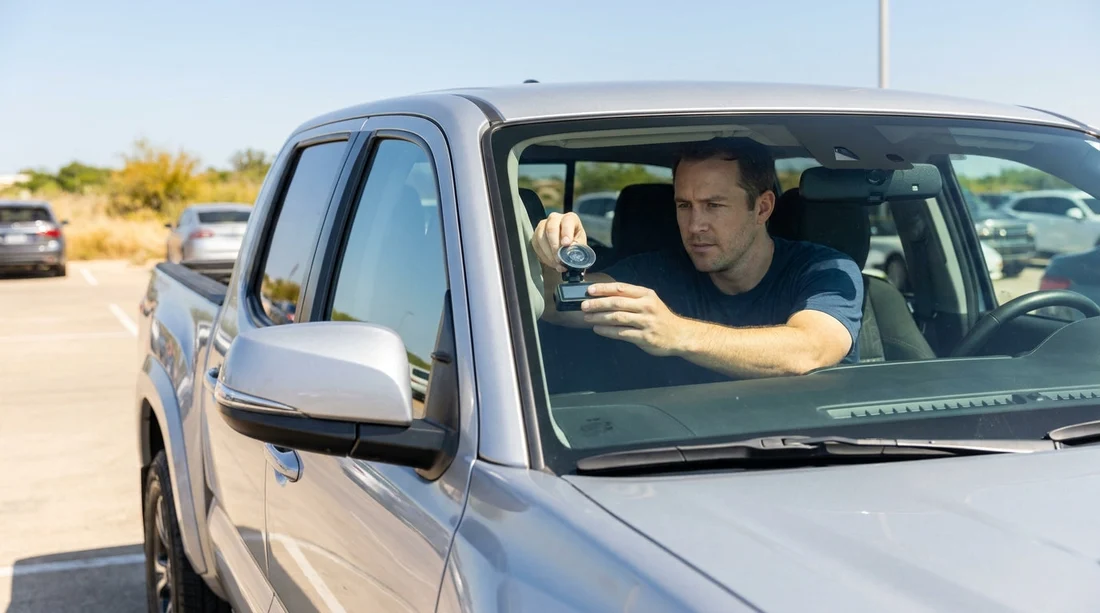
Suction cup mount: This is usually the easiest rental-friendly option. Use it on clean glass, press firmly, and check that it holds after the cabin warms up. In Texas heat, suction mounts can loosen, so re-check after the car has been parked in the sun. If you use a suction mount, avoid twisting it against gritty glass, because that can leave fine scratches.
Static cling film pad: Many dash cams accept a suction mount that can attach to a clear static film. The film sits between the suction cup and the glass, making removal cleaner and helping suction in hot conditions. Because it is not an adhesive, it is generally safer for car hire.
Rear-view mirror stem mount: Some cameras clamp around the mirror stem or mount just beneath the mirror using a strap. These can work well without touching the windscreen, but ensure the clamp does not scratch plastic, and avoid anything that requires tightening against delicate trim.
What to avoid: Adhesive pads, double-sided tapes, and glued mounts. Even if they claim to be removable, they can leave residue or lift aftermarket tint. Also avoid wedging brackets into headliner edges, because you can crease fabric or loosen clips.
Where to place the camera for legality and safety
In Texas, the practical concern is visibility and obstruction rather than a dash cam ban. Place the camera high and centred, close to the rear-view mirror, so it has a good road view without blocking your line of sight. Avoid placing it low on the windscreen, and do not mount it in a way that blocks sensor housings behind the mirror.
Also check for airbag zones. Many vehicles have curtain airbags running along the A-pillar and roofline. Mounting a device or running a cable across those areas can interfere with deployment. If you are unsure, choose a simpler route along the passenger side and keep everything away from pillar seams and airbag labels.
Powering a dash cam in a rental, the safe approach
Use the 12V socket or USB: The safest power setup for car hire is plugging into the 12V accessory socket or a USB port. It is fully reversible and does not require touching vehicle wiring. If your dash cam uses USB, a quality 12V to USB adapter is often the most flexible option.
Avoid hardwiring kits: Hardwiring typically involves tapping a fuse box or wiring behind trim. Even if you know how to do it, it can be treated as tampering and risks broken clips or electrical faults. In a rental, it is not worth it.
Managing parking mode expectations: If you want parking mode, many dash cams need constant power. In a rental, rely on motion sensing while the car is running, or consider a dash cam battery pack that is truly standalone and does not involve vehicle wiring. Ensure any battery pack is secured so it cannot become a projectile during sudden braking.
Heat management: Texas temperatures can be extreme. A dash cam left on the windscreen can overheat. When parked for long periods, remove the camera or place it out of direct sun. This is also a theft deterrent.
Cable routing that does not risk damage or safety
For car hire, the goal is a tidy setup that does not pull on trim, obscure controls, or interfere with airbags. The simplest approach is often the best, run the cable from the camera down the passenger side of the windscreen, then across to the centre console or 12V socket with minimal contact points.
Do not tuck cables into the headliner or A-pillar seam in a rental. If you must hide slack, coil it neatly and secure it with a soft reusable tie, then place it in a door pocket or centre console. Avoid adhesive cable clips, because they can leave marks on plastic.
What to check with the rental car provider before fitting accessories
Most providers will allow temporary accessories, but policies and vehicle types vary. Before starting your trip, confirm a few points so your car hire experience stays simple.
Ask about windscreen mounting restrictions: Some vehicles have coatings, integrated cameras, or sensor clusters. Staff may advise where not to mount anything.
Confirm you may use the 12V socket continuously: Some vehicles switch off accessory power quickly after ignition off. That is normal, but it affects expectations for parking recording.
Check the return condition expectation: Make sure any marks, residue, or cleaning needs are avoided. Plan to remove the dash cam and wipe the glass with a dry microfibre cloth before return.
Clarify rules on interior filming: A forward-facing road view is typically the intent. If your camera also records cabin audio, be mindful of passenger privacy and consent.
If you are arranging car hire around major Texas airports, it can help to read location-specific guidance and vehicle notes in advance, for example car hire Texas IAH and car rental at Houston IAH. Different fleets can mean different interior layouts, which affects mounting and power access.
Choosing a vehicle type that makes dash cam use easier
Some vehicles make temporary dash cam setups easier, simply because of screen angle, available USB ports, and cable paths. SUVs often have higher seating and a more upright windscreen, which can help with camera positioning and glare control. If you are comparing options for a Texas trip, you can review vehicle categories like SUV hire Austin AUS or SUV hire San Antonio SAT to get a sense of what may suit your driving plans.
Whatever you choose, prioritise a setup that stays clear of the driver’s view and does not interfere with ADAS features such as lane assist or automatic emergency braking sensors.
A quick pre-return checklist to avoid charges
Before you hand the keys back, remove the camera, mount, and all cabling. Check the windscreen from inside and outside for smudges, suction marks, or any residue. Wipe lightly with a clean dry cloth. Confirm no trim has been pulled, no rubber seals are out of place, and no cable is left in the footwell. This small routine protects you from disputes and keeps your car hire return smooth.
FAQ
Can I mount a dash cam on the windscreen during car hire in Texas? Usually yes, if it does not obstruct your view and leaves no marks. Use a suction or static-cling method rather than adhesives.
Is it okay to plug a dash cam into the 12V socket in a rental car? Yes. Plug-in power via 12V or USB is the safest option because it is fully reversible and does not involve vehicle wiring.
Will a dash cam drain the battery if I use parking mode? It can, depending on the car and camera. Many rentals cut accessory power when parked, and hardwiring is not recommended for car hire.
Where should I avoid routing cables in a rental? Avoid A-pillar seams, roof liners, and any area marked for airbags. Keep cables away from pedals, steering, and driver controls.
Should I tell the rental provider I am using a dash cam? It is sensible to mention it if you plan to mount anything on the windscreen. They can confirm any vehicle-specific restrictions and help you avoid placement issues.




























































































