


Quick Summary:
- Confirm the rental company, terminal, and shuttle stop before leaving arrivals.
- Use your agreement to match garage zone, row, and bay number.
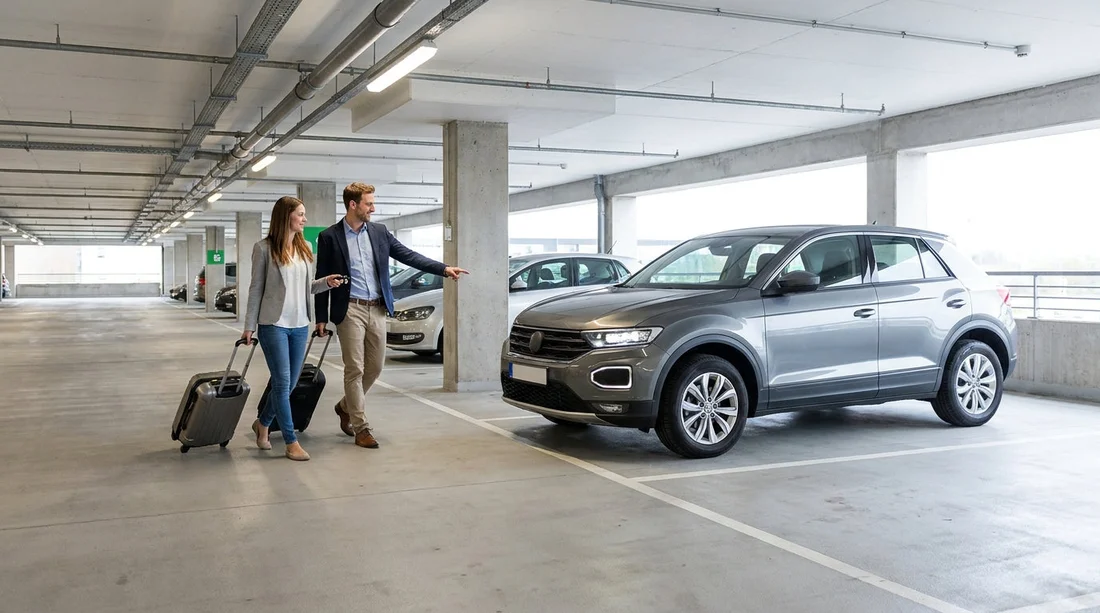
- Check licence plate, make, and colour before unlocking the vehicle.
- Photograph the bay location and set a phone pin for your return.
JFK is big, busy, and built around multiple terminals, so finding your vehicle after car hire pick-up is mostly about following the right sequence and confirming details as you go. Your goal is to arrive at the correct rental facility, then narrow down from company, to garage level, to row, to bay, and finally to the exact car. If you do that in order, you avoid the most common time-wasters, like waiting at the wrong shuttle stop or searching an entire floor because you missed one line on the agreement.
Before you leave the terminal, pause for 30 seconds and open your booking confirmation or rental agreement. Look for four key items, the rental company name, the facility location (on-airport rental centre or off-airport lot), any shuttle instructions, and your vehicle details. Many delays start because travellers remember the brand but not whether they need a shuttle, where it departs, or which terminal signage applies.
Step 1: Identify whether you are heading to a rental centre or a shuttle
At JFK, most major operators are not parked directly outside your terminal doors. Instead, you will follow signs for ground transportation and rental cars, then take a dedicated shuttle bus to the correct rental location. Your paperwork may say “shuttle” or give a specific pick-up point. If it does, follow those instructions rather than heading to a generic car park, because the cars will not be in the terminal garages.
When you reach the kerbside area, look for clearly marked shuttle bays. The quickest way to avoid mistakes is to match three things at once, the logo on the bus, the operator name on your agreement, and the destination sign in the bus window. If any one of those does not match, ask the driver before boarding. It is normal at JFK for several rental shuttles to appear similar, especially during peak arrival waves.
Step 2: Keep your agreement accessible, it is your map
Once you have completed car hire pick-up, your agreement is not just a receipt, it is the key to locating the vehicle. It often contains the exact parking position, for example level number, zone letter, row, and bay. Some companies also add a QR code or a short location code you can show to staff if you cannot find the car.
If you were handed keys rather than being escorted to the vehicle, slow down and read the agreement line by line before you enter the garage. Do not rely on memory of what the agent said at the counter. In a noisy terminal, it is easy to mishear “Level 3, Section C” as “Level C, Section 3”. Getting that wrong can add a lot of walking.
Step 3: Follow the in-facility signs, then narrow down by zone
Rental facilities typically use large overhead signs to direct you to each brand’s area. Once you arrive, your first task is to get into the correct company section. After that, use the smallest unit of location information you have. For example, if you have a zone letter, go to that zone first. If you only have a level number, go to that level and then look for row markers. Do not start scanning for colours or vehicle shapes from the entrance, because many fleets contain similar models.
As you walk or wheel luggage, watch for pole-mounted markers that show row identifiers. These are often more reliable than painted ground markings when the garage is crowded. If the facility uses bay numbers, they are usually posted at the end of each space or on the overhead beam.
Step 4: Verify the car using three identifiers, not just one
When you reach what you believe is your car, confirm it before you unlock or load luggage. Use at least three identifiers, the make and model, the colour, and the licence plate number shown on your agreement. If your agreement lists only a partial plate, match that section carefully. Some companies also provide the vehicle identification number fragment or a fleet number sticker in the windscreen.
This matters because garages can have multiple identical cars lined up, particularly common SUVs and mid-size saloons. Taking a similar-looking car by mistake can lead to delays at the exit gate and complications with the contract. If anything does not match, stop and double-check your bay details before trying another vehicle.
Step 5: If the car is not there, use the fastest escalation path
Sometimes the bay is empty because the car was moved for cleaning, maintenance, or reallocation. If your assigned space is empty, do not roam randomly. First, confirm you are in the right brand section and on the correct level. Second, check nearby spaces for the same row and bay sequence, because cars may be parked a few spaces away. Third, go directly to the on-site booth or exit gate attendant with your agreement and ask them to locate the vehicle in their system.
If your keys include a key fob, you can try the lock or horn button while standing near the bays listed on the agreement. Use this sensibly, a few presses while you are close is fine, but repeated honking across the garage is not helpful. Staff can often point you to a specific aisle once they see the vehicle number.
Step 6: Do the essential checks before you drive out
Once you have found the car, take two minutes to ensure the vehicle is ready to leave. Confirm the fuel policy on your paperwork so you know whether to leave with a full tank and return full, or another arrangement. Then check the dashboard fuel gauge before you move the car. If the fuel level does not match your agreement, flag it immediately at the booth while you are still in the facility.
Walk around the vehicle and photograph any existing damage, including wheels and bumpers. Photographs help if there is any dispute later, and they also serve a second purpose, they capture the exact bay location behind the car, which is handy if you need to come back inside.
Step 7: Make it easy to find again when returning
Many people focus on getting out of JFK quickly, then struggle on return because they cannot remember the route into the facility or where they first collected the car. Save yourself time by dropping a phone map pin where you collected the vehicle and taking one photo that shows the level and zone signage. Keep the return instructions from the rental company, as returns sometimes use a different entrance than pick-ups.
If you are travelling beyond New York, it can be useful to read how car parks and pick-up flows work at other major airports. The layout differs, but the method is the same, confirm the shuttle or facility, then match level, zone, row, and bay. For example, the process at Fort Lauderdale Airport car rental also relies heavily on shuttle stop signage and agreement details. Similar wayfinding applies at Las Vegas airport car rental, where multiple operators share large garages with zone markers.
If you prefer to plan by vehicle type, it can also help to understand how larger vehicles are parked and signed. Some facilities group bigger cars by size, which changes where you should search first. If you are collecting a larger vehicle later in your trip, compare the pick-up patterns for van rental in Sacramento SMF or the way popular family vehicles are handled with SUV hire in Doral DRL.
Ultimately, finding your rental car after car hire pick-up at JFK comes down to using the information you already have, your agreement, the facility signage, and the vehicle identifiers. Keep your paperwork open, follow the correct transport link from the terminal, and confirm the car with plate and bay details before you load up. Do that, and you will be on the road with minimal stress.
FAQ
Where do I go first after car hire pick-up at JFK? Follow signs for Ground Transportation and Rental Cars, then go to the correct shuttle or rental facility listed on your agreement.
What details on my rental agreement help me find the car fastest? Look for level, zone/section letter, row, bay number, and the vehicle’s make, colour, and licence plate number.
What if the bay number on my agreement is empty? Recheck the company area and level, scan nearby bays, then ask the on-site booth or gate attendant to locate the vehicle in their system.
How can I avoid taking the wrong car in a busy garage? Match at least three identifiers: licence plate, make and model, and colour, then confirm any fleet number sticker if provided.
What should I record so returning the car is simpler? Take a photo of the level and zone signage, and drop a phone map pin at the rental facility entrance or pick-up bay.




























































































