


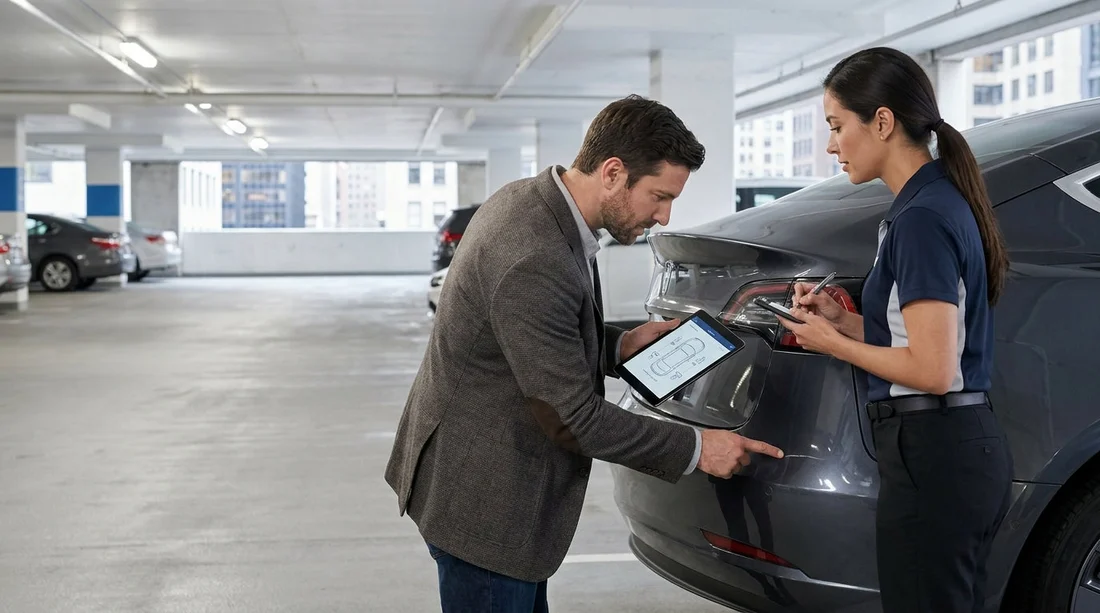
Quick Summary:
- Ask for the latest condition report version linked to your agreement.
- Walk clockwise, comparing each panel to diagram marks and notes.
- Photograph every mismatch close-up and wide, including the number plate.
- Get staff to update the report, then keep a timestamped copy.
Picking up a car hire in New York often happens in a hurry, queues move quickly, and you may feel pressured to accept the keys and go. The condition report is your best protection against being blamed for pre-existing damage, but only if it matches the actual car you are taking. Your goal is simple, confirm the report reflects reality, and if it does not, add missed damage in a way the rental counter will accept.
This guide is written from the counter-side perspective, focusing on what staff can record, what their systems typically allow, and what evidence helps later. Whether you are collecting near JFK or Newark and driving into the city, the same approach applies. If you are comparing options for car hire at the airport, you may see similar processes across desks like car hire New York JFK and car rental airport Newark EWR, even when the paperwork looks different.
Know what the “condition report” actually is
A rental car condition report is usually a diagram or checklist plus notes, sometimes with dated photos stored in the company’s system. In New York, many locations use digital check-out, meaning the desk can show you a screen or printout but the official record is the electronic file. That matters because handwritten notes on your own copy may not be linked to the rental agreement unless staff also update the system.
Common elements to confirm before you start inspecting the car include the plate number, the vehicle identification or stock number, the mileage, fuel or charge level, and the time and date. If any of these are wrong, the report may be for another vehicle, which can create avoidable arguments later.
Before you reach the car, ask the right counter questions
Counter staff are more willing to help when the request is specific and quick. Ask for the latest report tied to your agreement, and ask whether any damage is already recorded on the system photos. If they say “it’s all on the form”, you can still ask whether there is a digital gallery attached to the rental. Some locations can email you the check-out record, others can only print it.
If you are picking up at a busy hub like Newark, workflows vary by brand and desk. Pages such as car rental Newark EWR and Enterprise car rental Newark EWR give you an idea of how many desks operate there, but your best defence is still your own inspection, plus getting staff to log changes properly.
Your practical walkaround, match the diagram to the car
Do the inspection in a consistent pattern so you do not miss panels. A clockwise walkaround works well. Start at the front bumper, then driver-side front wing, driver door, rear door, rear quarter, rear bumper, then along the passenger side back to the front. Pause at each panel and compare what you see to what is marked on the report diagram or listed in notes.
Focus on damage types that generate disputes because they are expensive or easy to miss in poor lighting, bumper scuffs, cracked trim, dents that distort reflections, deep scratches through paint, windscreen chips, and wheel or tyre damage. In New York, kerb rash on alloys is common, especially if the car has been used in Manhattan or on tight parking ramps, so examine all four wheels closely and compare each wheel to the report.
Lighting, location, and timing, make inspection possible
Condition reports are only as good as the light the previous inspector had. If the car is parked in a dim garage, ask to move it to better light before final acceptance, or use a bright phone torch, angled low across the paint to show scratches. If staff cannot move the vehicle, do a second quick check when you reach daylight, but only after you have already documented everything you can and reported it immediately through the approved channel.
Timing is crucial. Most disputes happen because the customer reports damage after leaving the lot, and staff assume it occurred in transit. Your aim is to identify and log anything questionable before you exit the pick-up area.
How to photograph missed damage so it is usable evidence
Take photos that prove both the detail and the location on the car. For each issue, capture a close-up showing texture and severity, then a medium shot showing the panel and adjacent seams, then a wide shot showing the whole side of the vehicle. Include the number plate in at least one wide shot per side, plus a photo of the windscreen with the plate visible if possible.
Photograph the odometer and fuel or charge level at pickup. If the report includes tyre tread condition, take a quick photo of each tyre sidewall, especially if you see a bulge, cut, or low pressure warning. For interiors, photograph stains, torn upholstery, cracked screens, missing parcel shelves, and any warning lights on the dash.
How to get missed damage added to the report in practice
Once you find a mismatch, return to the desk or approach the lot attendant, depending on the site. Be calm and specific, “There’s a dent on the rear passenger door not shown on the diagram, and the right rear wheel is scuffed.” Show the photo, then point at the car. Staff can usually add a note, add a new damage code on the diagram, or attach photos to the rental file.
Ask for confirmation in the format the company uses. This might be an updated printed report, a revised email, or a note on the agreement. If they can only add it digitally, ask them to show you the updated screen and then take a photo of that screen showing the time and the added note, if permitted. The key is to have something that links the damage to your rental contract number and pickup time.
If you are told “it’s normal wear”, still ask for it to be recorded. Normal wear is subjective, and what matters is whether it is pre-existing and acknowledged. This is particularly important for bumpers and wheels.
Double-check the “often forgotten” areas
Many condition reports focus on visible body panels and miss functional items. Before driving off, test the following, headlights, indicators, brake lights, horn, wipers, washers, mirrors, windows, central locking, and reverse camera if fitted. Check that the spare wheel or inflator kit is present if the vehicle is meant to have one, and that the jack tools are included.
If you are hiring a larger vehicle, like those listed under van rental New Jersey EWR, add a quick check of rear door alignment, step bumper condition, and cargo area floor dents, since these are commonly damaged by loading.
What to do if staff refuse to amend the report
If you get pushback, ask politely for a supervisor or for the location email address that receives pickup damage disputes. Send your photos immediately with your rental agreement number, pickup time, and the car’s plate. The goal is to create a documented, same-time record. If they still will not note it, consider requesting a different vehicle before you leave the lot.
Do not rely on a verbal “it’s fine”. If it is not in the system, it may not exist for the return inspector. Keep your own file of the original report, the updated report if you receive one, and your photo set.
FAQ
What if the condition report is digital and I am not given a paper copy? Ask staff to email the checkout record or show the updated notes on screen. Photograph the screen if allowed, and keep your own timestamped photos.
How much damage should I bother reporting before car hire in New York? Report anything you can feel with a fingernail, any dent, any cracked plastic or glass, and any wheel scuffing. Small marks can be reclassified later, so logging them protects you.
Can I add missed damage after I have left the rental lot? You can try, but it is harder to prove. If you notice something immediately after departure, contact the location at once and send photos with time and plate details.
Should I check the interior as closely as the exterior? Yes. Photograph stains, tears, missing accessories, warning lights, and any damage to screens or controls, then ask for it to be noted on the file.
What photos are the most useful if there is a dispute later? Wide shots of each side with the number plate, close-ups of each issue, odometer and fuel or charge level at pickup, and a clear timestamped sequence.




























































































