


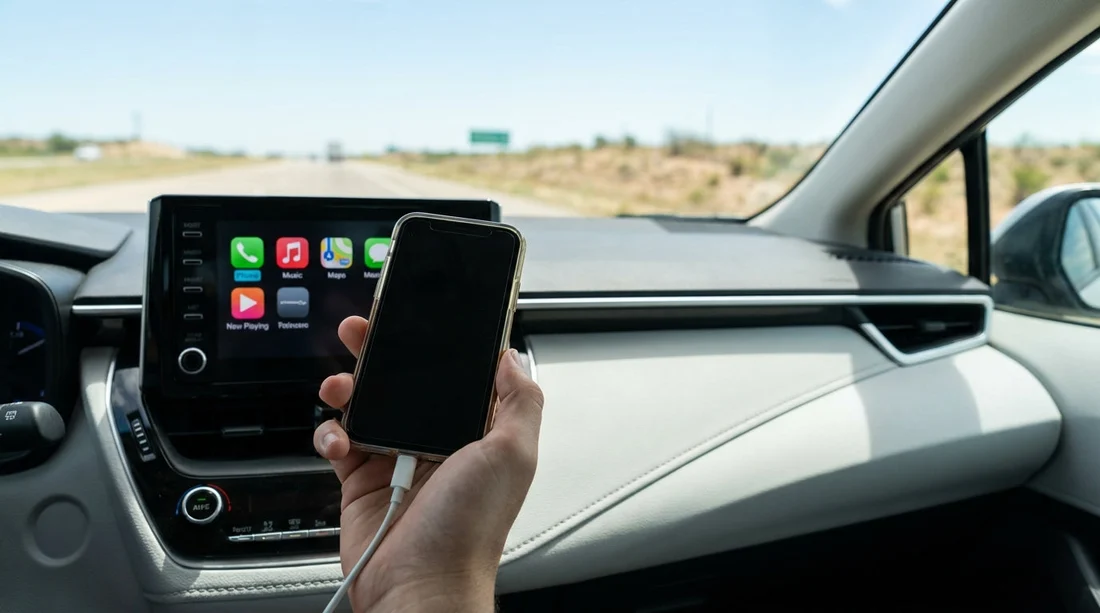
Quick Summary:
- Bring a USB-A to Lightning or USB-C cable, it works most cars.
- Wireless CarPlay/Android Auto exists, but initial pairing can still need USB.
- Check for data-capable ports, some charge-only sockets will not connect.
- Pack a small USB-A/USB-C adapter for older vehicles and hubs.
In Texas, the short answer is: it depends on the car, but bringing your own USB cable is the safest way to ensure CarPlay or Android Auto works in a rental. Many newer vehicles support wireless CarPlay and wireless Android Auto, yet plenty of common fleet cars still require a wired connection, or use wireless only after an initial wired setup. A cable also solves another everyday problem in a rental, keeping your phone charged while running navigation and streaming audio.
Because you cannot predict the exact trim level or infotainment package until you collect the keys, treating a USB cable as a travel essential is sensible. It takes little space, avoids compatibility surprises at the counter, and lets you focus on driving rather than fiddling with settings in a car park.
Why the cable question matters in Texas
Texas driving often means longer distances, higher speeds, and more time relying on navigation, for example between airports, suburbs, and city centres. CarPlay and Android Auto are helpful for hands-free calls, messages, maps, and music, but they are picky about connections. If your phone cannot connect, you may be stuck using the car’s built-in system, which can be less familiar and sometimes out of date.
For visitors comparing car hire options, tech convenience can be as important as boot space. If you are browsing Hola Car Rentals pages for different cities and fleets, you will notice that vehicle availability varies by location and supplier. Even when the model looks similar, infotainment features can differ. For broader planning around US car hire, you might also compare other destinations on Hola, such as car hire in Las Vegas or car rental at New York JFK, where similar tech variability applies.
Wired vs wireless: what you will typically find
Wired CarPlay/Android Auto is still very common in rental fleets. You plug your phone into a specific USB port, the screen prompts you to enable CarPlay or Android Auto, then your apps appear on the infotainment display. Wired connections are usually more reliable than wireless, and they keep your battery topped up.
Wireless CarPlay/Android Auto is increasingly available, especially on newer vehicles. Once paired, your phone connects automatically when you start the car. However, wireless can be less predictable in rentals because previous drivers’ devices may still be saved, the car’s Bluetooth list may be full, or the system may require a reset. In some models, the first-time setup works best when you connect via USB once, then switch to wireless.
The practical takeaway is simple: even if you hope for wireless, a cable is your backup and sometimes the easiest first step.
Which cable should you bring?
Bring a data-capable cable that matches your phone and can plug into common car ports:
For iPhone, a USB-A to Lightning cable covers many cars with older USB-A ports. If your iPhone uses USB-C (newer models), bring USB-A to USB-C and USB-C to USB-C if you have them.
For Android, most modern phones use USB-C. A USB-A to USB-C cable is widely compatible with older vehicles, while USB-C to USB-C is handy for newer cars that have USB-C ports.
Avoid very long, flimsy cables, as connection drops can interrupt navigation. Also, some cheap cables are charge-only. For CarPlay or Android Auto, you need a cable that supports data transfer.
Know your ports: USB-A, USB-C, and charge-only traps
Many rental cars have multiple ports, for example one near the infotainment unit and others in the centre console or rear seats. Only one or two may support data. If you plug in and nothing happens, try these steps:
First, look for a port label like “USB” next to the screen or media controls. Second, try a different port, as rear-seat USB sockets are often charge-only. Third, swap to another cable, because worn connectors can fail to pass data even if charging still works.
If the car has only USB-C ports and you brought USB-A cables, a small adapter can save the day. Likewise, if your phone needs USB-C but the car only has USB-A, you need the correct cable, not just a charging brick.
Setting up CarPlay or Android Auto in a rental, step by step
Start with the car parked. Enable Bluetooth and Wi-Fi on your phone, because wireless systems often use both even when a cable is connected for setup. Use a known good cable and connect to the main data USB port. Unlock your phone and accept any prompts asking to “Trust this device” (iPhone) or allow Android Auto permissions (Android).
On the car screen, open the phone projection menu, it might be called CarPlay, Android Auto, Smartphone, or Projection. Select your phone, then confirm pairing. If you want wireless, look in the settings for “Use CarPlay wirelessly” or similar and follow prompts. After it is working, consider deleting other paired devices if the car allows it, as crowded memory can cause connection issues for the next start.
Common troubleshooting in Texas rentals
The screen says “device not supported”. Try a different cable first. Then check that your phone’s software is up to date. Some older infotainment systems can be picky about certain phone versions.
It charges but will not connect. You are likely in a charge-only port, or using a charge-only cable. Move to another USB port closer to the infotainment unit.
Wireless keeps dropping. Switch to wired for the trip, it is usually steadier. Also turn off VPN apps on your phone temporarily, as they can sometimes interfere with pairing.
Previous driver’s phone keeps appearing. In settings, remove paired devices or reset the infotainment connections. If you are not comfortable doing a full reset, ask the rental desk for guidance.
What about Bluetooth as a fallback?
Bluetooth audio and hands-free calling work in most rentals, even when CarPlay or Android Auto is not available. The drawback is you lose the familiar on-screen app interface and easy voice-controlled navigation display. If you only need music and calls, Bluetooth may be enough. If you need reliable directions in busy areas like Houston, Dallas, Austin, or San Antonio, CarPlay or Android Auto is typically a better experience.
Car hire planning tips beyond the cable
A USB cable is one piece of a smoother car hire experience. Also consider packing a phone mount (if you prefer a clear map view), a 12V charger for extra power, and a short spare cable in case one fails. If multiple travellers will drive, having both iPhone and USB-C cables avoids arguments and saves time.
It can also help to think about vehicle type. For families or groups, larger vehicles can mean more charging ports and easier cable routing. If you are comparing people-carrier options elsewhere, the considerations are similar to minivan hire at New York JFK, where passengers often need extra power points. Supplier and fleet differences can matter too, as seen on pages like Enterprise car hire in Portland or Alamo car rental in Nevada, where specific models and trims vary by availability.
So, do you need to bring a USB cable?
If you want the most reliable setup in a Texas rental, yes, bring one. Wireless is increasingly common, but it is not guaranteed, and even wireless systems often pair more smoothly with an initial wired connection. A data-capable cable matched to your phone, plus a small adapter if you have one, covers most scenarios. You will spend less time troubleshooting at pickup and more time enjoying the drive.
FAQ
Will every rental car in Texas have CarPlay or Android Auto? No. Many do, but availability depends on the vehicle’s trim and infotainment package, so it is not guaranteed.
Can I use CarPlay or Android Auto with a USB-C to USB-C cable? Yes, if the car has a USB-C data port and your phone supports it, it can work well.
Why does my phone charge but CarPlay or Android Auto does not start? You are likely using a charge-only port or a charge-only cable. Try a different USB port and a data-capable cable.
Is wireless CarPlay or Android Auto better than wired in a rental? Wireless is convenient, but wired is often more stable and charges your phone, which helps on long Texas drives.
Should I reset the car’s infotainment system if pairing fails? Only if you are comfortable doing so. First try a different port and cable, then remove old devices in settings, and ask staff if needed.




























































































