


Quick Summary:
- Phone navigation can replace paid sat nav for most Florida trips.
- Download offline maps before pickup to cover weak signal areas.
- Pack a fast charger and cable to prevent battery drain.
- Decide on data, roaming, and toll settings before you drive.
Yes, in most cases you can use your own phone navigation to avoid paying for a rental sat nav when arranging car hire in Florida. Google Maps, Apple Maps and Waze are reliable across the state, and they update traffic conditions more frequently than many built-in rental units. The key is preparing for the practical issues that catch travellers out, mainly mobile data, battery drain, heat, and mounting your phone safely and legally.
If you are collecting a car at a busy hub like Miami Airport (MIA) or heading straight onto the highways, having your phone ready before you leave the car park can save stress. Set up your route while you still have strong signal and a moment to check settings.
Phone navigation versus paid sat nav, what you actually get
Rental sat nav devices can be convenient because they are dedicated, can be easier to see, and do not rely on your phone’s battery. However, they often come with daily fees that add up quickly over a week or two. Phone navigation is usually the better value because you already own the hardware, and the mapping apps are continually improved.
For most people, a prepared phone setup will cover the same needs as a paid sat nav: turn-by-turn directions, alternative routes, live traffic and crash reports, and estimated arrival times that adjust in real time.
Data, roaming and coverage across Florida
Navigation apps can use surprisingly little data for basic routing once the map tiles are loaded, but live traffic and frequent recalculations increase usage. If you are visiting from the UK or Europe, check your roaming costs carefully. A local SIM or an eSIM plan can be simpler and cheaper than roaming, especially if you expect to drive long distances.
Coverage is strong around major cities and tourist corridors, but there are still places where signal can drop. You might notice weaker service on stretches of the Everglades, parts of the Florida Keys, and some rural inland roads. Even in well-served areas, multi-storey car parks and airport pickup zones can cause temporary issues, so having your first route ready before you move off helps.
Offline maps, your safety net
Offline maps are the single best way to make phone navigation feel as dependable as a dedicated sat nav. With offline areas saved, you can keep getting turn-by-turn directions even if data drops, and you also reduce the amount of mobile data used.
Before your flight, download the areas you will drive through, for example Miami and the Keys, Orlando and the theme parks, or the Gulf Coast if you are heading towards Naples or Tampa. In Google Maps, you can save an offline area large enough to cover multiple cities. In Apple Maps, you can download maps for offline use as well, then keep them updated over Wi-Fi.
Charging, cables and keeping your phone alive
Navigation is one of the fastest ways to drain a battery because it keeps the screen on and uses GPS. In Florida, heat can add to the problem, as a phone mounted in direct sun may overheat and dim the screen or stop charging.
Bring a high-quality charging cable and a 12V USB charger that can supply enough power for continuous navigation. Older low-power adaptors can result in the battery slowly falling even while plugged in. If your rental car has USB-C ports, pack the right cable. If it has USB-A only, have that option too.
Mounting and safety, avoid awkward or unsafe setups
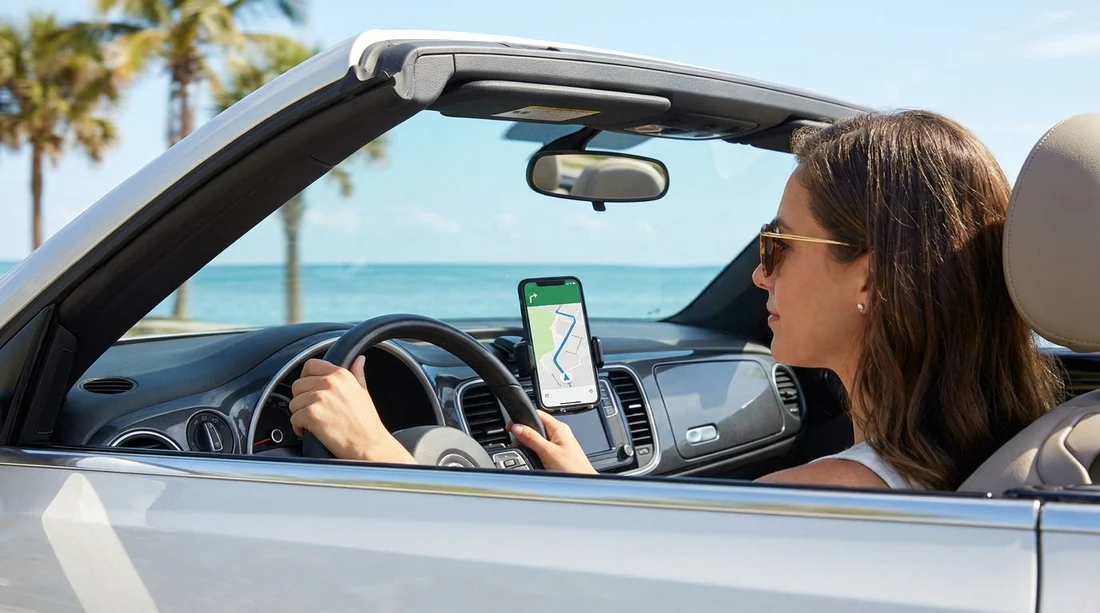
A mount helps you keep your eyes on the road, rather than looking down at your lap. Choose a dashboard or vent mount that is stable and does not block your view. Avoid mounting positions that interfere with airbags. If you do not want a mount, consider using audio-only directions through the car speakers.
Many rentals support Apple CarPlay or Android Auto, which can be the best of both worlds, your phone provides the navigation, while the car screen shows the route. If your rental has this feature, bring the right cable, as some vehicles require a wired connection.
If you are collecting from Fort Lauderdale Airport (FLL) and heading onto I-95 or Florida’s Turnpike, a stable setup matters. These roads can be fast and busy, and you want clear prompts early for lane choices and exits.
Tolls and route choices, do not let navigation catch you out
Florida’s toll system can be confusing for visitors because many routes are cashless and use toll-by-plate or electronic transponders. Navigation apps may send you onto tolled express lanes or toll bridges if it saves time. If you want to minimise tolls, switch on the “avoid tolls” setting, then compare the time difference.
When sorting car hire, also ask how tolls are handled, as rental companies vary. Some offer a toll programme, others charge administrative fees if tolls are incurred. Knowing the policy helps you decide whether avoiding tolls is worth it.
When paying for a rental sat nav might still be worth it
Even though phones usually do the job, there are situations where a paid sat nav can be reasonable. If multiple drivers will share the car and you do not want to swap phones, a dedicated unit can be simpler. If your phone is prone to overheating or has poor battery health, a sat nav avoids mid-journey interruptions. It can also help if you want a distraction-free setup without incoming calls and notifications.
Another case is group travel in a larger vehicle where the screen needs to be visible from further back. If you are arranging a people carrier via van rental in Miami (MIA), confirm whether CarPlay or Android Auto is included. If not, a larger sat nav screen may be easier for the driver to follow.
Practical pre-drive checklist for phone navigation
Before you leave the pickup location, set up the basics. Put your phone in Do Not Disturb or Driving Focus mode so notifications do not distract you. Download offline maps over Wi-Fi, and open the app once to confirm the offline area is available. Start the route while you are stationary, then connect to power before you pull away.
If you are driving from a busy area like Orlando Airport (MCO), having a backup app can save time if one glitches in a poor-signal zone.
Finally, remember that your phone is part of your travel kit, just like your licence and payment card. Treat the cable and charger as essentials, not optional extras, and you can usually skip the paid sat nav confidently.
FAQ
Can I rely on my phone GPS without mobile data in Florida? Yes, GPS location works without data, and offline maps can still provide turn-by-turn directions. You will lose live traffic and may get slower reroutes.
Will using phone navigation cost a lot in data? It depends on your settings and usage. With offline maps downloaded, data use is often modest, but live traffic, frequent searches and streaming audio add more.
Is it safe to use my phone for navigation while driving? It is safe if set up before moving, mounted securely, and used hands-free with voice guidance. Avoid holding the phone or changing routes while driving.
Do Florida routes have many tolls and will my app warn me? Many major routes include toll sections. Most apps show toll roads on the route preview, and you can enable “avoid tolls” to compare alternatives.
What should I pack to make phone navigation work smoothly with car hire? Bring a reliable cable, a fast 12V charger, and a phone mount. Download offline maps before pickup, and consider a power bank for breaks.




























































































