


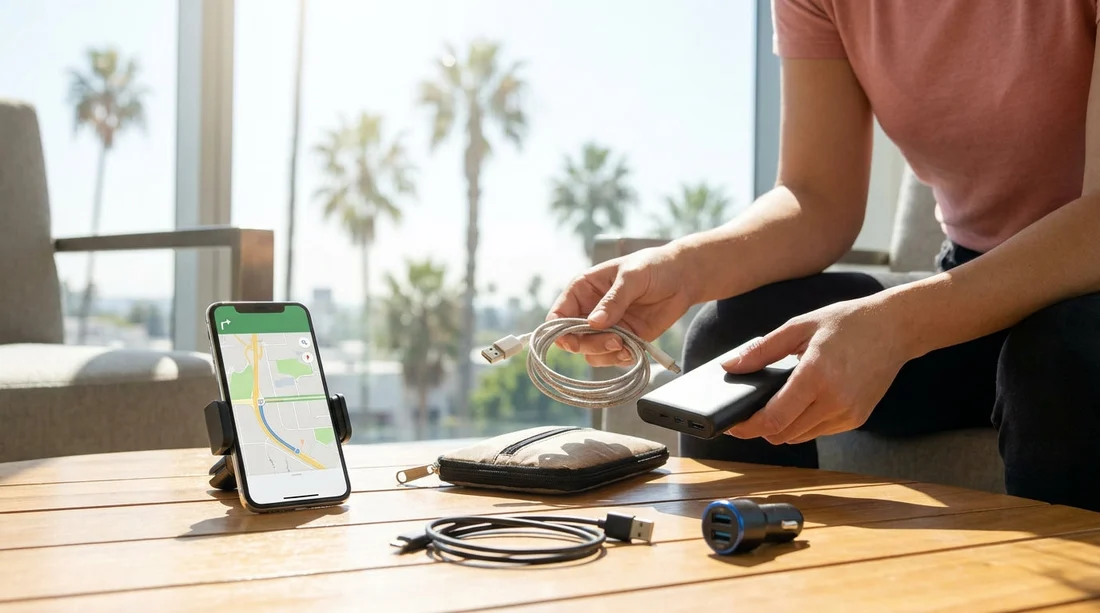
Quick Summary:
- Pack two charging cables, plus a spare, matched to your phone.
- Bring a 12V car charger and a USB-C PD adapter.
- Carry a vent or dash mount and a short charging lead.
- Download offline maps for Los Angeles before landing, including routes to hotel.
Arriving in Los Angeles with a flat phone and no way to mount it safely can turn pick-up day into a slow, stressful start. In many cases, the fix is offered at the rental counter in the form of last-minute accessories and add-ons, but you can avoid most of that by packing a few small items before you travel. This checklist focuses on what to bring for charging and navigation so your car hire pick-up runs smoothly and you can leave the lot with confidence.
If you are collecting at LAX, you will often take a shuttle to the rental area, then complete documents, inspection and any deposits. That is a lot easier when your phone is charged, you can quickly pull up your confirmation, and your maps work even when mobile service is patchy. For location details and pick-up expectations, see car rental Los Angeles LAX or the airport-focused page car hire airport Los Angeles LAX.
Charging essentials to pack before your car hire pick-up
1) Two compatible charging cables, plus one short cable
Bring at least two full-length charging cables that match your devices. Most travellers now need USB-C to USB-C, USB-C to Lightning, or USB-A to Lightning. A second cable is not just a backup, it lets passengers charge simultaneously. Add one short 20 to 30 cm cable for tidy use with a phone mount or power bank. Mark your cables, especially if you are travelling as a group.
2) A 12V car charger that matches modern phones
Many rental cars have USB ports, but output varies and some ports are charge-only or unreliable with certain cable types. A compact 12V car charger with USB-C Power Delivery (and optionally USB-A) gives you predictable charging. Look for at least 20W USB-C PD for most phones, and more if you expect to run navigation, music and hotspot together. This single item can prevent a counter upsell for a charger or accessory.
3) A wall plug with US pins for pre-departure charging
Before you even get the keys, you will likely use your phone for airport directions, shuttle instructions, and documents. If you are visiting from the UK or EU, pack a reliable US travel adaptor so you can top up in the terminal or accommodation without hunting for one. If you use USB-C PD at home, bring a compact multi-port wall plug so you can charge a phone and power bank overnight.
4) A power bank sized for a full day
A power bank is your safety net for long queues, detours, or unexpected delays. A 10,000 mAh unit is usually enough for one to two phone recharges, while 20,000 mAh suits heavy navigation use. Keep it in your personal item, not a checked bag, and charge it before flying. Pair it with the short cable mentioned above.
5) A SIM or roaming plan check, plus a paper note of key numbers
Navigation and ride apps are data-hungry, and data issues can look like a phone issue. Confirm your roaming, eSIM, or local SIM plan before landing. Also write down essential numbers and addresses on paper or in a notes app available offline, including your accommodation, the rental location, and any meeting points.
Phone mount and in-car setup for safe navigation
1) Bring a phone mount you already know works
Hands-free laws are taken seriously in California, and safe mounting also helps you glance at directions without fumbling. Pack a mount you have used before. Vent mounts are small and travel-friendly, but may not grip well in some vehicles. Dash mounts with a suction cup can be sturdier, but depend on the dashboard texture and temperature. A simple magnetic mount is convenient, but requires a metal plate or compatible case.
2) Pack the small extras that stop mounts from failing
If you use a magnetic mount, bring the plate or ring. If your mount uses adhesive, consider a spare adhesive pad. If your case is very thick, test whether wireless charging or magnetic attachment still works. These tiny accessories are the ones people forget, then end up trying to improvise at the kerbside.
3) Use a short charging lead to reduce cable strain
Long cables can snag the gear lever or steering column and pull your phone off the mount. A short cable from a 12V charger placed low in the centre console can be much neater. If you prefer to keep the charger in a front USB port, use a medium-length cable and route it so it does not cross controls.
Offline navigation prep for Los Angeles driving
1) Download offline maps before you land
In Los Angeles, signal can drop in multi-storey car parks, around terminals, and in busy areas when networks are congested. Download offline maps for the city and the specific zones you will drive through, such as Westside, Downtown, Hollywood, and the route to your first stop. Also download offline voice guidance if your maps app supports it, so turn-by-turn directions still play.
2) Save key places as favourites
Before pick-up day, save your accommodation, the nearest fuel stations, and a couple of alternative drop-off friendly places like a large supermarket car park. When you save places, you reduce the need to type while driving, and you can quickly switch routes if you miss an exit. This also helps if your phone’s keyboard behaves differently with local settings.
3) Pre-plan the first 30 minutes of driving
The hardest part of a new city is the first few junctions. Look at the route from the rental area to your initial destination and identify the first two major turns. In LAX-area traffic, it is easy to be pushed into the wrong lane. Knowing the early steps prevents sudden swerves and reduces stress.
4) Keep a simple backup map view
Even if you are confident with live navigation, take a screenshot of the overall route to your accommodation and save it in your photos. If your app crashes or your phone overheats, that single image can be enough to get you back on track. It is also useful for communicating with a passenger who is helping navigate.
Avoiding counter delays and accessory upsells
Many pick-up delays come from simple problems: a dead phone, missing confirmation, no way to charge, or struggling to find the right app settings. When those happen at the counter, it is tempting to buy a fix quickly. Packing your own charging kit and mount helps you keep the interaction focused on essentials like licence checks, deposits, fuel policy and vehicle condition.
It also helps to have your documents accessible offline. Save your booking email, insurance documents and driving licence images (where legal and appropriate) in a secure folder on your phone, and enable offline access in your email app. If you want to compare options for pick-up and vehicle types ahead of time, these Hola Car Rentals pages are useful references: car rental California LAX and SUV rental California LAX.
Quick pre-pick-up packing checklist
Charging: two full-length cables plus one short cable, 12V USB-C PD car charger, US wall adaptor, power bank, optional multi-port wall plug.
Mounting: your preferred phone mount, magnetic plate or spare adhesive if needed, cable clips if you use them, a cloth to clean the mounting surface.
Navigation: offline maps for Los Angeles areas you will visit, saved favourites for hotel and key stops, screenshots of primary route, offline access to confirmation and address list.
Settings: roaming or eSIM confirmed, phone set to show battery percentage, low power mode shortcut enabled, location services allowed for maps, do not disturb while driving enabled if you use it.
FAQ
Do rental cars in Los Angeles usually have USB ports for charging? Many do, but the number, location and power output vary. A 12V USB-C PD charger gives consistent results across different vehicles.
Should I bring a phone mount, or rely on built-in navigation? Built-in systems can be helpful, but a mount keeps your own maps visible and familiar. It is also useful when you want offline navigation or your route changes frequently.
What is the best way to prepare offline navigation for Los Angeles? Download offline map areas while on Wi-Fi, save your key locations as favourites, and store a screenshot of your first route. This covers poor signal zones around airports and car parks.
Will a power bank be allowed on my flight to Los Angeles? Power banks are typically allowed in carry-on luggage, not checked baggage, subject to airline and capacity limits. Check your airline rules and keep the capacity label visible.
How can I avoid delays at the counter during car hire pick-up? Arrive with a charged phone, offline access to your confirmation and addresses, and your own charging and mounting accessories. That prevents last-minute problem-solving during the paperwork.





























































































