


Quick Summary:
- Bring a USB-C PD car charger and two fast-charge cables.
- Pack a sturdy windscreen or vent mount for stable navigation viewing.
- Carry a fused 12V splitter if you run multiple devices.
- Download offline maps and enable driving focus before collecting your keys.
When you pick up car hire in Texas, you want navigation, music and hands-free calls working before you leave the rental car park. The simplest way to avoid fiddling with settings while you are trying to find the exit is to pack a small phone and charging kit that covers power, connectivity and a stable mount. Texas drives can be long, mobile coverage can vary outside cities, and some newer cars have fewer ports than you expect. A compact, well chosen kit helps you start safely and stay charged.
Below is a practical packing guide focused on cables, adapters, mounts and power needs, plus a few setup checks to do before you collect your keys.
Start with your phone readiness
Before thinking about chargers, check the basics. Your phone should have enough storage for offline maps, the latest iOS or Android updates installed, and your preferred navigation app signed in. Download offline map areas for the places you will drive, especially if your route includes rural stretches. Turn on a driving focus mode or do not disturb while driving, and add emergency contacts to your lock screen if your device supports it.
If you are flying in, have a plan for battery on arrival. Airport pickup queues, shuttle transfers and checking documents can drain power quickly. If you are collecting near Dallas, it can be useful to have everything ready for motorway navigation from the first junction, for example at Dallas DFW.
Choose the right car charger: power delivery matters
The core item is a modern 12V car charger that matches your devices. Look for a charger with at least one USB-C Power Delivery port. Many phones will charge slowly from older USB-A chargers, especially if you are running navigation and streaming audio at the same time. A good target is a USB-C PD port rated 20W to 30W, plus a secondary USB-A or USB-C port for a passenger.
Also note that some vehicles have USB ports designed mainly for data, not high wattage charging. If you plug into the car’s built-in USB and the battery percentage barely rises, switch to the 12V socket charger.
Cables: pack two, match the port, and keep them short
Cables are where most travel setups fail. Pack at least two high quality fast charge cables that match your phone and your power bank. For most travellers that means USB-C to USB-C for Android and newer iPhone models, or USB-C to Lightning for older iPhones. Aim for 1m or less so the cable does not interfere with gear changes, cup holders or steering controls.
It is worth packing one extra cable even if you think you will not need it. Cables get left in hotel rooms, and a damaged cable can turn a smooth drive into a battery anxiety day.
Adapters and extras for compatibility
Texas car hire vehicles range from older models with a single USB-A port to newer cars with multiple USB-C ports and wireless charging pads. Because you will not know the exact configuration until pickup, bring a couple of tiny adapters.
First, a USB-C to USB-A adapter can help if you have only USB-C cables but the vehicle only offers USB-A data ports. Second, if your phone supports wired CarPlay or Android Auto, a short, reliable data cable is essential. Some charge-only cables will power your phone but fail to establish the data connection, which can be frustrating when you are trying to start navigation.
If you are landing in Houston and heading straight onto major roads, having known-good connectivity avoids wasting time in the pickup area, particularly around Houston IAH.
Mounts: stable, legal-minded, and easy to reposition
A mount is not just a convenience, it is part of safe, hands-free driving. The best option depends on the car. Vent mounts are quick, but some vents are small or angled in ways that cannot hold weight. Windscreen suction mounts can be very stable, but heat can weaken suction if the car has been parked in the sun. A dashboard mount can work well if it uses a quality adhesive pad and does not block your view.
Pack a mount you have tested at home. Look for strong clamping arms, one-hand release, and an adjustable ball joint so you can avoid glare. Bring a spare metal plate if you use a magnetic mount. If you travel with a larger phone, confirm the mount supports that size with a case fitted.
Positioning matters. You want the screen close enough to glance at without taking your eyes off the road for long, and not so low that you are tempted to look down. Set the mount before you start driving. If you are collecting in El Paso, where you may join unfamiliar routes quickly, it helps to set up in the car park first, such as near El Paso ELP.
Power bank and 12V planning for long Texas drives
A power bank is useful even if you have an in-car charger. It covers stops where you are away from the car, or if the 12V socket is already occupied. Choose a power bank that can output at least 18W, ideally via USB-C PD. A 10,000mAh bank is a good travel size, and 20,000mAh suits longer days or multiple devices.
If you travel with more than one device, such as a phone and a tablet for passengers, a 12V splitter or multi-socket adapter can help. Ensure it is fused and fits securely, because some 12V sockets sit loosely. Avoid leaving high draw chargers running when the engine is off unless you know the socket is switched off with the ignition, as some cars keep the socket live.
If your trip involves a larger group or lots of luggage, you may be in a van where everyone charges at once. In that case, build your kit around multiple ports and longer rear-seat cables, which is especially relevant for van hire in Texas IAH.
Pre-drive setup checklist at the pickup location
Once you are in the car and before you leave the bay, take two minutes to set up safely. Plug in your 12V charger, connect the cable, and confirm the phone shows fast charging. Pair Bluetooth, allow contacts and favourites access if you want hands-free calling, and test the audio. Mount the phone, open your navigation app, and start the route preview. Finally, set your phone brightness high enough for daylight, and enable auto-lock to prevent screen burn.
Do not forget heat management. Texas sun can overheat phones, especially when running navigation at full brightness. If your phone displays an overheating warning, move it away from direct sun, angle the air vent towards it, or lower brightness when safe to do so.
What to pack: a simple kit list
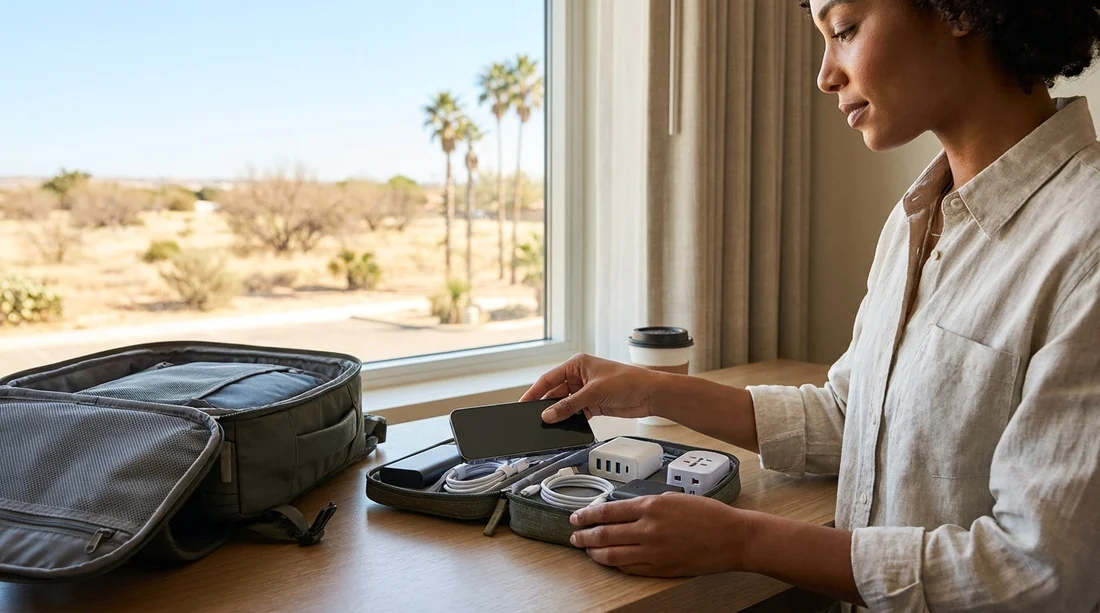
For most travellers, a compact kit covers everything without overpacking. Bring a USB-C PD 12V charger with two ports, two fast charge cables, a short data-capable cable for CarPlay or Android Auto, a tested mount, and a power bank. Add a couple of tiny adapters for port compatibility, and consider a splitter if you have multiple devices. Keep these items together in a small pouch so you can set up quickly at car hire collection and pack it away just as easily at drop-off.
FAQ
Do I need a USB-C charger for car hire in Texas? It is strongly recommended. A USB-C Power Delivery charger typically keeps up with navigation and streaming better than older USB-A chargers.
Will my rental car definitely have CarPlay or Android Auto? Not always. Many vehicles have it, but availability varies by model and trim, so bring a setup that works with standard Bluetooth too.
Should I pack a windscreen mount or a vent mount? Pack the type you have already tested. Windscreen mounts can be very stable, while vent mounts may help cooling, but vents differ between cars.
Is a power bank still useful if the car has USB ports? Yes. Some in-car USB ports charge slowly, and a power bank covers stops away from the car or multiple devices needing top-ups.
What is the quickest way to be ready before leaving the pickup area? Plug in the 12V charger, start charging, pair Bluetooth, mount the phone, then set the route while parked.





























































































