


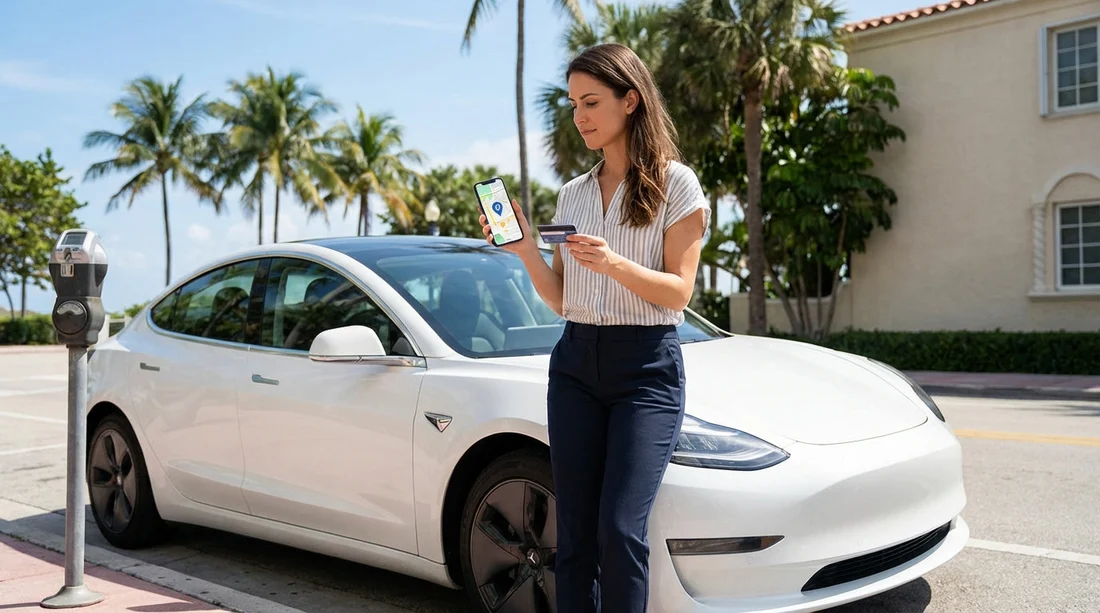
Quick Summary:
- Use PayByPhone or ParkMobile in Miami, both typically accept UK cards.
- Set your hire car plate first, then add a card to avoid delays.
- Enter a valid Miami area ZIP code if a US postcode is required.
- Avoid SMS and third-party convenience fees by paying inside official apps.
Sorting parking in Miami can feel harder than driving it, especially when you are on car hire and every stop involves a new meter, garage, or app. The good news is that most visitors can pay digitally with a UK debit or credit card, as long as you set things up in the right order and understand where extra fees creep in.
This guide walks through the main parking payment methods you will see in Miami, which apps usually work with UK cards, how to create an account without a US billing address, and practical checks that help you avoid unnecessary add-ons.
What you will actually use to pay for parking in Miami
In Miami and Miami Beach, you will typically pay in one of four ways: on-street meters that point you to an app, pay stations where you key in your registration, gated garages with a ticket, or valet parking at hotels and restaurants.
On-street parking is common around South Beach, Wynwood, Downtown, Brickell, Coral Gables, and near popular parks. Many locations no longer rely on coin meters, instead they use signage with a zone number and an app name. Garages and lots vary, some are municipal, some are private, and some run their own payment platforms.
If you are collecting from Miami International Airport or Downtown, it helps to set up at least one parking app before you start driving around. The same goes for business-heavy areas like Brickell, where on-street spaces are limited and garages are common. See practical local pickup points in Miami Airport car rental and Downtown Miami car hire.
Which parking apps commonly work with UK cards in Miami
The two apps most visitors encounter are PayByPhone and ParkMobile. Both are widely used across Florida and both usually accept UK issued Visa and Mastercard. Acceptance can still depend on your bank’s fraud settings, so it is smart to have a second card available.
PayByPhone is common for on-street zones. It tends to be straightforward for international users because you can add a non US phone number and pay directly in the app. Fees are usually shown before you confirm.
ParkMobile is also widespread, covering many municipal areas and private garages. Some users see a billing address prompt when adding a card. In practice, this can often be completed by entering a valid local ZIP code and matching the address format the app expects, but always use truthful information for the country and name, and do not guess personal address details.
Other systems exist, especially for private garages. You might see QR codes at pay stations, web based payment portals, or brand specific solutions. These may accept UK cards in a browser, but the user experience and fee disclosure can be less consistent than the major apps.
Set up your parking app before you need it
The most common reason visitors get stuck is trying to register while standing on a hot pavement with patchy signal and a countdown on the meter. Do the setup during a calm moment, for example in your accommodation, or before you leave the rental location.
Use this order:
1) Download and create the account. Register with an email you can access easily. If prompted for a phone number, include your UK mobile number in international format. Some apps send a one time code.
2) Add your vehicle registration plate first. On car hire, your registration matters more than the make and model, because enforcement checks the plate. Enter it exactly as shown, including any spaces if the app uses them. If your vehicle is swapped during your trip, update the plate immediately.
3) Add a payment method. Use a UK card that is enabled for international online purchases. If your bank uses two factor authentication, keep your banking app handy for approval. If your card is declined, try a different card rather than repeated attempts, repeated failures can trigger fraud blocks.
4) Check your notification settings. Enable reminders if you plan to extend time often. Reminders reduce the chance of overstaying when you get delayed.
How to handle the “US billing address” problem without creating new issues
Some payment flows are designed around US address verification. Visitors see this most when adding a card in an app or paying on a kiosk that requests a ZIP code.
Here are practical, low risk ways to handle it:
Use an app that supports international cards and profiles. PayByPhone often works with fewer address prompts, so it is a good first option.
If a ZIP code is required, use a real local ZIP code for the parking location. For example, many Downtown Miami addresses use 33130 or 33131, and Miami Beach often uses 33139. This can satisfy a formatting requirement when the app is not validating a full address. Do not invent a personal US street address, keep your real UK address where the app allows it.
Try Apple Pay or Google Pay if offered. Wallet payments can reduce address entry because the wallet handles verification. If the app offers it, it is often the smoothest route for UK travellers.
Have a backup method ready. A staffed garage kiosk or pay station that accepts chip and PIN can be easier than app verification. In some areas, you can also pay by phone call within the app ecosystem, but international roaming charges can apply, so the app is usually cheaper.
Avoiding add-on charges: where the extra costs come from
When you are driving a hire car, small charges add up quickly. Parking fees in Miami are one thing, but convenience fees, service fees, and avoidable penalties are what usually surprise visitors.
In-app convenience fees. Some apps add a per transaction fee or a small percentage. You will usually see it before you confirm. If you are stopping briefly, consider whether a pay station offers the same price with no app fee.
SMS and phone payments. Paying by text or call can add carrier charges and sometimes higher service fees. Using the app over data is typically the lowest cost option.
Third-party QR code portals. Some signs and machines display QR codes that take you to a web payment page. These can be legitimate, but they can also route through third parties with extra fees. If you are in doubt, use the official app named on the sign, or pay at the machine.
Overstay penalties. This is the big one. Many zones are actively enforced. Use reminders, and only park in a zone that matches what you enter. If you are unsure about timings, choose a garage where you pay on exit, rather than on-street where time limits are strict.
Hire car admin fees after a parking citation. If you receive a citation, the rental company may charge an administration fee when they process it, even if the fine itself is small. This is why it is worth spending an extra minute ensuring the plate and zone are correct.
Common Miami parking situations, and the best payment choice
Downtown Miami and Brickell. Expect a mix of on-street zones and private garages. App based on-street parking is common, but garages may have their own systems. If you are spending a few hours, a garage can reduce stress, especially during events. For trips centred around Brickell, this area guide can help you plan driving and stopping points around your car hire route: Brickell car rental.
Miami Beach and South Beach. Parking rules can be strict and signage matters. Lots and garages can be busy, and on-street time limits are enforced. An app with reminders is very useful here. If you are planning beach days with multiple short stops, build a habit of checking the app timer before you walk away. If you are choosing a vehicle type for luggage and passengers, a larger option can be helpful for day trips, see Miami Beach minivan rental.
Coral Gables. You will find a blend of garages and street parking around shopping and dining areas. Garages can be simpler for visitors, but always check whether you need to pay at a kiosk before returning to your vehicle, or whether payment is on exit. Local driving conditions vary by neighbourhood, see Coral Gables car rental for area context.
Step-by-step: paying for on-street parking with an app
1) Park legally and read the sign first. Confirm the hours, maximum stay, and whether payment is required now. In some areas, enforcement times are limited.
2) Find the zone number. The sign or meter will show a zone or location code. Entering the wrong zone is a common cause of tickets.
3) Select your vehicle plate in the app. Double check the letters and numbers. If you have more than one vehicle stored, ensure the correct one is active.
4) Choose duration and confirm total cost. Look for the base rate plus any fee line. Take a screenshot of the confirmation screen for your records.
5) Set a reminder. Even if you can extend time, some zones do not allow extension beyond the maximum.
6) Before driving away, end the session if the app supports it. Some apps allow you to stop early and pay only for time used, but rules vary by city and zone.
Step-by-step: paying in a garage or lot
Ticketed garages. Take the ticket and keep it safe. You typically pay at a machine before returning to the car, or at the exit gate. Machines usually accept cards. If asked for a ZIP code at the card terminal, try your card’s billing postcode first, and if the terminal only accepts five digits, use the numeric part where possible, or ask an attendant.
Plate-based garages. Some lots use licence plate recognition and require you to enter your plate at a kiosk or online portal. Enter it exactly, then keep the receipt. If the system offers a text message receipt, email is usually easier for international travellers.
Valet. Valet pricing can include service charges, and tipping is customary in the US. Ask about the total cost upfront, including any overnight or event rates.
Troubleshooting: if your UK card is declined
Check bank authorisation. Many UK banks block a first time US digital transaction. Approve it in your banking app if prompted, or temporarily loosen card controls.
Switch payment method. Try a different card, or use Apple Pay or Google Pay if available. Debit cards can behave differently from credit cards in some apps.
Avoid repeated rapid retries. Multiple declines can trigger automated fraud protection, which makes later payments harder.
Use the pay station as a fallback. If the on-street sign offers a kiosk option, paying by chip and PIN can save time and hassle.
Good habits that prevent tickets when you are on car hire
Photograph the sign. A quick photo captures the zone number and time limit, which is useful if anything looks wrong later.
Do not assume “free after 6pm”. Rules vary by zone and day. Some areas charge late into the evening.
Keep your plate updated. If you swap vehicles, update the app immediately, otherwise you may pay correctly but still get cited.
Check for special event restrictions. Areas near stadiums, arenas, and popular nightlife can have temporary rules and higher rates.
FAQ
Which parking apps in Miami usually accept UK cards? PayByPhone and ParkMobile are the most common, and both often accept UK Visa or Mastercard. Always keep a backup card in case your bank blocks the first transaction.
How do I set up a parking app if it asks for a US billing ZIP code? First, try entering your real UK billing address where permitted. If the form only accepts a five digit ZIP code, using a real Miami area ZIP code for the location can satisfy formatting, without inventing a personal US address.
Do I need a US phone number to pay for parking in Miami? Usually no. Many visitors register with an email and a UK mobile number in international format. Avoid SMS based payments to reduce roaming and service charges.
How can I avoid extra charges when parking with a hire car? Use the official app named on the sign, review fees before confirming, and set reminders to avoid overstays. Third-party web portals and SMS options are common sources of add-on costs.
What details do I need from my car hire vehicle to pay for parking? You mainly need the licence plate number and sometimes the vehicle colour or type. Enter the plate exactly, and update it in the app if your rental vehicle changes.





























































































