


Quick Summary:
- Carry a card plus small cash for backup at entrance stations.
- Photograph permits, receipts, and your windscreen display before leaving each stop.
- If a machine is down, follow posted instructions and note time.
- Park only in signed bays, fees differ between entrance and car parks.
With Las Vegas car hire, day trips to Red Rock Canyon and Valley of Fire are straightforward, but fee payment can trip people up when you arrive at an entrance station, a self-pay machine, or a busy car park with limited signage. This guide focuses on the practical question, how you pay, what you do when systems are offline, and what proof you should keep so you can demonstrate you paid if asked.
If you are collecting a vehicle in town or at the airport, it helps to plan payments before you drive out. If you want a quick overview of pickup options and vehicle types for desert roads, Hola Car Rentals has useful pages such as car rental at Las Vegas airport, car hire in Las Vegas, and SUV hire in Las Vegas.
Know what you are paying for, entrance fees vs parking fees
At both Red Rock Canyon and Valley of Fire, most visitors pay an entrance fee that covers access for the day. Parking at the main overlooks and trailheads is typically included once you are inside, but you still need to park correctly and display any required proof of entry if asked by rangers.
Because policies can change, treat fee amounts shown online as guidance and rely on the signboards at the entrance station or pay point on the day. The practical aim is the same, pay once, keep proof, and make sure it is visible when required.
How payment normally works at Red Rock Canyon
Red Rock Canyon’s Scenic Drive is managed with an entrance station. On most days you will pay at the gatehouse before entering the loop. Expect signage well before the booth telling you what payment types are accepted and whether you need a timed entry reservation.
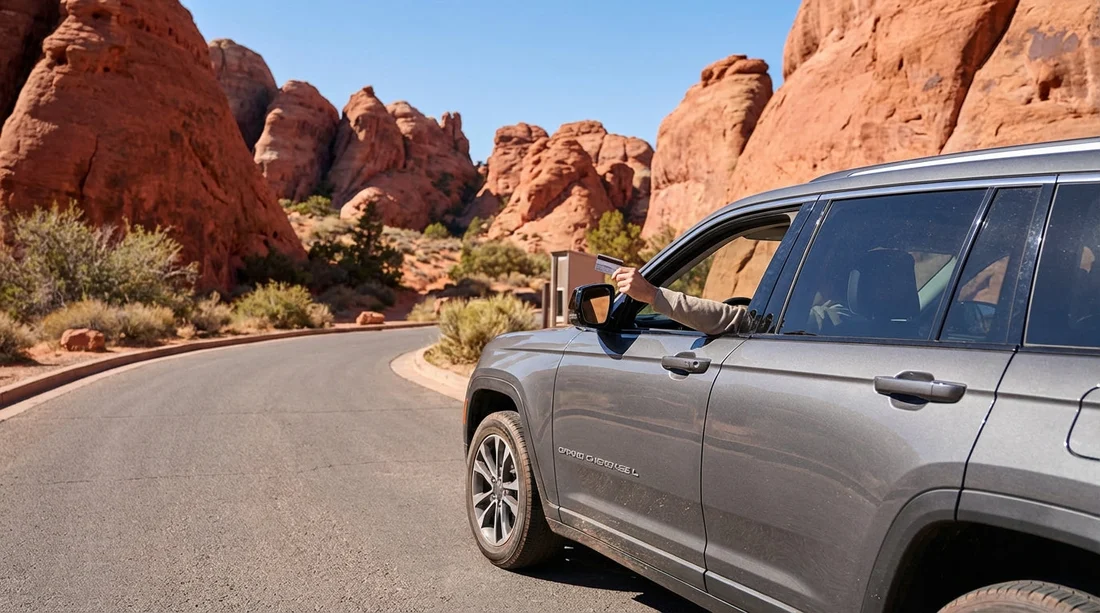
Paying at the entrance station usually means you stop at a staffed booth. The ranger or attendant will tell you the fee and you pay by card or cash depending on what is accepted that day. Once paid, you will be given a receipt, a hangtag, or instructions on what to display. Do not assume your payment is “in the system” without anything to show, keep the receipt even if you do not need to display it.
If the booth is unstaffed there may be a self-pay option or instructions posted. If you do not see a way to pay, do not guess. Pull into a safe area, read every sign at the station, and look for a machine, QR instructions, or a phone number. Your goal is to follow posted directions, not to improvise.
Where parking can confuse visitors is not the entrance fee, but the busy car parks inside the loop. If you park outside marked bays, or block access roads, you may be asked to move on. If a trailhead has overflow parking rules, follow them exactly and avoid soft shoulders that can trap tyres.
How payment normally works at Valley of Fire
Valley of Fire State Park has main entrances with fee stations. You typically pay on arrival at a booth or pay point. Like Red Rock, payment types depend on the equipment operating that day and what the park is set up to accept.
Paying at the station can be as simple as handing over a card or cash to the attendant, then receiving a receipt or permit. Some parks provide a printed slip intended for display on your dashboard. If you are given anything to display, put it where it is clearly visible through the windscreen, usually on the passenger side.
If you arrive very early you may find a self-pay station. These often require you to write details on an envelope or tear-off stub and deposit payment. Read the instructions carefully before you start, because the process can differ between parks and even between entrances.
Cash, card, and what to carry in your Las Vegas car hire
For these parks, the most reliable approach is to have both card and small cash available. Even if card is usually accepted, remote locations can have connectivity issues, and machines can be temporarily out of service. Conversely, some locations may prefer cashless payment depending on staffing and security arrangements.
Pack a small “fee kit” in your glove box, a pen, a small amount of cash in low denominations, and a way to store paper receipts flat so they do not crumple. Keep your phone charged for photos of permits and signs if needed, but do not rely on mobile signal once you are inside the parks.
If you are comparing vehicle options for the drive, especially in hotter months, higher ground clearance and stronger air conditioning can make the day more comfortable. Hola Car Rentals also lists options for different suppliers, such as Alamo car hire in Nevada and Thrifty car rental in Las Vegas.
Exactly what to do at the entrance station, step by step
1) Approach slowly and read the first signboard. It should state current fees, accepted payment methods, and any reservation requirements. If you are towing, in a larger vehicle, or have questions about day passes, this is where you confirm.
2) Choose the correct lane. Some entrances separate staffed booths from self-pay. Stay in the lane that matches how you intend to pay, and do not switch lanes at the last moment.
3) Ask what proof you need to show. If you are handed a receipt only, ask whether it must be displayed. If you are given a hangtag or dashboard permit, confirm where it should sit and whether it should face outward.
4) Before you drive away, secure your proof. Put the permit on the dashboard immediately. If it is a receipt, place it in a safe folder or clip it to a notepad. If you wait until later, wind or heat can curl paper and make it unreadable.
What to do if the payment machine is down
Machine or network issues happen, especially during busy periods and extreme heat. The key is to show you made a good-faith effort to follow instructions.
If a staffed booth is operating, tell the attendant the machine is not accepting your card or that the kiosk is showing an error. They may direct you to another lane, accept a different method, or issue a written receipt.
If the station is unstaffed and a kiosk fails, do not leave without documenting what you saw. Take a clear photo of the kiosk screen showing the error, plus a wider photo that includes the kiosk and location signage. Then look for posted alternative instructions, for example a second kiosk, a pay envelope station, or a phone number. Follow those instructions precisely.
If there are no alternative instructions visible, record the time, the entrance you used, and the kiosk condition. If you can safely do so without blocking traffic, pull over and double-check nearby boards. The aim is to be able to explain later that you tried to pay and could not, rather than simply driving through.
Do not attempt to pay later at random. Paying at a gift shop or visitor centre is not always a valid substitute unless staff explicitly tell you it is. Only park staff can confirm the correct workaround on the day.
What proof to keep, and how to store it properly
For both parks, keep proof in two forms whenever possible, physical and digital.
Keep the physical proof: receipts, permits, hangtags, or envelope stubs. Store them flat in the same place every time, for example a document wallet in the centre console. If a permit is meant for display, do not remove it until you leave the park, and avoid placing it where it will slide under the windscreen in the heat.
Keep digital proof: take a photo of the receipt and the permit displayed on your dashboard, plus a photo of your vehicle in the car park if signage indicates display requirements. Make sure the photo is readable, with the date or code visible if printed.
Keep contextual proof if something went wrong: if a machine was down, photograph the error and the signboard showing where you are. These images matter if you later need to explain the situation to park staff.
Car park tips that prevent fines, towing, or hassle
Most issues on day trips are not about paying, but about parking behaviour once you are inside. Use these habits to keep things simple.
Park within marked bays only. Desert shoulders can look firm but may crumble, and parking off the edge can damage vegetation. Rangers are more likely to check vehicles that are not correctly parked.
Do not block access lanes. Emergency access is taken seriously. If you are unsure whether you are blocking, you are.
Leave valuables out of sight. A receipt on the dashboard is fine, but bags and electronics should not be visible. Heat can also damage devices, so take them with you.
Plan for peak times. Popular overlooks fill fast. If you cannot find a legitimate space, move to the next viewpoint rather than squeezing into an unofficial area.
Common scenarios, and what to do
You paid at the gate but later cannot find your receipt. First, check the obvious places, centre console, sun visor, and door pocket. Then check your phone photos. If asked by a ranger, be honest, show any digital proof you have, and provide the approximate time and entrance.
Your dashboard permit blew off the dash. Pull over safely, retrieve it if possible, and place it more securely. A thin, non-slip mat can help, but avoid adhesives that could damage the dashboard in a rental car.
You swapped drivers or vehicles details changed mid-day. Proof should stay with the vehicle, not the person. Keep the permit in the windscreen and keep the receipt with the car documents.
You are unsure whether a specific car park requires separate payment. Read the on-site signboard. If it does not mention a separate fee, assume your entry covers it, but still keep proof available. If it does mention a separate pay station, do not leave the vehicle until you have confirmed how to pay and what to display.
Final checks before you return to Las Vegas
Before you leave either park, do a quick audit. Remove any hangtags you are meant to return or dispose of, keep receipts until at least the end of your trip, and check you have not left paper on the dashboard that could blow out when you open doors. If you are doing multiple parks in one day, label receipts in your photo roll so you know which park each one belongs to.
If you want general trip planning for pickup and local driving, you can also refer to Hola’s Las Vegas overview at car rental in Las Vegas.
FAQ
Do I need cash for Red Rock Canyon or Valley of Fire? Not always, but it is sensible to carry small cash as a backup. Card systems can go offline, and self-pay options may require cash depending on the day.
What should I do if the entrance kiosk will not take my card? First, look for another lane, kiosk, or posted alternative method. Photograph the error screen and nearby signs, note the time, and follow any written instructions exactly.
What proof of payment should I keep in my car hire? Keep the printed receipt or permit, and take clear photos of both. If a permit must be displayed, photograph it on the dashboard before you walk away.
Is parking inside the parks included once I have paid entry? In most cases, yes, parking at trailheads and viewpoints is included with entry. You still must park legally in marked areas and obey any local signs.
How long should I keep park fee receipts? Keep them until the end of your trip at minimum. If there is any dispute, having the receipt and photos makes it easier to confirm you paid.





























































































