


Quick Summary:
- Photocopying your card is often unnecessary, ask exactly what is stored.
- Most pick-ups only need card authorisation plus an ID match.
- If copying is required, request masking and never allow CVV capture.
- Bring an eligible physical credit card to avoid pick-up refusal.
At a California car hire counter, you will be asked for a driving licence, identification, and a credit card for the security deposit. Some travellers are surprised when a desk agent suggests photocopying the credit card, or taking a copy of the front and back. Is that safe, and is it even allowed? The practical answer is that it depends on what is copied, why it is copied, and how the copy is stored and protected. In many cases it is not necessary, and you can often ask for a safer alternative without derailing your pick-up.
It also helps to separate two issues: whether the desk is permitted to take a copy for fraud prevention, and whether doing so creates avoidable privacy and payment-security risk. For most customers, the goal is simple: complete verification quickly, keep your data exposure low, and still meet the rental company’s requirements so you can drive away.
What normally happens at pick-up for car hire in California
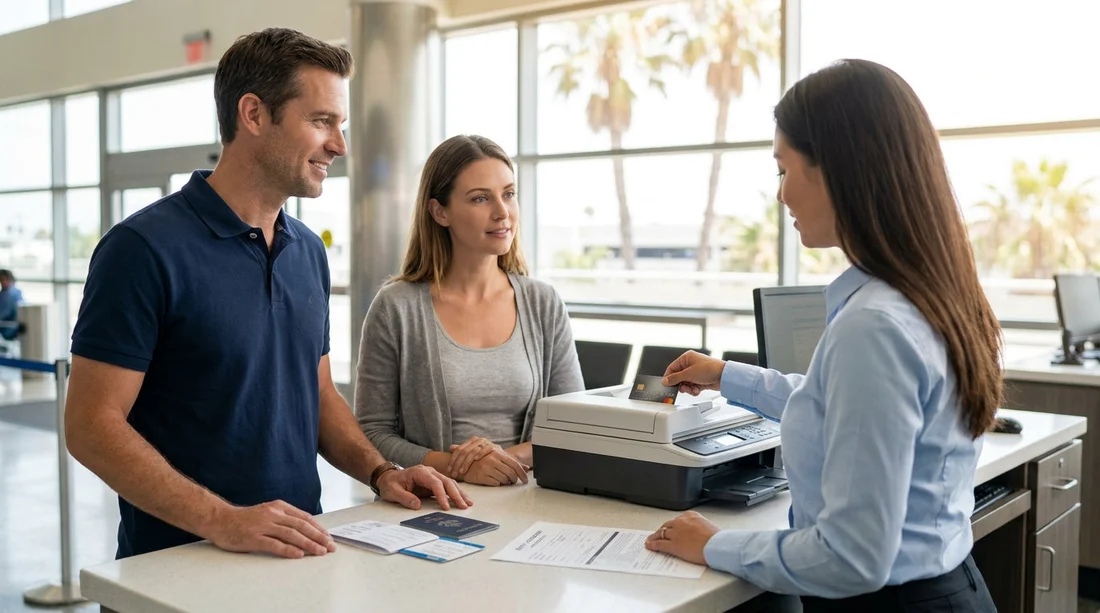
Most major rental desks in California follow a predictable pattern. They check the name on the reservation, verify the driving licence, confirm your address or country of residence, and take a credit card for a pre-authorisation (a temporary hold) to cover the deposit, fuel, tolls, and potential incidentals. The agent may also verify that the card is physically present, and that you are the cardholder.
In a typical transaction, the card is inserted, tapped, or swiped, and the deposit is authorised via the terminal. You may be asked to sign the rental agreement and, sometimes, the card receipt. This process does not require a photocopy of the card. For travellers collecting at busy hubs such as Los Angeles LAX or San Francisco SFO, the desk usually wants speed and clear compliance rather than extra paperwork.
Why would a desk want to photocopy your credit card?
When photocopying happens, it is generally framed as identity verification or fraud prevention. The desk may be dealing with high volumes of chargebacks, counterfeit cards, mismatched names, third-party bookings, or unusual itineraries. Another scenario is a manual process when systems are down, or when a branch is using legacy forms.
However, the risk is that a photocopy can capture sensitive card data that should not be stored, especially the full card number and the security code (CVV) on the back. A copy also creates a record that is easier to misuse than a one-time authorisation, because it can be accessed later, copied again, or stored insecurely.
PCI and privacy concerns, what is the real issue?
Payment Card Industry Data Security Standard (PCI DSS) rules are designed to limit the storage and handling of cardholder data. While you do not need to memorise the technical details, the practical takeaway is clear: businesses should not store sensitive authentication data such as the CVV, and they must protect any stored card information with strong controls. A photocopy of the front and back of a card is risky because it can include the full PAN (card number), expiry date, and CVV, plus your signature. If that copy sits in a paper file or an unencrypted system, it increases exposure in a theft, loss, or internal misuse.
From a privacy perspective, you should also consider that a photocopy can link your personal identity to your payment credentials. In California, companies are expected to handle personal information responsibly and securely. Even if a desk’s intention is legitimate, the method can be outdated compared with modern verification tools that do not involve retaining a static image of your card.
Is it safe, in practical terms?
“Safe” is about likelihood and impact. In a well-run branch, a copy might be stored briefly and securely, with the CVV never captured, and then destroyed according to policy. In a less controlled environment, a photocopy can be left on a printer, placed in an unlocked cabinet, or scanned into a general email inbox. Because you cannot easily audit what happens after you hand over the card, it is reasonable to be cautious.
It is also worth noting that you might not have to accept it. Many customers can complete verification without a photocopy, especially when the card is present and the deposit authorisation goes through. If the desk insists, you can politely ask what exact information they intend to copy and how it will be stored and for how long. If the answer is vague, that is a signal to request an alternative.
Safer alternatives you can ask for
If an agent proposes photocopying your card, you can ask for a method that achieves the same purpose with less data retention. Options that are often workable include:
Use the chip-and-PIN or contactless verification plus ID match. If the card is present, a successful authorisation combined with matching your driving licence name is usually sufficient.
Request masking. If a copy must be made for a legitimate internal control, ask that the middle digits of the card number are covered, and that the CVV is never copied. Some desks will place a sticker over the CVV, or copy only the last four digits and cardholder name on a form.
Use a printed authorisation record. Instead of copying the card, the desk can keep the authorisation slip that shows a transaction reference, not your full card data. This provides auditability without retaining unnecessary card details.
Provide an alternative deposit method only if the rental allows it. Some branches accept debit cards or other forms of deposit in limited circumstances, but rules vary widely by company, location, and customer profile. Relying on this can cause delays or refusal, so treat it as a backup rather than your main plan.
These approaches help you minimise what is stored, while still letting the desk meet its fraud checks. They are especially useful when picking up at large California locations like San Jose SJC, where policies may be consistent but queues can make explanations rushed.
Hola Car Rentals note, bring a credit card to avoid pick-up issues
Regardless of the copying question, the most common reason for a failed pick-up is arriving without an eligible credit card in the main driver’s name. Many California suppliers require a credit card for the deposit, even when you have prepaid the rental. Hola Car Rentals highlights this requirement in the rental terms to help you avoid being turned away at the counter.
If you are planning to collect at airports, it is worth reviewing the local page for your pick-up point, for example Sacramento SMF, and ensuring your documents match the booking exactly.
FAQ
Is it normal for a California car hire desk to photocopy my credit card?
It is not the most common approach. Most desks rely on a deposit authorisation and ID checks. Photocopying can occur in specific branches or situations, but you can often request an alternative.
Can I refuse a credit card photocopy and still collect the car?
Sometimes yes, especially if your card authorises successfully and your ID matches. If the branch treats copying as mandatory policy, refusal could mean they will not release the vehicle, so ask for masking or a supervisor review.
What parts of the card should never be copied?
The CVV security code should not be recorded. Ideally the full card number should not be retained either, beyond what is required for the transaction, and any stored record should be masked to last four digits.
Does a debit card avoid the photocopy issue?
Not necessarily. Debit card acceptance varies by supplier and location, and additional conditions can apply. Even if accepted, the desk may still need verification and may place a hold, so confirm eligibility before travel.
What should I do if I suspect my card details were mishandled?
Monitor transactions during and after your trip, report any suspicious activity to your card issuer, and consider requesting a replacement card. Keep your rental agreement and receipts in case you need to dispute charges.





























































































