


Quick Summary:
- Enter your full UK postcode in the ZIP field, space included.
- Use your UK post town as City and your county as State.
- Keep house number and street together on Address Line 1.
- Remove punctuation if the form rejects characters, and keep letters.
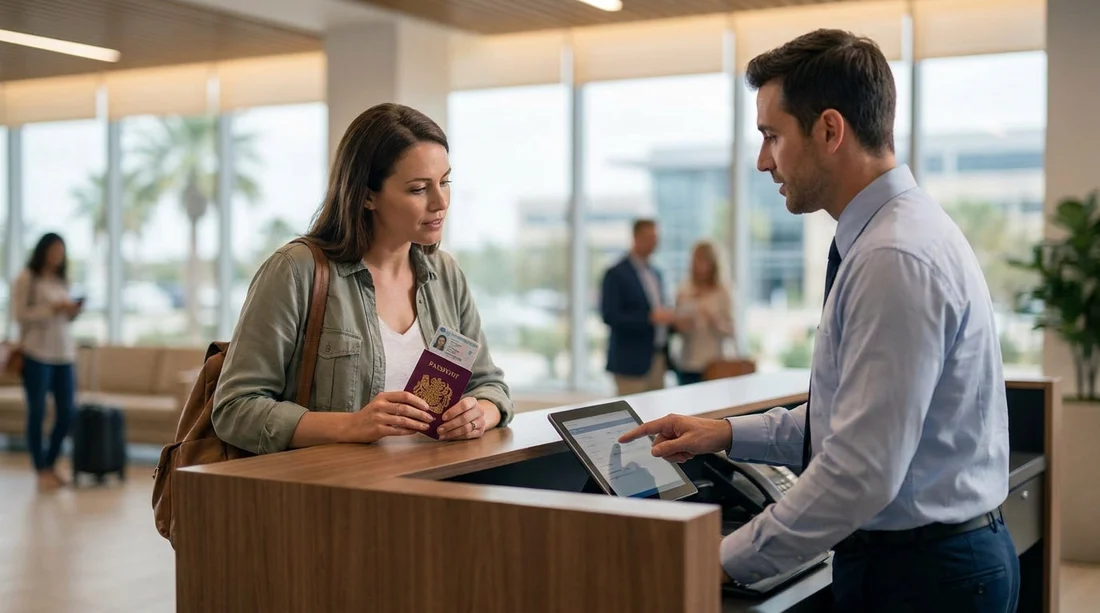
When you collect a rental car in Texas, the counter agent often types your details into a US system built around American address rules. UK travellers can get held up when a form insists on a “State” and a five-digit “ZIP code”, or when it will not accept certain punctuation. The good news is that you can enter a UK address in a consistent way that works with most US rental systems, while still matching your ID and cardholder details closely enough for verification.
This guide explains how to format each field, what to do when the screen forces US-only options, and how to keep your UK postcode accurate. These tips are useful whether you are picking up near Houston, Dallas, Fort Worth, San Antonio, or El Paso. For location pages related to Texas pick-ups, you can refer to Houston airport car rental and Dallas DFW car rental while planning.
Why US car hire forms struggle with UK addresses
Most US address databases assume a structure like: street number, street name, city, state abbreviation, and ZIP code. UK addresses can include building names, dependent localities, and alphanumeric postcodes. At pick-up, the agent needs an address mainly for identity checks, card verification, and contact details. If the system cannot validate your entry, it may force the agent to improvise, which takes time and can cause mismatches on the rental car agreement.
The goal is not to “Americanise” your address beyond recognition. It is to place the right UK components into the closest matching US fields, keep the postcode intact, and avoid characters that trigger validation errors.
How to enter each address field at the Texas counter
Address Line 1: Put your house number and street name together, exactly as on your UK proof of address where possible. If you have a flat number, include it at the start, separated by a space or a forward slash only if the terminal accepts it. If the system rejects symbols, use words like “Flat 4” rather than “Flat 4/” and avoid commas.
Address Line 2: Use this for building name, apartment or flat details, or a smaller locality. If you do not need it, leave it blank. If the system requires something, repeat the street name rather than inventing information.
City: Enter your UK post town, for example “Manchester” or “Edinburgh”. Do not use a district name unless it is the official post town on your mail. This keeps your entry consistent with how UK addresses are commonly written and reduces confusion when asked verbally.
State: Use your county (or equivalent) when a free-text field is allowed. Examples include “Greater Manchester”, “West Midlands”, “Kent”, or “Merseyside”. If the “State” field is a fixed drop-down list of US states only, choose the option the system requires (often the pick-up state such as Texas) and then rely on the postal code and country to indicate the address is abroad. If there is a notes box, ask the agent to add “UK address” there.
ZIP / Postal code: Enter your full UK postcode, including the space, for example “SW1A 1AA”. Many US systems now accept letters in the ZIP field when “Country” is set to United Kingdom. If the system allows only numbers, ask the agent how they prefer to store an international postal code. Do not change the letters in your postcode, they are part of the code.
Country: Select “United Kingdom” or “GBR” if available. If the system defaults to “United States”, ask for it to be changed. Country selection often controls whether the ZIP field will accept letters.
Phone number: If asked for a US-format phone, give your UK mobile in international format, starting with +44, then omit the leading zero. Some terminals do not accept a plus sign, in that case use 0044 instead.
Formatting rules that prevent rejections
Keep it simple: Many counter systems reject commas, apostrophes, and special characters. If your street includes an apostrophe, remove it and keep letters only. Replace “St.” with “St” if punctuation causes errors.
Avoid line breaks inside fields: Each line should be a single run of text. Do not try to force a full UK multi-line address into Address Line 1.
Do not invent a US ZIP code: Using a random five-digit ZIP can cause verification problems later, especially if an issuer or fraud tool compares the agreement address to your card profile.
What to do when the system forces a US state and 5-digit ZIP
Occasionally, a rental system will not accept any non-US address pattern. When that happens, your priority is to keep the agreement accurate enough to match your identity and payment method, and to make sure the agent can contact you if needed.
If State is mandatory and US-only: The agent may select “TX” or the pick-up state to move forward. Ask them to set the Country to United Kingdom if possible, and to store your UK county in an additional address line or notes.
If ZIP must be 5 digits: Ask the agent whether the system supports an “international” flag. If it does not, they may enter 00000 or the pick-up location ZIP as a technical workaround. If that happens, ensure at least one of the address lines clearly shows “United Kingdom” and that your UK postcode is recorded somewhere else in the agreement text if the software allows a notes field.
If the form validates against a US database: Some screens try to auto-complete an address once a ZIP is entered. In that case, do not fight the auto-complete. Ask the agent to bypass validation or switch to manual entry, then enter your UK details using the mapping described above.
How this ties into identity checks at pick-up
For car hire in Texas, you will normally present a passport and driving licence, and sometimes an additional proof of address depending on supplier rules and payment method. The address you give should broadly match the one on your card statement or licence record, even if the US fields force compromises. Consistency helps the agent confirm you are the authorised renter, and it can reduce follow-up questions.
If you are arriving through Dallas or Houston and want to review pick-up options ahead of time, these pages are useful references: National at Dallas DFW and Thrifty at Houston IAH.
Common mistakes UK travellers make, and quick fixes
Putting the postcode into the State field: This usually causes a mismatch later. Keep the postcode in ZIP, and put the county in State.
Dropping the space in the postcode: Some systems accept it either way, but keeping the space improves readability for humans and matches UK formatting.
Adding “UK” into random fields: Only add “United Kingdom” where it belongs, the Country field if possible. If you must add it elsewhere, put it at the end of Address Line 2, not inside the postcode.
FAQ
Q: Should I write my UK postcode in the ZIP code box? Yes. Put your full UK postcode in the ZIP or Postal Code field, ideally with the space included, and set Country to United Kingdom if the system allows.
Q: What should I put for “State” when my address is in the UK? Use your county if the field accepts text. If it only allows US states, select the required option and ask the agent to record your UK county in Address Line 2 or notes.
Q: The system will not accept letters in the ZIP field, what do I do? Ask the agent to switch Country to United Kingdom or enable manual entry. If the software still demands five digits, the agent may use a technical workaround and store your UK postcode elsewhere on the agreement.
Q: Do I need to match my address exactly to my driving licence? It should broadly match, especially the street and post town, but minor formatting changes are normal on US systems. Keep the postcode correct and avoid inventing details.
Q: Can I use a hotel address in Texas instead of my UK home address? Use your normal home address unless the rental company specifically requests a local address. A home address is more consistent with cardholder verification and identity checks.





























































































