


Quick Summary:
- Bring a physical photocard licence, digital apps alone are often refused.
- Carry your passport and the payment card used for the booking.
- If your licence is lost, arrange a temporary replacement before travel.
- Confirm pick-up rules for your airport location and chosen car category.
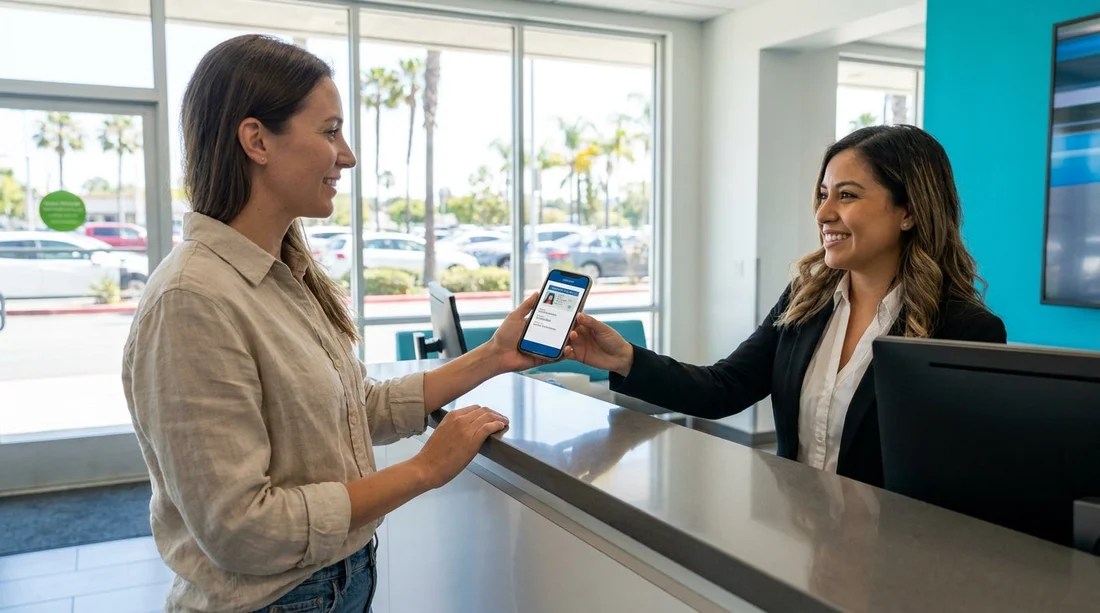
Digital ID is becoming normal for boarding passes, banking, and even some government services. It is reasonable to ask whether a digital driving licence app can replace your physical licence when collecting a rental car for car hire in California. In most cases, the practical answer is that you should expect to present a physical photocard driving licence at the counter, even if your digital licence is valid for driving. Rental suppliers and airport locations typically require a physical document they can inspect, scan, and record in their system.
This article explains what is usually required at pick-up in California, why digital licences can be tricky at car hire counters, and what to bring if you only have a digital version available.
Do California car hire counters accept digital driving licences?
For car hire in California, many rental desks still require a physical licence to release the vehicle. A digital driving licence app, whether issued by a US state or held in an overseas government app, may not be accepted as the sole proof of driving entitlement. This is not necessarily because staff doubt your ability to drive, it is because rental processes rely on consistent document checks, fraud controls, and record keeping.
There are also differences between what is legal to present to a police officer during a traffic stop and what a private company chooses to accept for a high value transaction. A rental supplier can set stricter requirements than the minimum legal driving requirement. In practice, that means a digital licence can be helpful as a supporting item, but it is rarely the one item that guarantees pick-up.
What to bring to collect a rental car in California
If you want the smoothest possible pick-up for car hire in California, bring a complete set of documents rather than relying on your phone. The specific requirements vary by supplier, but these are the items most commonly expected.
1) Your physical photocard driving licence. This is the core document. Ensure it is valid for the entire rental period.
2) Your passport. For international travellers, a passport is typically required as photo ID. Even if you have another identity document, the passport is the most widely accepted and least likely to cause questions.
3) The payment card used for the booking. The main driver usually needs to present a credit or debit card in their own name. Make sure the card is physical, not only in a mobile wallet, unless you have confirmed the location supports contactless card present verification.
4) Your booking confirmation. A printed confirmation is not always required, but it can help if there is a mismatch in names or you need to confirm inclusions and pick-up times.
5) International Driving Permit (IDP), if applicable. If your licence is not in English or uses a non Roman alphabet, an IDP can reduce confusion, but it is not a replacement for your original licence.
If you are collecting at a busy airport, knowing the local set-up can help you plan document access in advance. For example, travellers flying into Los Angeles may be using services aligned to car hire at Los Angeles LAX or choosing larger vehicles via SUV hire at Los Angeles LAX, where deposits and ID checks can be more strictly applied.
If you only have a digital licence on your phone
If your physical photocard licence is lost, stolen, or left at home, a digital driving licence app might feel like a strong substitute, but it may not get you the keys. Here is how to reduce the risk of being turned away.
Contact your supplier or location before you fly. Ask what they accept when a customer cannot present a physical licence. Some locations may allow alternative verification, but you need it agreed in advance.
Arrange an official replacement or temporary document. If your issuing authority provides a temporary paper licence or formal entitlement letter, that can be more convincing than an app screen. Bring it printed, along with the digital version.
Do not rely on screenshots. If you have a digital licence app, keep it accessible in the official app, with any security features enabled. Screenshots are easier to fake and more likely to be rejected.
Does it differ by airport location in California?
Yes, the practical experience can vary by location, not because the rules are completely different, but because some branches are more flexible than others. Major airports tend to have higher throughput and tighter compliance, so they stick closely to standard requirements.
For example, if you are collecting near Silicon Valley, car hire at San Jose Airport (SJC) often serves business travellers on tight schedules. That environment tends to favour straightforward, physical document checks. If you are cost focused, options like budget car hire at San Jose Airport can still require the same licence and card standards, even if the daily rate is lower.
Southern California leisure routes can also be busy. If you are landing at Orange County, car hire in Santa Ana (SNA) may involve a quick counter process designed to keep queues moving. In those situations, not having a physical licence is one of the most common reasons for refusal at the desk.
So, can you use a digital driving licence app to collect a rental car?
You might be able to use a digital driving licence app as supporting evidence, but you should not expect it to replace your physical photocard licence for car hire pick-up in California. The safest plan is to bring your physical licence, passport, and the payment card used for the booking, plus any additional documents that apply to your nationality and licence language.
If you only have a digital licence, contact the rental supplier before arrival and prepare for the possibility that you will need an official replacement document to proceed. A few minutes of preparation before you travel can prevent long queues, extra costs, and the disappointment of being unable to collect your car.
FAQ
Can I collect a rental car in California with only a digital driving licence? Usually no. Most car hire locations expect a physical photocard licence at pick-up, and a digital version may not be accepted on its own.
Will a UK driving licence app be accepted for car hire in California? It may help as a reference, but you should assume the physical UK photocard is required. Bring your passport and the payment card in the driver’s name as well.
Do I need an International Driving Permit for California car hire? It depends on your licence and its language. If your licence is not in English or uses a non Roman alphabet, an IDP can help, but it usually does not replace your original licence.
What if I forgot my physical licence at home? Contact the rental desk or supplier as soon as possible. You may need a replacement licence or official temporary document to collect the vehicle, and the booking might not be honoured without it.
Does each additional driver need a physical licence too? Yes. Every additional driver added to the rental agreement typically must present their own physical driving licence and any required identification at the counter.





























































































