


Quick Summary:
- Carry an Apple-certified Lightning to USB-A cable for older dashboards.
- Add a Lightning to USB-C cable for newer California rental fleets.
- Pack a USB-A to USB-C adapter to match either port type.
- Bring a clean, short cable to prevent annoying connection dropouts.
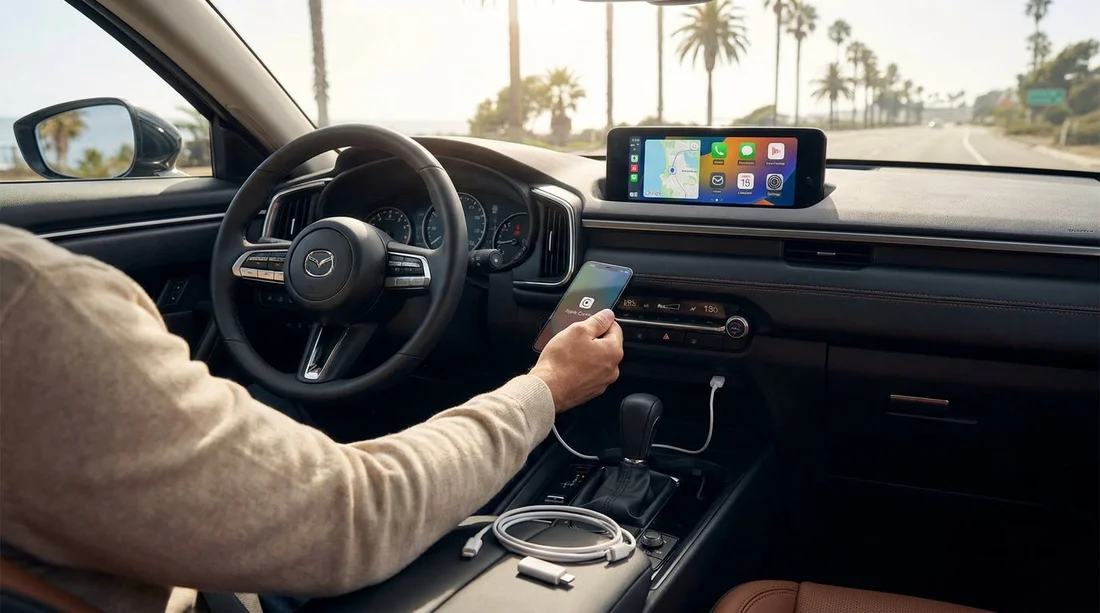
Apple CarPlay in a rental car is one of those small travel comforts that saves time immediately. You get familiar maps, calls, messages and music without learning a new infotainment system, and you reduce the temptation to handle your phone while driving. The catch in California car hire is simple: you rarely know what USB port you will be handed at pick-up. Some vehicles still have USB-A, many newer models have USB-C, and a few have both. If you pack the right cable and one small adapter, wired CarPlay should work in minutes without relying on the counter.
This guide focuses on iPhones with a Lightning port, because that is the most common setup travellers bring. If you have an iPhone 15 or later with USB-C, you will still find a quick checklist below so you can adjust what you pack.
First, check what your iPhone needs
Before you think about the car, confirm your iPhone connector type. iPhone 14 and earlier use Lightning. iPhone 15 and newer use USB-C. CarPlay itself is not picky about brands of cables in theory, but in practice low-quality cables cause the most headaches: repeated disconnects, audio crackles, or CarPlay failing to launch.
For best results, pack at least one cable that is either made by Apple or MFi-certified (Made for iPhone). It matters more for data stability than charging speed.
Understand the port mix you will see in California rentals
In California, rental fleets are typically refreshed often, but you still get a wide spread across sedans, SUVs and minivans. Many newer vehicles, especially recent SUVs and people carriers, include USB-C ports in the centre console. Others have a combination of one USB-A and one USB-C. Some cars include USB ports that are charge-only as well as a separate data port for CarPlay. That distinction is the number one reason travellers plug in, see charging, and assume CarPlay is broken.
If you are collecting near Los Angeles, you may be in a newer vehicle category, particularly if you are looking at larger options such as those discussed on SUV rental California LAX. If you are arriving further north or choosing a smaller class, you can still encounter older dashboards with USB-A. The aim is to be prepared for both.
The simplest packing list for Lightning iPhones
If your iPhone uses Lightning, this is the most reliable setup for a California car hire:
1) Lightning to USB-A cable (data capable). This covers older infotainment systems and a surprising number of mid-range rentals. Choose a short cable, roughly 1 to 1.5 metres, to avoid tangles and intermittent disconnects from a loose plug.
2) Lightning to USB-C cable (data capable). This covers newer dashboards where USB-C is the only option. Many travellers bring only USB-A, then have to borrow a cable at the counter or use Bluetooth only.
3) USB-A to USB-C adapter (small, passive). This single adapter turns your Lightning to USB-A cable into something that can plug into a USB-C port. It is a great backup when you do not want to carry two full cables, or when your USB-C cable is packed deeper in your luggage.
With these three items, you can plug into almost any port arrangement you meet at pick-up, whether you are collecting at car rental airport San Diego SAN, driving out from Northern California, or swapping vehicles mid-trip.
If you have an iPhone 15 or later (USB-C)
For USB-C iPhones, pack a USB-C to USB-C data cable plus a USB-C to USB-A adapter. The logic is the same: you want to fit either port you are given. Avoid very high-wattage “charge-only” cables designed for power banks, because some omit data lines. A standard USB 2.0 or USB 3.x cable that explicitly supports data is ideal.
How to identify the correct USB port in the car
Even with the right cable, CarPlay can fail if you plug into a charge-only socket. At pick-up, do a quick scan of the centre console area and the space beneath the climate controls. Many cars label the data port with a small phone icon, “USB”, “Media”, or a CarPlay/Smartphone icon. If there are two ports side-by-side, try the one closest to the screen controls first.
Once connected, unlock your iPhone and watch for a prompt asking to allow CarPlay while the phone is locked. Tap allow. On the car screen, select CarPlay or Smartphone projection if it does not auto-launch.
Wired vs wireless CarPlay, and why you should still pack a cable
Some rentals offer wireless CarPlay, but you cannot count on it. Wireless CarPlay also relies on Bluetooth and Wi-Fi pairing, which can be slower at the kerb when you are eager to leave the airport. A cable remains the fastest way to confirm everything works and to keep the phone charged on long California drives.
Even if the car supports wireless, a cable often improves stability in areas with heavy interference, and avoids battery drain. If you are driving longer routes between cities, especially with navigation running constantly, you will be glad you brought a dependable wired option.
Common reasons CarPlay does not start, even with the right cable
The cable is charge-only or worn out. If your phone charges but CarPlay does not appear, swap to your best-quality cable. Frayed cables or loose connectors are frequent culprits.
You plugged into the wrong port. Try the other USB port, and check inside the armrest storage compartment. Some vehicles hide the data port there.
CarPlay is restricted on your iPhone. On the iPhone, check Settings, Screen Time, Content and Privacy Restrictions, Allowed Apps, and ensure CarPlay is enabled.
Bluetooth pairing confusion. If the car has multiple driver profiles or a previous renter’s phone is still stored, delete old phones in the infotainment Bluetooth list. Then reconnect via cable first, which often forces a clean handshake.
VPN or corporate profiles. Some managed devices restrict CarPlay. If you use a work phone, test CarPlay before you travel.
Port shapes you should recognise at a glance
USB-A is the older, rectangular port. It is still common in many models and often sits alongside a 12V socket.
USB-C is the smaller, oval port, often found in newer vehicles. Some dashboards provide USB-C only, which is why travellers with Lightning iPhones should not rely solely on a USB-A cable.
What to put in your hand luggage for California pick-up
To make CarPlay work immediately at the rental desk or kerb, keep your preferred cable and adapter in an easy-to-reach pocket, not in a checked bag. You can test CarPlay while you are still parked, before you set off into unfamiliar road layouts and busy airport exits. This is especially helpful if you are collecting in larger hubs where traffic builds quickly.
If you are travelling through the Bay Area with family, you may value getting everyone settled and navigation running quickly. A little preparation goes a long way, whether you are picking up near Silicon Valley using National Car Rental San Jose SJC or starting in San Francisco with a larger vehicle as covered on minivan hire San Francisco SFO.
One more tip: avoid “mystery adapters” and keep it simple
Multi-port dongles and hubs can work, but they add points of failure. For CarPlay, you want the simplest chain possible: phone, single cable, single port. If you need an adapter, use one compact adapter only. Too many stacked adapters can wobble in the port, especially on bumpy roads, and that causes disconnects.
If you must use an adapter, plug it into the car first, then plug your cable into the adapter. This usually gives a firmer connection.
FAQ
Do I need a special cable for Apple CarPlay in a California rental car? Usually no, but you do need a data-capable cable, not a charge-only lead. An Apple or MFi-certified cable is the safest option for reliable CarPlay.
Should I pack Lightning to USB-A or Lightning to USB-C for car hire? Pack both if you can, because rentals vary between USB-A and USB-C ports. If you want the lightest setup, bring one cable plus a USB-A to USB-C adapter.
My iPhone charges but CarPlay does not appear, what should I do? Try a different USB port in the vehicle, then swap to a higher-quality cable. Also unlock your iPhone and accept any CarPlay permission prompts.
Will wireless CarPlay work without a cable? Sometimes, but it depends on the vehicle and can take longer to pair. A cable is still the quickest way to get navigation and audio working at pick-up.
Is it worth buying a longer cable for CarPlay? A medium length is best. Very long cables can tangle and loosen, so a 1 to 1.5 metre cable usually gives the most stable connection.

























































































