


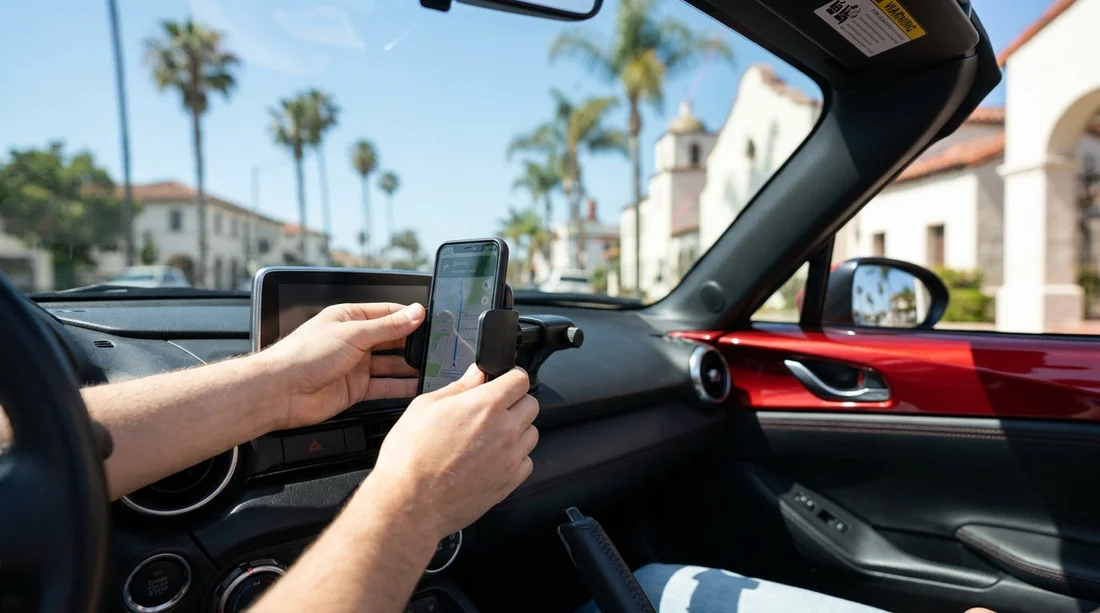
Quick Summary:
- Mount low on the windscreen passenger side, within the permitted corner zone.
- Keep holders away from airbag panels, seams, hinges, and deployment paths.
- Do a visibility check from the driver’s seat before moving off.
- Test stability, cable routing, and phone settings before leaving the bay.
Picking up a car hire in California often means relying on your phone for navigation, parking payments, and hands-free calls. The tricky part is placing a phone holder without blocking your view or creating a safety issue around airbags. California does allow windscreen mounts in limited locations, but the practical, safest option is usually the dashboard, low and off to one side, if it does not interfere with airbags or controls.
Below is a clear way to think about what is legal and sensible before you drive off from the rental bay.
What California law is trying to prevent
California’s visibility rules are aimed at stopping drivers from placing objects on the windscreen that obstruct a clear view of the road. The state makes specific allowances for certain small items, including phone mounts, provided they are positioned in a restricted zone and do not create an unsafe obstruction. In a rental, you also have to consider the vehicle’s safety systems and the hire company’s policies about damage to glass, trim, or dashboards.
The bottom line is simple, your holder should not block your line of sight, and it must not sit where an airbag could strike it during deployment.
Where you can legally mount a phone holder in California
In California, a phone holder can be mounted on the windscreen only in certain areas. The most commonly used legal placement is a low corner of the windscreen, often on the passenger side, where it does not obstruct the driver’s view. The allowance is for a small square area in the lower corner, and the intention is that it stays low and out of your main sightlines.
A second commonly accepted placement is a similar small area in the lower corner nearer the driver, provided it does not obstruct visibility and is positioned within the limited zone. Even if a mount is technically within an allowed area, you should still assess whether it blocks your view of pedestrians, cyclists, traffic lights, or cross traffic at junctions.
If you are collecting from a busy airport location such as car hire at LAX, it is worth taking an extra minute in the bay to set the mount correctly before you enter heavy traffic.
Airbag-safe placement, what to avoid in a rental
Modern cars can have multiple airbags, including driver and passenger front airbags, side airbags in the seats, and curtain airbags along the roofline. A phone mount becomes hazardous if it sits in the path of an airbag, because deployment is fast and forceful.
As a general rule, avoid these areas:
Steering wheel and instrument cluster area, never mount anything on, or directly above, the steering wheel, or in front of the driver’s airbag. Avoid mounts that require wrapping around the steering column.
Passenger-side dashboard panel, many vehicles have a passenger airbag behind a marked dashboard section. Do not place a sticky pad, suction base, or metal plate on that panel or directly above it.
A-pillars and roofline edges, curtain airbags often deploy from the headliner area. Do not route cables or mount clips along the A-pillar trim.
Centre dash “seams” and pop-up screens, some dashboards have airbag seams, and many newer cars have screens that rise from the dash. A mount can interfere with screen movement or safety features.
If you are hiring a larger vehicle, the dashboard geometry can be different, and the windscreen sits more upright. Take extra care with placement in vans or people carriers, including at van hire in Sacramento, where a higher driving position can change what counts as an obstruction in your view.
Practical set-up checks before leaving the counter
Before you drive off, do these quick checks in the driver’s seat with the engine on, where safe to do so. This is especially important after a long flight when you are adjusting to a new vehicle.
1) Visibility and blind spot sweep
Look straight ahead, then check left and right through the windscreen corners. Make sure the holder does not block your view of pedestrians approaching from the passenger side, cyclists filtering at lights, or traffic signals.
2) Airbag clearance check
Identify “SRS AIRBAG” markings on the steering wheel, dashboard, A-pillars, and seat sides. Keep the mount and any cables away from those zones. If you cannot confidently identify the airbag areas, choose a conservative placement low on the windscreen passenger side or a low dash area away from seams.
3) Stability and vibration
With the phone mounted, lightly tap the holder and see if it wobbles. Then shut the door firmly and re-check. If it shifts now, it will likely shift over bumps on the freeway.
4) Cable routing
Route charging cables so they do not cross the steering wheel, pedals, gear selector, or parking brake. Avoid tucking cables into A-pillar trim. Keep the cable slack controlled so it cannot snag during a turn.
5) Heat and glare
California sun can overheat phones quickly. If your mount places the phone in direct sun, you may see thermal warnings and screen dimming. Consider moving it slightly lower or using a vent position that still preserves demisting airflow.
If you are collecting a vehicle in Orange County, the same checks apply whether you pick up via car hire at Santa Ana or another local desk, because the legal visibility expectation is consistent statewide.
Rental car considerations, damage, policies, and leaving no trace
Car hire agreements often prohibit modifications or anything that could damage interior surfaces. Even if a mount is legal, you can still be charged if it leaves residue, peels trim, or cracks a vent. To protect yourself:
Choose non-marking solutions where possible, like suction mounts used correctly on clean glass, or vent mounts that do not over-tighten.
Clean the mounting area first with a dry cloth to remove dust. Avoid using chemicals that could stain plastics.
Remove gently at drop-off and check for marks. If a suction cup sticks hard, lift the release tab rather than pulling straight.
Ask if unsure. Staff may not give legal advice, but they can often point out common mount spots for that vehicle type, and help you avoid placing anything on sensitive trim.
If your trip includes Northern California, you may switch vehicles or brands. The placement principles stay the same when collecting from locations like Enterprise car rental at San Francisco SFO, but always reassess the airbag markings and dashboard layout in each specific car.
FAQ
Can I mount a phone holder on the windscreen in California?
Yes, but only in limited areas that do not obstruct the driver’s view. Keep it low in a permitted corner zone and confirm it does not block sightlines at junctions.
Is a dashboard phone mount legal in California?
Generally yes, as long as it does not obstruct your view and does not interfere with safe operation of the vehicle. In a rental, also avoid adhesives that could damage surfaces.
Where should I not place a phone holder because of airbags?
Avoid the steering wheel, passenger airbag panel on the dashboard, A-pillars, roofline edges, and any marked SRS areas. Keep both the mount and cables out of deployment paths.
Can I use a vent mount in a car hire vehicle?
You can, but check it does not block demisting airflow, does not wobble with your phone’s weight, and does not strain vent fins. Remove it carefully to avoid damage charges.
What quick checks should I do before leaving the rental bay?
Sit in driving position and confirm clear visibility, airbag clearance, stable grip, safe cable routing, and that navigation and audio are set before moving off.

























































































