


Quick Summary:
- Identify the shifter type and confirm where the selected gear displays.
- Confirm you must press the brake pedal to shift from Park.
- Locate the parking brake control, then test apply and full release.
- Check dashboard indicators for P, BRAKE, and any warning chimes.
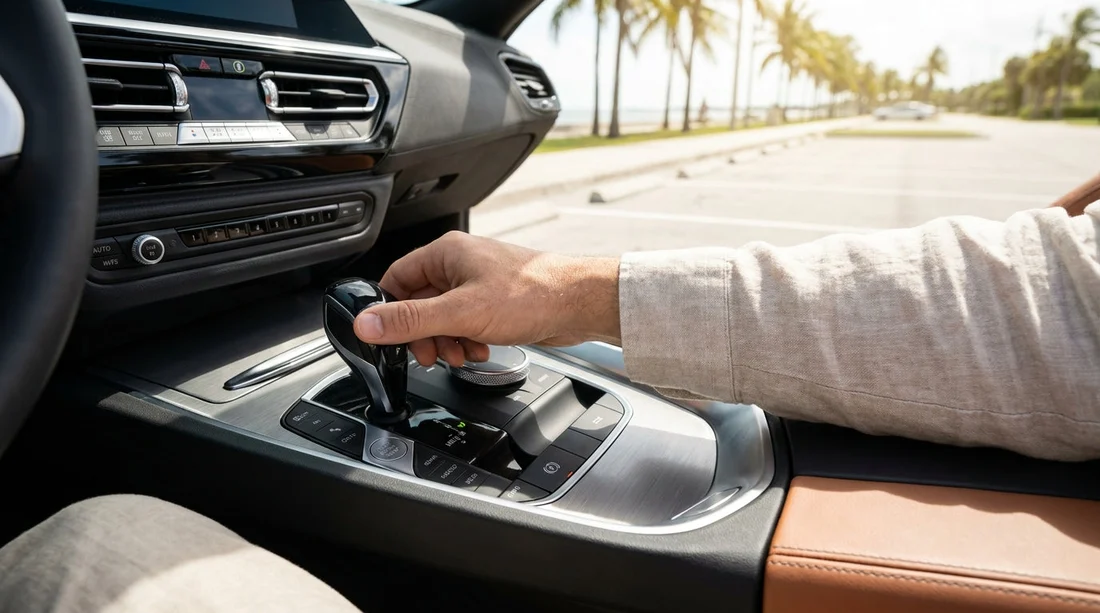
In Florida, many visitors step into their first US-spec car hire and meet a few surprises: a PRNDL selector layout, electronic shifters that spring back to centre, and parking brakes that are not a hand lever. A two minute counter to car check before you leave the bay can prevent common low speed mishaps, like selecting the wrong range or driving with the parking brake applied.
This guide focuses on what to confirm about the gear selector and parking brake, because those two controls vary the most between models and are easy to misread when you are tired after a flight. If you are collecting near the terminals, the same checks apply whether you pick up at Miami Airport or Fort Lauderdale Airport.
1) Identify the shifter style before you touch PRNDL
Start by looking at the centre console, steering column, and dashboard. Florida rental fleets include traditional console levers, column shifters, electronic joystick shifters, and rotary dials.
Before selecting anything, locate where the car confirms the selected gear, usually a highlighted letter on the instrument cluster. In an electronic shifter, the display is the source of truth, not your hand position.
2) Confirm the brake interlock, start mode, and how to reach Drive
Most US rentals require the brake pedal to be firmly pressed to shift out of Park. With the car started, keep your foot on the brake and move from P to R, then back to P, and confirm the correct letter lights up.
If you cannot shift, check you are pressing the brake, the key fob is inside, and the steering wheel is not locked against the kerb. If something behaves unexpectedly, do not force the selector, because forcing can break trim and leave you stuck in Park.
3) Locate the parking brake, because it may not be a handbrake
In Florida car hire vehicles, the parking brake can be a lever, a foot pedal, or an electronic switch. Locate it before you set off, not when traffic is behind you.
Hand lever between the seats. Pull up to apply, press the button and lower fully to release. Confirm it is all the way down and that the BRAKE light goes out.
Foot operated parking brake pedal. Usually far left in the driver footwell. Press it to apply, then press again to release, or pull a release handle depending on model.
Electronic parking brake (EPB) switch. Pull to apply, push to release, usually while pressing the brake pedal. Some models auto release when you accelerate in Drive, but do not assume this without checking the indicator.
If you are collecting from a busy location such as Tampa Airport, taking an extra moment to identify the parking brake control reduces stress when you are merging out of the terminal area.
4) Do a set and release test while stationary
Apply and release the parking brake once before driving away. With foot brake pressed and the car in Park, apply it and confirm the indicator shows, then release it and confirm the indicator turns off.
Shift to Drive with the brake pressed and gently creep forward a few inches, then brake. If the car resists moving, stop and recheck the parking brake indicator and control.
5) Know the signs you are in the wrong gear or the brake is still on
If the reverse camera appears when you intended Drive, or the engine revs with little movement in Neutral, confirm the highlighted PRNDL letter on the dash before pressing the accelerator.
If the BRAKE light stays on, you hear a warning chime, or the car feels sluggish, pull over safely and recheck the release procedure. These cues are especially useful if you switch vehicles mid trip, for example changing to National at Fort Lauderdale, where the cabin layout can be different even within similar car classes.
6) Special situations: slopes and fuel stops
On a slope: Come to a complete stop with the foot brake, shift to Park, apply the parking brake, then release the foot brake. This reduces load on the transmission’s parking pawl and makes it easier to shift out of Park later.
At fuel stations: Put the car in Park and apply the parking brake if the ground is uneven. Do not leave the car in Drive with your foot on the brake while refuelling.
If you are using a provider near the terminals, these same steps apply at busy collection points such as Enterprise at Tampa Airport.
FAQ
Why does the gear lever spring back to the centre after I select Drive? Many modern Florida rentals use electronic shifters. The lever is just an input device, and the selected gear is shown on the dashboard display.
How do I know if the parking brake is on? Look for a red BRAKE or parking brake symbol on the instrument cluster. If it stays lit after you release the control, stop and retry the proper release method.
What should I do if I cannot shift out of Park? Press the brake pedal firmly, confirm the car is fully started, and check the key fob is inside. If the steering is hard against the kerb, wiggle the wheel while braking.
Is a foot parking brake common in US car hire cars? Yes, especially in some sedans and larger vehicles. It sits far left and is easy to overlook, so identify it before you pull away.
Do I need to use L or S for normal Florida driving? No. Use Drive for routine roads and motorways. Low or Sport modes are optional for specific situations like steep ramps or more responsive acceleration.

























































































